02 Internet Security
PGP (end to end email security)
Documentation

Threats it attends
-
Data Interception & Eavesdropping: Encrypts emails and files end-to-end, preventing hackers, malicious actors, or ISPs from reading the content.
-
Data Tampering (Integrity Threats): Uses digital signatures to guarantee that the content was not altered between the sender and receiver.
-
Impersonation & Fraud (Authentication Threats): Confirms the identity of the sender through cryptographic key verification (ensuring the message actually came from who it claims to be from).
Tools
SSH (secure remote access)
Secure Shell Protocol:
Documentation
https://www.lysator.liu.se/~nisse/lsh/lsh.html
Threats it solves
-
Man-in-the-Middle (MitM) Attacks: SSH verifies both the server’s identity (using host keys) and the user’s identity (using strong cryptographic key pairs). This ensures that malicious actors cannot secretly alter communications, spoof the server, or intercept the connection without the client being alerted.
-
Password Theft and Brute-Force Attacks: By utilizing cryptographic SSH key pairs instead of standard passwords, SSH protects against remote password guessing. Because the private key is never transmitted across the network, it cannot be intercepted, and it makes automated dictionary or brute-force attacks highly ineffective.
-
Unsecured Network Access: SSH is capable of tunneling and port forwarding. This allows organizations to encrypt non-secure traffic (such as HTTP or database queries) by routing them through a secure, encrypted “pipe” or “tunnel,” preventing data leaks over public networks.
Tools
VPN / IPsec (network-layer tunneling)
Virtual Private Network
Documentation
https://openvpn.net/community-docs/openvpn-protocol.html
Threats it solves
- ISP Tracking: Stops your Internet Service Provider (ISP) from monitoring and logging the websites you visit.
- IP-Based Tracking & Targeting: Masks your real IP address, preventing websites and cybercriminals from identifying your physical geographic location.
- DDoS Attacks: By hiding your actual IP address, a VPN makes it significantly harder for malicious actors to target your home connection with Distributed Denial of Service (DDoS) attacks.
Tools
https://protonvpn.com/
MACsec (link-layer encryption)
Documentation:
https://1.ieee802.org/security/802-1ae/
Threats it solves
- Layer 2 Spoofing and Intrusions: Secures vulnerable local networks against MAC address spoofing, ARP spoofing, and VLAN hopping.
- Malicious Protocol Modification: Safeguards critical network control plane traffic (like DHCP, ARP, and LLDP packets) that higher-layer protocols like IPsec typically fail to cover.
- Replay Attacks: Uses unique packet numbers and SecTAGs to ensure that an attacker cannot capture and replay legitimate network packets to disrupt or hijack a session.
Tools
- Wireshark (to Inspect EtherType 0x88E5 frames)
DNS Security (DNSSEC & DNS spoofing)
Documentation
Threats it solves
- DNS Hijacking: Attackers maliciously seize control of the actual DNS nameservers or domain registrar accounts to permanently redirect all inbound brand traffic to criminal-owned servers.
- Phishing and Malware Delivery: Users clicking on malicious links are automatically protected because the DNS security tool blocks the lookup of known ransomware, spyware, or phishing domains before a connection is ever established.
- DNS Tunneling (Data Exfiltration): Malware bypasses standard firewalls by encoding stolen corporate data into outbound DNS queries. DNS security identifies and blocks these non-standard, repetitive queries.
tools
https://www.cloudflare.com/
IDS / IPS (detection vs. prevention)
Documentation
Threats it solves
- Vulnerability Exploits: Targets known software or hardware flaws before patches can be deployed.
- Malware and Ransomware: Catches command-and-control communications or malicious payloads entering the network.
- Network Probing: Detects initial port scans and ping sweeps used by hackers mapping your network topography.
Tools
- https://snort.org
Exercises:
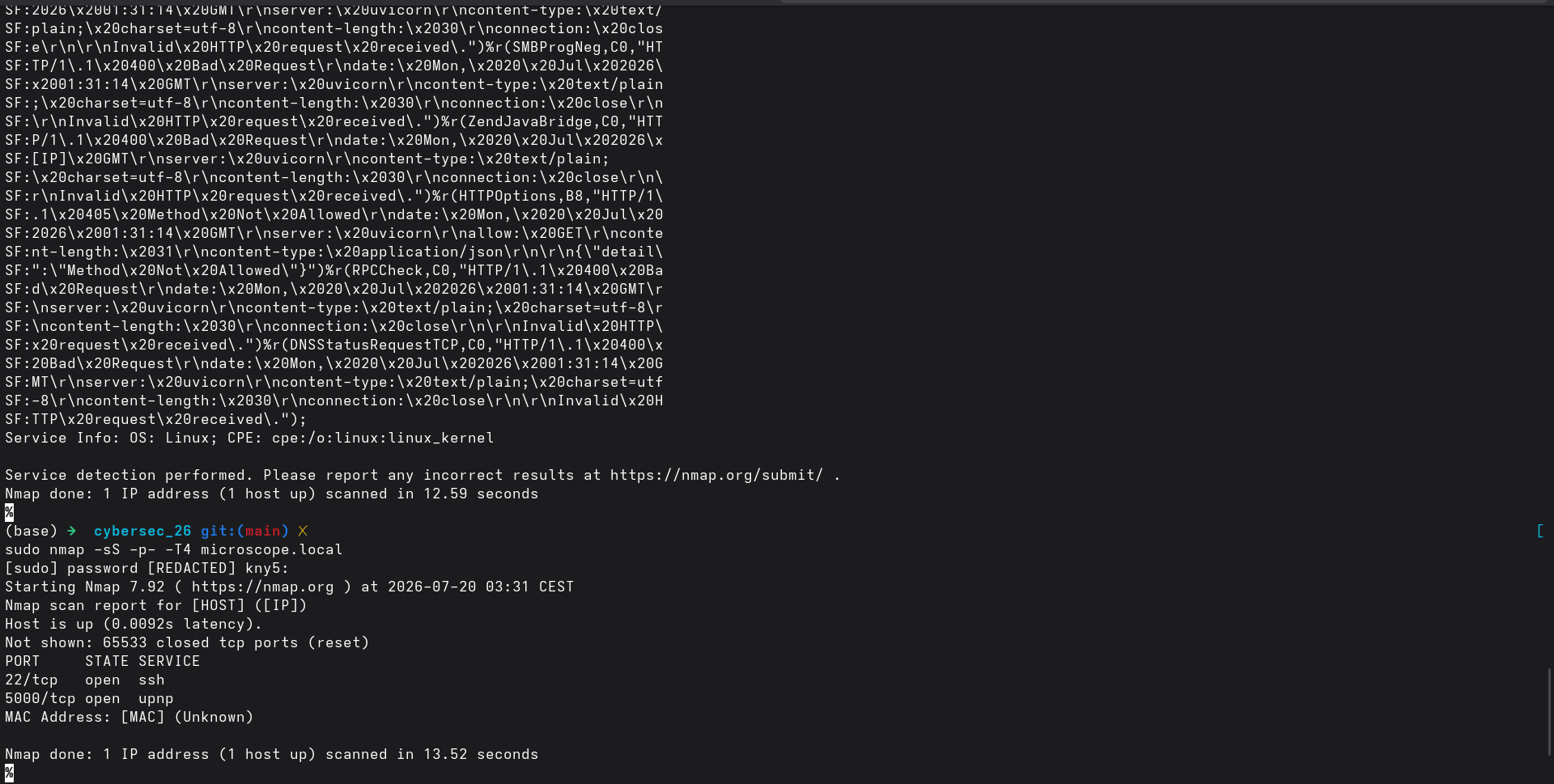
I’m applying the exercises to the system I’d like to harden. In this case the OpenFlexure Microscope based on Raspbian.
Port scanning

Command:
sudo nmap -sS -p- -T4 microscope.local
Results: