Measure how long it takes the processor to read data from different levels of the memory hierarchy (the cache vs. main memory / DRAM).
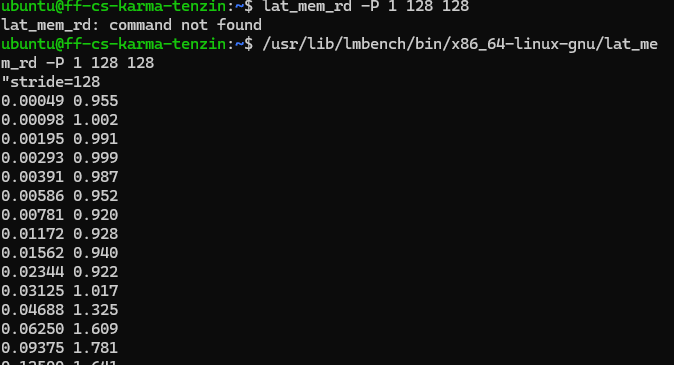
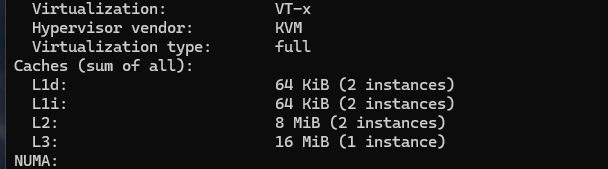
I measure in my Dell laptop by using a simple benchmark. The idea is to access arrays of increasing sizes. Small arrays fit in the CPU caches (L1, L2, L3), while large arrays exceed the cache and are fetched from main memory (DRAM). As the array size increases, the average access time increases, revealing the different levels of the memory hierarchy. I install the lmbench through ubuntu but could not locate my file, thus i run this code.
sudo apt update
sudo apt install lmbench
find / -name lat_mem_rd 2>/dev/null
I run the memory latency benchmark specifying different array sizes:
/usr/lib/lmbench/bin/x86_64-linux-gnu/lat_mem_rd -P 1 128 128
The output shows memory latency in nanoseconds for different memory sizes.
How Flush+Reload Works
The attack has three main steps: 1. Flush Remove every candidate memory location from the CPU cache using clflush(). After this, all monitored addresses are in DRAM. 2. Victim Executes The victim accesses one memory location based on a secret value. That accessed location is automatically loaded into the cache. 3. Reload Measure the access time to every candidate address using measure_one_block_access_time(). The address with the lowest access time is the one the victim accessed. That index corresponds to the secret.