Session 1: Install an SSH public key on a server and use it to log in.
Questions asked: How does SSH key authentication work? What is stored on the server? What stays on your own computer? Why does the server not need your private key?
Research
- Generate the keys on the server terminal
- Add a Passphrase
- Install the SSH public key on the server
- Test the key from an other terminal to log in on the server
Useful links
- Generate keys and login
- https://docs.alliancecan.ca/wiki/Using_SSH_keys_in_Linux/fr
- https://www.ionos.fr/digitalguide/serveur/configuration/cle-ssh-sous-ubuntu/
Terminal code and result
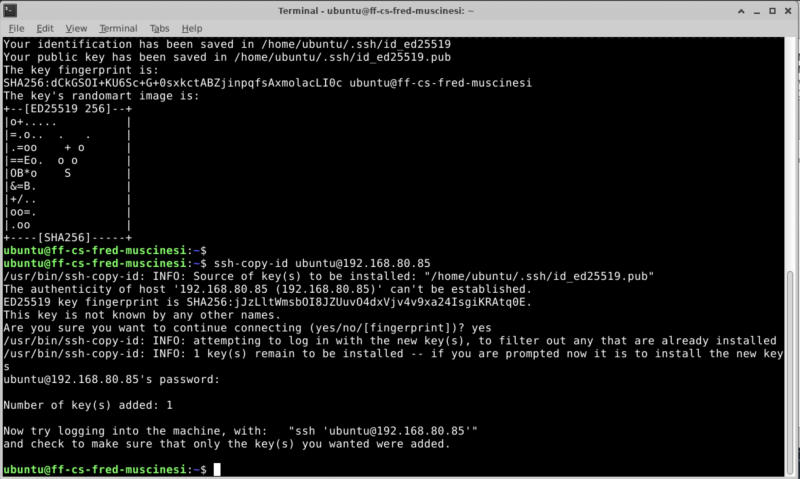
ubuntu@ff-cs-fred-muscinesi:~$ ssh-keygen
Generating public/private ed25519 key pair.
Enter file in which to save the key (/home/ubuntu/.ssh/id_ed25519):
/home/ubuntu/.ssh/id_ed25519 already exists.
Overwrite (y/n)? y
Enter passphrase (empty for no passphrase):
Enter same passphrase again:
Your identification has been saved in /home/ubuntu/.ssh/id_ed25519
Your public key has been saved in /home/ubuntu/.ssh/id_ed25519.pub
The key fingerprint is:
SHA256:dCkGSOI+KU6Sc+G+0sxkctABZjinpqfsAxmolacLI0c ubuntu@ff-cs-fred-muscinesi
The key's randomart image is:
+--[ED25519 256]--+
|o+.....          |
|=.o..  .   .     |
|.=oo    + o      |
|==Eo.  o o       |
|OB*o    S        |
|&=B.             |
|+/..             |
|oo=.             |
|.oo              |
+----[SHA256]-----+
ubuntu@ff-cs-fred-muscinesi:~$ ssh-copy-id ubuntu@192.168.80.85
/usr/bin/ssh-copy-id: INFO: Source of key(s) to be installed: "/home/ubuntu/.ssh/id_ed25519.pub"
The authenticity of host '192.168.80.85 (192.168.80.85)' can't be established.
ED25519 key fingerprint is SHA256:jJzLltWmsbOI8JZUuvO4dxVjv4v9xa24IsgiKRAtq0E.
This key is not known by any other names.
Are you sure you want to continue connecting (yes/no/[fingerprint])? yes
/usr/bin/ssh-copy-id: INFO: attempting to log in with the new key(s), to filter out any that are already installed
/usr/bin/ssh-copy-id: INFO: 1 key(s) remain to be installed -- if you are prompted now it is to install the new keys
ubuntu@192.168.80.85's password:

Number of key(s) added: 1

Now try logging into the machine, with:   "ssh 'ubuntu@192.168.80.85'"
and check to make sure that only the key(s) you wanted were added.
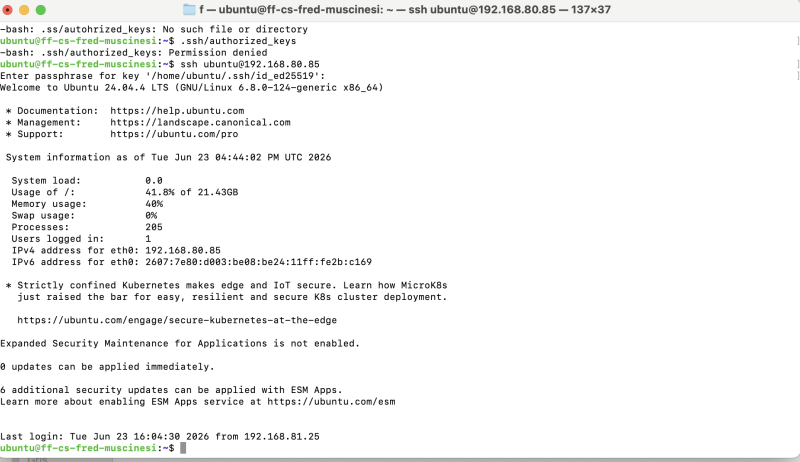
ubuntu@ff-cs-fred-muscinesi:~$ ssh ubuntu@192.168.80.85
Enter passphrase for key '/home/ubuntu/.ssh/id_ed25519':
Welcome to Ubuntu 24.04.4 LTS (GNU/Linux 6.8.0-124-generic x86_64)
Image
Answers to the questions asked
How does SSH key authentication work?
Through a Passphrase
What is stored on the server?
A public key
What stays on your own computer?
The private key
Why does the server not need your private key?
Because of the Passphrase