Session01-Introduction & Cryptography
My journey to learn cybersecurity begins here . . .
What is the Public Key?
Information borrowed from chatgpt: A public key is a key that shared with anyone or anyone can know and use to encrypt data or verify digital signatures.
How it works:
- People use our public key to encrypt messages.
- Once encrypted, only our private key can decrypt the message.
- Sharing the public key does not compromise security.
Example
-----BEGIN PUBLIC KEY----- MIIBIjANBgkqhkiG9w0BAQEFAAOCAQ8AMIIBCgKCAQEAt… -----END PUBLIC KEY-----
What is the Private Key?
A private key is a secret key used to decrypt data and create digital signatures. It should never be shared with others.
How it works:
- It is used to decrypt messages encrypted with the public key.
- It can also be used to create digital signatures.
- If someone obtains your private key, they can access your encrypted data.
Example
-----BEGIN PRIVATE KEY----- MIIEvQIBADANBgkqhkiG9w0BAQEFAASCBKcwggSjAgEAAoIBAQ… -----END PRIVATE KEY-----
Homework
Using the server details shared with us, I could login to virtual server via SSH. But during this homework, I used putty terminal. The evidence is attached below: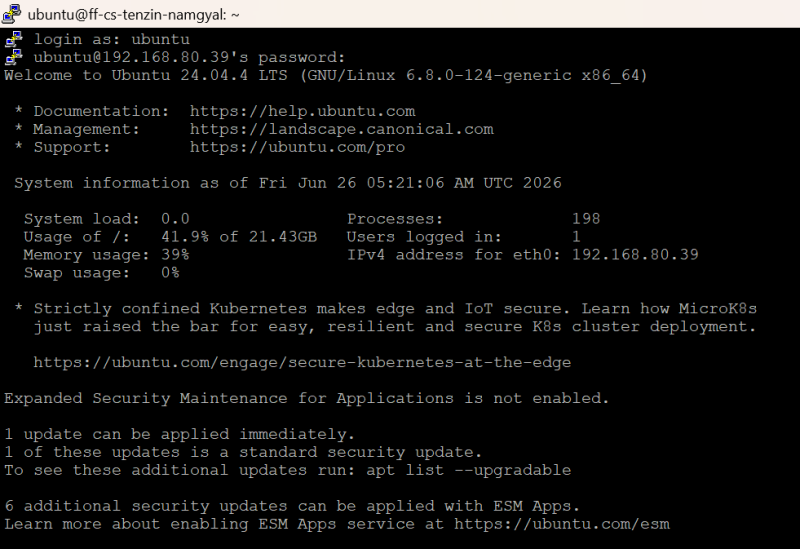 I tried using “Desktop VPN Access” as shown in the image below, it works in same way.
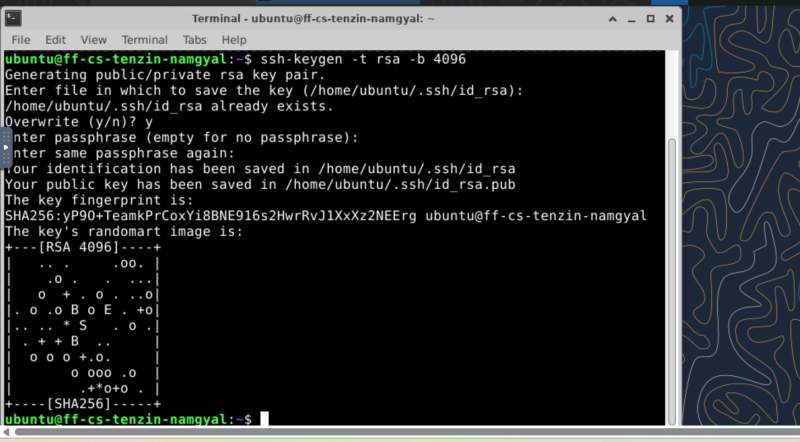
Generate the Key Pair
To generate public key, I typed the prompt: ssh-keygen -t rsa -b 4096, which I have learned from Chatgpt.
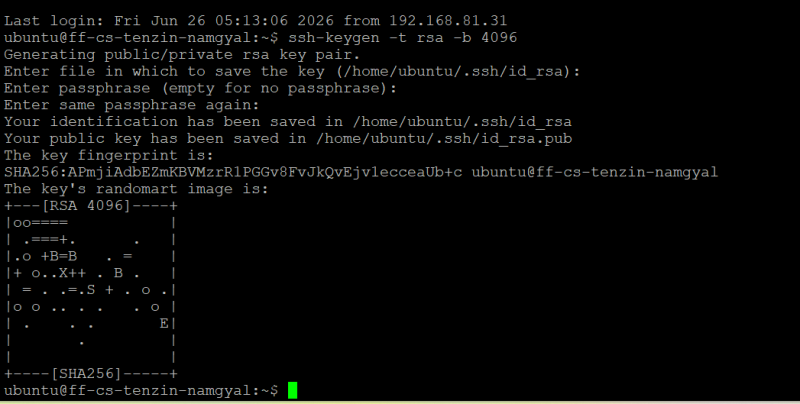 I could see the random image generated as shown in the image.
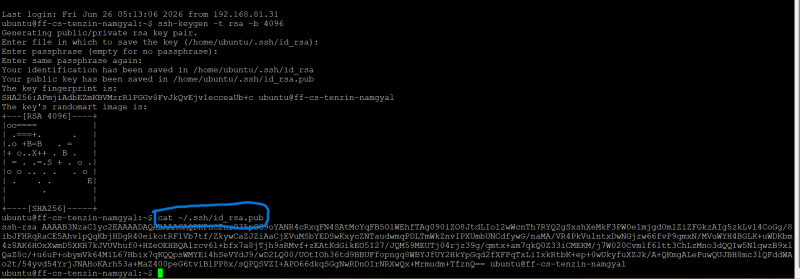
View the Public Key
I have learned to typed the prompt: cat ~/.ssh/id_rsa.pub, which result with following image.
View the Private Key
Using the prompt: cat ~/.ssh/id_rsa, I knew that it will show the private key.
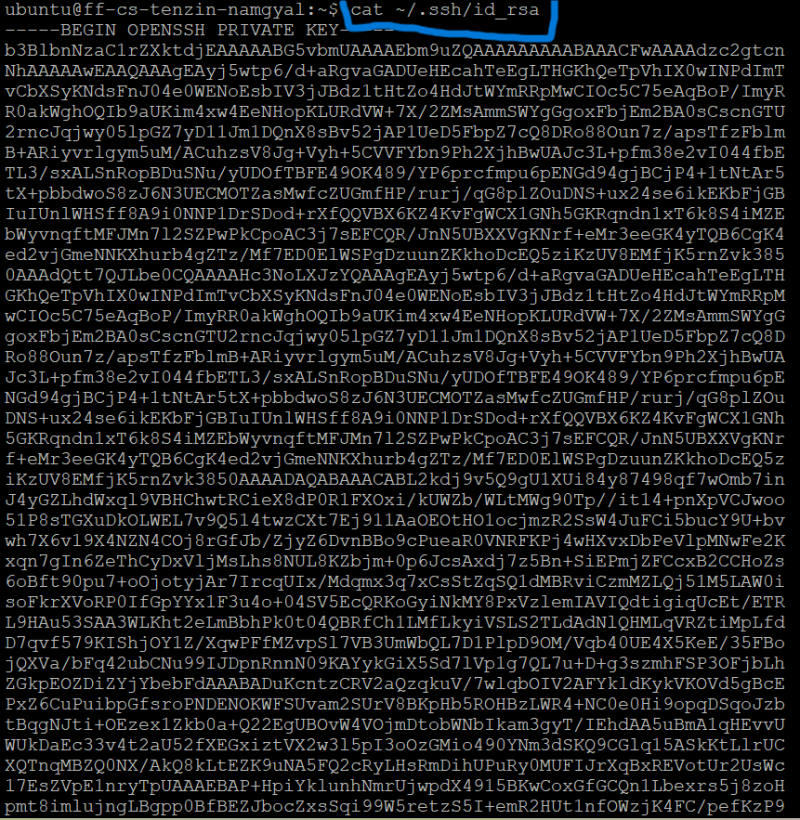

How does SSH key authentication work?
SSH key authentication uses a pair of cryptographic keys, public key (stored on the server) and the private key (remains on your computer). When we connect, the server sends a message. Then the computer uses the private key to prove it has the matching key without sending the private key itself. If the proof is correct, the server grants access.
Why does the server not need your private key?
The server only needs the public key to verify that the computer possesses the matching private key. The server only needs the public key to verify that your computer possesses the matching private key.
Encrypt and decrypt a file.
After learning from AI, I was practising to encrypt and decrypt file.
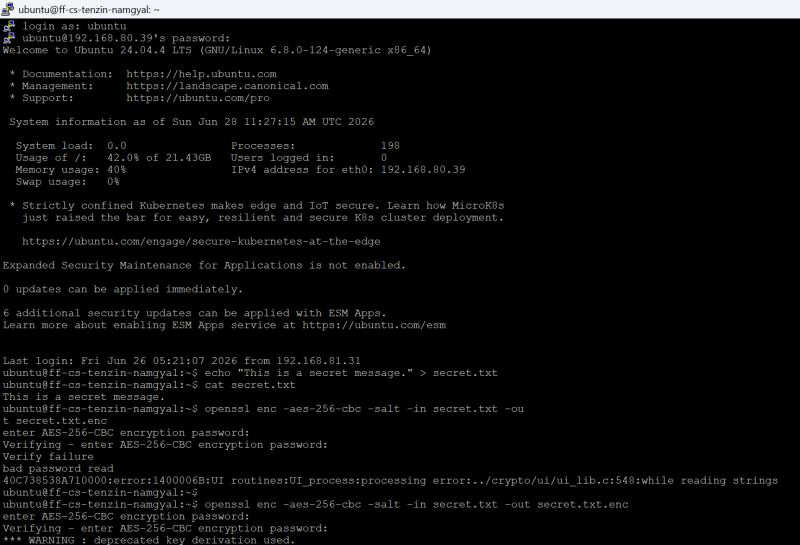

Points to remember in the image attached are: - Creating the file (echo …) - Encrypting the file (openssl enc -aes-256-cbc …) - The encrypted file (cat secret.txt.enc) - Decrypting the file (Displaying the decrypted file (cat decrypted.txt)) After practising the encryption and decryption of a file, I am trying to answer the questions mentioned in the homework. I used symmetric encryption because the same password was used to encrypt and decrypt the file. The key was derived from the password I entered when encrypting the file. OpenSSL uses the password to generate a secure encryption key. I am sure that anyone who knows the correct password can decrypt the file. Without the password, the encrypted file cannot be read or open. Moreover, its is said that there is no practical way to recover the original information without the correct key.
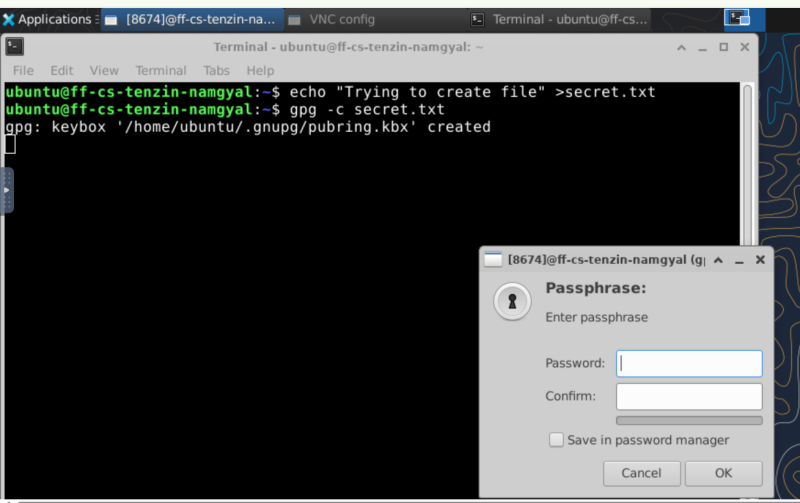
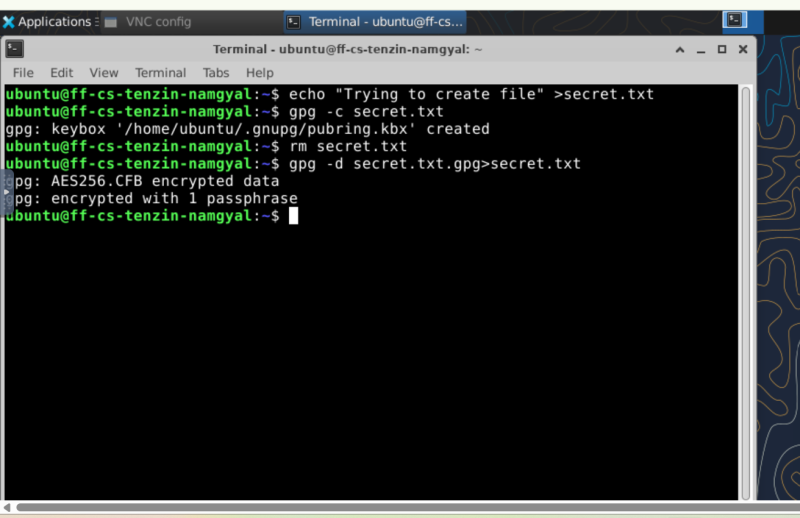
Encrypt a disk, USB stick, directory, or filesystem.
In the following images (screenshots), I have created a test file, encrypted it and decrypted it back.
 What exactly is encrypted?
The files and their contents inside the encrypted directory are encrypted.
When is the data decrypted?
The data is decrypted only after the encrypted directory is mounted and the correct password is entered.
What does this protect against?
It protects against the physical theft. If someone steals our laptop, USB, or hard drive, they cannot read the data without the password.
What does it NOT protect against?
It does not protect against, someone who already knows the password, malware/Ransomware or attackers while the encrypted directory is mounted and files that have already been copied elsewhere in unencrypted form.
What exactly is encrypted?
The files and their contents inside the encrypted directory are encrypted.
When is the data decrypted?
The data is decrypted only after the encrypted directory is mounted and the correct password is entered.
What does this protect against?
It protects against the physical theft. If someone steals our laptop, USB, or hard drive, they cannot read the data without the password.
What does it NOT protect against?
It does not protect against, someone who already knows the password, malware/Ransomware or attackers while the encrypted directory is mounted and files that have already been copied elsewhere in unencrypted form.
Create a file, compute its hash, change the file, and compute the hash again.
I was learning with following steps:
- Create a file: echo “Learning ....” > myfile.txt
- Compute its hash: sha256sum myfile.txt
- Output: e.g., a591a6d40bf420404a011733cfb7b190d62c65bf0bcda32b57b277d9ad9f146e
- Change the file: echo “Learning hashing today ” > myfile.txt
Note: we need to add a space after the text or before quotation close
- Compute hash again: sha256sum myfile.txt
This time the output is completely different from previous one
 What changed?
The SHA-256 hash changed completely because the file contents changed.
Why are hashes useful?
Hashes verify data integrity. Even a one-character change produces a different hash.
Why does a hash not prove who created the file?
A hash only identifies the file’s contents. Anyone can create the same file and produce the same hash.
How could hashes be used to detect tampering?
Compare the current hash with the original hash. If they differ, the file has been modified.
What changed?
The SHA-256 hash changed completely because the file contents changed.
Why are hashes useful?
Hashes verify data integrity. Even a one-character change produces a different hash.
Why does a hash not prove who created the file?
A hash only identifies the file’s contents. Anyone can create the same file and produce the same hash.
How could hashes be used to detect tampering?
Compare the current hash with the original hash. If they differ, the file has been modified.
Sign a file or message and verify the signature.
Terminologies
New terminologies that I to learn are as follows:
- Digital signature is a cryptographic technique used to verify:
- Authentication – confirms who sent the message.
- Integrity – ensures the message has not been altered.
-
Non-repudiation – prevents the sender from denying they sent it.
-
SSH (Secure Shell) is a cryptographic network protocol used to securely access, co