Session02-Internet security
PGP (Pretty Good Privacy) (End-to-End Email Security)
What threat does it address?
Protects email and file content against eavesdropping, tampering, and forgery by adding encryption and signatures.
What’s the trust model?
Users generate their own public/private key pairs. Trust is established through the Web of Trust, where users verify and sign each other’s public keys. It is more of decentralized.
What’s the residual risk?
It does not solve endpoint compromise, metadata leakage, or key-management failures; if the wrong key is trusted, confidentiality and authenticity fail.
SSH (Secure Shell) (Secure Remote Access)
What threat does it address?
Protects remote login sessions from eavesdropping, password theft, and man-in-the-middle (MITM) attacks.
What’s the trust model?
Client verifies the server’s host key. Users authenticate using passwords or, preferably, public/private key pairs. Trust is based on trusted host keys and secure key management.
What’s the residual risk?
Compromised client/server, stolen SSH keys, weak passwords, or users accepting fake host keys can still lead to unauthorized access.
VPN / IPsec
What threat does it address?
Protects network traffic from interception, modification, and unauthorized access over untrusted networks such as the Internet.
What’s the trust model?
Devices authenticate using shared secrets or digital certificates. IPsec establishes encrypted tunnels between trusted endpoints.
What’s the residual risk?
A VPN only protects traffic in transit, not the endpoints or applications on either side; key compromise, endpoint compromise, and tunnel misconfiguration remain major risks.
MACsec (Media Access Control Security)
What threat does it address?
Protects Ethernet traffic from eavesdropping, replay attacks, and frame tampering on local networks.
What’s the trust model?
Neighboring devices authenticate each other using MACsec keys. Trust exists only between directly connected devices.
What’s the residual risk?
Traffic is protected only on each physical link, not end-to-end. Compromised switches or endpoints remain a security risk.
DNS Security (DNSSEC & DNS spoofing)
What threat does it address?
Prevents DNS spoofing, cache poisoning, and forged DNS responses by verifying the authenticity of DNS records.
What’s the trust model?
Uses a hierarchy of trusted digital signatures beginning at the DNS root. Each DNS zone signs its records with cryptographic keys.
What’s the residual risk?
DNSSEC does not encrypt DNS queries, so privacy is not provided. DDoS attacks, compromised authoritative servers, or incorrect DNSSEC configuration can still cause problems.
IDS / IPS (Intrusion Detection System / Intrusion Prevention System)
What threat does it address?
Detects (IDS) or detects and blocks (IPS) malicious network traffic, attacks, and suspicious behavior.
What’s the trust model?
Trust is based on accurate detection rules, signatures, behavioral analysis, and proper administrator configuration.
What’s the residual risk?
False positives and false negatives may occur. Unknown (zero-day) attacks or encrypted traffic may bypass detection. Misconfigured systems may also miss threats or block legitimate traffic.
Evidences of the exercises
TLS Handshake Trace
I have installed wireshark in my laptop.
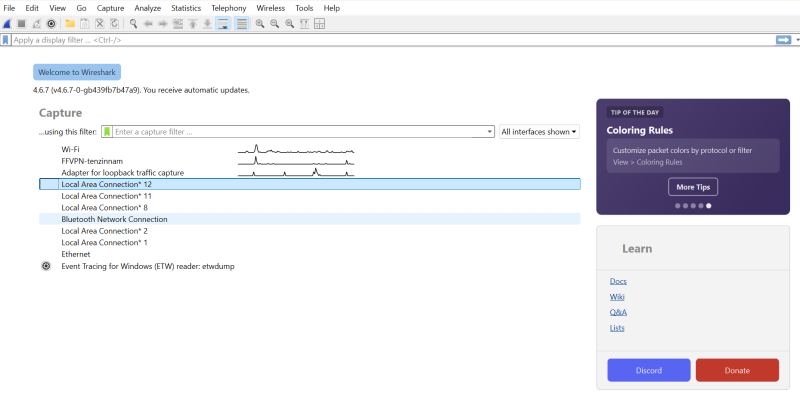
Double-click Wi-Fi (the first interface with activity). Packet capture will begin immediately.
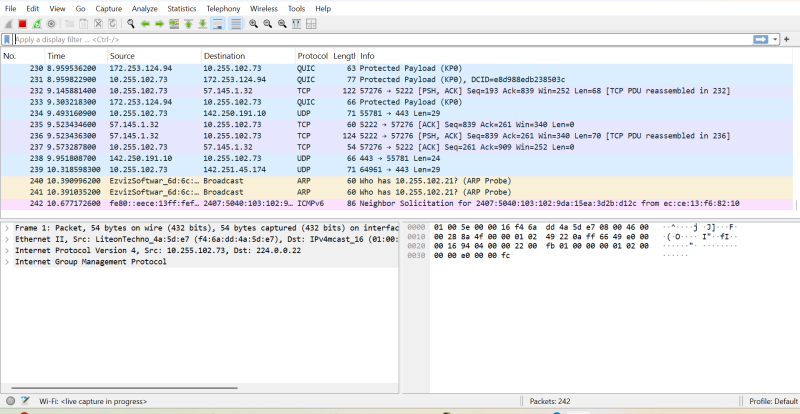
Generate HTTPS Traffic:
Open your web browser. Visited https://www.google.com
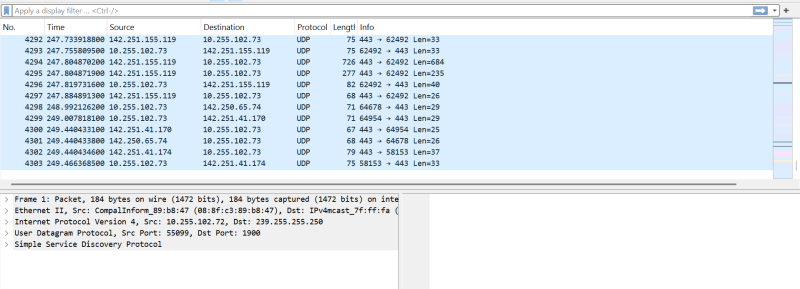 Wait until the page finishes loading. Return to Wireshark. Click the red square (Stop) button. I could see as shown in the image.
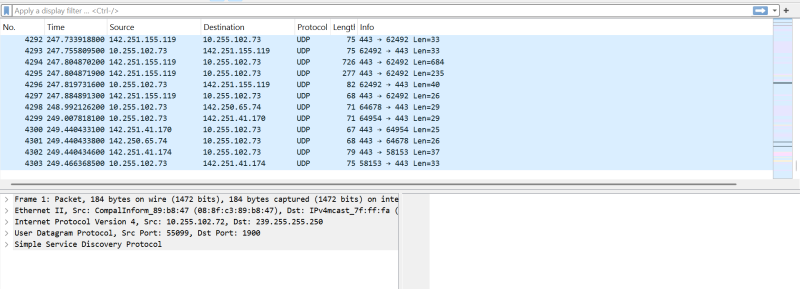
Filter Only TLS Packets:
At the top filter bar type- TLS or tied with tls || tcp.port==443
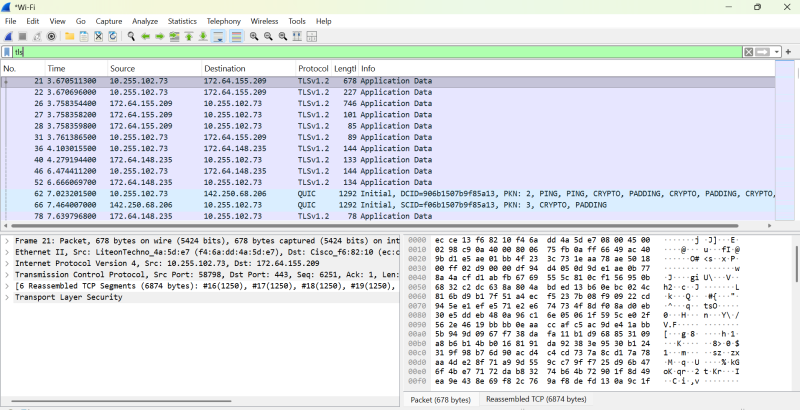 Wireshark is only showing TLS Application Data (the encrypted traffic), not the initial handshake packets (Client Hello, Server Hello, etc.) in above image.
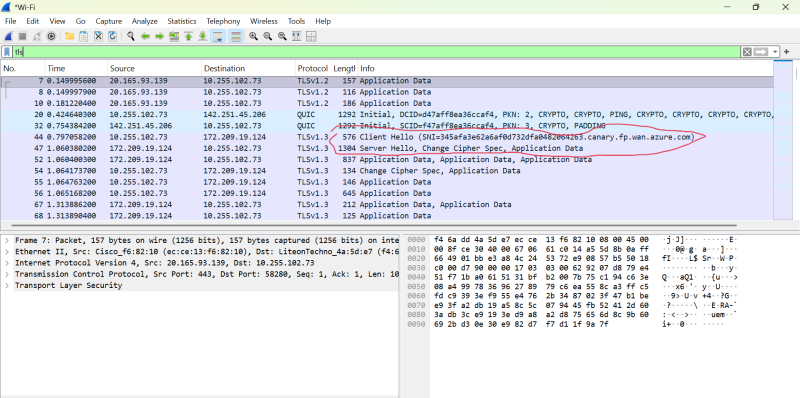
I stoped the wireshark and restarted in same way then only I could see handshake packets as shown below.
Find the TLS Handshake:
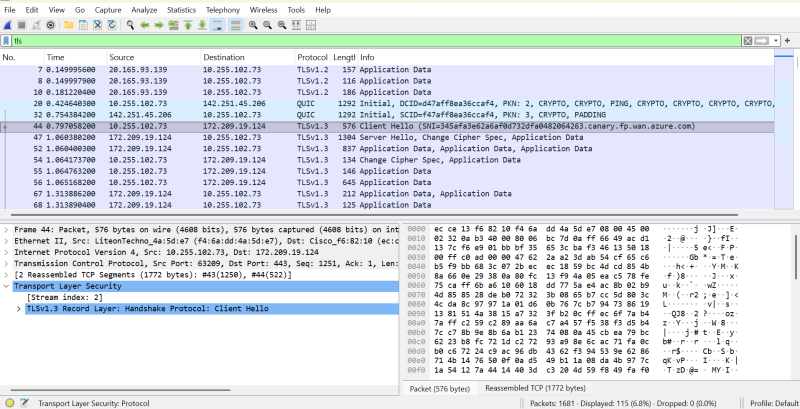
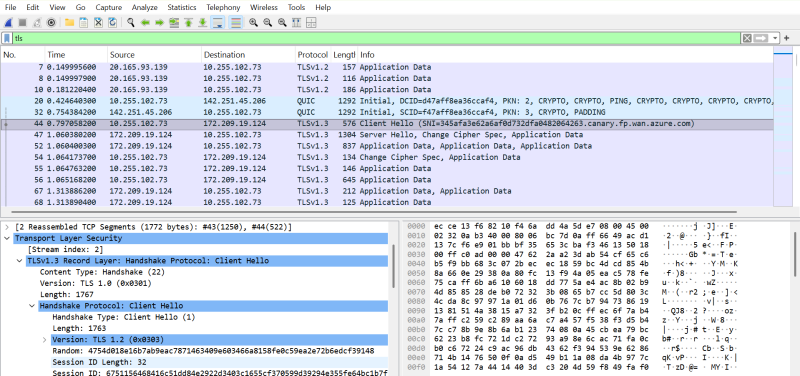
Locate a packet named- “Client Hello” ,Click it once. The bottom pane will show packet details “Transport Layer Security” she shown in image.
Find the Cipher Suite:
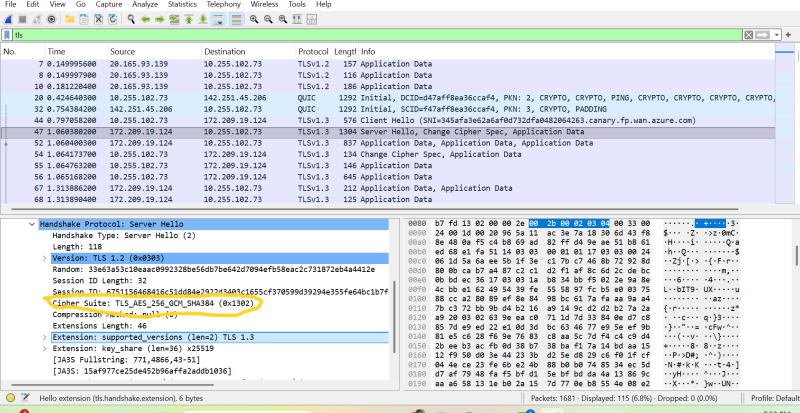
Now click on “Server Hello” on Transport Layer Security , I was Looking for Cipher Suite.
Find the Certificate: Actually I was trying to complete this activity but i am lost in between. I tried for 3 to 4 hours but could not follow my steps. Therefore, i am moving to next assigmnet.
This activity shall aim following:
- See what services (ports) are exposed on your VM.
- Configure the firewall so only necessary ports are reachable.
- Verify that unnecessary ports are blocked.
Get ip
type hostname -i

I have installed #nmap# in VM:
sudo apt update
sudo apt install nmap
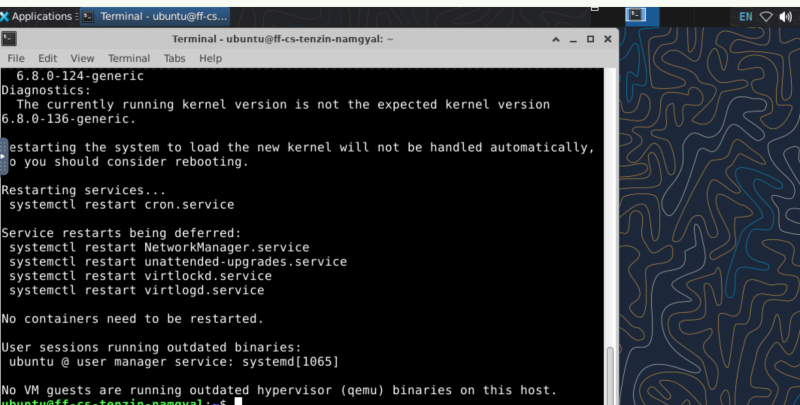
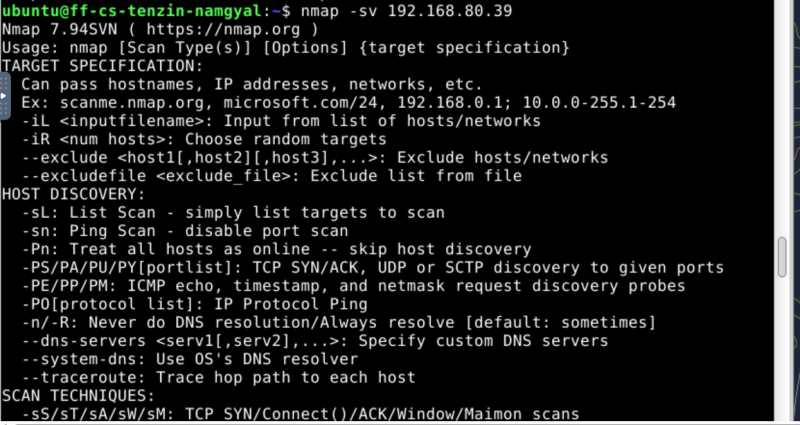
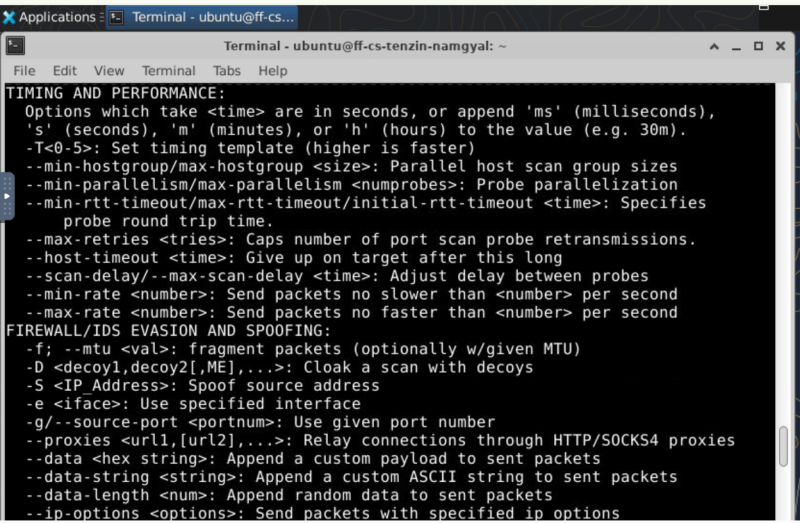
Then run the cmd: nmap 192.168.1.100 and to see following:
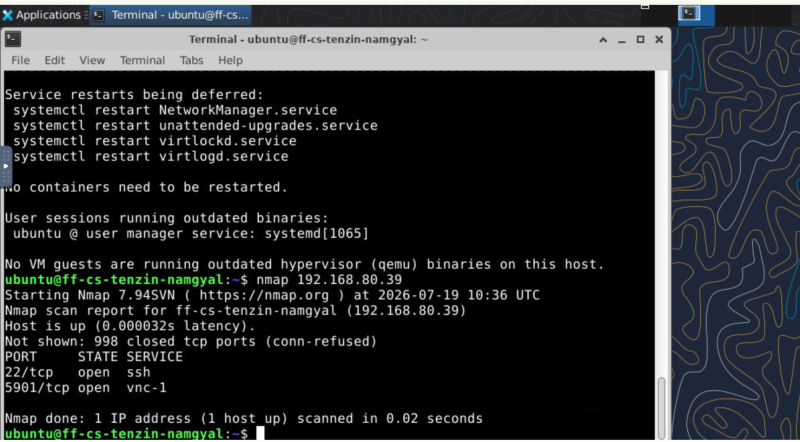
Nmap tested many TCP ports. I could see port 998 is closed. When Nmap tried connecting, the machine rejected the connection.
Check Firewall Status
Ubuntu uses UFW (Uncomplicated Firewall). Check its status using cmd: sudo ufw status:
 I saw it is inactive.
Enable the Firewall:
I have learned that firstly allowing SSH is necessary because may lock ourself out if connected remotely. cmd: sudo ufw allow 22/tcp

Then enable ufw:
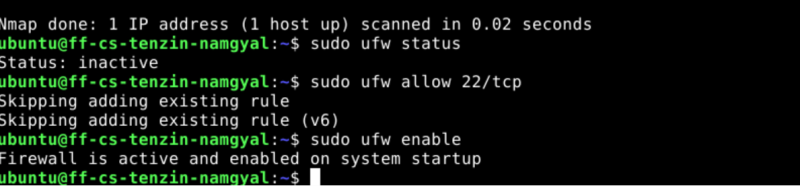
Now I check the status:
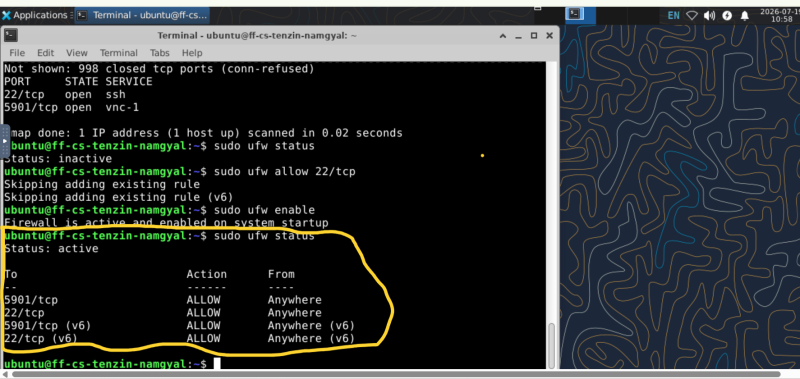
Block Unnecessary Ports and check the updated status
I will block port 5901 which is not required as a learning:
Use prompt: sudo ufw deny 5901/tcp
Then check the status.
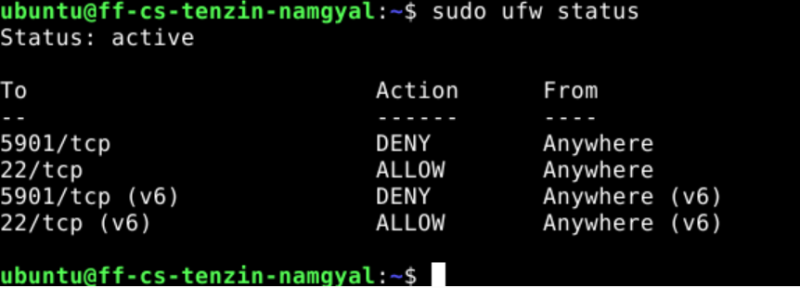
Scan Again
Overall detail was shown as below: