Trying SiliconCompiler
Silicon Compiler Site | Documentation | Repo
After completing the course I wanted to continue exploring different open-source ASIC workflows. During the final project I had used LibreLane to take my RISC-V design from RTL to GDS, but another tool I had come across was SiliconCompiler.
SiliconCompiler takes a slightly different approach. Instead of being only an RTL-to-GDS flow, it acts as a framework for configuring and orchestrating different EDA tools.
Setup
I did the experiment inside the IIC-OSIC container using the same design I had created for my final project.
The directory already contained:
Rather than modifying the container's Python installation, I created a virtual environment:
Then installed SiliconCompiler:
A small container problem
At first the installation was confusing. SiliconCompiler appeared to be installed, but Python was finding an older version from the container instead of the version in my virtual environment.
I checked the Python path:
The container had its own Python directories added to PYTHONPATH, including:
I cleared these for the current shell:
After that I checked the installation again:
python -c "import siliconcompiler; print(siliconcompiler.__file__)"
python -c "import importlib.metadata as m; print(m.version('siliconcompiler'))"
Now SiliconCompiler was being loaded from the virtual environment and the version was:
I also found that this version provided smake:
Running a design
I adapted one of the SiliconCompiler examples to my tiny_top sanity-check design.
from siliconcompiler import ASIC, Design
from siliconcompiler.targets import skywater130_demo

design = Design("tiny_top")
design.set_topmodule("tiny_top", fileset="rtl")
design.add_file("tiny_top.v", fileset="rtl")
design.add_file("tiny_top.sdc", fileset="sdc")

project = ASIC(design)
project.add_fileset(["rtl", "sdc"])
skywater130_demo(project)

project.run()
project.summary()
project.show()
The interesting thing was how little configuration was required. SiliconCompiler handled the flow and presented the different stages with a clear progress display in the terminal.
The design successfully went through synthesis, floorplanning, placement, clock-tree synthesis and routing.
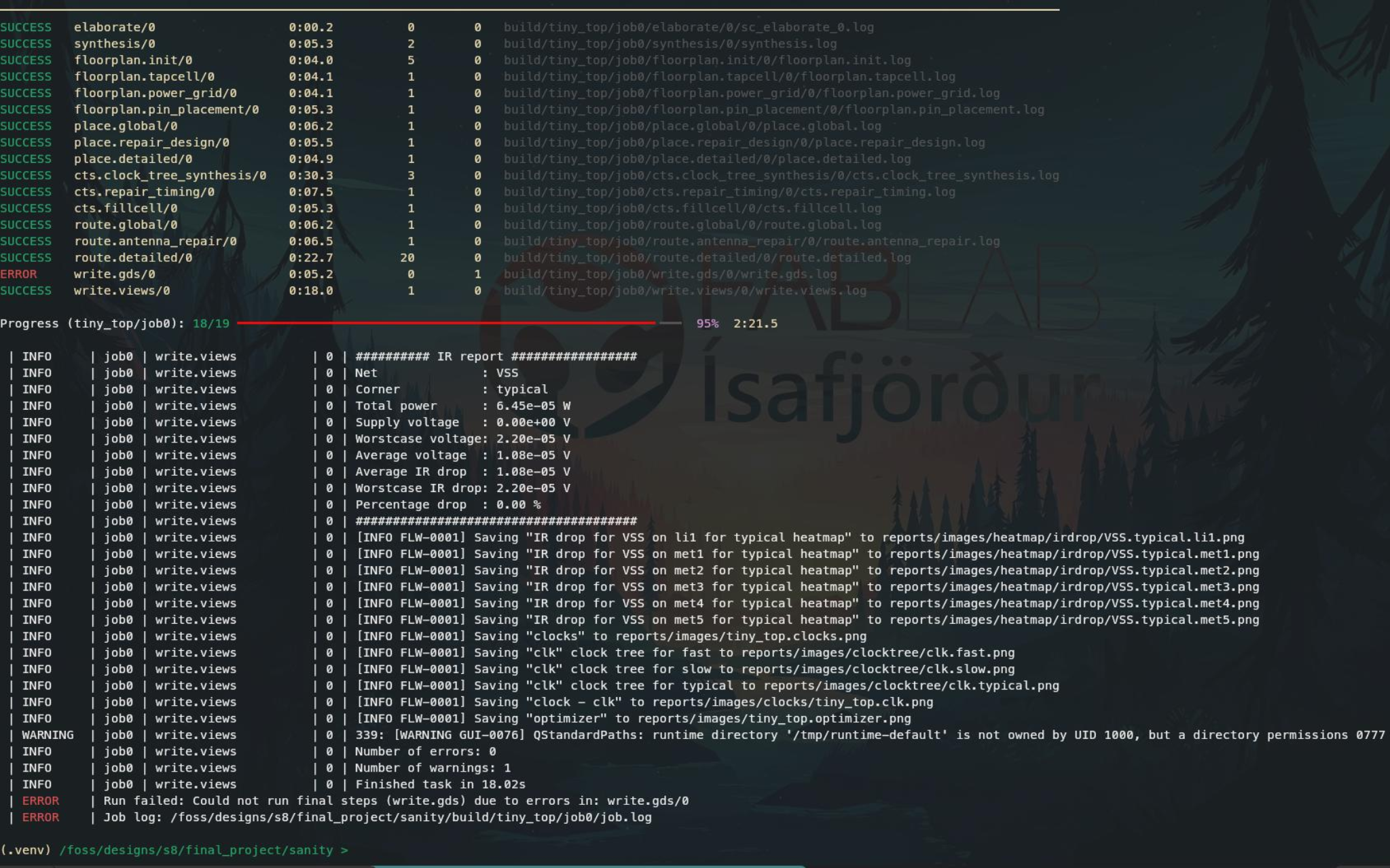
The verbose was very nice and easy to read.
Almost GDS
The flow eventually reached the final GDS export but failed during the KLayout step.
The error was related to a Python module used by the KLayout export script:
I checked that the main EDA tools were already available in the container:
which returned:
/foss/tools/bin/yosys
/foss/tools/bin/openroad
/foss/tools/klayout/klayout
/foss/tools/bin/verilator
So the problem did not appear to be a missing EDA tool. It looked more like an integration or Python dependency problem in the final GDS export stage.
I decided not to start installing duplicate versions of the EDA tools into the container just to solve this experiment.
First impression
Even though I did not get all the way to GDS, I was very impressed by SiliconCompiler.
The Python interface was surprisingly compact:
Compared with manually configuring each step of an OpenROAD flow, there was very little code required to describe and launch the complete flow.
LibreLane had already shown me how useful a higher-level RTL-to-GDS flow can be. SiliconCompiler felt like next level, it felt more like a programmable framework around the EDA tool-chain.
LibreLane felt like ordering a preconfigured car from a factory. You choose the model and a few options, but the factory already knows how the car should be built.
SiliconCompiler felt like getting a completely customizable car platform. You can choose the engine, transmission, body, suspension, electronics, and how everything fits together.
It wasn't until late in the course that I starred to understand how all these tools worked together and as I understand it now LibreLane optimizes for convenience and a known path. SiliconCompiler optimizes for flexibility and control.
| Feature | LibreLane | SiliconCompiler |
|---|---|---|
| Main interface | JSON/YAML configuration + CLI | Python API + CLI |
| Synthesis | Yosys | Yosys |
| Physical design | OpenROAD | OpenROAD |
| Sky130 support | Yes | Yes |
| Setup | Simple configuration | Simple Python script |
| Output structure | Very well organized | Very well organized |
| Terminal output | Excellent and easy to follow | Excellent and easy to follow |
| Customization | Mostly configuration driven | Highly programmable |
| Automation | Good | Excellent |
| Flexibility | Focused on RTL-to-GDS | Can build and control more complex flows |
| Learning curve | Easy to get started | Slightly more to learn, but Python feels natural |
| Overall impression | Excellent RTL-to-GDS flow | More flexible and slightly nicer to work with |