Session 1: Crypto
Lets dig in.
Questions that I selected
Install a certificate on a web server, or inspect the certificate of an HTTPS website.
- Why does the server send a certificate instead of just a public key?
- What role does the Certificate Authority play?
- What attack does this help prevent?
Send a digitally signed email.
- How can the recipient verify the signature?
- What key or certificate do they need?
- Is the email encrypted, signed, or both?
- What is the difference between signing and encrypting?
Certificates
I never looked in details at the certificates.
Fab Futures
Lets do so with Fab Futures website and some others for the inspection part.
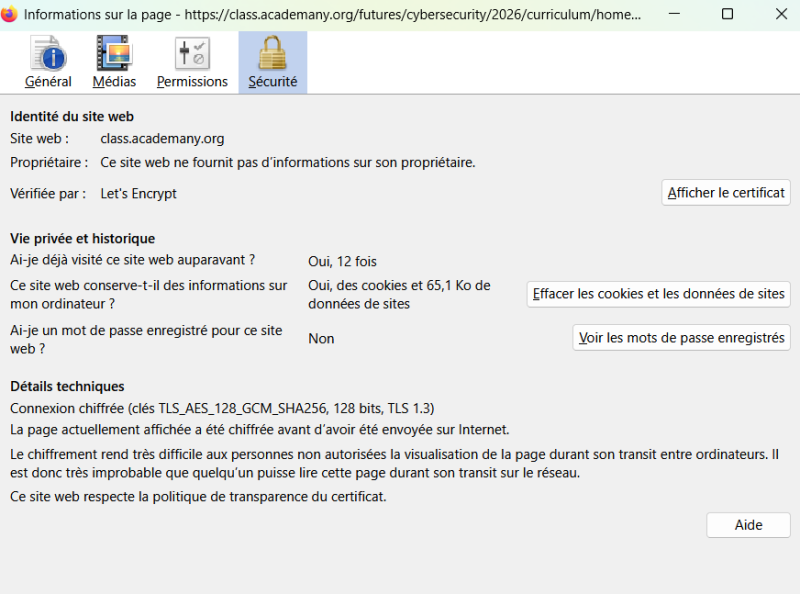
The CA is Let’s Encrypt, lets have a look at their website.
It is a project of the nonprofit Internet Security Research Group whose mission states “To protect Internet users by lowering monetary, technological, and informational barriers to a more secure and privacy-respecting Internet.”.
The encryption is done with TLS_AES_128_GSM_SHA256.
Lets decompose with the help of Ciphersuite.info:
The protocole is TLS. The authenticated encryption is AES 128 Galois Counter mode. The hash is SHA 256.
Cipher info recommand this cipher suite. A” cipher suite is a set of algorithms that help secure a network connection.”, Wikipedia
Ranking of cipher suite can be found here
It is possible to see the entire certificate.
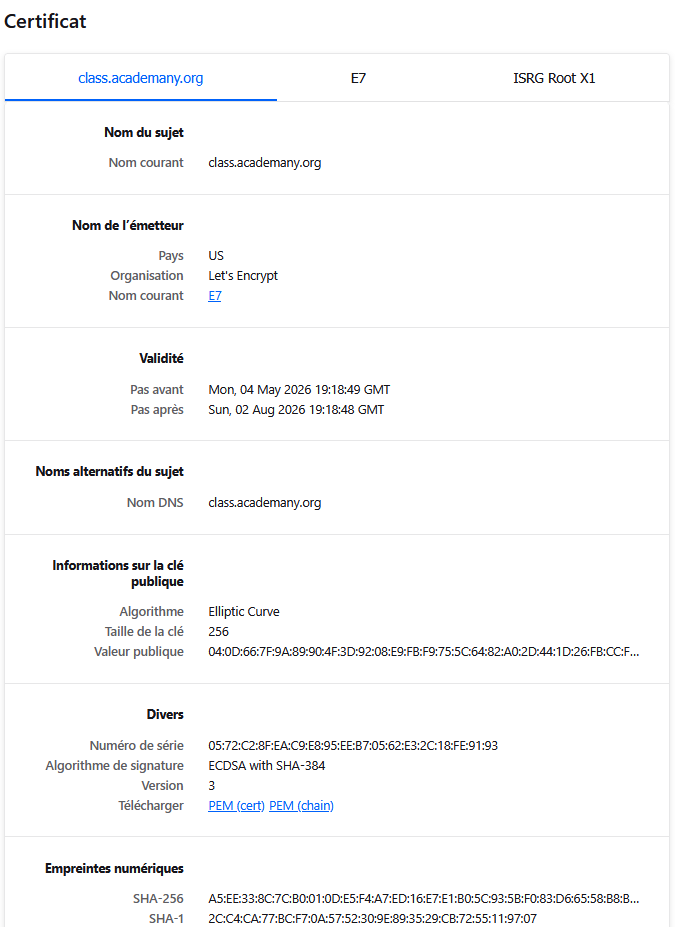
It shows us for example that the certificate will expire in August.
Lets have a look at other webpages to compare.
DVHE
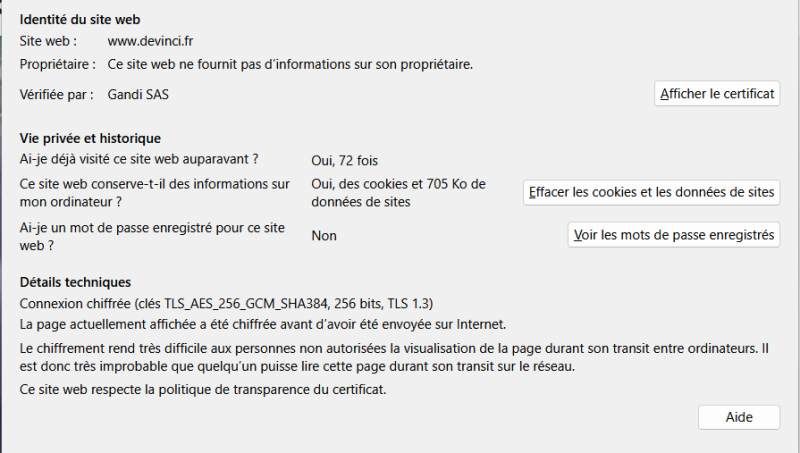
The CA is this time Gandi SAS, a French company.
The cipher suite is close TLS_AES_128_GSM_SHA384.
Risks
Back to the questions
Install a certificate on a web server, or inspect the certificate of an HTTPS website.
- Why does the server send a certificate instead of just a public key?
- What role does the Certificate Authority play?
- What attack does this help prevent?
It prevents eavesdropping. The CA is a third party confirming the identity of the server. A comparison was made with the passport on this website which is funnily unprotected. Analogy are often quite helpful. This prevents MITM.
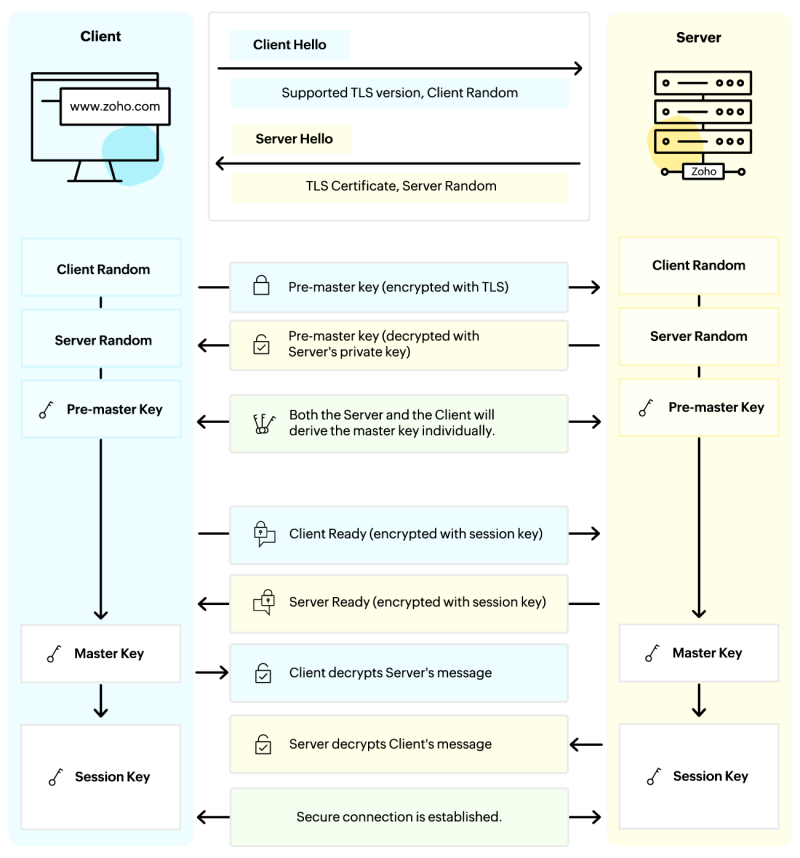
I quite like the handshakes visual representation such as this one fot TLS:
Signature
Lets use OpenSSL
Research
I looked on some of my mailboxes on how to sign an email. I could find a vague ciphering option on Outlook and one password protection on Proton but no proper signature. I discovered overlay existed to enable signatures such as Mailvelope. PGP or Pretty Good Privacy concept is often associated. https://www.openpgp.org/software/ https://www.gpg4win.org/
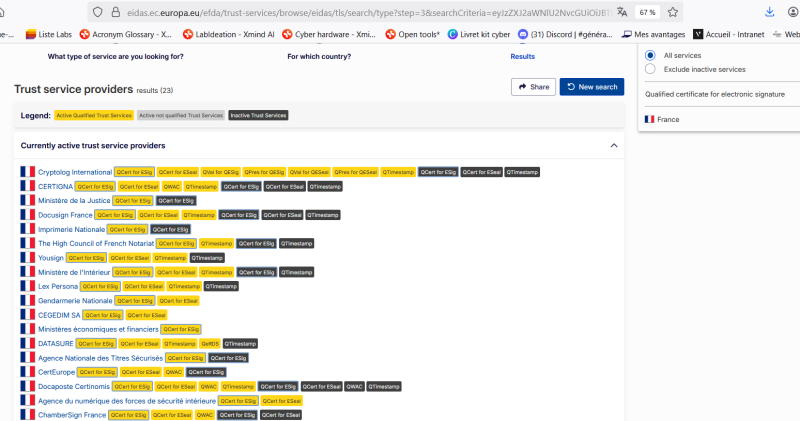
There seems to be 3 levels of signature: simple, advanced and qualified according to eIDAS. It is possible to search for eligible entities per country.
Back to the questions
Send a digitally signed email.
Not to be mixed up, digital and electronic signature as detailed here
-
How can the recipient verify the signature? It requires a digital signature certificate. On this institutional webpage CA recommended are listed (LegalyPlace, GoodFlag…) none of them are open-source. It found about OpenSign and DocuSeal.
-
What key or certificate do they need?
-
Is the email encrypted, signed, or both? Depends if it is end to end encrypted or not, E2EE, it depends from the mail service
-
What is the difference between signing and encrypting? The first garanteeds authenticity the other confidentiality
My company used Yousign but the access seem to be revoqued :/
Lets use OpenSSL
What I learned & remaining questions
I discovered the term cipher suite, which one to pick is still to be better understood
A nice resource to understand ciphering, counter and modes the ECB penguin