Internet Security
PGP (Pretty Good Privacy) – End-to-End Email Security
PGP protects email communication from threats such as eavesdropping (unauthorized interception, message tampering, and email impersonation by encrypting messages and using digital signatures to verify the sender’s identity. Its trust model is based on a Web of Trust, where users create their own public and private key pairs and verify each other’s public keys instead of relying on a central authority. However, PGP still has residual risks because email metadata, such as the sender, recipient, subject, and time, is usually not encrypted, and users may accidentally trust the wrong public key, lose their private key, or have their device compromised by malware.
SSH (Secure Shell) – Secure Remote Access
SSH secures remote access by protecting against threats such as eavesdropping, password theft, and man-in-the-middle attacks through encrypted communication between a client and a server. Its trust model relies on the client verifying the server’s host key and the server authenticating the user using a password or, preferably, an SSH key pair. Despite these protections, residual risks remain if users accept fake host keys, use weak passwords, have their SSH private keys stolen, or if either the client or server is compromised by malware or unauthorized access.
VPN/IPsec – Network-Layer Tunneling
VPNs using IPsec protect network traffic from interception, tampering, and unauthorized access while data travels across untrusted networks such as the Internet. The trust model depends on both VPN endpoints authenticating each other using digital certificates, pre-shared keys, or other secure credentials, with users trusting the VPN provider or organization operating the service. Residual risks include exposure of data after it leaves the VPN gateway, compromised VPN servers, weak configurations, insider threats, or infected endpoint devices that can still leak sensitive information.
MACsec (Media Access Control Security) – Link-Layer Encryption
MACsec secures Ethernet network traffic by protecting against eavesdropping, data tampering, and unauthorized access on local wired network connections. Its trust model relies on mutual authentication between connected devices using IEEE 802.1X and secure key exchange through the MACsec Key Agreement (MKA) protocol before encrypted communication begins. The residual risk is that MACsec only protects data while it is traveling across a specific Ethernet link; once the traffic leaves that protected segment, it is no longer encrypted, and compromised devices can still pose security risks.
DNS Security (DNSSEC & DNS Spoofing)
DNSSEC protects against DNS spoofing and cache poisoning by ensuring that DNS responses are authentic and have not been altered during transmission. Its trust model is based on a hierarchical chain of trust that starts from the DNS root and uses cryptographic signatures to validate DNS records throughout the DNS infrastructure. However, DNSSEC does not encrypt DNS queries, so it does not provide privacy, and it cannot prevent denial-of-service (DoS) attacks or protect users if authoritative DNS servers themselves are compromised.
IDS/IPS (Intrusion Detection System / Intrusion Prevention System)
IDS and IPS protect networks by detecting or preventing threats such as malware, unauthorized access, suspicious network activity, and cyberattacks. Their trust model relies on accurate detection signatures, behavioral analysis, threat intelligence, and proper configuration by security administrators, with an IPS automatically blocking malicious activity while an IDS generates alerts for investigation. Residual risks include false positives that may block legitimate traffic, false negatives that allow attacks to go undetected, and sophisticated or previously unknown attacks that may bypass the detection system altogether.
Step 1: Start the Packet Capture
- Open Wireshark.
- You will see a list of network connections (such as Wi-Fi or Ethernet).
- Find the connection that has moving graph lines or activity. This is the one your computer is using.
- Double-click that connection to start capturing network traffic.
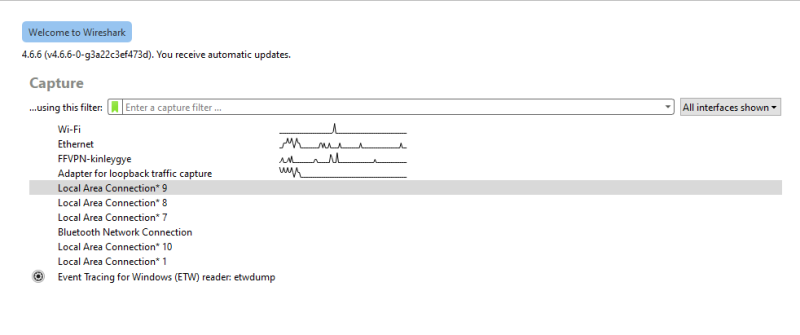
Select your active Wi-Fi or Ethernet connection and double-click it to start recording network traffic in real time.
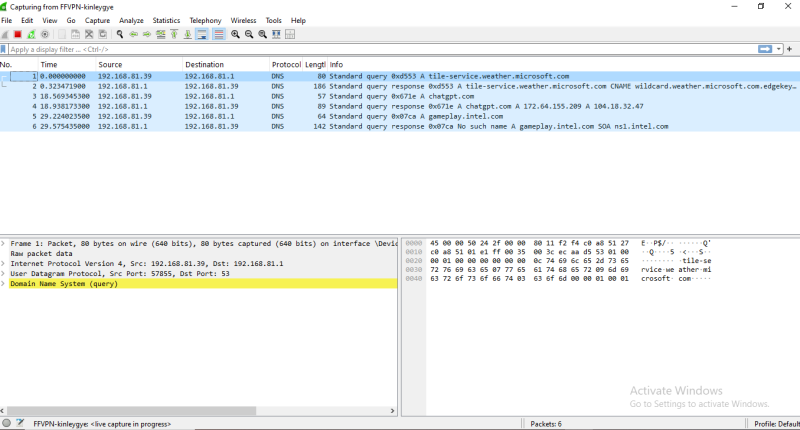
Step 2: Generate Network Traffic
- Open a new Incognito or Private Browsing window.
- Type https://gmail.com in the address bar and press Enter.
- Wait for the Gmail page to load completely.
- Go back to Wireshark.
- Click the red Stop button (red square) in the top-left corner to stop capturing the network traffic.
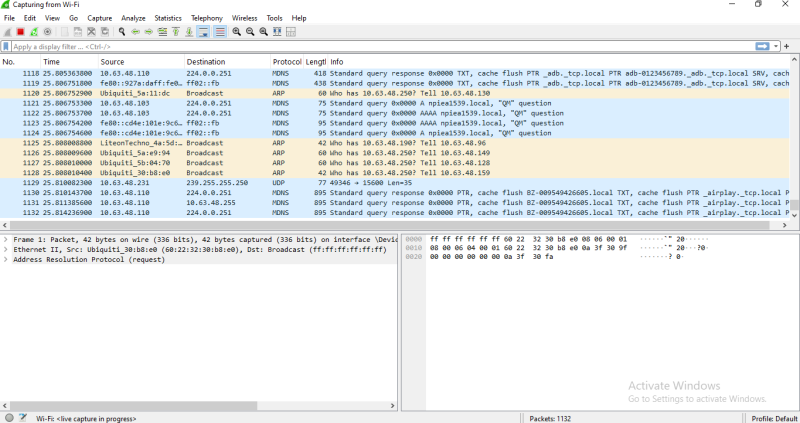
Step 3: Filter and Inspect the TLS Handshake
- In the Display Filter bar at the top of Wireshark, type tls and press Enter.
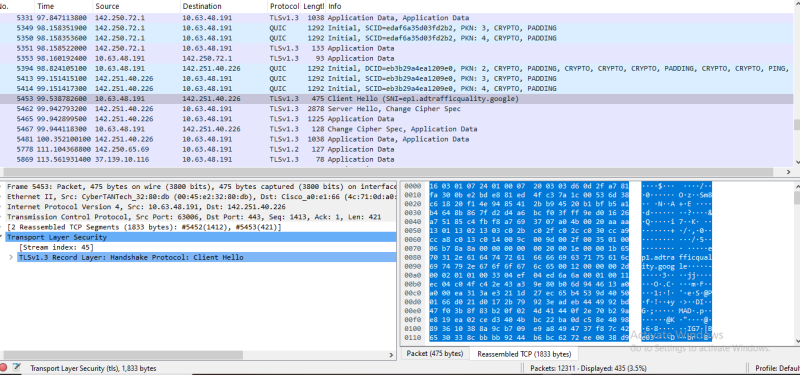
- Find and click a packet labeled Client Hello.
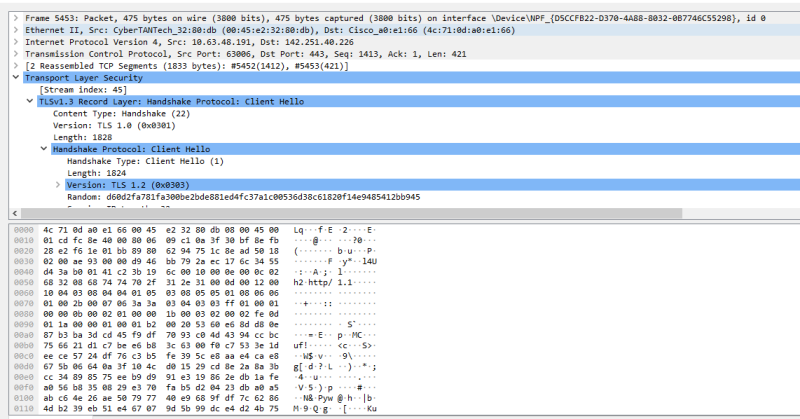
- In the middle pane, expand the Transport Layer Security (TLS) section.
- Expand Handshake Protocol: Client Hello.
- Look for the Cipher Suites field to see the encryption methods supported by the client
- Click a packet labeled Server Hello.
- Expand Handshake Protocol: Server Hello.
- Find the Cipher Suite field.
- This shows the single cipher suite selected by the server from the list sent by the client.
Perform a Port Scan
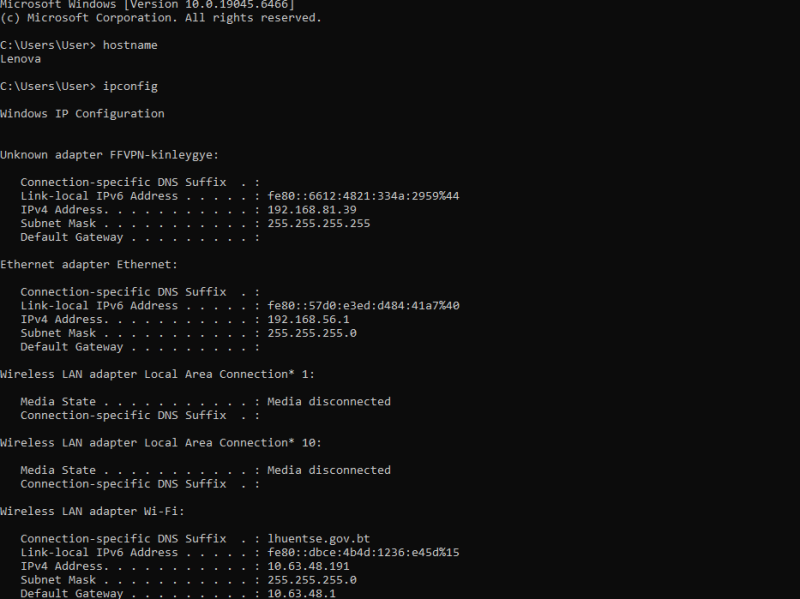
- Step 1: Find your VM’s IP address
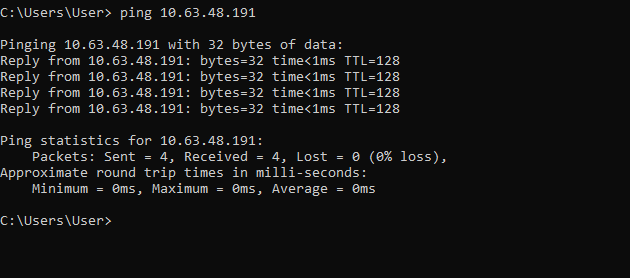
- “Test the Connection” or “Verify the Connection”
- Scan the VM
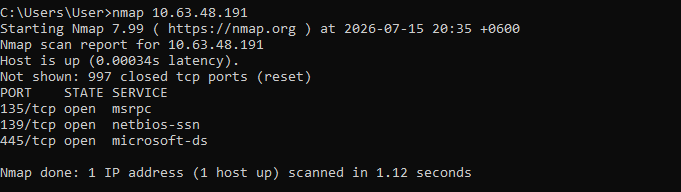
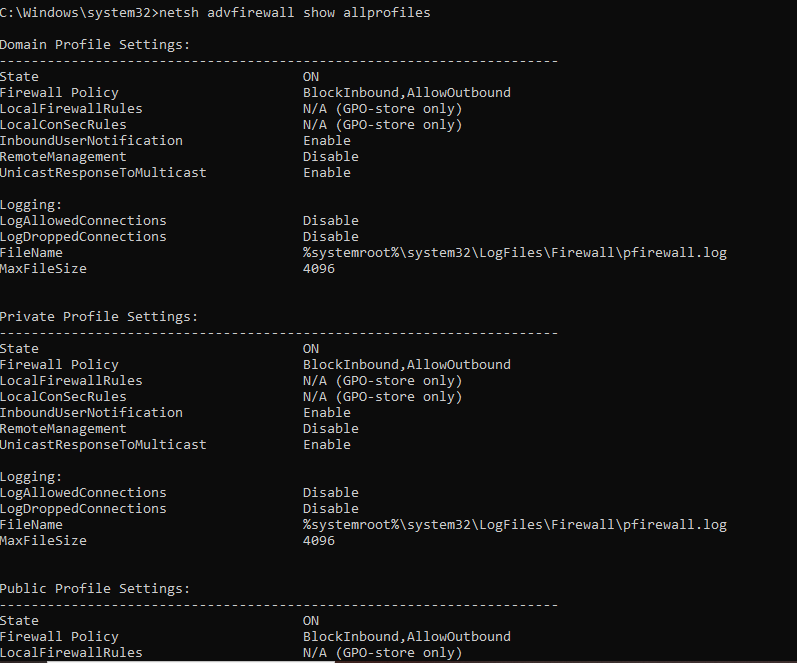
Configure the Windows Firewall using Command Prompt, you can use the netsh advfirewall command.