Software security / memory safety
Homework
Install QEMU and Download Protostar

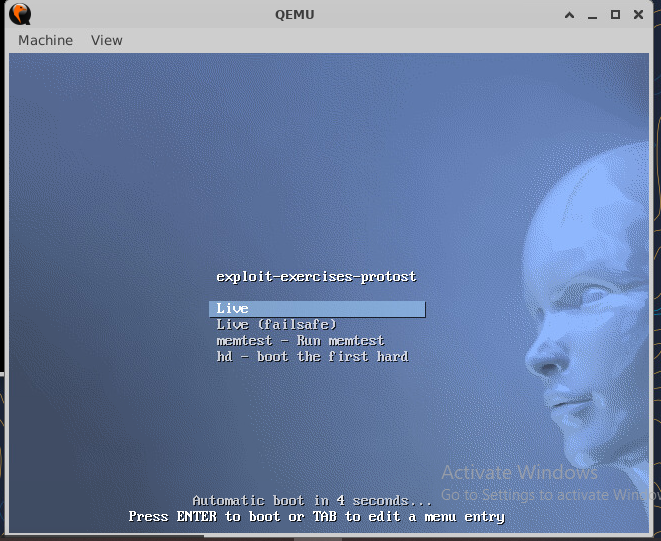
Run Protostar with QEMU and logging in
Go to the exercises directory and check
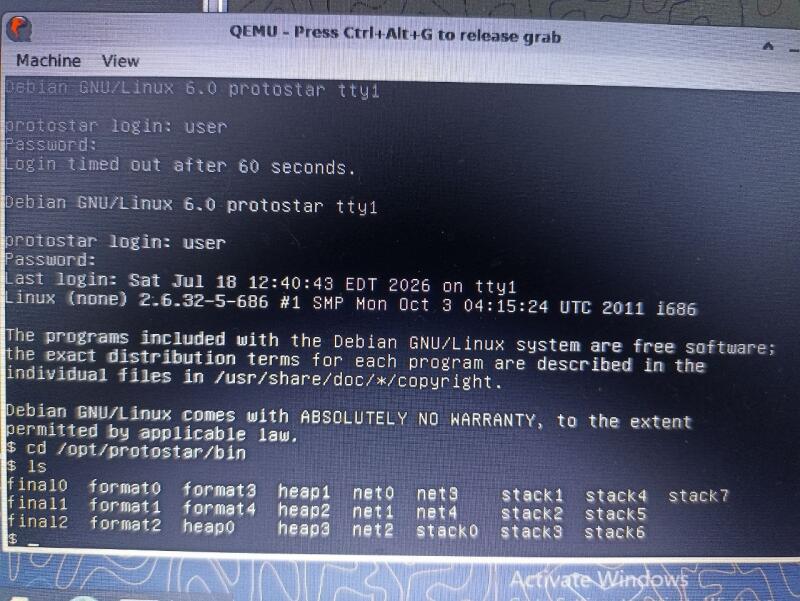
Stack0 Exercise
Run Stack0
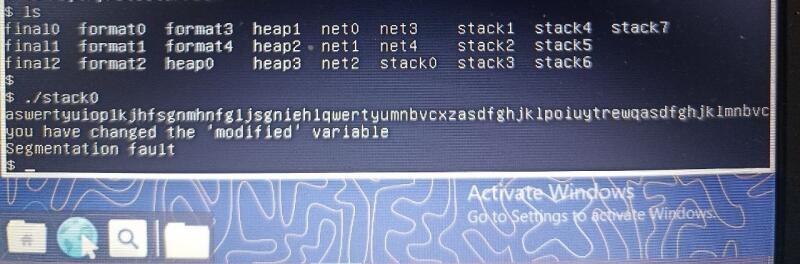
Explain what happened You ran the program stack0, which defines a 64‑byte buffer and an integer variable called modified. When you typed more than 64 characters, your input overflowed the buffer and spilled into the memory location of modified. That changed its value from 0 to something else, so the program printed: you have changed the ‘modified’ variable This is a classic buffer overflow: unchecked input overwrote a nearby variable.
How gets(buffer) can change modified - The stack stores local variables next to each other in memory. - First comes the 64‑byte buffer, then right after it is modified. - The function gets() is unsafe because it doesn’t check input length. - If you type more than 64 characters, the extra bytes overwrite whatever comes next in memory — in this case, the integer modified. - That’s why simply typing a long string at gets(buffer) can change another variable’s value.
What “Segmentation fault” means A segmentation fault happens when a program tries to access memory it isn’t allowed to.
Stack1 Exercise
Run Stack1 with the following input
./stack1 $(python -c ‘print(“A”64 + “dcba”)’)

Explain what happened
You typed more than 64 characters into the program. That extra input spilled out of the buffer and changed the value of the variable called modified. The program checked if modified matched the special value it wanted, and when it did, it printed the success message.
What “little endian” means
It’s the way computers store multi‑byte numbers in memory. In little endian, the smallest byte goes first.
So the value 0x61626364 (which is “abcd”) is stored as 64 63 62 61 — which looks like “dcba”. That’s why you had to type “dcba” instead of “abcd”.
This is the idea of endianness.
Why you didn’t get a segmentation fault
A segmentation fault happens when a program tries to use memory it’s not allowed to. In this case, you only changed a nearby variable (modified) inside valid memory. You didn’t go too far or touch forbidden memory, so the program kept running normally and showed the success message.
Stack2 Exercise
Inspect the binary and Craft the overflow input
python -c ‘print(“A”64 + “\x24\x84\x04\x08”)’ | ./stack3

How we input hex values
We can’t type raw hex from the keyboard. Instead, we use escape sequences like \xNN in a string
For example:
python -c ‘print(“A”64 + “\x24\x84\x04\x08”)’ | ./stack3
Here, \x24 means the byte 0x24. Python sends the actual byte values to the program.
Explain what happened
We overflowed the buffer again, but this time instead of just changing a variable, we overwrote the return address of the function. That means when the function tried to finish, it didn’t go back to where it was supposed to — it jumped into the special win() function.
That’s why the program printed:
code flow successfully changed