Internet Security
For each of the following systems, research and document 3 parts what threat does it address? what’s the trust model? what’s the residual risk?
-
PGP ( Pretty Good Privacy) (end to end email security) Protects email confidentiality, integrity, and authenticity. Prevents eavesdropping, tampering, and sender impersonation. (Address threat) Users generate their own public/private key pairs and trust public keys through a “Web of Trust” or verified key exchange. (Trust Model) Users may trust fake public keys, lose private keys, or be affected by malware. Email metadata (sender, recipient, subject) is usually not encrypted. (Residual Risk)
-
SSH(Secure Shell) (secure remote access) Protects remote login and file transfers from interception, password theft, and man-in-the-middle attacks. (Adress threat) Client verifies the server’s public key. Users authenticate with passwords or SSH key pairs. Trust depends on correct server identity verification. (Trust model) If private keys are stolen or weak passwords are used, attackers may gain access. Malware on either device can also compromise the session. (Residual risk)
-
VPN ( Virtual Private Network) / IPsec (network-layer tunneling) Protects network traffic from eavesdropping, modification, and unauthorized access over public networks. (Adress threat) Both VPN endpoints authenticate each other using certificates or shared keys. Users trust the VPN provider or organization operating the VPN. (Trust Model) Traffic is protected only until it reaches the VPN endpoint. A compromised VPN server or endpoint device can expose data. VPNs do not stop malware already on devices. (Residual risk)
-
MACsec (Media Access Controll security) (link-layer encryption) Protects Ethernet traffic from local network attacks such as packet sniffing, tampering, and replay attacks. (Adress threat) Connected network devices authenticate each other using cryptographic keys, often managed through IEEE 802.1X. (trust model) Only protects a single Ethernet link. Data is decrypted at each network hop, so it is not protected across the entire network. (residual risk)
-
DNS Security (Domain Name System)(DNSSEC & DNS spoofing) Prevents DNS spoofing, cache poisoning, and fake DNS responses by verifying DNS data authenticity. (Address threat) DNSSEC uses a hierarchy of trusted digital signatures starting from the DNS root zone. Resolvers validate signatures before trusting responses. (Trust Model) DNSSEC does not encrypt DNS queries, so privacy is not provided. It also cannot stop denial-of-service (DoS) attacks or attacks against compromised DNS servers. (Residual risk)
-
IDS / IPS (Intrusion Detection & Prevention Systems) Detects or blocks malicious activities such as hacking attempts, malware, and suspicious network behavior. IDS only detects; IPS can automatically block attacks. (Address threat) Trust is based on accurate detection rules, signatures, behavioral analysis, and correct system configuration. Administrators trust alerts or automatic responses. (Trust model) New or unknown attacks may go undetected. False positives and false negatives can occur. Attackers may bypass detection using advanced techniques. (Residual risk)
1. TLS handshake trace
Setup: Wireshark 4.6.6, interface: Wifi, display tls.handshake.
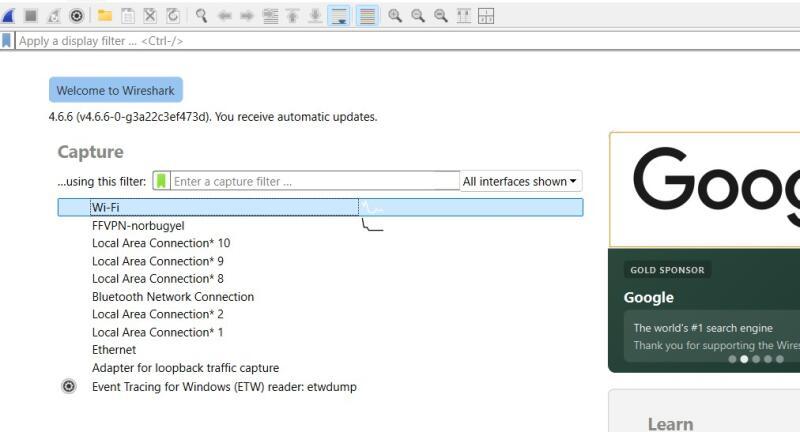 I have used tool called Wireshark to trace TLS handshake and encrypted data.
I have opened Wireshark and select my active network interface ( Wi-Fi), clicked capture, open https://example.com and then stop capture to trace TLS handshake and encrypted data.
I have used tool called Wireshark to trace TLS handshake and encrypted data.
I have opened Wireshark and select my active network interface ( Wi-Fi), clicked capture, open https://example.com and then stop capture to trace TLS handshake and encrypted data.
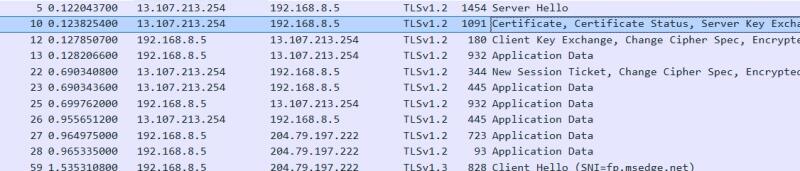
Client Hello — packet 59, 192.168.8.5 - 204.79.197.222
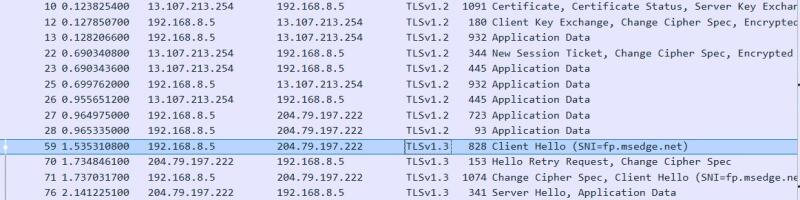
To go to TLS handshake and encrypted data i have filtered TLS.
TLS handshake
Encrypted Data

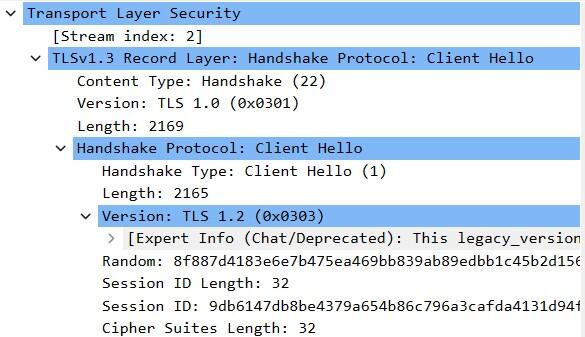
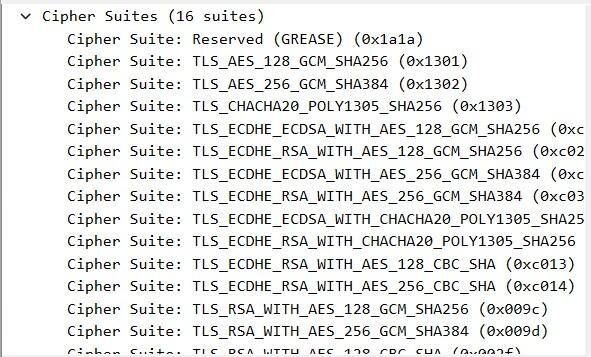
Cipher suites
Key exchange
Certificate
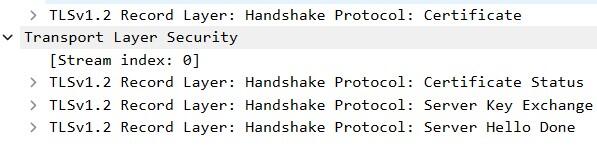 Observer can see cipher suites,certificate, and key exchange partially.
Observer cannot see session key/private key and application data (Web pages, passwords, messages)
Observer can see cipher suites,certificate, and key exchange partially.
Observer cannot see session key/private key and application data (Web pages, passwords, messages)
2.Port Scan & Firewall
Port Scan
I used noVNC terminal to run the command. In the terminal i have installed nmap (sudo apt install nmap)
I scanned all ports ( Deep scan using nmap -p- 192.168.1.1)
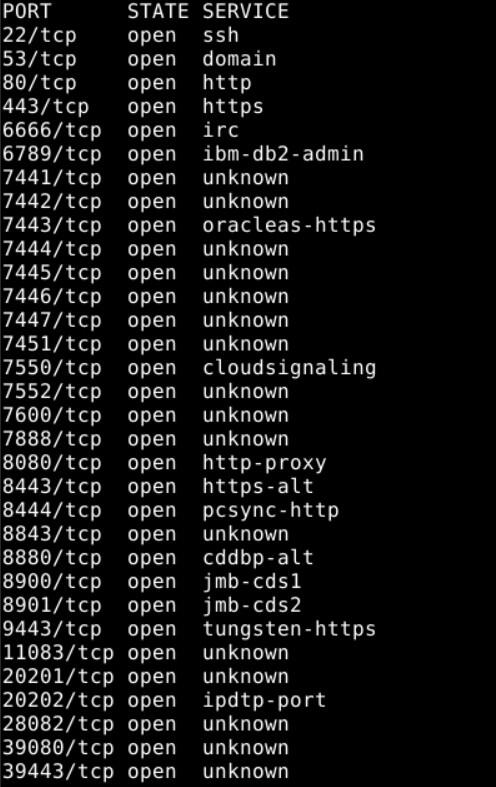
Using command ( nmap -sn 192.168.80. ) scan report for all students of fablabs.
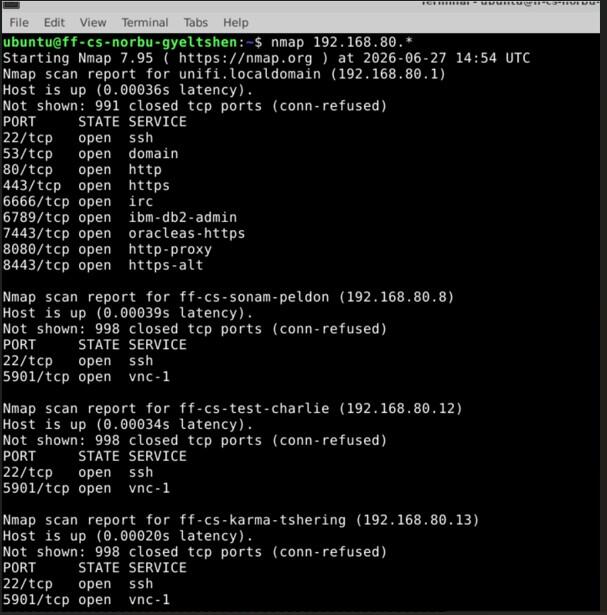 More than port scan
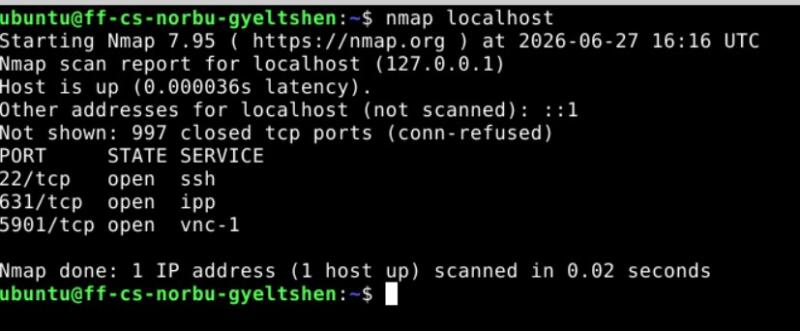
I scanned local host using nmap localhost
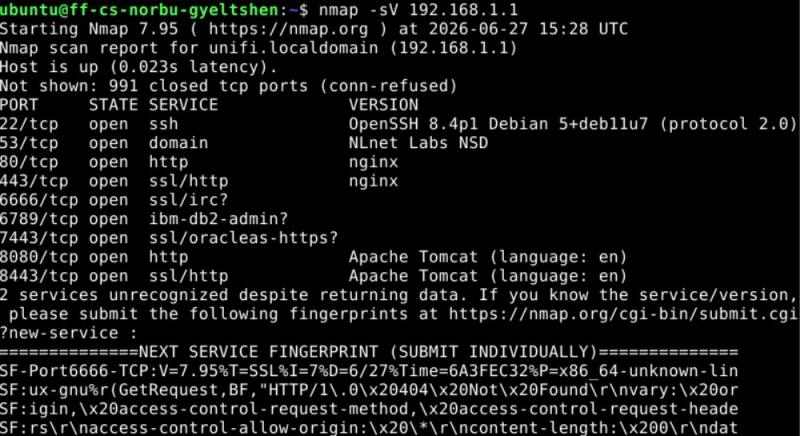
I scanned service and version infromation using nmap -sV 192.168.1.1
Firewall
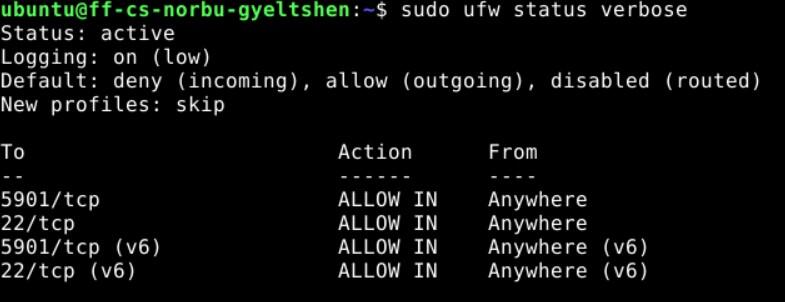
I connected to the VM and used UFW (Uncomplicated Firewall) to chek the current firewall status. It turned out to be inactive and simply returned Status: inactive
Then i ran two commands
sudo ufw allow ssh and sudo ufw enable
Status became active after running two commands.
Then i looked for detail firewall status using following command
sudo ufw status verbose