Internet security
For each of the following systems, I researched and documentend 3 parts.
what threat does it address?
what’s the trust model?
what’s the residual risk?
PGP (end to end email security)
It adresses the threat of being tempered or that people just can look at your emails.
The trust model : People use public keys by way of the web of trust.
The residual risk is stolen private keys , metadata or the wrong key , lots of criminals used PGP most of them got locked up from data exposure
SSH (secure remote access)
That you can savely login and without the admin eavesdropping.
The trust model: usher key + admin key , the user authemticatiom
what’s the residual risk? Malware and stolen login information , there can maybe be an add on facebook or a pop up that asks for your user information thats how it happens a lot of times.
VPN / IPsec (network-layer tunneling)
It prevents interception , manipulation , bugging eavesdropping etc
Trust model : Trustworty VPN ,tunnel endpoints
the residual risk : after the tunnel the “trafaffic” is unercrypted and the vpn-provider or gateway can be attacked
MACsec (link-layer encryption)
it protects Ethernet of eavesdropping and tampering.
Trust model :Devices authenticate each other using IEEE 802.1X/MKA; hop-by-hop trust.
Residual risk: Each hop decrypts traffic, so compromised switches/routers can see data.
DNS Security (DNSSEC & DNS spoofing)
Threat addressed: Prevents DNS spoofing and cache poisoning.
Trust model: Hierarchical chain of trust from root → TLD → domain zone.
Residual risk: No privacy (queries still visible); misconfigurations can break DNS.
IDS / IPS (detection vs. prevention)
### Threat addressed: Detects (IDS) or blocks (IPS) malicious traffic. ### Trust model: Relies on trusted signatures and anomaly detection models.
Residual risk: False positives/negatives; encrypted traffic can hide attacks
Complete these exercises:
TLS Handshake Trace
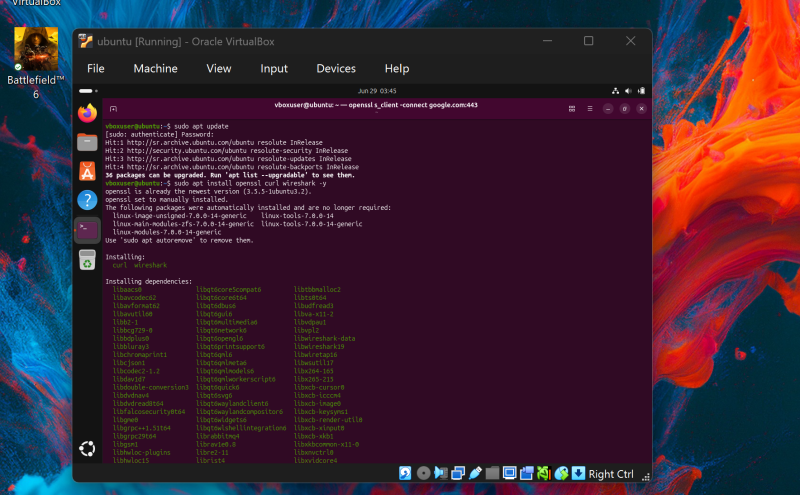
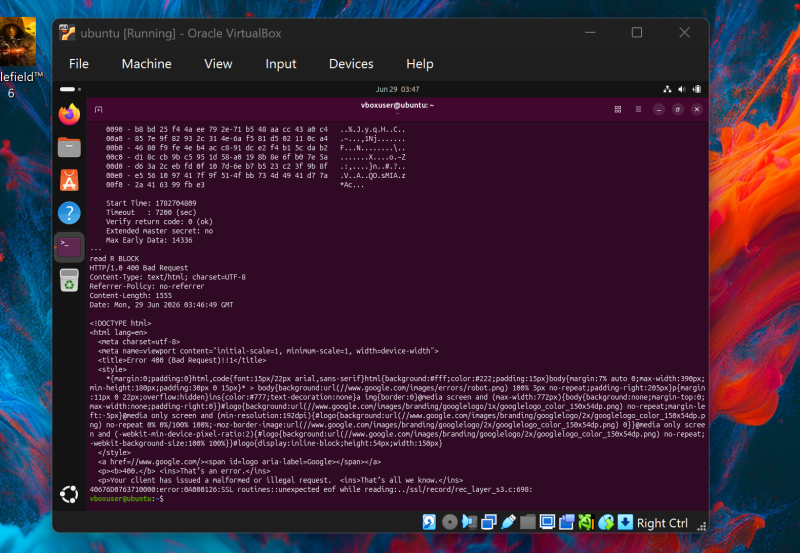
Trace a real TLS handshake and an encrypted data segment. Identify how the session is established — cipher suite, certificate, key exchange — and confirm what an observer can and cannot see.
Port Scan & Firewall
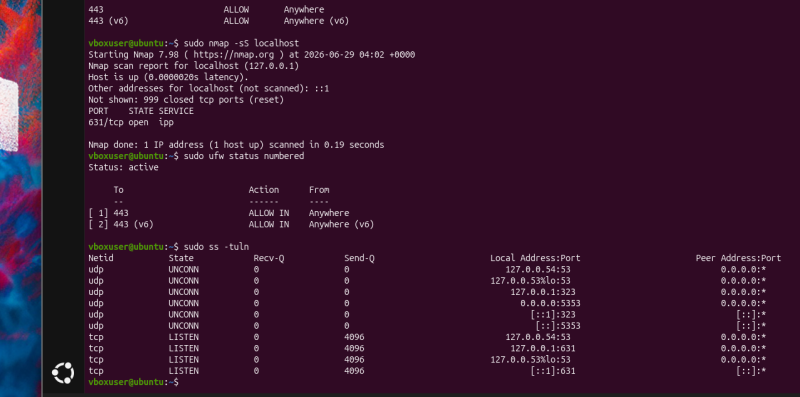
Your VM will be subjected to a port scan. Determine what it reveals about your exposed services, then configure the firewall to reduce what’s reachable from outside.