Class 3 - Software security
Assignments
 Run QEMU
Login QEMU
Exercise stack-zero
 Exercise stack-one
Exercise stack-three
Run QEMU
I conneted to the class virtual machine using SSH, downloaded and run the QEMU VM monitor.
wget https://github.com/ExploitEducation/Protostar/releases/download/v2.0.0/exploit-exercises-protostar-2.iso
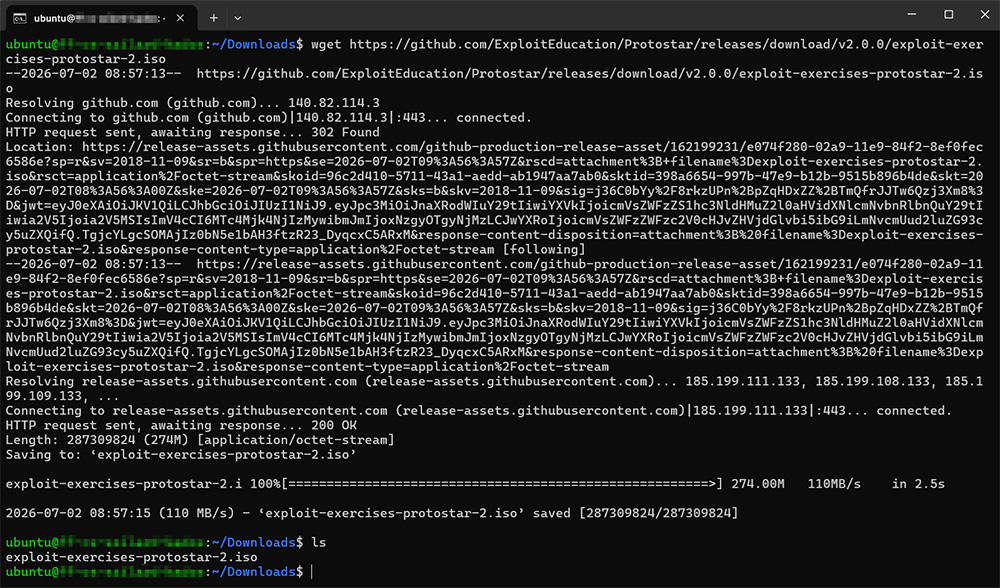
qemu-system-x86_64 -nographic -boot d -cdrom ~/Downloads/exploit-exercises-protostar-2.iso -m 512
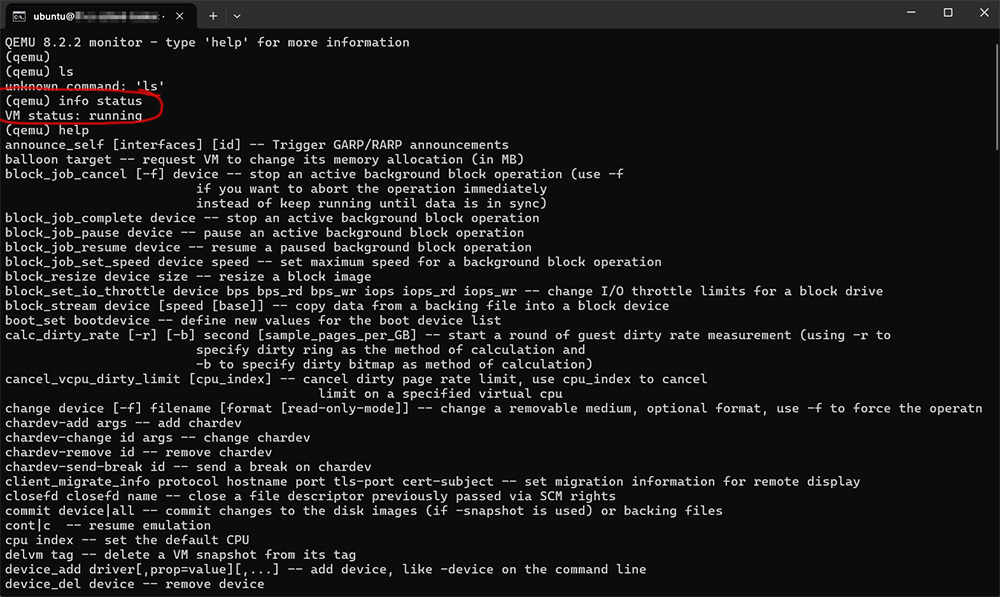
Once the virtual machine was running, I accessed the QEMU monitor interface by using the keyboard shortcut CTRL + A followed by C.
Login QEMU
Since my connection to the class VM is established through SSH, I do not have access to a GUI. As a result, all interactions must be performed through the terminal.
Although I was able to find the username and password provided on the Protostar page, I was not able to successfully log into the machine from the terminal. I’m still missing the correct tools or command to initiate the login with this environment.
I shifted my approach and decided to take advantage of my local environment, where I already had Oracle VirtualBox installed. This helped me to overcome several technical limitations.
I set up two virtual machines: Kali Purple as my main hacking environment and Protostar as the target machine.
Exercise stack-zero
After booting Protostar, I logged in using the provided credentials and landed in dash, a lightweight POSIX-compilant shell. Since I am a little bit more familiar with bash, I switched to it for a more feature-rich experience.
I then navigated to the appropiate directory and started working on the first exercise, stack0.
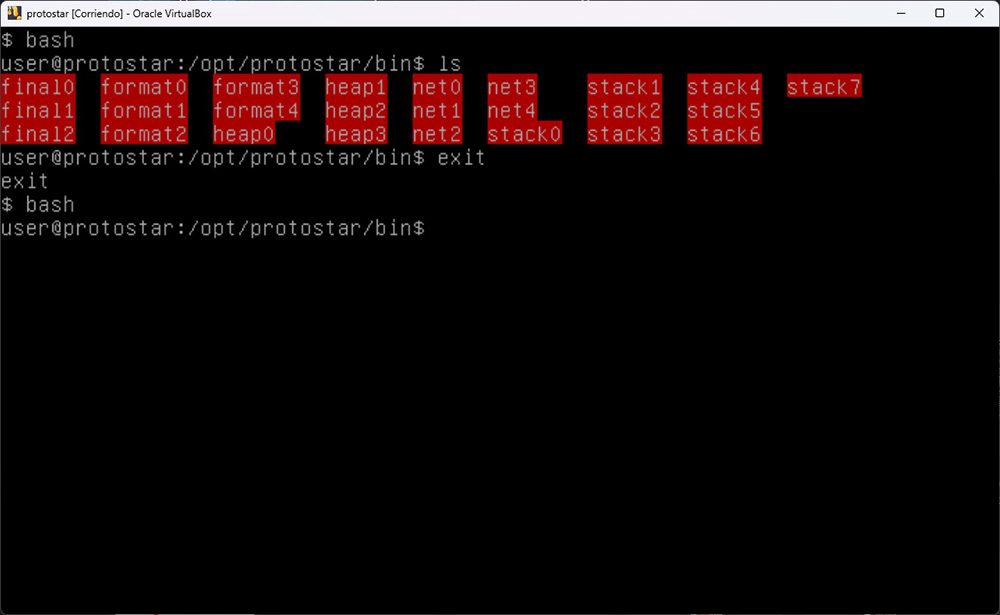 Running the program with random input
 echo hello | ./stack0 resulted in a simple “Try again?” message. To better understand what was happening, I used GDB to dissasemble the binary gdb ./stack0 and disass main, even though I had access to the source code. My goal was to connect the high-level logic with low-level assembly behavior.
By analyzing the disassembled main function, I identified two relevant memory offsets: 0x5c -> 92 and 0x1c -> 28. The difference between them is 64 bytes, which matches the buffer size that needs to be filled to trigger the intended behavior.
My initial idea was to use echo to pipe input into the program, but later switched to using yes to generate repeated characters yes A | head -c 65 | ./stack0.
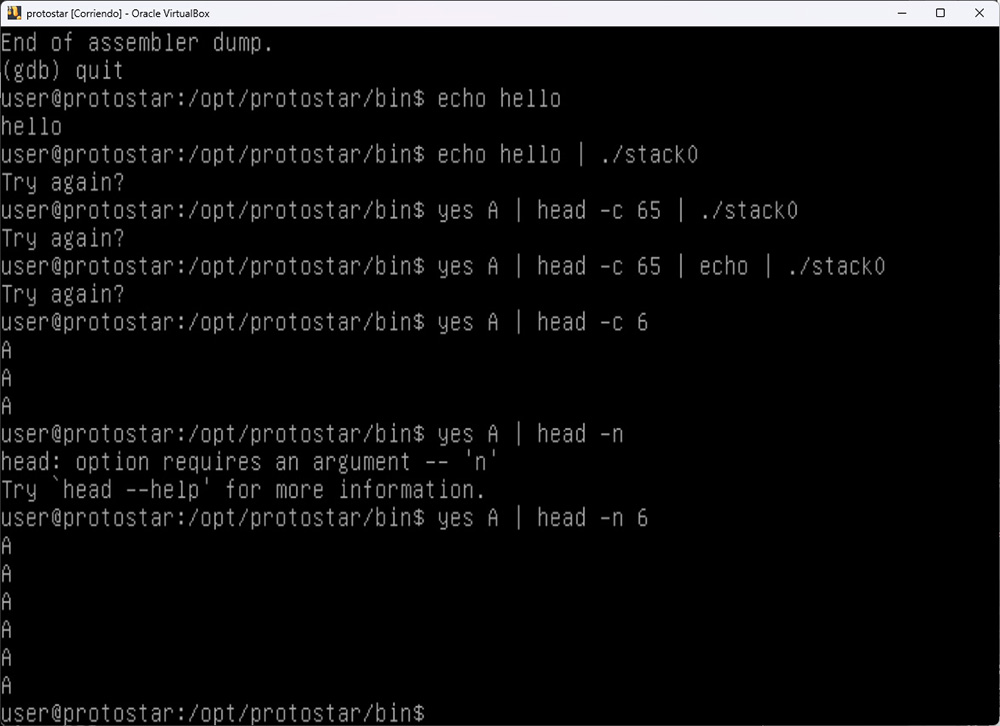 While doing this, I encountered an issue with the head: using the
 -c byte limit produced unexpected result and switching to -n new line limit visually appeared correct, but still produced the “Try again?” message.
To resolve this issue, I hand to deal with the newline character in order to pipe in the correct number of bytes yes a | head -n 65 | tr -d '/n' | ./stack0. Hidden characters like /n can significantly affect the outcome. On the other hand, feeding too many bytes results in a segmentation fault, as execution attempts to return to an invalid memory address yes a | head -n 128 | tr -d '/n' | ./stack0.