Final Assignments
For the final assignment, I need to analyze and harden the vulnerabilities of a computing system. Since I don’t have much background in servers or network topology, I’ve chosen to focus on my school’s Wi-Fi configuration, as this is an area where I regularly perform basic setup and configuration.
Network Infrastructure Hardening: Securing Office Routers and Switches
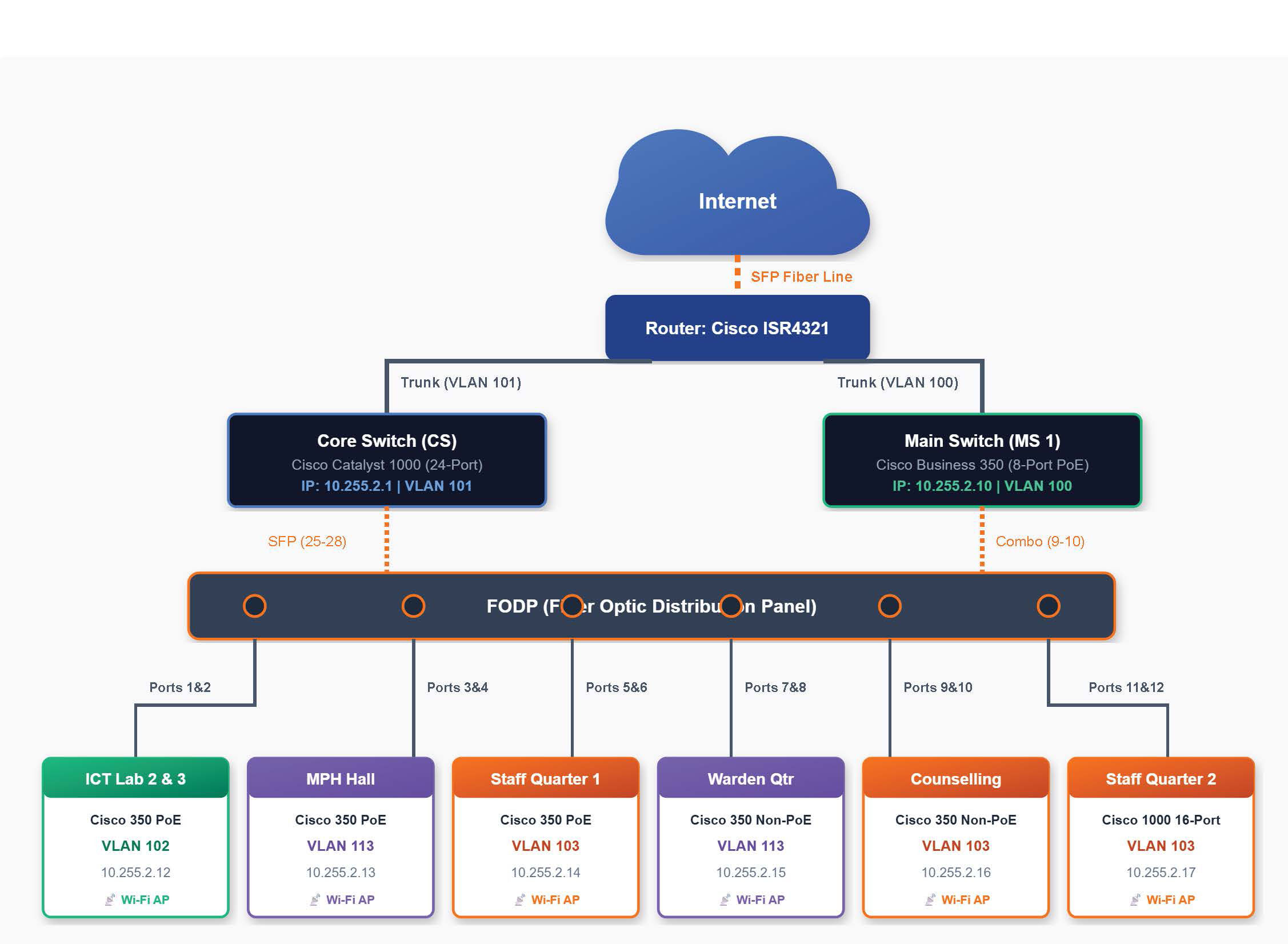
Devices (The Gateway): My school has a Cisco router and switches acting as the DHCP server and firewall. For Wi-Fi Access Points, we use Ubiquiti UniFi WiFi 6 Access Point.
Vulnerability Analysis (What’s Weak?)
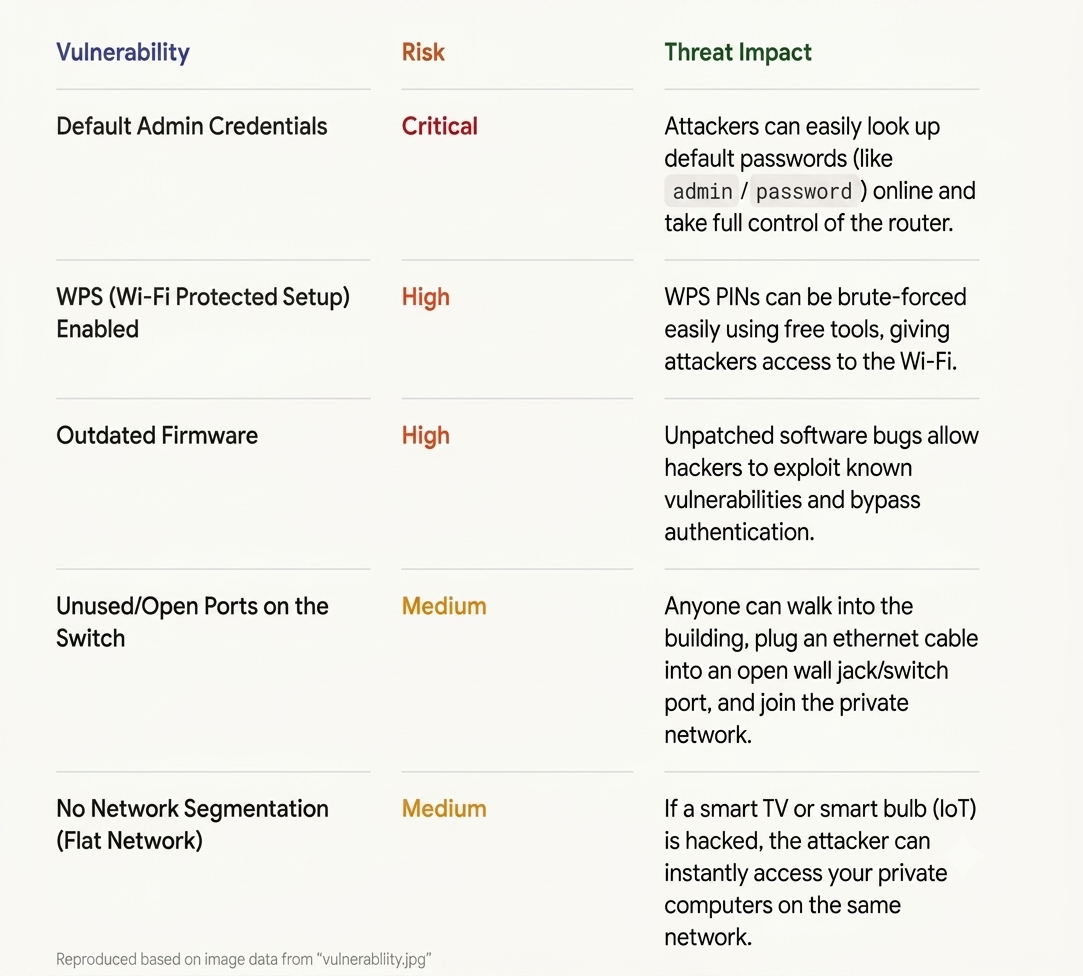
The image here shows the commonvulnerabilities to routers and switches.
Hardening Implementation (How to Fix It)
Action 1: Securing Administrative Access
Step: Log into the router and switch management portals. Change the default username (if possible) and set a strong, unique password.
Step: Disable Remote Management. Ensure the admin page can only be accessed by a device physically connected to the network, not from the public internet.
Action 2: Wireless (Wi-Fi) Hardening
Step: Change the default SSID (network name) to something that doesn’t reveal the router model (e.g., rename “unifi…” to something generic).
Step: Set the encryption to WPA3-Personal (or WPA2-AES if WPA3 isn’t supported).
Step: Disable WPS (Wi-Fi Protected Setup) entirely to prevent PIN brute-forcing.
Action 3: Layer 2 Switch Hardening (Port Security & VLANs)
Disable Unused Switch Ports: Manually log into the switch interface and disable (shutdown) any ports that are not currently plugged into a trusted device.
Implement Network Segmentation (VLANs): Group devices into separate Virtual Local Area Networks (VLANs).
Enable MAC-Based Port Security: Configure active switch ports to only accept the specific MAC address of the authorized device assigned to that desk. If an unauthorized MAC address is detected, configure the port to automatically shut down (shutdown or restrict mode).
The image shown below is the network topology of my school, being setup to secure the networks.
Action 4: Maintenance HardeningUpdate Firmware:
Explain the process of downloading the latest firmware from the manufacturer’s official website and flashing it to patch zero-day vulnerabilities.
5. Verification & Testing
Physical Test: Plug a laptop into a disabled switch port and show that it fails to receive an IP address or access the network.
Credential Test: Try logging into the router using admin/admin and show the “Login Failed” screenshot.
Wi-Fi Audit: Use a smartphone to verify that the guest network cannot ping or access the private admin router page.