Final project

Step 1: i created an attendance management system for my school to register the staff and take the attendance daily through this online system.
This is a JSP-based Attendance Management System developed for our school. Teachers submit attendance, and administrators manage teacher records, attendance reports, and user accounts. The system uses Apache Tomcat as the web server and MySQL as the database.
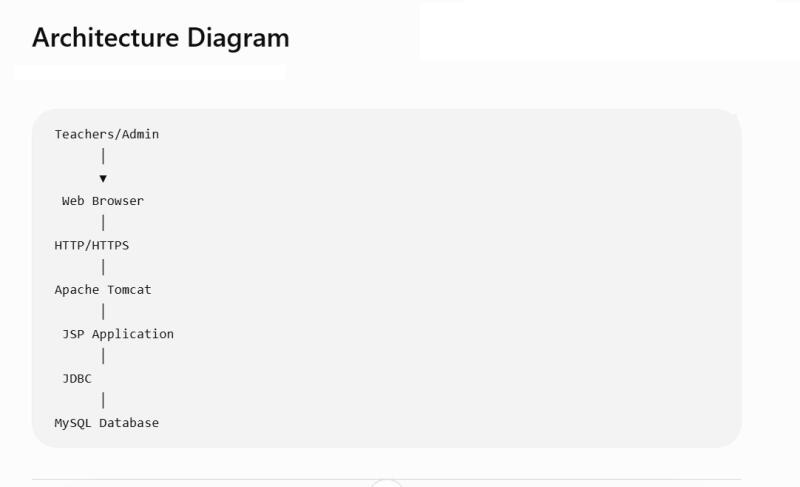
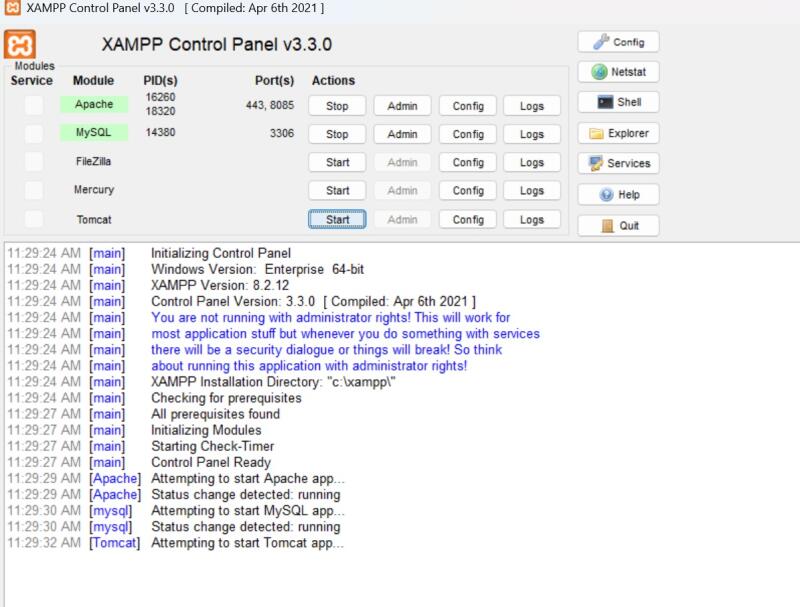
Start: XAMPP Control Panel
Start MySQL
Start Tomcat (Apache)
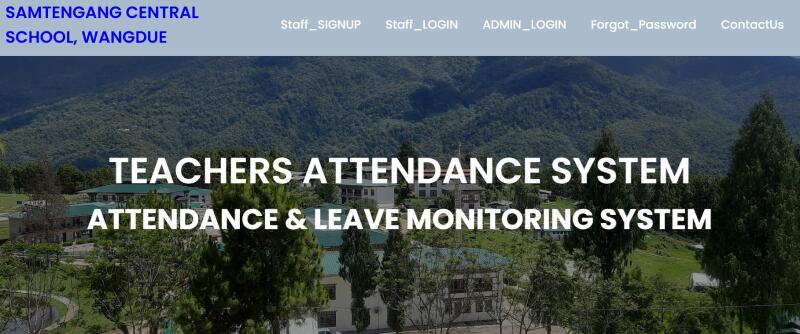
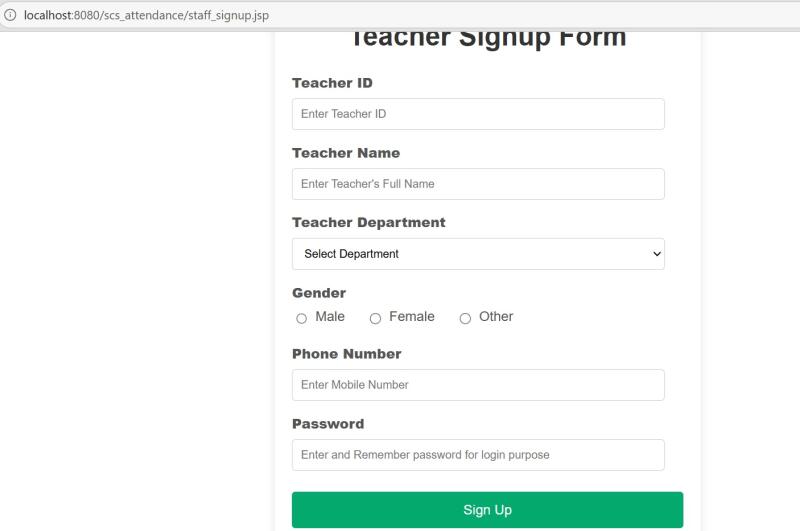
i am showing some simple pages like Login page
Teacher page
Admin page
Attendance page
Opening my application.in a browser
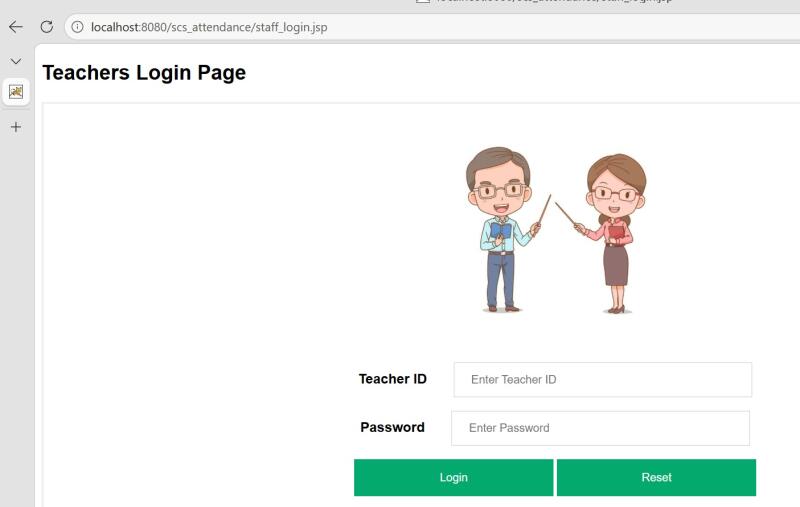
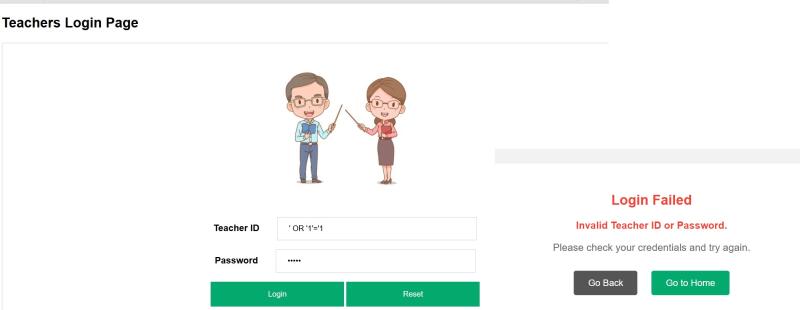
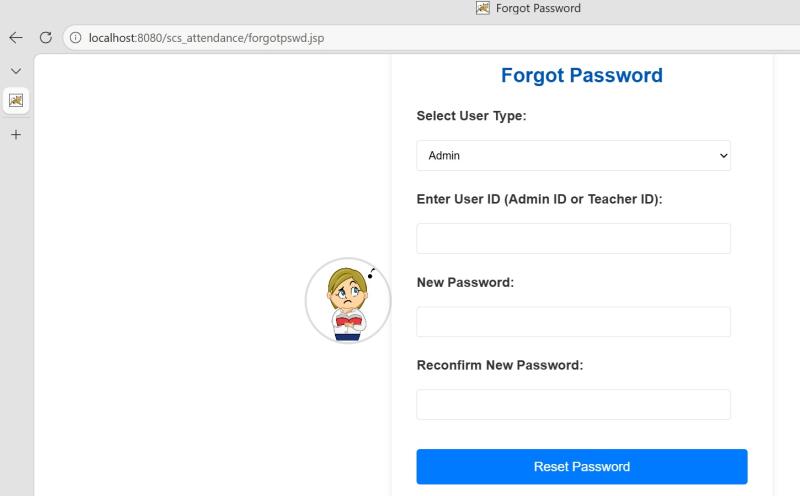
Step 2 – Scan Before Firewall Changes
Open Command Prompt.
Run: nmap localhost
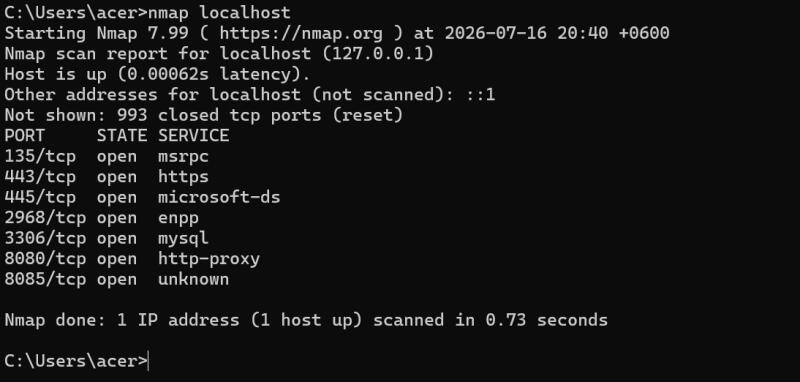 These ports are currently accessible.
Step 3 – Configure Windows Firewall
Open:Windows Defender Firewall with Advanced Security Go to:Inbound Rules Find:MySQL
Disable it (or create a rule that blocks inbound connections to port 3306 ).
Repeat for any unnecessary ports.
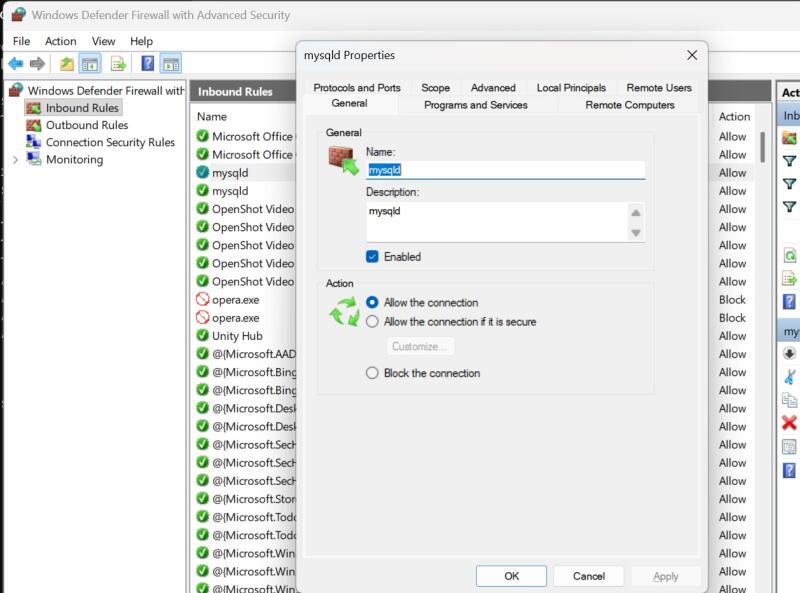

Step 4 – Scan Again
Run: nmap localhost
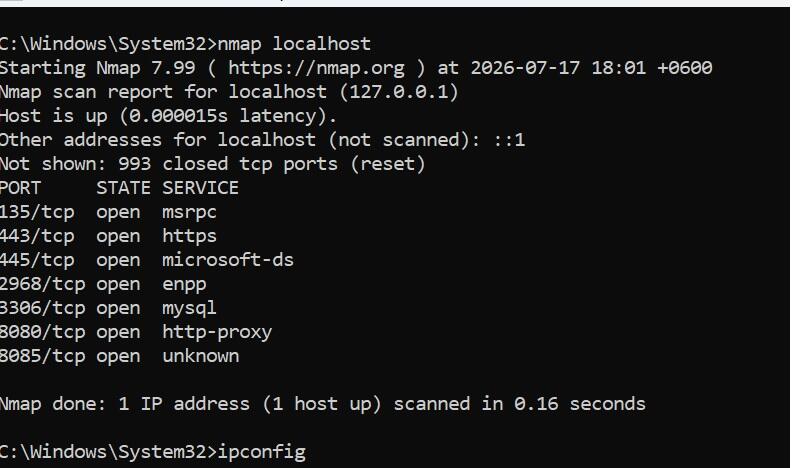
Note that localhost scans may still show locally listening services, because the Windows firewall primarily affects network traffic rather than local loopback communication.
Step 5: SQL Injection Protection
parameterized queries with PreparedStatement, the input is treated as data instead of executable SQL, so the login fails.
PreparedStatement ps = connection.prepareStatement( “SELECT * FROM admin WHERE username=? AND password=?”);
The placeholders (?) separate user input from the SQL command.
Step 6: As i am storing currently plain-text passwords, consider updating it to use a hashing algorithm such as BCrypt to encrypt the passwords Open phpMyAdmin.
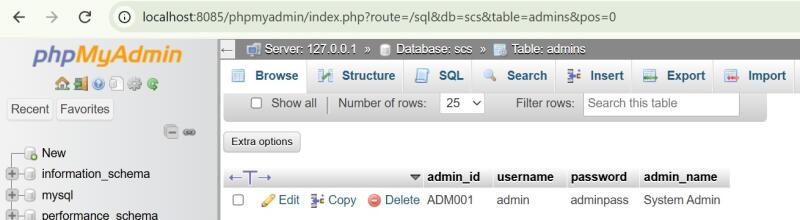
To encrypt the passwords do the following
Download the jBCrypt JAR file from its GitHub releases and AttendanceManagement paste in WEB-INF – lib folder – jbcrypt-0.4.jar
Finally to make my application securely strong i did these following changes
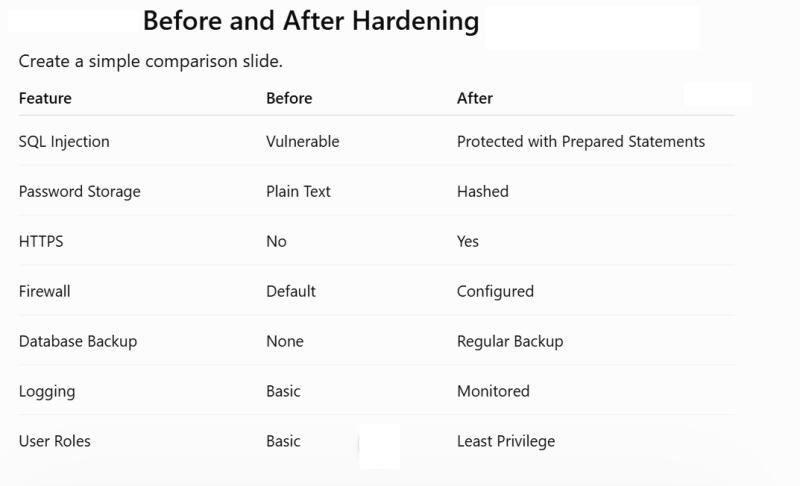
How to edit it
You can edit it on Fabcloud Editor. The software used turns simple text files written in Markdown format, into the site you are navigating here. This website is built automatically using Mkdocs, a static site generator.