Final assignment - Fab Futures Cyber security
Final project.
The final project that I am working on is securing my home lab. In my home lab I have a Dell R630 server running Proxmox. Some of the security vulnerabilities I wanted to address are not opening multiple ports on my router’s firewall. I also wanted to implement some type of https security if I had any web facing application. On this server I have a few VM that are used to play and try new ideas and test proof of concepts. On two different VM’s i have installed docker and using docker containers to run a few applications. One application that docker is running is Nginx Proxy Manager which is a reverse proxy.
What is Docker?
Docker is an open platform sandbox type application that runs similar to virtual machines but instead of running off a hypervisor it runs off the docker engine and this engine can be installed on multiple operating systems.
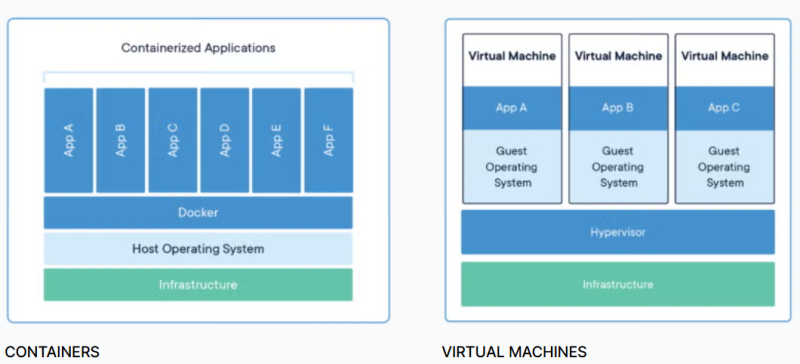
Docker allows you to make a container and in the container it has all needed dependencies and packages installed. Docker is becoming a great development tool in companies because one can set up one container that has all settings and then distribute to multiple users so they all are using the same version and saves time with setting up multiple computers or environments.
What is a reverse proxy and Nginx Proxy Manager.
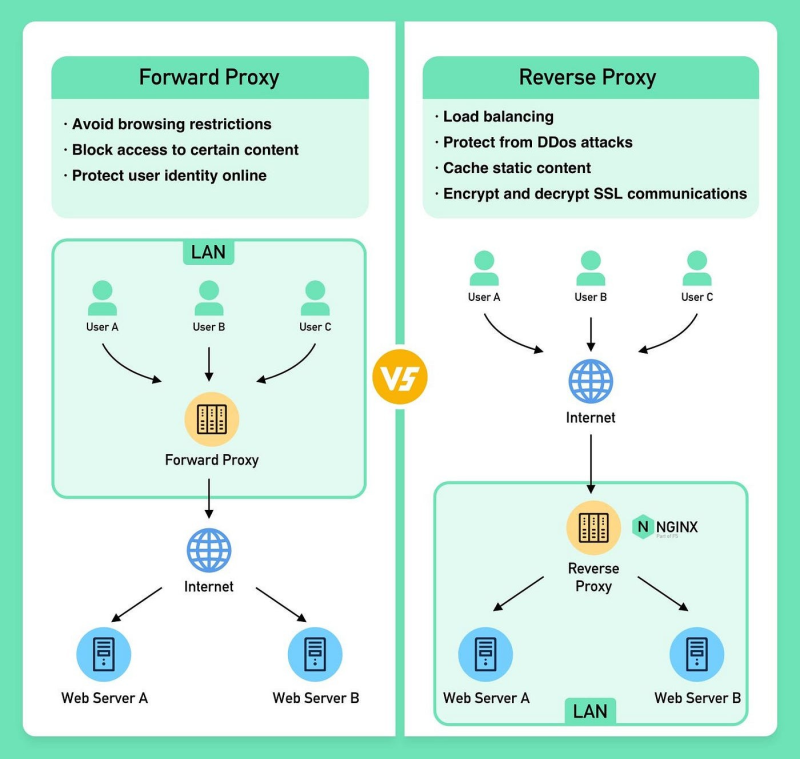
First, what is a proxy or forward proxy? A forward proxy sits between a group of client devices (like your office computers) and the internet. When a client makes a request to visit a website, the request goes to the forward proxy first. The proxy then forwards the request to the destination server on the client’s behalf
What is a reverse proxy? A reverse proxy sits between the internet and a web server. When clients on the internet try to access a website, they communicate directly with the reverse proxy. The reverse proxy then fetches the data from the origin backend servers and returns it to the client.
Nginx Proxy Manager
Features of Nginx Proxy Manager.
- Reverse proxy
- SSL encryption
- Via Let’s encrypt
- Docker image
- Nice web based UI
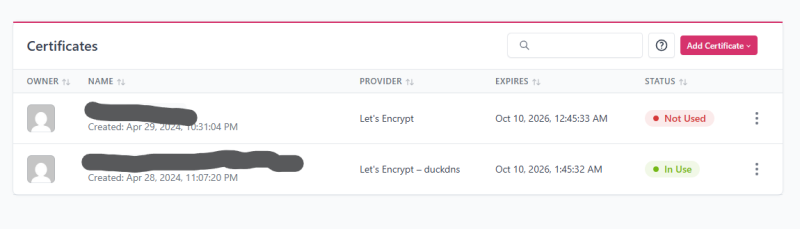
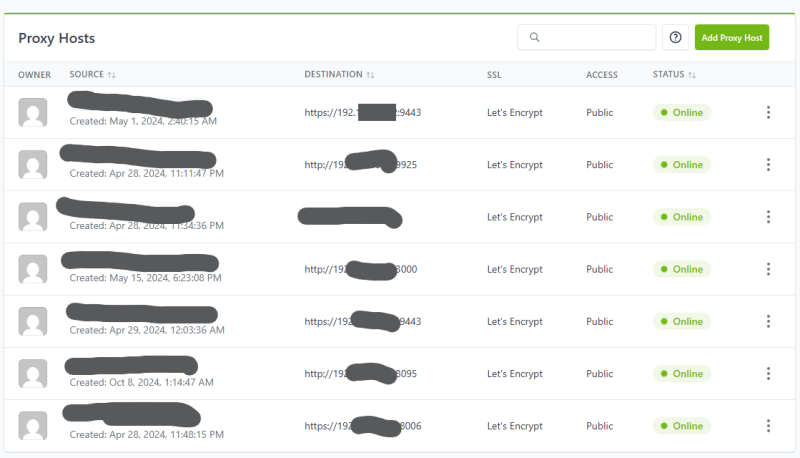
I am using the reverse proxy to help with a few security issues. The first one is I wanted to obfuscate any servers that may have a UI for administration. Number two is to keep how many ports are open on my router and third is to provide some type of encryption via https and ssl to the administration pages so data is a little bit more secure. The setup and use of this service is daily easy and allows for built in let’s encrypt certs to be generated and auto renewed. For my home lab I have a dynamic ip that changes from time to time so I needed a dynamic DNS provider to resolve a domain name back to my IP and allow for the let’s encrypt cert. Right now I am using a free service duckdns.org. I am working on moving a domain I have registered to cloudflair but have not had time to do that yet. The nice part of this reverse proxy is it has the ability to use many different providers to tie your domain and let’s encrypt cert together. Using Nginx Proxy Manager I have a few hosts that when some domain address uses port 80 default web port and redirects to the computer and port that I have that service installed and running on. So you have something like this for right now whatever_name.duck_user_domain.duckdns.org.
Right now I have a route that I can get to the web UI of my proxmox server which can be a security issue but because the normal port is not open to the public and you need to know the exact web address for the reverse proxy to route the data. This is one area I am going to analyze to make sure I have not left something open I did not expect to.
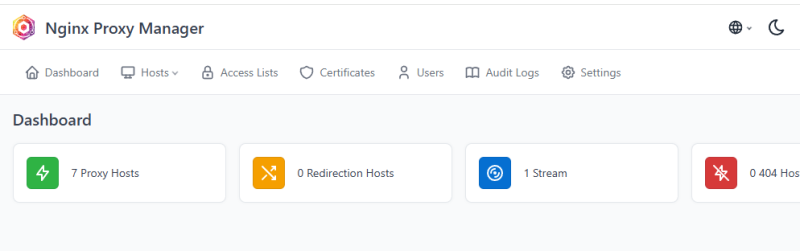
Dashboard
Cert page
Host Page
Analysis:
The first part of my analysis is that I ran namp on my public IP address. I scanned all TCP ports and tried to scan all UDP ports. The TCP scan finished but the UDP scan was taking over 10 minutes before I canceled it.
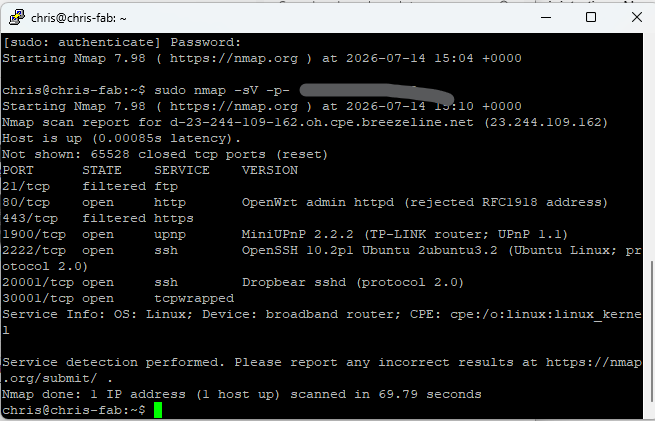
After the scan I found seven ports open on my routers. Three of these ports were expected because I opened them.
- 80/TCP - this is open to allow http traffic
- 443/TCP - this is open for SSL
- 2222/TCP - is open for a SSH port for a VM that I have running for a friend to experiment with.
The ports that surprised me that were open are.
- 21/TCP
- 1900/TCP
- 20001/TCP
- 30001/TCP
After reviewing the ports two of these make sense as 1900 is UPnP that I have enabled for my XBOX and port 21 is a ftp port. My router has a built in sharing feature that if you plug a USB storage device in it allows you to access it anywhere. That feature is turned off but it is a hard coded port in the router firmware. The other two are the router’s backend update ports.
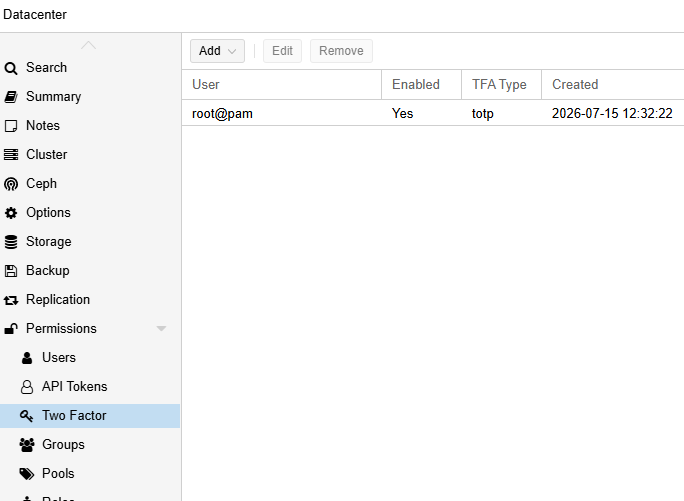
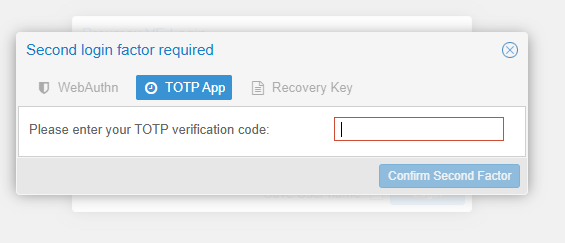
After looking at the network one other area that I am looking at is implementing two factor authentication on the web UI of proxmox.
Step 1:
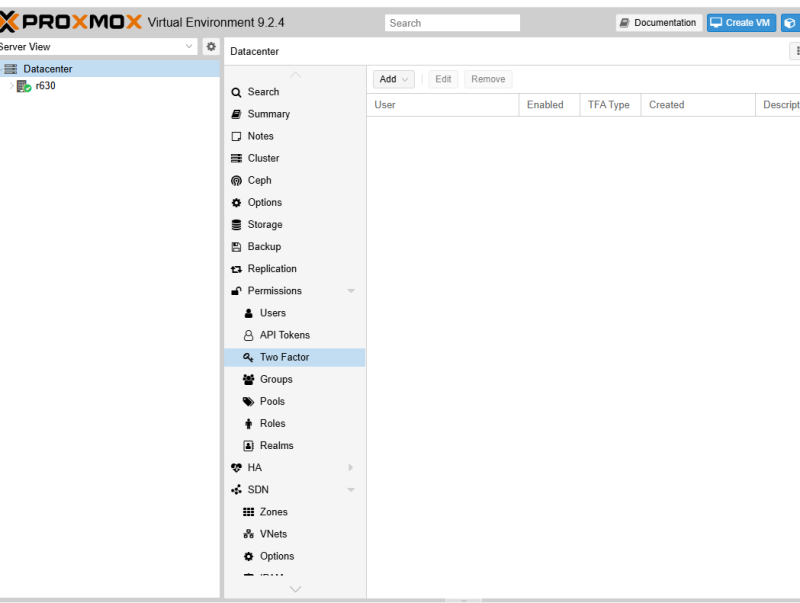
Step 2:
Setup Time-based One-Time Password and using google aunicator app.
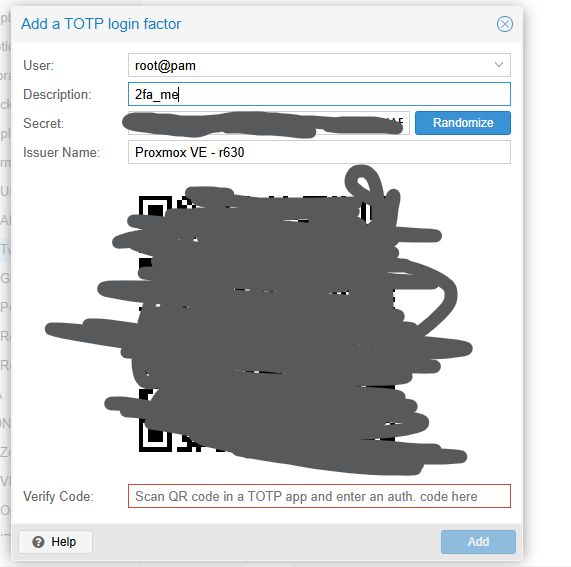
Scan the QR to add it to the app and then verify the code
Step 3 relogin and test the 2FA.
Final review
After these steps I feel I have made a considerable step to securing my home lab. I will continue making sure updates are done and watching for other vulnerabilities that may come up. The next step I am looking at implementing is key based ssh and not allowing password authentication. This is not a big issue since you would have to be on my network to access those ports but it is an added layer that i am considering