Class 1 - Cryptography
Homework 1
Create a file, compute its hash, change the file, and compute the hash again.
How to hash a file in Ubuntu.
Step 1: create a file.
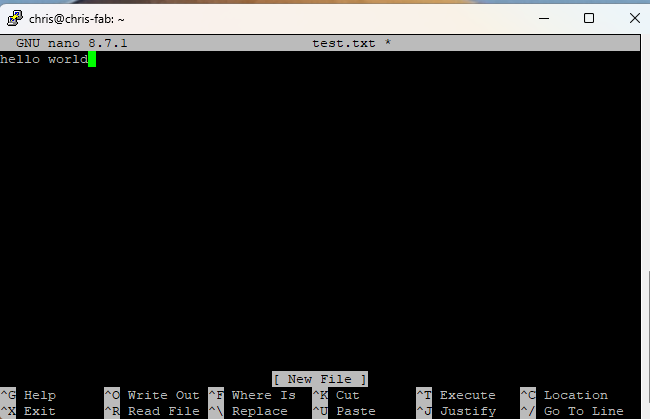
Using the terminal i creates a text file with nano a text editor.
The command to do this is “nano filename.extension” for example nano test.txt
Add information to file and save.
Step 2:
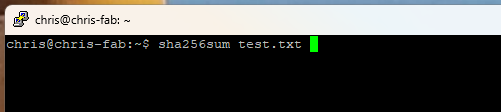
To create a sha-256 hash use the sha256sum command. This will create a sha-256 hash value.
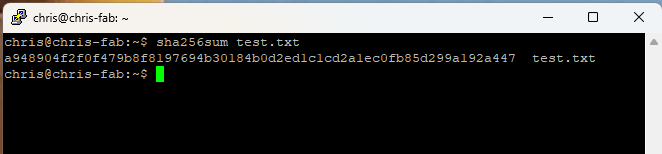
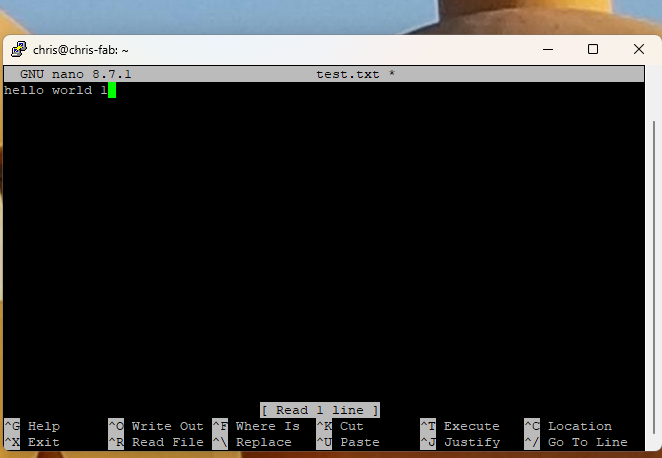
Change the file. I added a space and a 1 to the file and rehashed it.
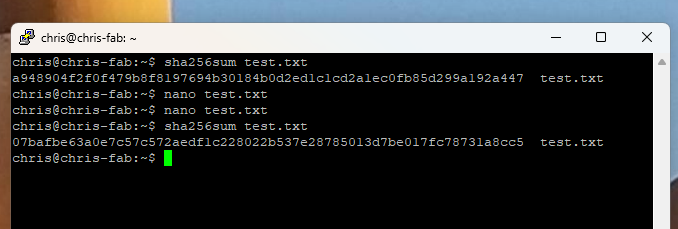
Step 3:
Changed it back to just hello world and hashed again
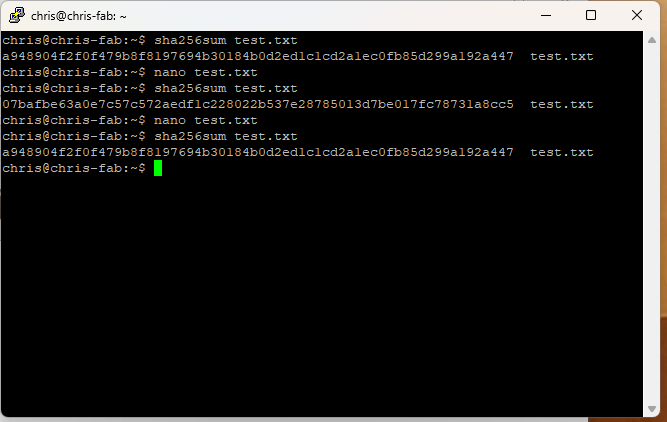
Questions
-
What changed? The value of the hash changed.
-
Why are hashes useful? Hashes are useful to tell if a file has been corrupted on download or if someone modified the file. Since if as small as a bit is changed the hash value will change.
-
Why does a hash not prove who created the file? Because anyone can hash the file and the hashing does not rely on a secret key that is only known to the creator to generate, this only serves for file integrity checking.
-
How could hashes be used to detect tampering? Since if as small as a bit is changed the hash value will change. This can show if someone modified the file to include malicious code if the hashes are not the same.