Class 5 - OS and Application security
Homework
For this week i started following the directions on the homework page but ran into two problems. The first one was when trying to make the flag.
sudo echo “FLAG{CHROOT_IS_NOT_A_SECURE_SANDBOX_1206}” > /host_secret.txt
This command did not work; it still wanted higher privileges. Looking into it I had to run this command instead as sudo did not reach all the way to the redirect file.
sudo sh -c ‘echo “FLAG{CHROOT_IS_NOT_A_SECURE_SANDBOX_1206}” > /host_secret.txt’
The next issue was trying to run the cp /bin/busybox-static ~/chroot_jail/bin/sh command. It could not find the busybox-static directory. Looking into it when it is installed it may just be a busybox directory. So I used cp /bin/busybox ~/chroot_jail/bin/sh instead.
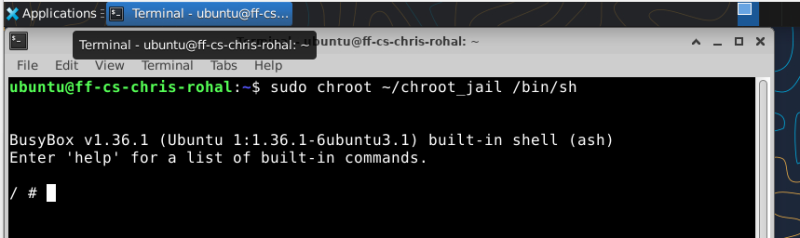
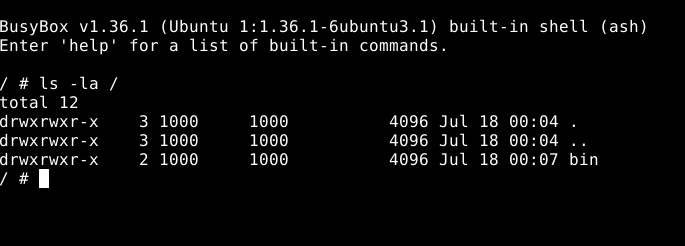
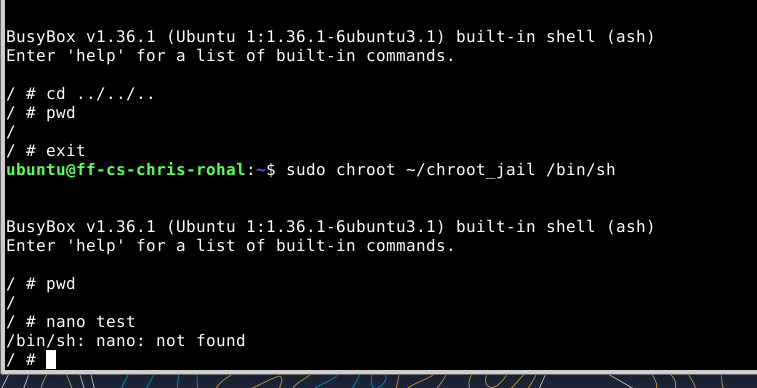
- When you ran cd ../../.. inside the jail and checked your location, why couldn’t you exit? How does the kernel manipulate path resolution for a chroot-ed process?
The chroot command changes the process’s root directory to the specified folder. Once inside the jail, the kernel treats that directory as the new /. Every absolute path starts from this new root, and any attempt to move above it using .. is redirected back to the jail’s root directory. Because of this path rewriting, cd ../../.. never reaches the real root of the host operating system.
- What happens if you try to run commands like nano, python3, or grep inside your jail? Explain why they fail, even if they are installed on your host OS.
Most commands fail because they are not present inside the chroot environment. Even if they exist on the host system, the jailed process cannot access them since it only sees files inside the new root directory. Many programs also depend on shared libraries located in directories such as /lib or /usr/lib. If those libraries are missing from the jail, the executable cannot start. BusyBox works because it is a statically compiled binary that contains its required code internally.
Part 3: Deep-Dive Discussion — The Privilege Escape Paradox
I have been working on this part for a week and have gotten a few things to work but not all. If I mount /bin,/lib and /lib64 I can get bash to run in the jail but nano gives an error and so does python3. Python can not find some libraries. Nano gives this error “Error opening terminal: xterm-256color.”
I did this sudo cp /bin/* ~/chroot_jail/bin/ 2>/dev/null mkdir -p ~/chroot_jail/lib/x86_64-linux-gnu ~/chroot_jail/lib64 sudo cp -r /lib/x86_64-linux-gnu ~/chroot_jail/lib/ sudo cp /lib64/ld-linux-x86-64.so.2 ~/chroot_jail/lib64/
And was able to get into bashy and get the python version. Reviewing the video and researching online I was able to read my file by mounting a high level file. In this case I used what Yosuke Tsuchiya did and mounted proc. From there I was able to use that mount as a path to root and read the file.
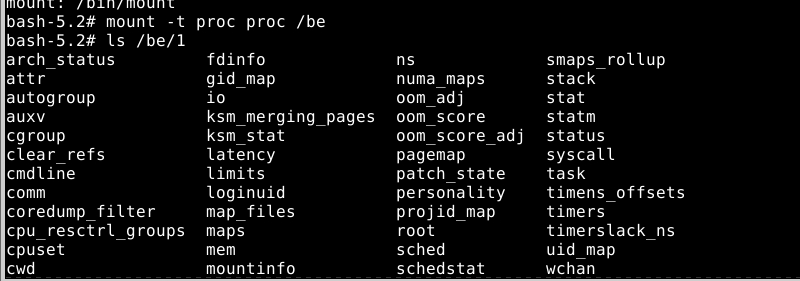
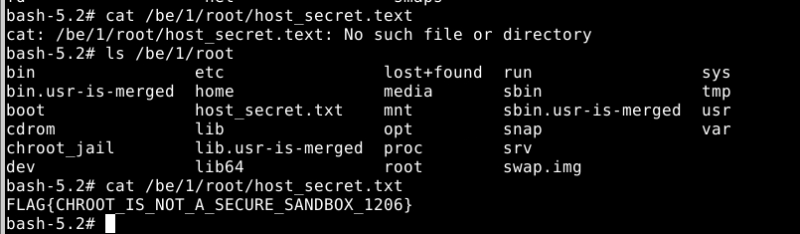
While chroot effectively shifts the file path layout for standard operations, it was never designed to be a true security sandbox.
chroot modifies path resolution but does not isolate processes, namespaces, or administrative permissions. Why would this be a problem?
This is a problem because if an app in the jail gets a hold of a higher level privilege it can escape and take over the machine.