Class 4 - Microarchitecture security
Homework
Part 1: Timing the Cache vs. Main Memory
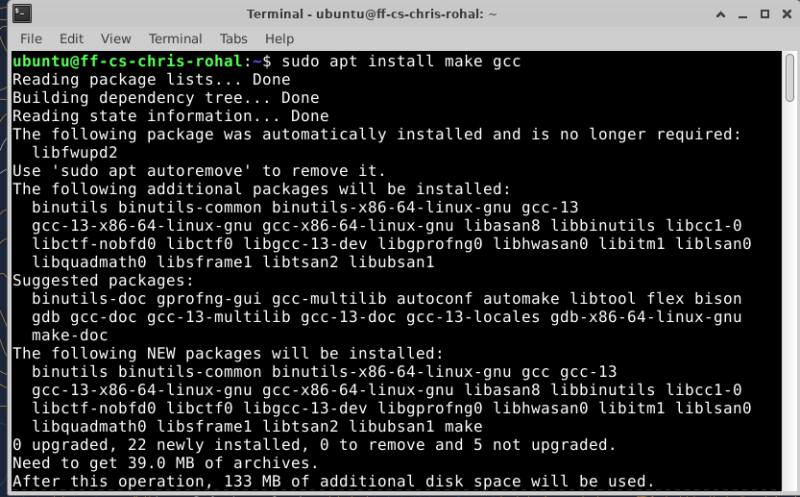
To start this homework i downloaded the two zip files and extracted them and then i installed ggc and make using sudo apt install make gcc . After extracting i open main.c in nano a text editor and looked at the programing code. After looking at the code and following the instructions for the homework i found that we had to modify the code to take dram timings as the l1 cache was already done.
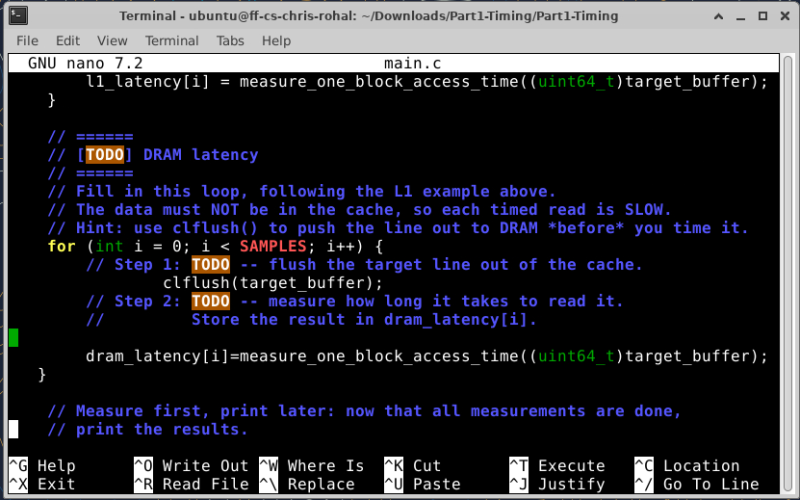
The following for loop is what needs to be added to.
for (int i = 0; i < SAMPLES; i++) { // Step 1: TODO – flush the target line out of the cache.
// Step 2: TODO – measure how long it takes to read it.
// Store the result in dram_latency[i].
}
 In this loop i added the clflush(target_buffer); and then below that added
dram_latency[i]=measure_one_block_access_time((uint64_t)target_buffer);
To measure the time and store the timings.
In this loop i added the clflush(target_buffer); and then below that added
dram_latency[i]=measure_one_block_access_time((uint64_t)target_buffer);
To measure the time and store the timings.
After saving the file I compiled it using make. I received a few warnings but ran it anyway. It worked but looking into the warning i was sending the wrong data type it was looking for a pointer. I fixed it by casting to a (void *).
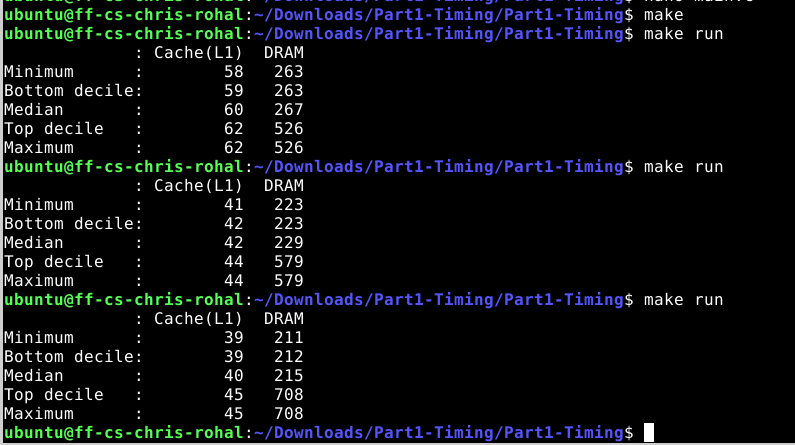
Discussion Question 1-1 Run your program and report the typical cache (L1) latency and the typical DRAM latency that you measured. How big is the difference?
the cache timmings were usally lower than 80 and the dram were 220 and upto 700.
Discussion Question 1-2 Based on your numbers, pick a single threshold value (in cycles) that you could use to decide, given one timing measurement, whether the data was in the cache or in DRAM. You will use this threshold in Part 2.
the threshold i would start with is anything less than 80.
Part 2: Capture the Flag with Flush+Reload
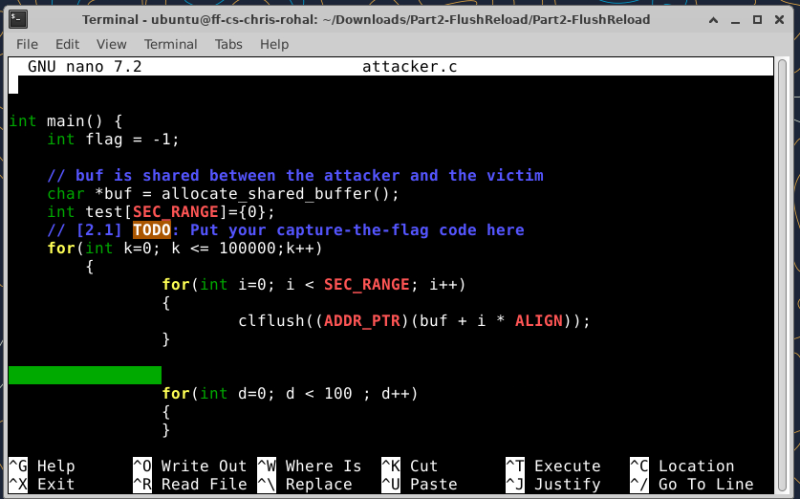
For this part of the homework I unzipped the files after they were downloaded and opened attacker.c in nano to see what code we were given. The way I first started the program is to clear the cache so i took what we did in the other program and modified it. for(int i=0; i < SEC_RANGE; i++) { clflush((ADDR_PTR)(buf + i * ALIGN)); }
After that i took the advice and made a short for loop to wait and then i tried to look for the cache read. I used a random guess to try and get away from the processor’s prefetch. All this code was in a do while loop and waiting for the flag to be not -1. for(int d=0; d < 25 ; d++) { }
int guess = rand() % SEC_RANGE; if(measure_one_block_access_time((ADDR_PTR)(buf + guess * ALIGN)) < 100) { flag = guess; }
When trying to run the make command I received this error “relocation R_X86_64_32S against
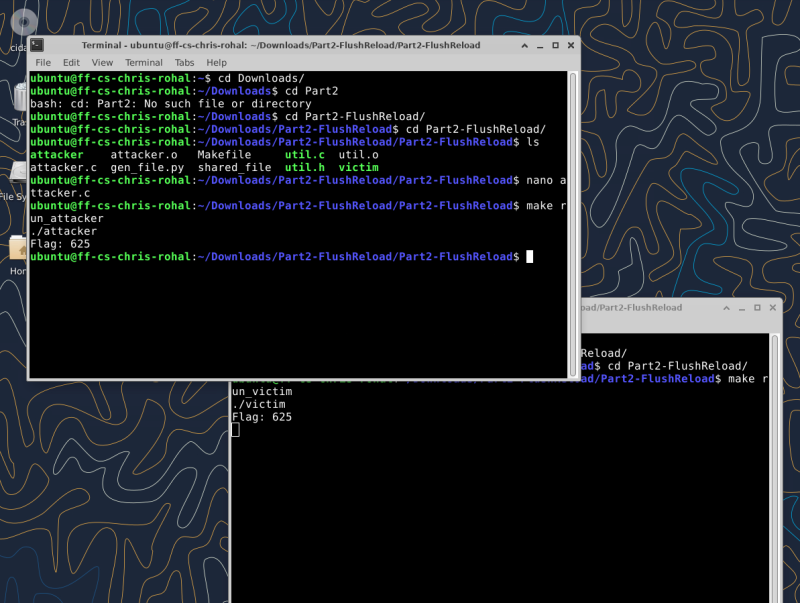
.rodata’ can not be used when making a PIE object; . At first i thought it was the code i added so i deleted everything and unzipped and used a new clean reversion and tried to make it without adding anything and i got the same error. I did some research and the quickest way to fix the error is to add -no-pie flags to the compiler. I edited the makefile and added that to the flag section and tried again and it worked. Now it was time to try my work. I ran the program and it worked but when running it over it was given me random numbers.
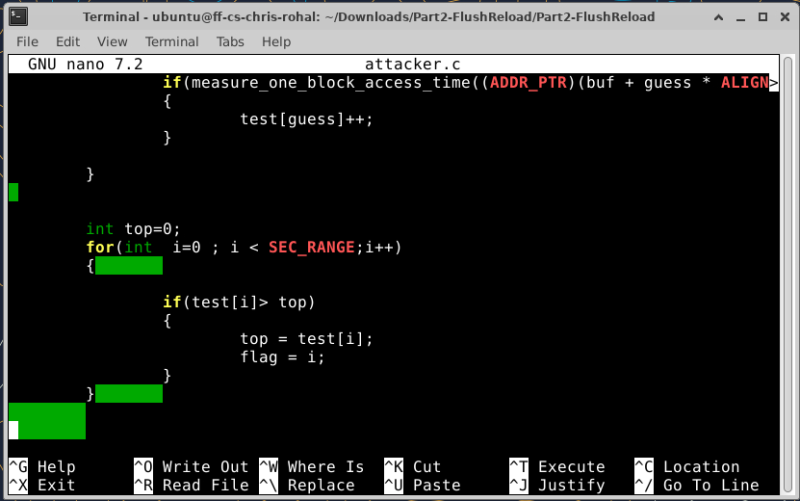
After the review I heard a few ideas on how to implement and I had to record all the hits under my threshold and then find the one that had the most hits. That number is the flag