Session 2: Internet Security
Class page
What I’ve leant
Basic idea of Network
TCP/IP was born as an experiment tool and wasn’t for the broad area usage.
Therefore, they have to add security protocols.
Internet protocols are standardized into RFCs(Request for Comments) by IETF(Internet ENginnering Task Force).
RFCs are authoritative specifications, not drafts.(from Ralph’s text)
Network structure
Internet network has 7 layers to communicate(OSI: Open Systems Interconnection). I ask AI to draw 7 network layers to understand.
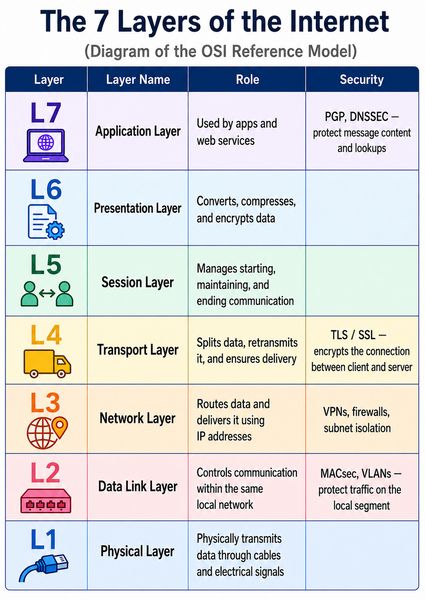
As it has different layer, one layer’s protocol can be changed without effecting other layers.
Protecting from what?
- Confidentiality
Protect from eavesdropping: Only permitted people can read the data. - Integrity
Protect from tampering: disable to modify the data in transit - Availability
Only intended people can communicate without trouble protect from such as Dos attack - Authentication
Be clear who you’re talking to using certificate / authority
Data encapsulation
Each layer wraps the layer above in a header + payload —> a Protocol Data Unit (PDU).(from Ralph’s document)
TLS / HTTPS
TLS(Transport Layer Security) is an encryption technology using HTTPS. HTTPS is combination of HTTP + TLS. As HTTP has no encryption, the data is open to anyone. Therefore it would be easy to eavesdropping or tampering. Therefore HTTPS appears for encryption HTTP data using TLS.
How TLS protects connection
TLS handshake: The initial process that establishes secure communication between a server and a browser.
Procedure (from Ralph’s doc)
- Client & server agree on a cipher suite
- Server presents its certificate (identity + public key)
- Both sides derive a shared session key via Diffie-Hellman
- All further traffic is encrypted and authenticated
Network Segmentation
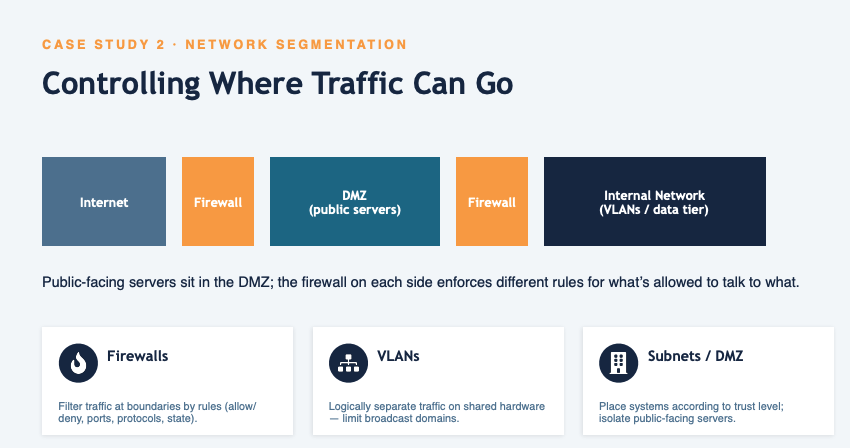 [from Ralph’s doc]
There are 2 firewalls to protect the data and internal network. Outside one(between Internet and DMZ) allows only communicating with public server. Second one(between DMZ and internal network) allows authorized communication.
Homework
1. For each of the following systems, research and document 3 parts what threat does it address? what’s the trust model? what’s the residual risk?
-
PGP[Pretty Good Privacy] (end to end email security)
-
What threat does it address?
PGP system protects from eavesdropping e-mail information and data. -
What’s the trust model?
PGP uses cryptography system. So each user has a public key and a unique private key. When a user sends a message using their public key, the message is encrypted. Receiver gets the message and open it using their private key(for decryption). -
What’s the residual risk?
I asked chatGPT about the PGP’s residual risk and it answered as follows;
First risk is the private key could be stolen. If a “bad person” stoles it, he can read the mail with that stolen key. Secondly, a sender encrypts the data with fake public key. If “bad person” provides a fake public key and sender uses it, encryption would be useless. Thirdly, PGP usually protects the payload but the information such as a sender and a receiver, date and time, e-mail title, and e-mail size. So they might know the communication status even though it can’t be read the payload.
-
-
SSH[Secure Shell] (secure remote access)
-
What threat does it address?
SSH addresses eavesdropping, tampering, and impersonation. -
What’s the trust model?
SSH uses encryption system and all the data are encrypted, so it prevents from the threat. First, client side demands the connection to a server, and the server accept it’s connection and then start the session. Then, they exchange the keys for producing safe session key. This safe key is used for encrypting the data. When the authentication is successful, a secure network connection is stablished. -
What’s the residual risk?
The residual risk of SSH is opening the private key even accidentally. Another risk is when the private key is stolen, all the data can be read.
-
-
VPN[Virtual Private Network] / IPsec[IP Security Architecture] (network-layer tunneling)
- What threat does it address?
- What’s the trust model?
- What’s the residual risk?
- What threat does it address?
-
MACsec[Media Access Control Security] (link-layer encryption)
- What threat does it address?
- What’s the trust model?
- What’s the residual risk?
- What threat does it address?
-
DNS Security[Domain Name System] (DNSSEC & DNS spoofing)
- What threat does it address?
- What’s the trust model?
- What’s the residual risk?
- What threat does it address?
-
IDS[Intrusion Detection System] / IPS[Intrusion Prevention System] (detection vs. prevention)
- What threat does it address?
- What’s the trust model?
- What’s the residual risk?
- What threat does it address?
TLS Handshake Trace
Trace a real TLS handshake and an encrypted data segment. Identify how the session is established — cipher suite, certificate, key exchange — and confirm what an observer can and cannot see.
Trace a real TLS handshake and encrypted data segment
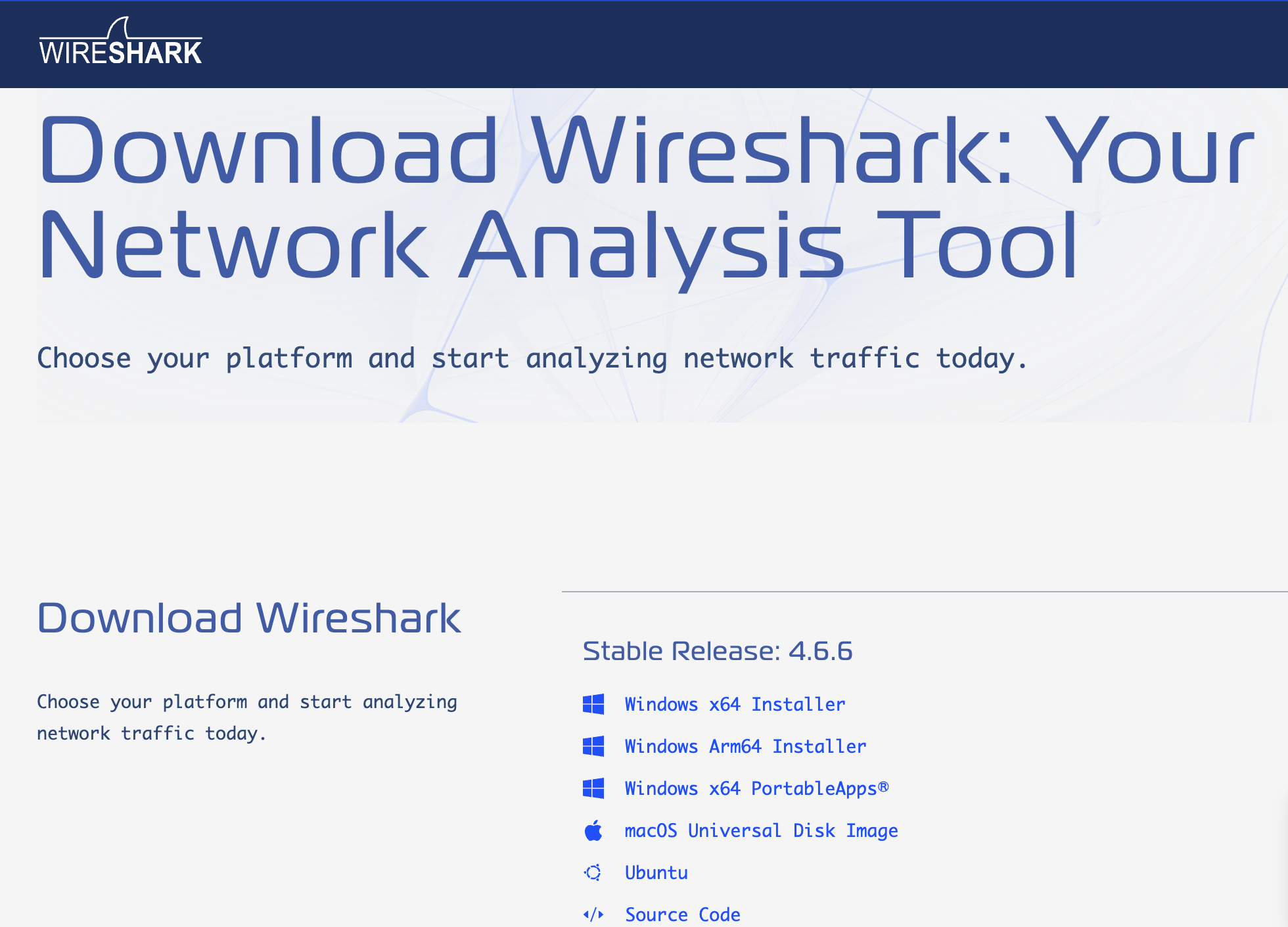
- Install Wireshark Downloaded Wireshark from the internet and install it.
When I open the Wireshark, it said “You don’t have permission to capture on local interfaces”.
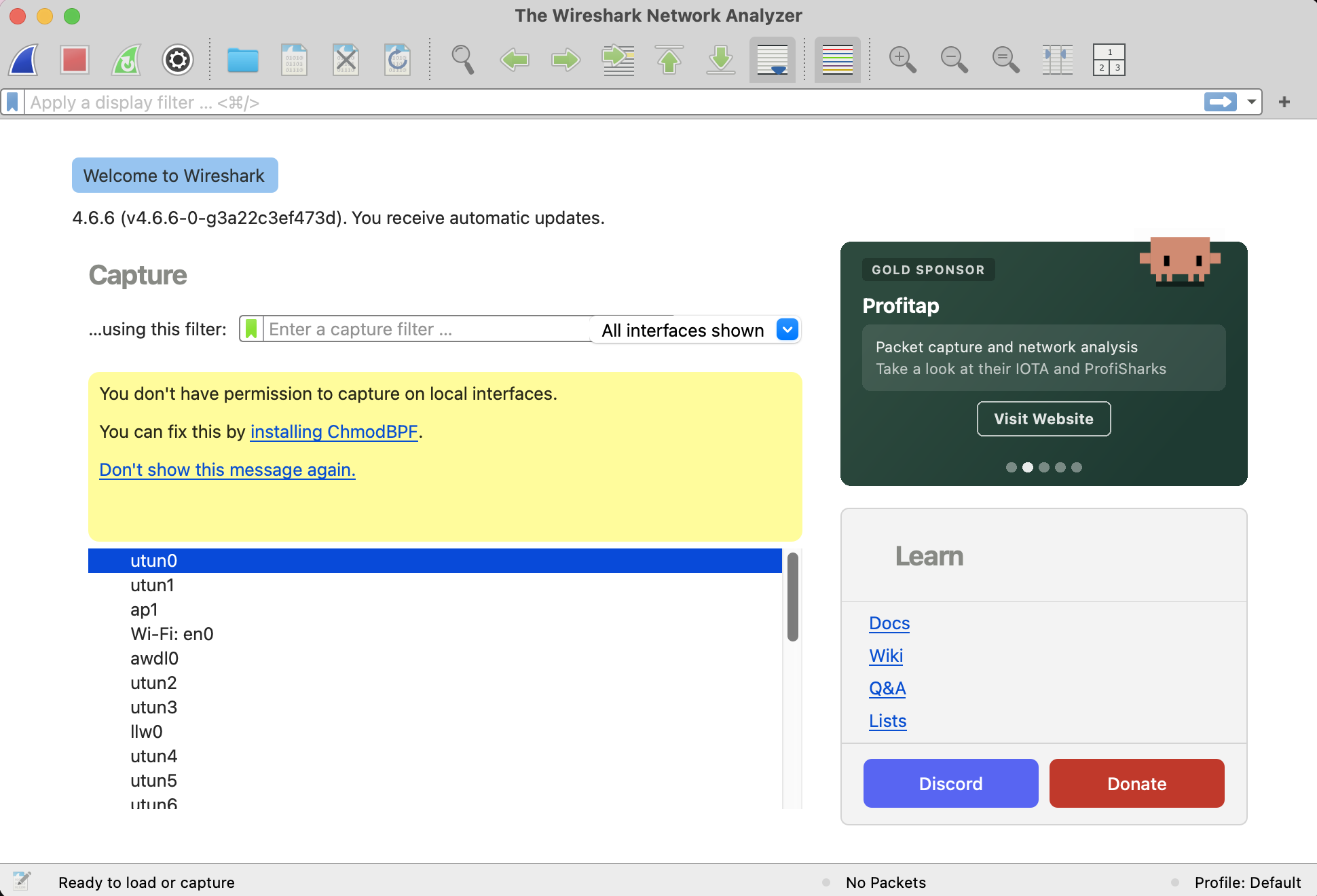
So I also installed chmodBPF and restart Wireshark. This time I can see the network flow.
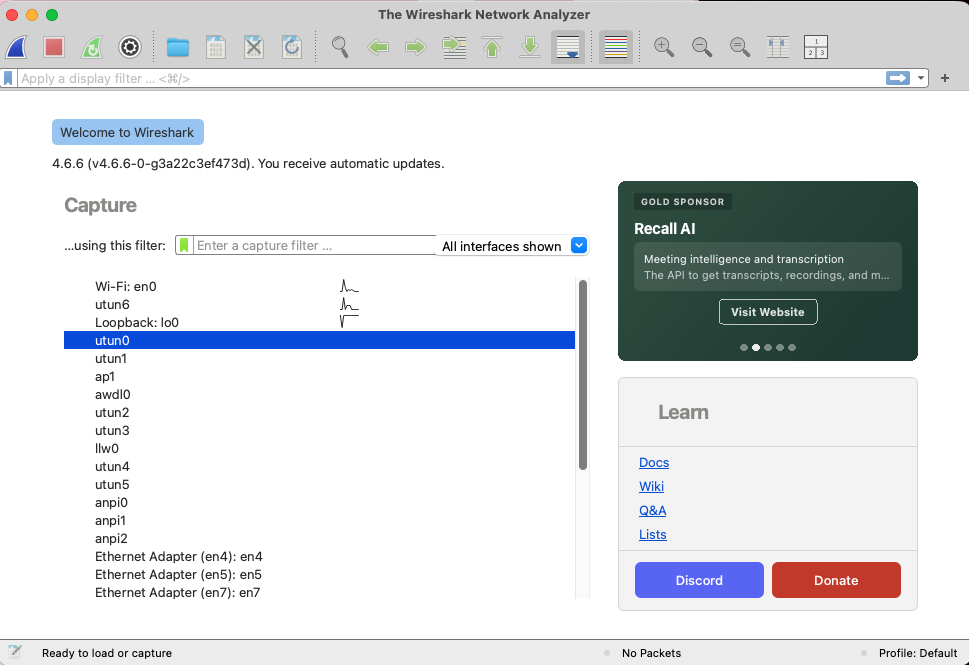
- Trace a real TLS handshake
Now I can see the network flow in local network and check the TLS. However, firstly I should know “what’s handshake?” I found the explanation on the internet TLS handshake explanation.
TLS : An encryption and authentication protocol designed to secure Internet communications.
From that page, TLS handshake is;
A TLS handshake is the process that kicks off a communication session that uses TLS. During a TLS handshake, the two communicating sides exchange messages to acknowledge each other, verify each other, establish the cryptographic algorithms they will use, and agree on session keys. TLS handshakes are a foundational part of how HTTPS works.
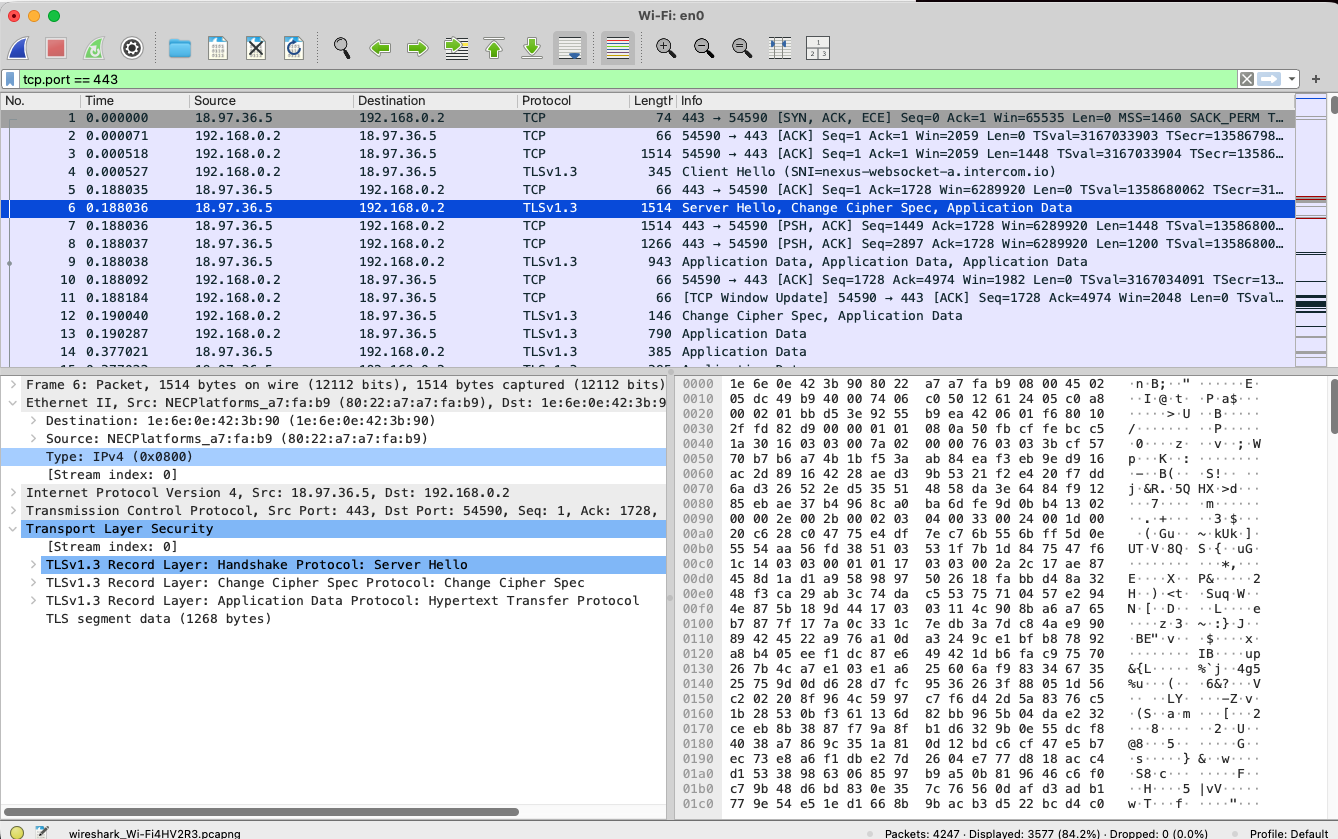
Then I followed this instruction for TLS handshake. Wireshark setup page
First I started the Wireshark and start tracing the network.
Then, I open the browser, “https://fabfoundation.org/education/”
and checked the wireshark.
As it has many traffic, I filtered.
tcp.port == 443
This is a communication list.
First checking “client hello” line, it does “handshaking” to the server.
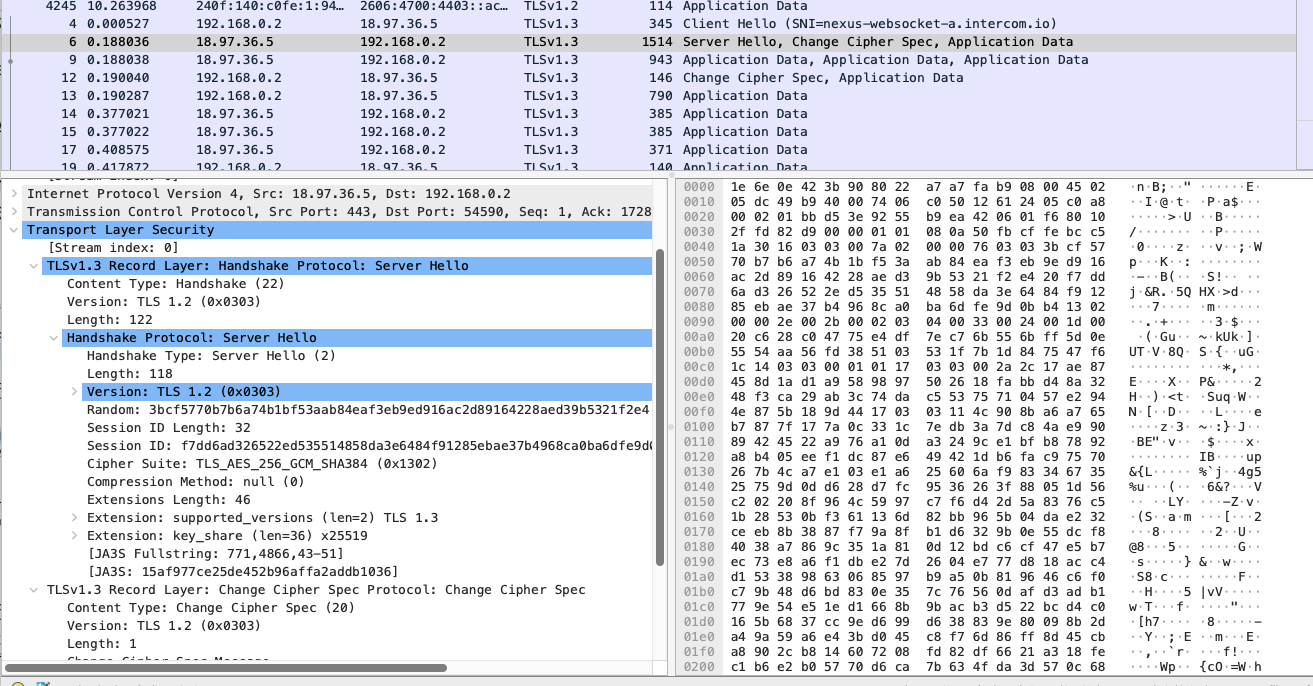
Then server also did “server hello” and handshaking too. Then it began data transfer and change the cipher spec for communicating between client and server. When I see the bottom data of package m
Port Scan & Firewall
Your VM will be subjected to a port scan. Determine what it reveals about your exposed services, then configure the firewall to reduce what’s reachable from outside.
Keywords
I’ve learnt so many new words, so I put them here to check.
- IETF : INternet Enginnering Task Force
- RFC : Request for Comments
- OSI : Open Systems Interconnection
- TLS : Transport Layer Security An encryption and authentication protocol designed to secure Internet communications.
- Dos attack : attack to bring down a server by enormous network traffic
- Certificate Authority : Trusted third parties that vouch for server identity
- DMZ : DeMillitarized Zone DMZ is an area or server between open internet and the internal network
- Firewall :
- VLANS : Virtual Local Area Network A technology virtually grouping(segmenting) networks