Session 1: Introduction & Cryptograpy
This is a sample page showing where and how one can document your work during this weeks class. Replace the contents of this file with your notes and create other files for other weeks as you go.
Homework
Create a public/private key pair
This is a protection system using keys, public key and private key. Only people who have the correct key can access the document or messages.
- What is the public key?
A public key can be shared with anyone.
- What is the private key?
A private key is secret. Only the person who has the private key can unlock the information and access the contents.
- What can this key pair be used for?
This pair key is for encryption and decryption. The public key is usually put in the server and you have the private key.
I asked chatGPT to draw the relationship of public and private keys.
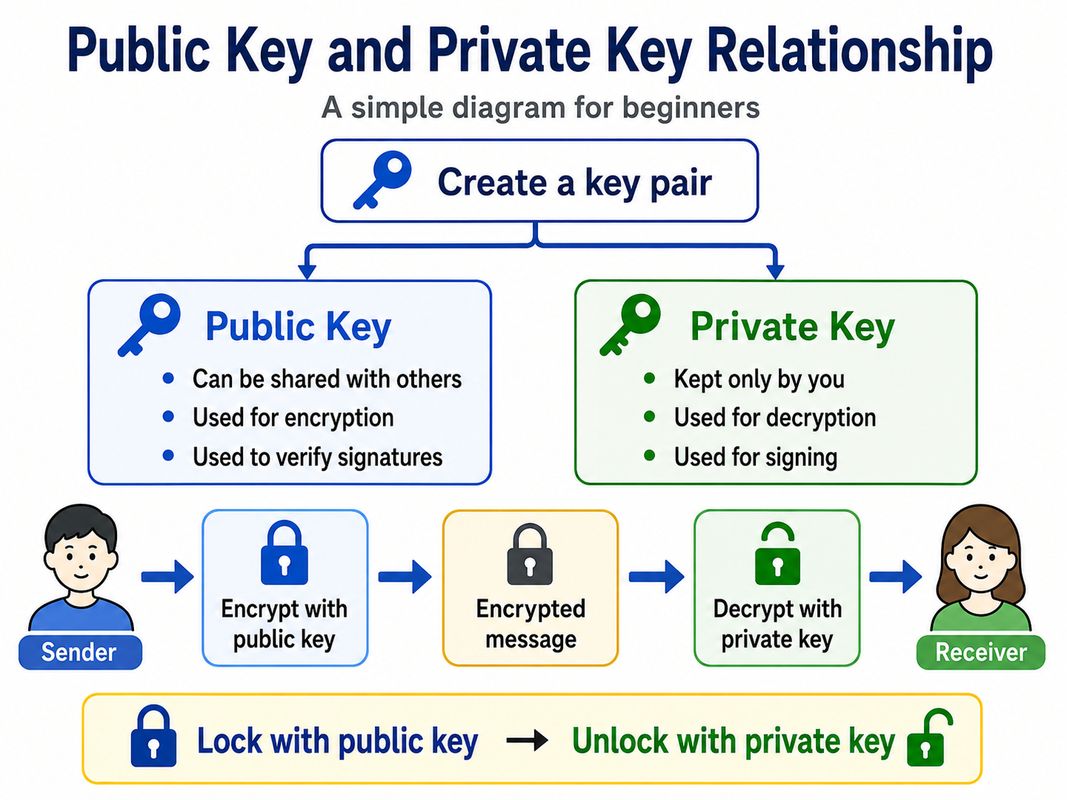
- Why must the private key be protected? Private key is working as a “password” or “ID” to get the information. So if someone get that information, that person can get
Install an SSH public key on a server and use it to log in
-
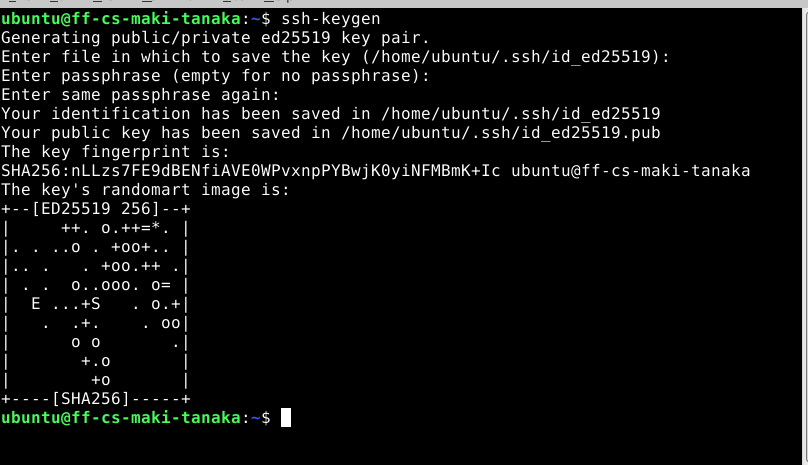
Make ssh key in the virtual server I made a ssh key in the virtual server.
-
Setting the public key into the server I already have my ssh key in my PC.
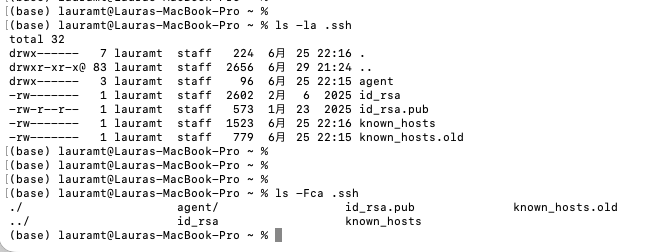
I copied the public key data in id_rsa.pub by cat command.
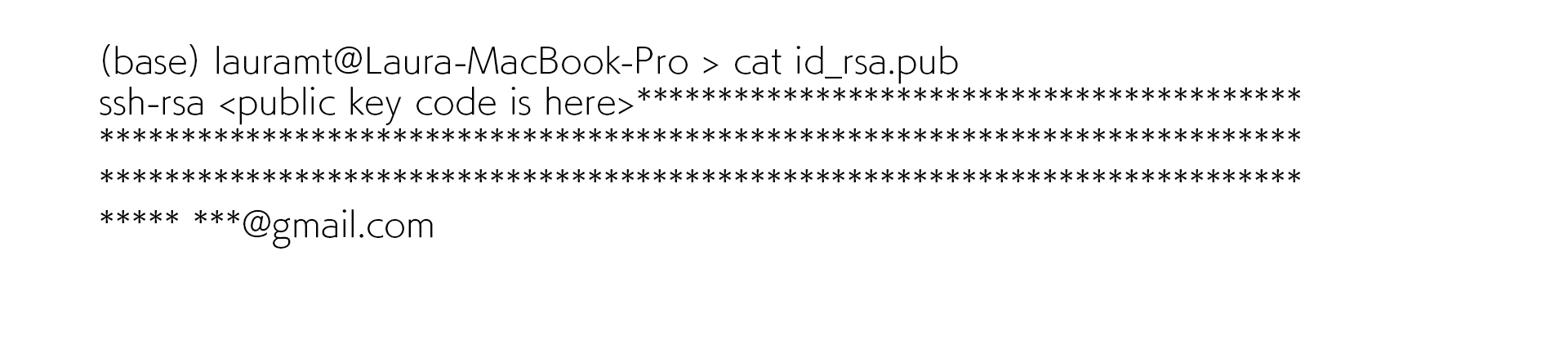
- Put the public key data into the file in the virtual server.
First, I logged in the virtual server normally(I already have my id/passward information) and search authorized_key in .ssh folder.

Then I put the public key data into authorized_key file.(~/.ssh/)
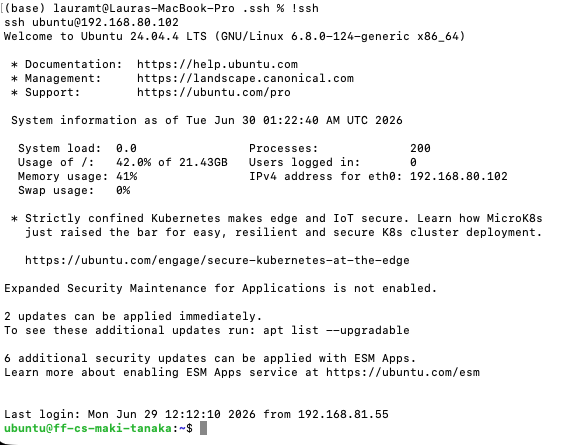
The procedure of ssh key to the virtual server is done and I tried to log in by ssh key(it means no need to put the password for login).
Research
“Lorem ipsum dolor sit amet, consectetur adipiscing elit, sed do eiusmod tempor incididunt ut labore et dolore magna aliqua. Ut enim ad minim veniam, quis nostrud exercitation ullamco laboris nisi ut aliquip ex ea commodo consequat. Duis aute irure dolor in reprehenderit in voluptate velit esse cillum dolore eu fugiat nulla pariatur. Excepteur sint occaecat cupidatat non proident, sunt in culpa qui officia deserunt mollit anim id est laborum.”
“Lorem ipsum dolor sit amet, consectetur adipiscing elit, sed do eiusmod tempor incididunt ut labore et dolore magna aliqua. Ut enim ad minim veniam, quis nostrud exercitation ullamco laboris nisi ut aliquip ex ea commodo consequat. Duis aute irure dolor in reprehenderit in voluptate velit esse cillum dolore eu fugiat nulla pariatur. Excepteur sint occaecat cupidatat non proident, sunt in culpa qui officia deserunt mollit anim id est laborum.”
Useful links
Code Example
Use the three backticks to separate code.
// the setup function runs once when you press reset or power the board
void setup() {
  // initialize digital pin LED_BUILTIN as an output.
  pinMode(LED_BUILTIN, OUTPUT);
}

// the loop function runs over and over again forever
void loop() {
  digitalWrite(LED_BUILTIN, HIGH);   // turn the LED on (HIGH is the voltage level)
  delay(1000);                       // wait for a second
  digitalWrite(LED_BUILTIN, LOW);    // turn the LED off by making the voltage LOW
  delay(1000);                       // wait for a second
}
Image
The following markdown code:

Turn into:
