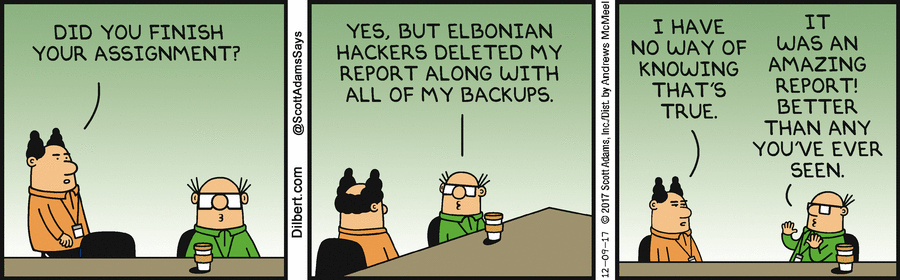
Final project
Link to presentation (at 58:40)
Company Overview – Wonka Electronics
Wonka is a fictional specialty retailer operating in the consumer electronics and electronic devices sector. The company conducts its commercial activities through a proprietary e-commerce platform built on the OpenCart framework, enabling online product showcasing and transactional sales capabilities. The organization employs a workforce of ten (10) individuals. Two (2) field-based employees operate predominantly in a mobile capacity, utilizing personal smart devices to fulfill their professional responsibilities. The remaining personnel include remote workers equipped with company-issued laptop computers to support business continuity from off-site locations.
Wonka operates on a strictly non-public-facing warehouse model; customers do not have physical access to the storage and fulfillment facility. Order fulfillment is conducted exclusively through the company’s e-commerce channel, with outbound shipments processed via contracted third-party logistics providers, namely Purolator and UPS.
Facility access at the shipping and receiving dock is controlled through an automated gate system. Authorized entry is granted upon successful scanning of a QR code embedded within the corresponding shipping documentation, ensuring a structured and auditable access control mechanism.

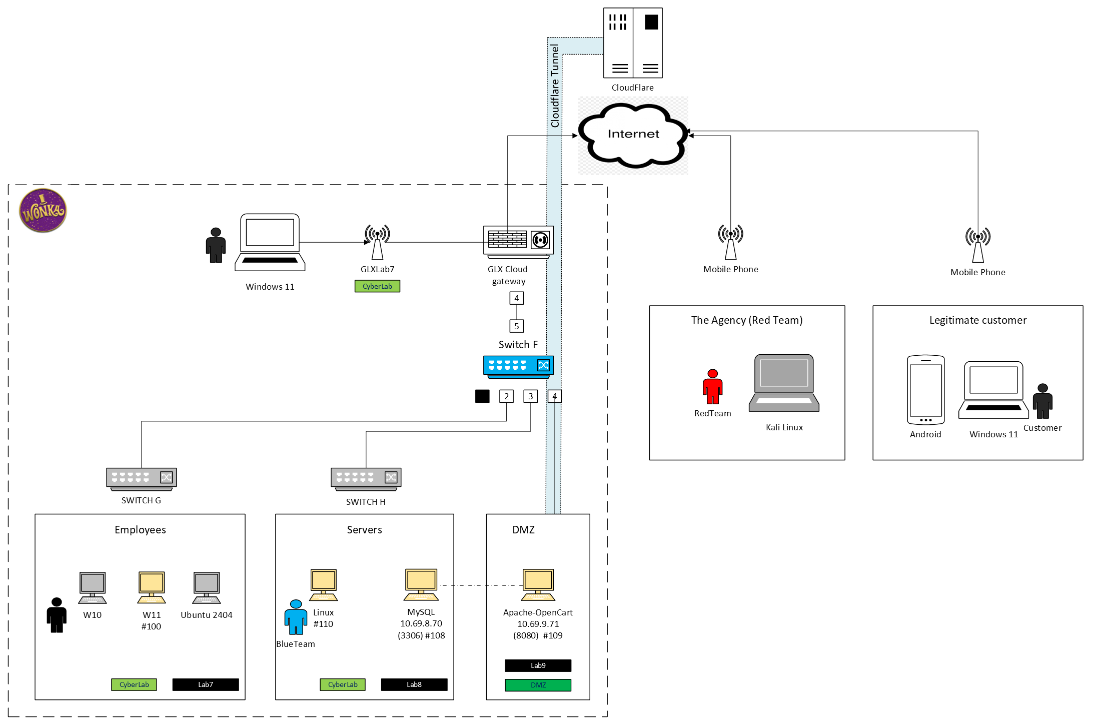
Here is the IT layout. Wonka Electronics recently moved to Microsoft 365, this is not visible on this picture.
Current situation
Wonka’s CEO hired The Red Team company to perform a detailed cybersecurity inspection. They came on site, looked everywhere, talked to the employees and ran some remote tests as well.
Here are the recommandations (call to actions) from their final report
Priorities (from highest to lowest)
Priority #1 : enable MFA on all accounts (email, store platform, banking)
Context
Passwords are an essential part of staying cyber secure. But they’re not infallible. Cyber criminals can use various methods to guess, steal, and compromise your passwords. But multi-factor authentication can help. You can use multi-factor authentication to make it more difficult for cyber criminals to access your devices and accounts. Nowadays, most companies offer multi‑factor authentication features on their products.
How we address it
Currently, Wonka Electronics has a mix of local accounts, managed on one Linux computer and Microsoft 365 accounts managed in the cloud (Entra Id)
- Part 1: Microsoft cloud part of our environment (i.e productivity and communication tools)
We managed to configure MFA per default for all accounts. Well, almost all and it was intentionnal.
Demo in virtual session 11 assignements
- Part 2: Local accounts
We managed to configure the Linux computers to leverage the cloud accounts. First time I log in on a Linux machine using my MS cloud credentials :-) It brings all the good thinks like MFA and centralize logging
Demo in virtual session 11 assignments
Priority #2 : Use a reputable payment processor (Stripe, Square) to offload PCI risk
Context
The existing system keeps tracks of customer’s caredit cards in the database. Transactions are processed manually by a clerk. This is not efficent and there is a high risk of data exposure.
How we address it
Use a Stripe extension designed for OpenCart.
The security profile of “Stripe integration” itself is strong — the risk is almost entirely in which extension wraps it and how carelessly it verifies payment confirmation (Anyone can publish to the OpenCart marketplace) A well-reviewed, actively maintained extension with proper webhook verification is reasonably safe. A random free one from an unfamiliar marketplace listing with an old timestamp and a personal Gmail for support is where the real risk concentrates.
Note: webhook signature verification is often skipped or done badly. This is the most common real-world flaw in cheap/free payment extensions: they mark orders “paid” based on the customer being redirected to a success URL rather than a verified webhook. That’s spoofable — someone can visit the success URL directly without paying. A properly built extension verifies the Stripe webhook signature server-side before fulfilling the order.
Note 2: OpenCart extensions typically store your Stripe secret key in the oc_setting table. If your admin panel or database gets compromised (SQL injection is a recurring OpenCart CVE category), your live Stripe secret key leaks along with it — letting an attacker issue refunds, view transaction data, or worse depending on key permissions.
We don’t have a demo for this one.
Priority #3 : Ensure web site is HTTPS only, with a proper certificate.
Context
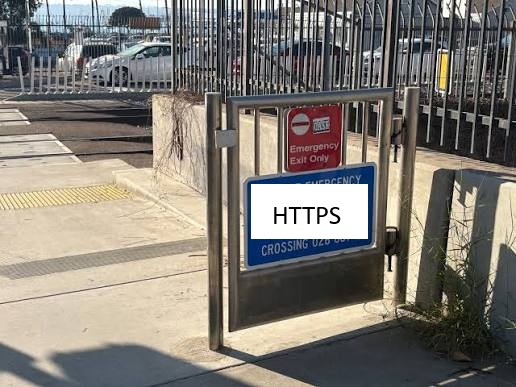
We found out that the e-commerce public facing web site is exposing both HTTP and HTTPS. This is a major weakness.
How we address it
We generated and deloyed a certificate. We enabled https and we updated the configuration in order to reroute http calls to https.
Demo in session 1 assignements
Priority #4 : Set up a VPN for remote and road workers
Context
We found out that remote workers still use a very old and obsolete technology to reach corporate network
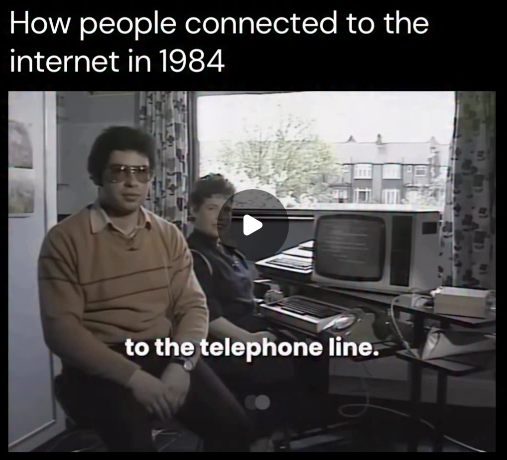
(from https://www.instagram.com/reels/DZ2gs_DMOii/)
How we address it
There are two options here: the first one is to use Wireguard like in this course. The other one is to leverage Teleport, the Unifi VPN solution we have already in place with our infrastrcture.
Demo in session 2 assignements
Priority #5 : Conduct a Law 25 (Quebec’s law) compliance review
Context
Quebec’s Law 25 (formerly Bill 64) is a major legislative reform that modernizes the province’s privacy laws, imposing strict rules on how organizations handle personal data. It applies to all private businesses and public bodies holding personal information in Quebec, with penalties for non-compliance reaching up to $25 million or 4% of global revenue.
How we address it
We went through the law text and we ensured we are compliant with each requirement.
See the full process in virtual session 10 assignements
This is our parliament in Quebec City :-) . As a side note, one of our customers is located in the tower just behind. From there, there is an amazing view to the St Laurent River. See https://observatoire-capitale.com/en/

Priority #6 : Configure Alice’s email account (she is from Finance departement) so she could encrypt and sign messages when needed.
Context
Alice has to send sensitive information to the Bahama’s branch. This information is in clear text.
How we address it
The best solution would be to leverage our new Microsoft 365 infrastructure. As a temporary fix, we managed to enable PGP and use OpenPGP keys to encrypt and sign the messages.
Demo in session 2 assignements
Priority #7 : Inspect truck gate and access control hardware
Context
During on site visit, we found out that device
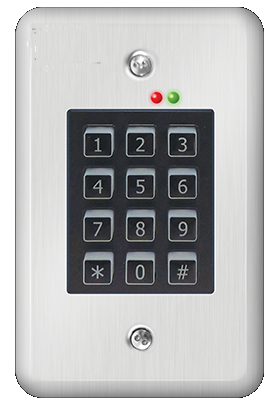
Truck drivers have to enter a code to access the warehouse. There is a (fictionnal) known vulnerability on that device. When you start typing, the LED turns red as soon as a digit is not as expected. That timing is an important information we can leverage
How we address it
We identified the issue with the LED timing, reproduced the problem and reported it to the supplier. A firmware updated is expected soon.
Demo in virtual session 9 assignements
Priority #8 : Enable Intrusion Detection System / Intrusion Prevention System at the Internet gateway level
Context
Imagine a hooded hacker hunched over a glowing terminal in a classic American car, parked alone in a dark lot. The green phosphor glow of the laptop screen lights up their face and glasses from below, while a couple of distant street lamps barely cut through the darkness. Rain streaks on the windshield, stars and a crescent moon overhead, and the quiet hum of late-night code.
How we address it
IDS and IPS are available in our router configuration. We enabled it.
Demo in session 2 assignements

Priority #9 : Implement a password manager across the team
Context
Nothing is secret once you tell anyone. If you want to keep it quiet - don’t tell a soul. (Richard Chamberlain)
How we address it
The decision is not final yet. We scheduled a meeting with Wonka Electronic’s management team to confirm the scope and select a strategy
How To select the right tool for the right job
Priority #10 : Run annual phishing awareness training
Context
Not sure I got the right image.. :-)

How we address it
A good story is paramount. Let’s see how the bad guys from the adjacent parking lot are exploiting Wonka’s team bad cybersecurity habits
Demo in virtual session 8 assignements
Priority #11 : Define and test a basic backup and recovery plan
Context
We have backups, dont’we ?
How we address it
The first step is a talk with the team. Then we plan to put some governance in place and and the tools and procedures to complete. Once a year, we plan to test a disaster bootcamp in order to confirm that the team and the infrastructure are ready, not only at the theoretical level.
More on backups in virtual session 11 assignements
This is the end of this project.
Thanks a lot to Neil, Jean-Michel and Julian for this opportunity and obviously a big thank you to the amazing presenters. Thanks to Radia, Charlie, Ralph, Hamed, Vincent, Mike, Keri and Jean-Jacques. I’m grateful to all of you. You are so inspiring !