Session 2 > Internet Security
Class Notes > Internet Security
Instructor: Ralph Droms
Protecting Traffic, Controlling Flow
Background
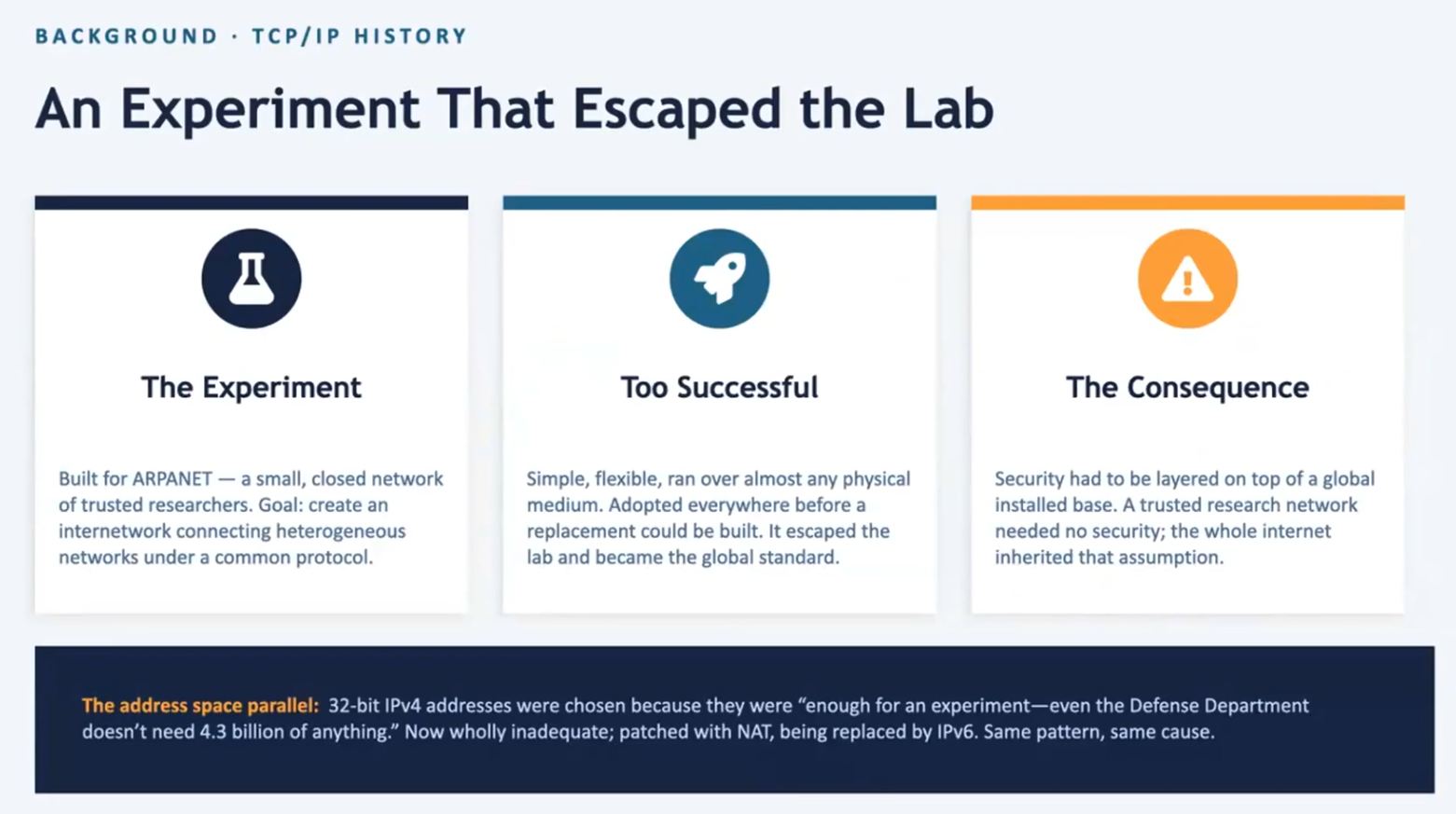
- Developed organically over years (not planned)
- Started as a research project > communication over the ARPANET, common protocol, multiple hardware technologies (represented as abstractions)
- Protocol broken into layers, each with a specific purpose
- …better services in the upper layers based on information from lower layers
- …changes can be made in single layers
- Security considerations came later, as internet popularity grew…developed and applied retroactively
- ITEF = Internet Engineering Task Force
- Standardization of security protocols occurred via Request for Comments (RFC) to the ITEF
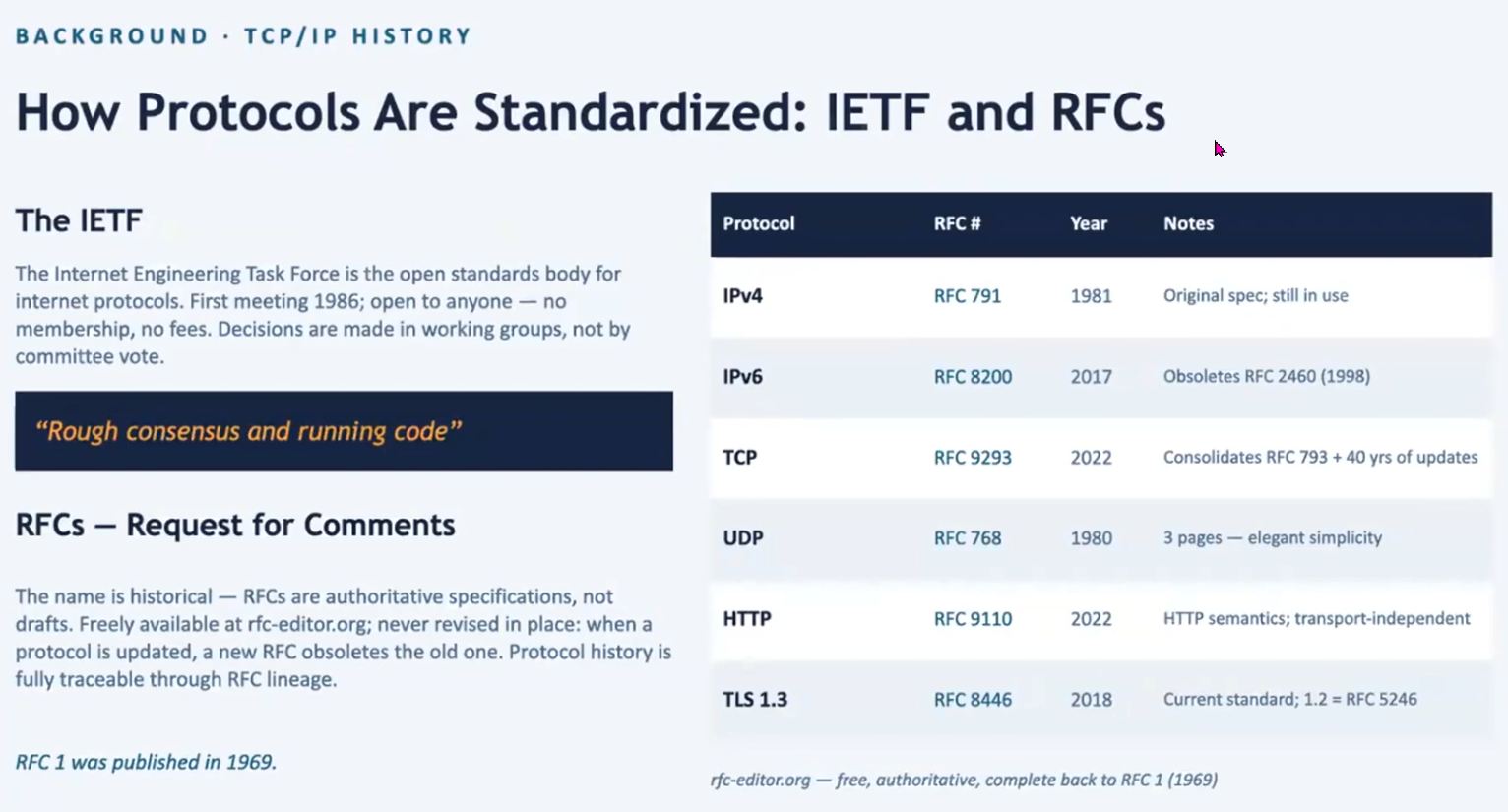
- Protocol changes implemented through ‘Rough Concensus’
- RFCs managed via a system similar to version control, original documents associated with protocol versions are maintained intact while new modified versions become newer RFCs
Layers:
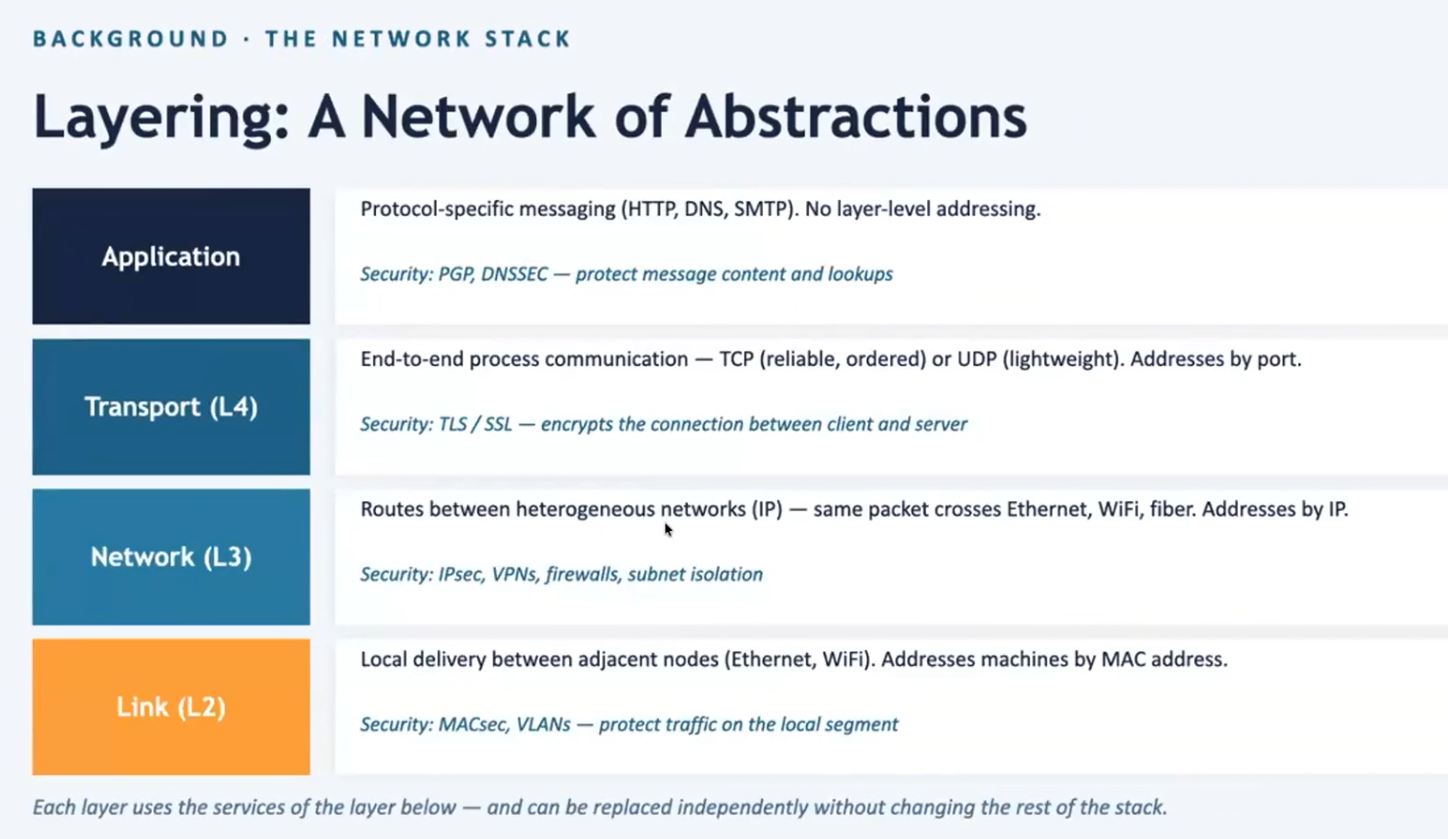
Link (L2) = bottommost, local delivery across a single network type (ex: ethernet, wifi) between 2 adjacent nodes
- Security: MACsec, VLANs (protect traffic on the local segment)
Network (L3) = “Routes between heterogeneous networks” combine different networks of different types to be a single virtual network with uniform addressing scheme, uniform delivery and transparency for underlying types of networks
- Security: IPsec & VPNs (end-to-end, device-to-device security across the internet), Firewalls & subnet isolation (traffic segmentation, block traffic from one network getting into another network)
Transport (L4) = “end-to-end process communication”, TCP or UDP
- Security: TLS/SSL encrypts connection between client and server…prevents interception, reading, allows authentication
Application = “Protocol-specific messaging” (HTTP, email, DNS, SMTP) with own security mechanism, no layer-level addressing
- Security: PGP (protects email), DNSSEC…protect message content and lookups
Substitution & Encapsulation
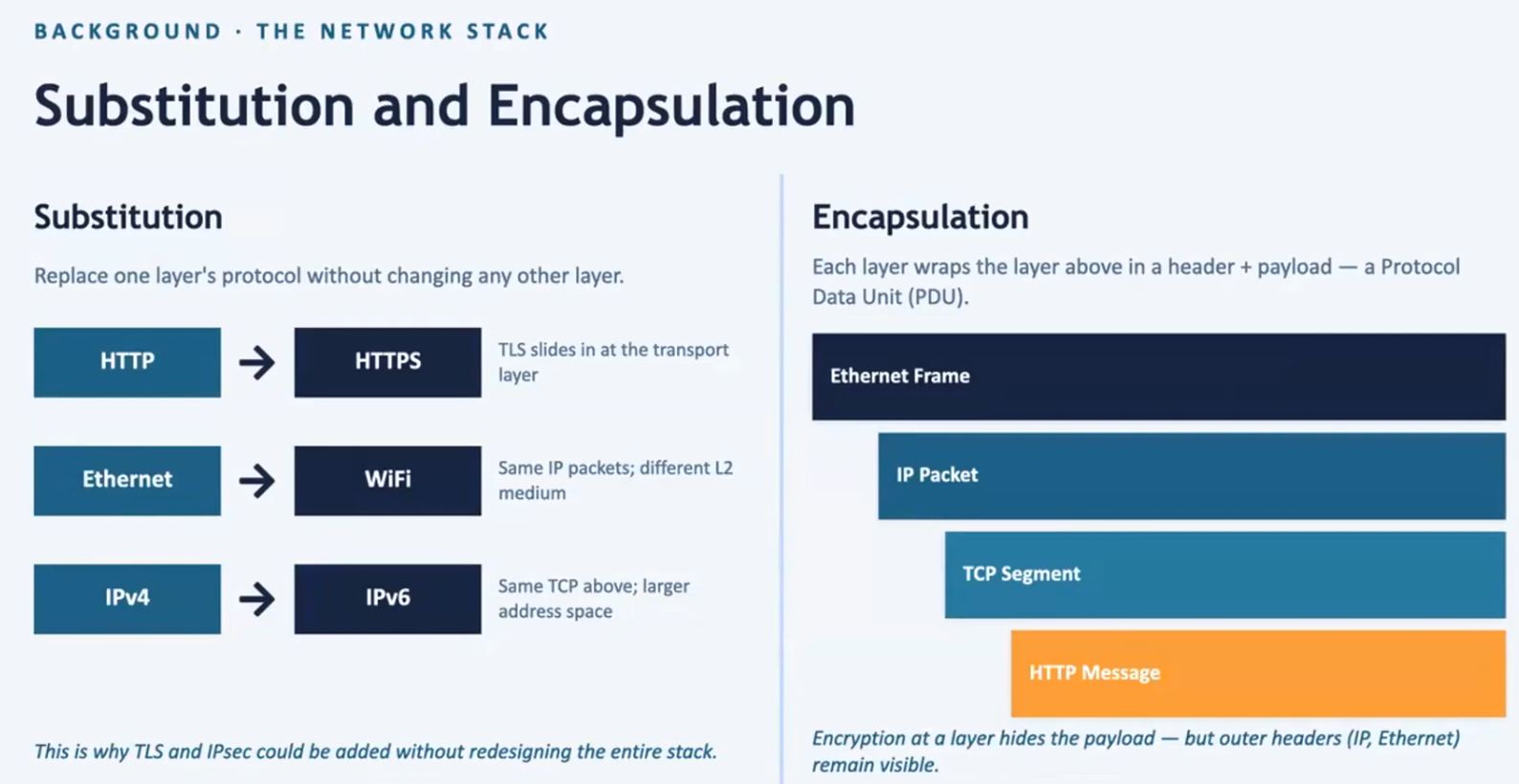
Substitution = layer independence means layer-level protocol changes does not affect other layers (HTTP <> HTTPS, Ethernet <> WIFI, etc.)
Encapsulation = each layer encapsulates a header and payload, a Protocol Data Unit (PDU). Payload is always hidden, but headers remain visible between layers
Protecting What?
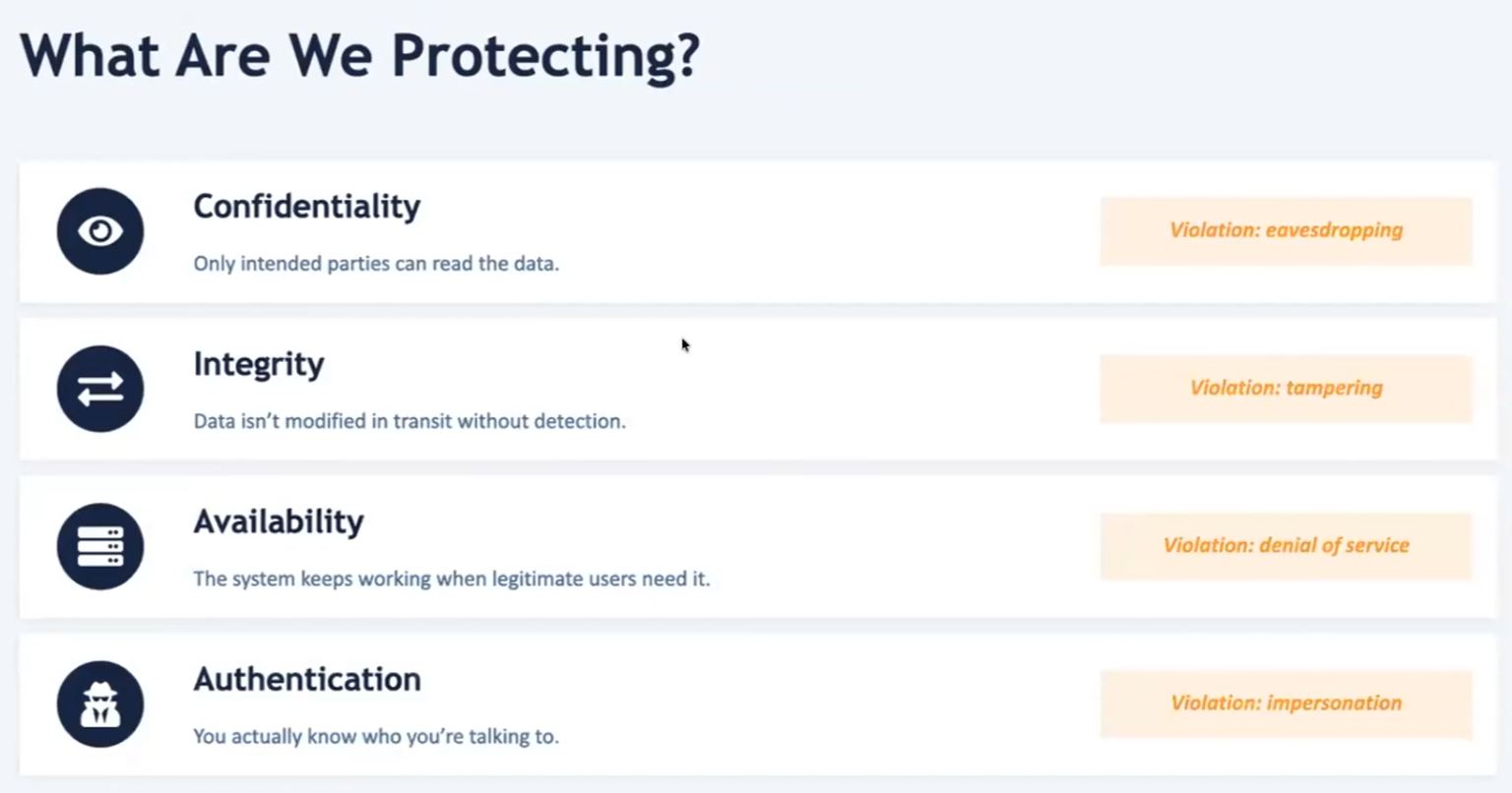
Confidentiality = for your eyes only
Integrity = data not modified in transit
Availability = system works when authorized users need it, not disrupted by bad actors
Authentication = user identity confirmed
Security Mechanism Questions
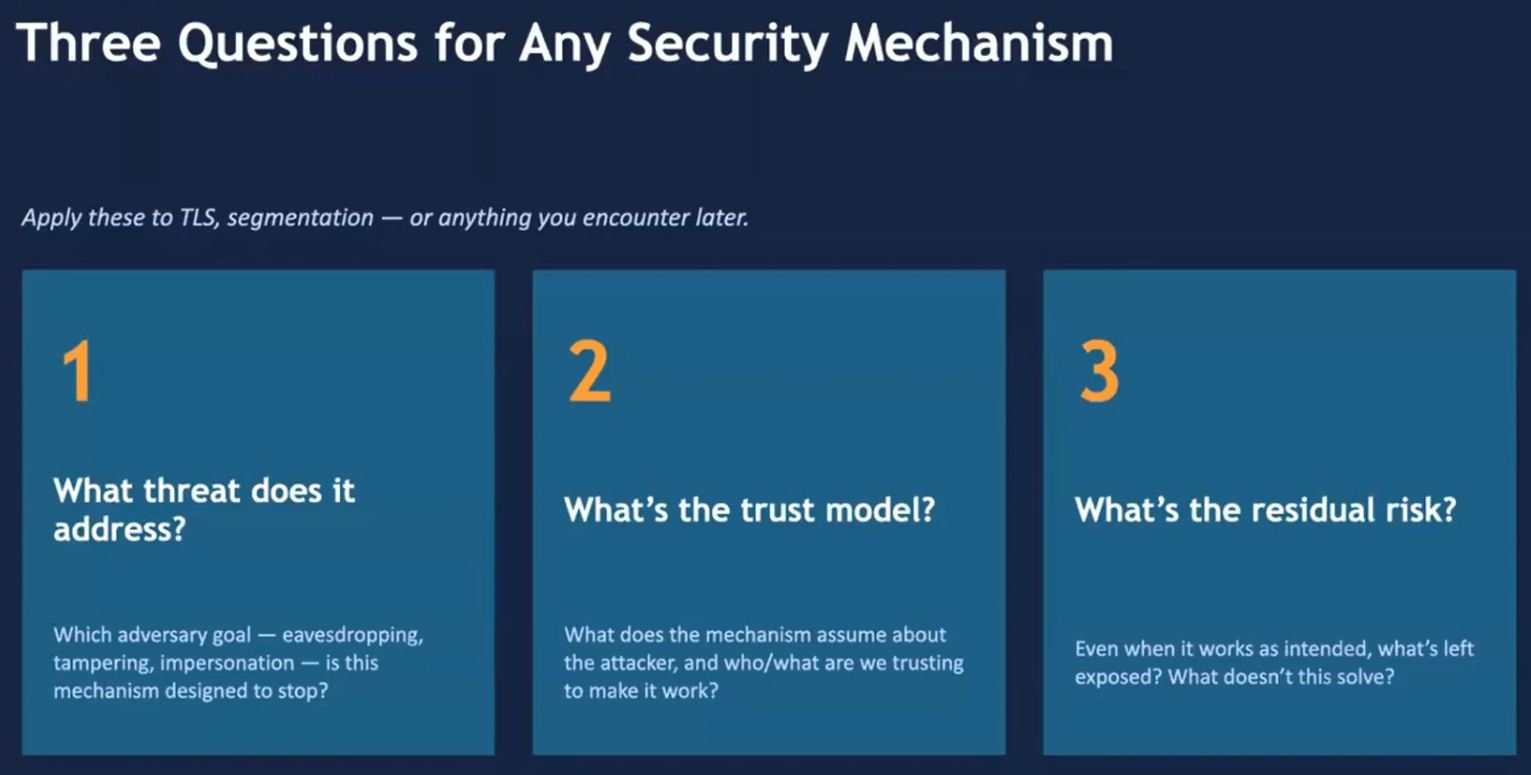
- What threat is addressed?
- what bad actor goal?
-
evesdropping, tampering, impersonation
-
What ‘Trust Model’?
- what is assumed about the attacker?
- what is being assumed about a ‘safe environment?
-
who is being trusted to ensure security?
-
what ‘Residual Risk’?
- what risk is not being addressed?
- what holes or vulnerabilities remain?
Defensive Depth
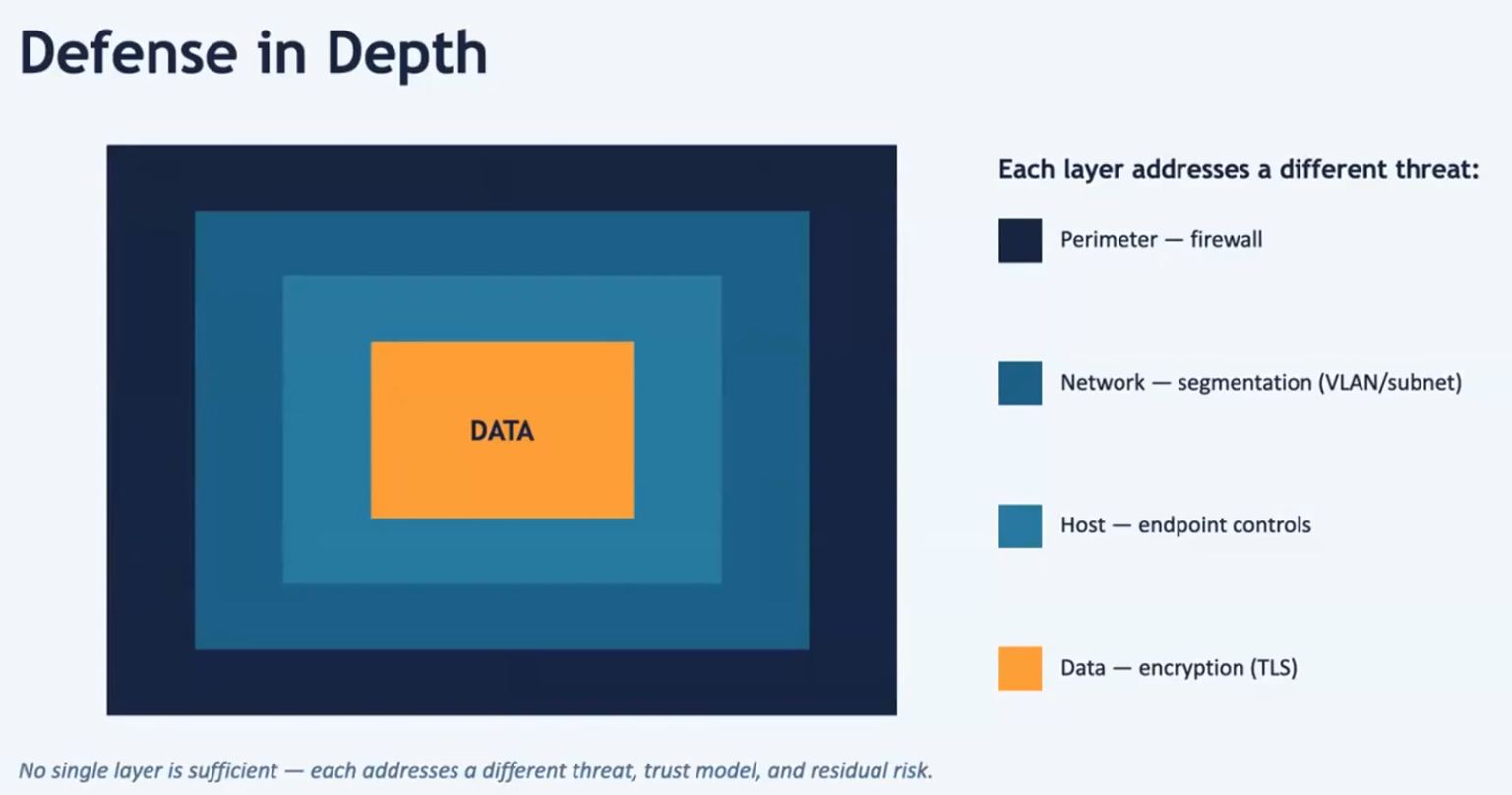
Perimeter > Network > Host > Data
Multiple layers of protection, each addresses a different threat, trust model, residual risk.
Like Castle defense! Outside the wall > Inside the wall > Castle > Inner Keep
Firewall = looks at and analyze packets, decides whether they will be allowed to pass through. Like the castle main gate at the castle wall and the gatekeeper. “Who goes there???”
Segmentation (VLAN/subnet) = different trust levels in a network (admin, staff, guest, etc.) allows or disallows traffic to certain areas of the network. Like castle guards who protect sensitive areas of the castle interior. “This area is restricted!”
Host = endpoint controls. Locking down the host computer (server) to prevent access to the core. Like the King’s Hall or inner sanctum. “Only those invited may enter”
Data = encryption (TLS). end-to-end security for particular traffic. Like the King’s guard. “The protection detail”
TLS/HTTPS > Securing the Web
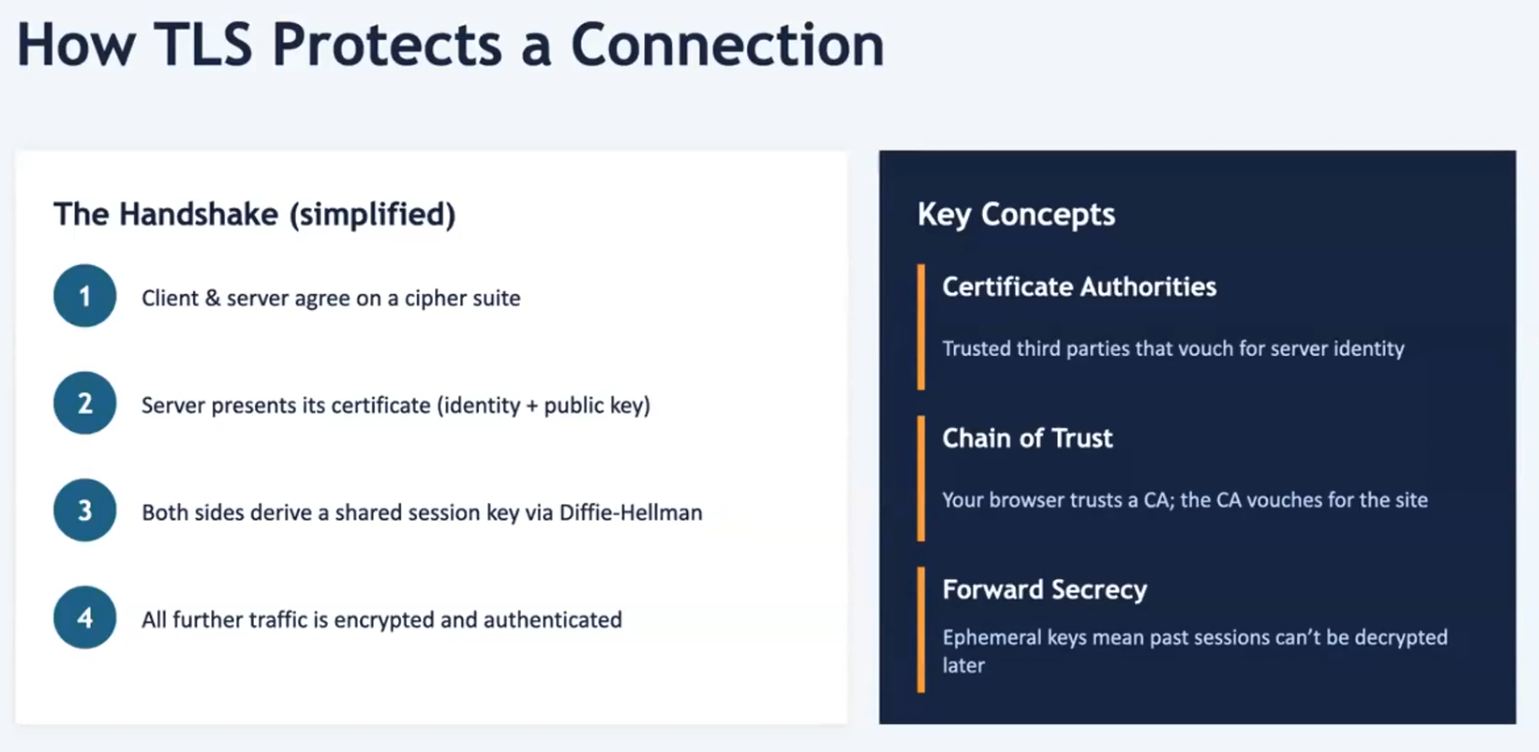
- Applying the cryptography toolkit to protect client/server traffic
Handshake = the process preceding communication, where security and trust is established between communicators
Cipher Suite = way to encrypt data
Certificat of Authorities = a trusted (validated by trusted 3rd party, not self-signed) means for the server to share its identity and public key
Diffie-Hellman = allows agreement on encryption key without sending encryption key across the network
Forward Secrecy = keys change from session to session
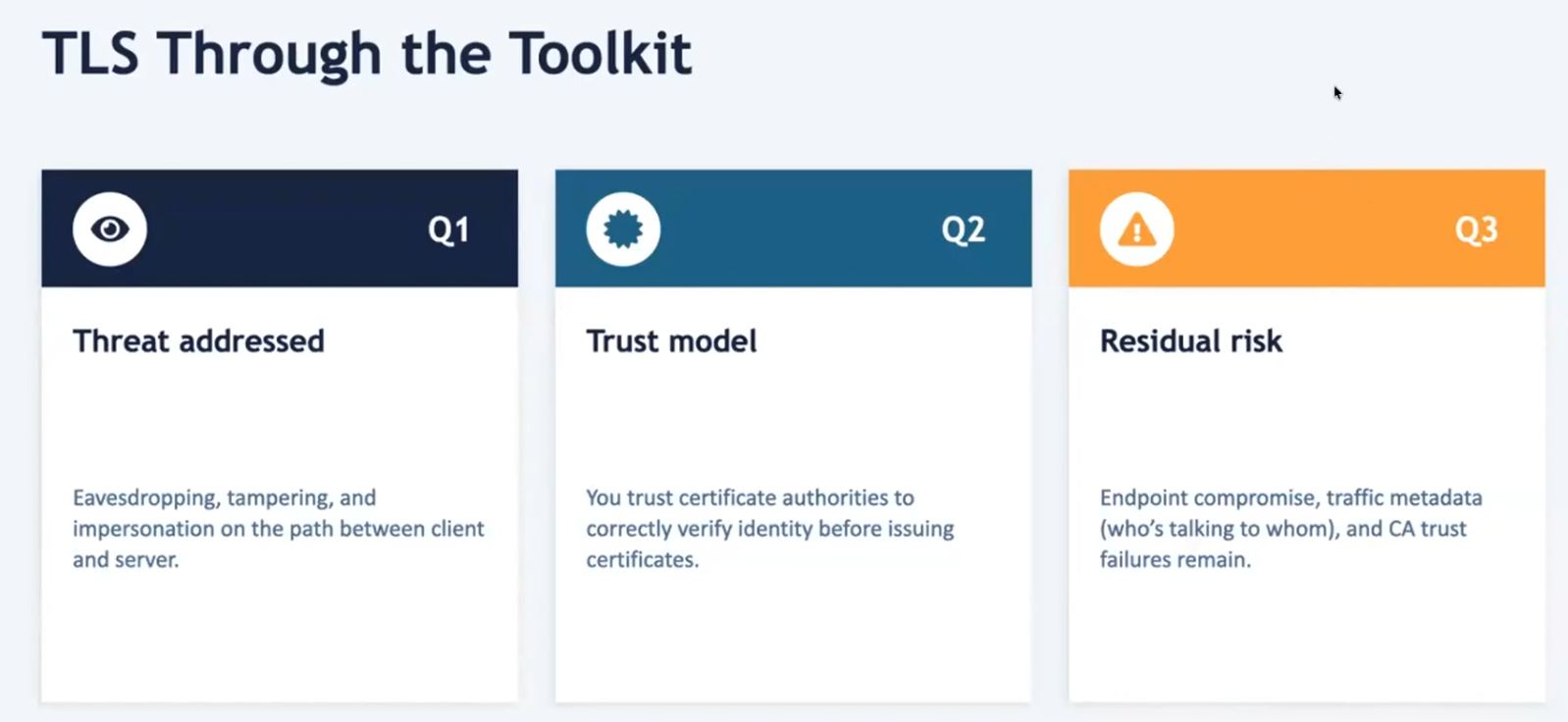
Threat Addressing: Evesdropping = data encrypted with key that never travels the internet
Threat Addressing: tampering = Message Authentication Code, a ‘Checksum’ sent along with encrypted data to ensure that the received message has not been altered
Threat Addressing: impersonation = via certificate exchange
Trust Model = trust the certificate authority
Residual Risk = no protection against availability, endpoint compromise, CA trust failures
Segmentation
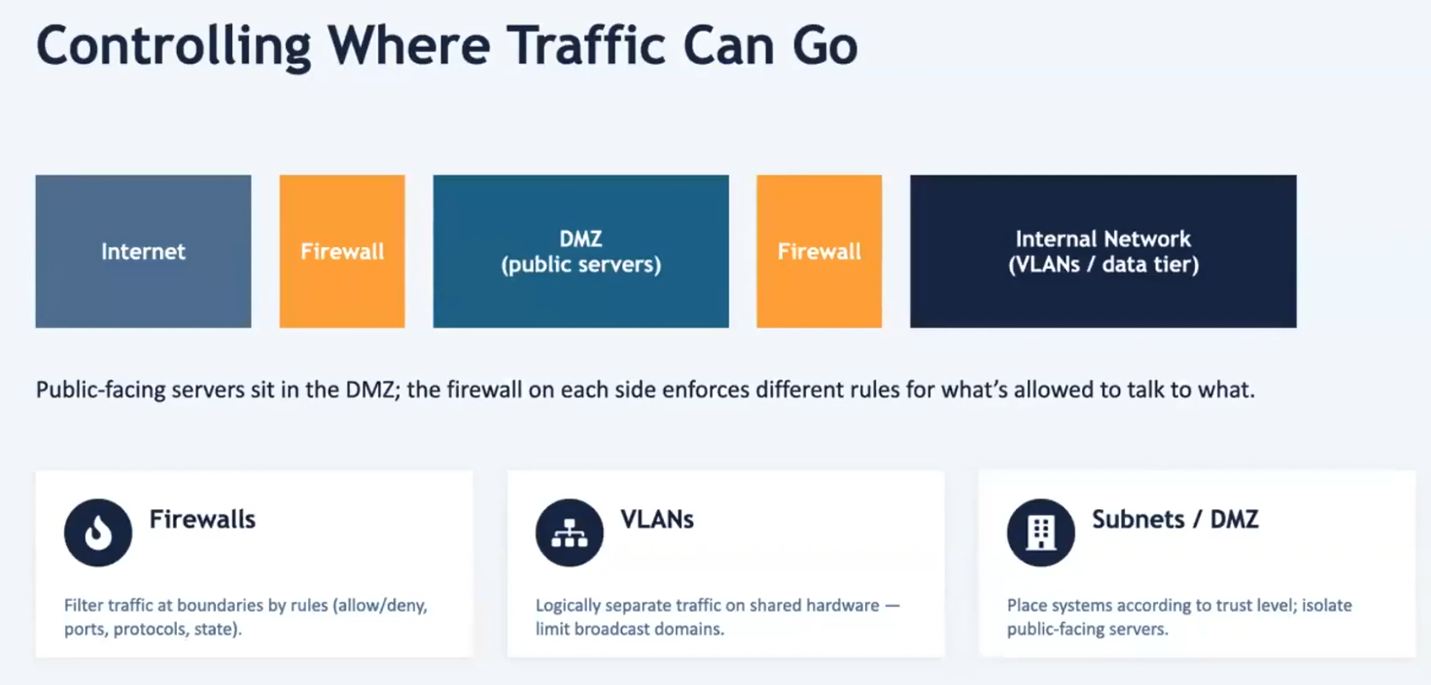
- securing the network at the boundary of the network…preventing entry
- DMZ = a first layer, a ‘subnet’, public facing server that provides services to the internet through a firewall…but segregated from the internal network and private server by a second firewall
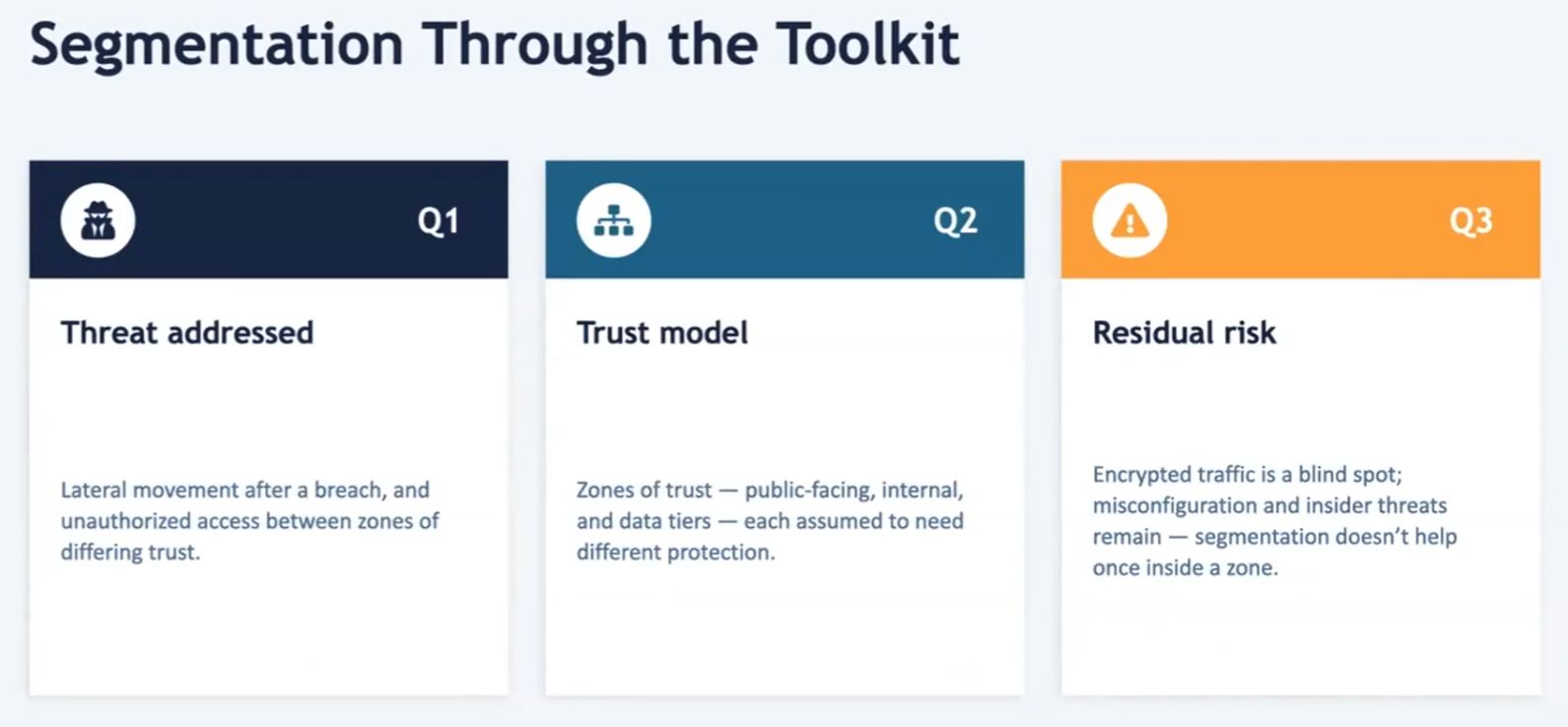
Threat Addressing: Lateral Movement = data encrypted with key that never travels the internet
Threat Addressing: unauthorized access between zones = Message Authentication Code, a ‘Checksum’ sent along with encrypted data to ensure that the received message has not been altered
Trust Model = Zone of Trust (public vs internal) & Data Tiers (different protection levels)
Residual Risk = segmentation useless to insider threats
Tools
Homework
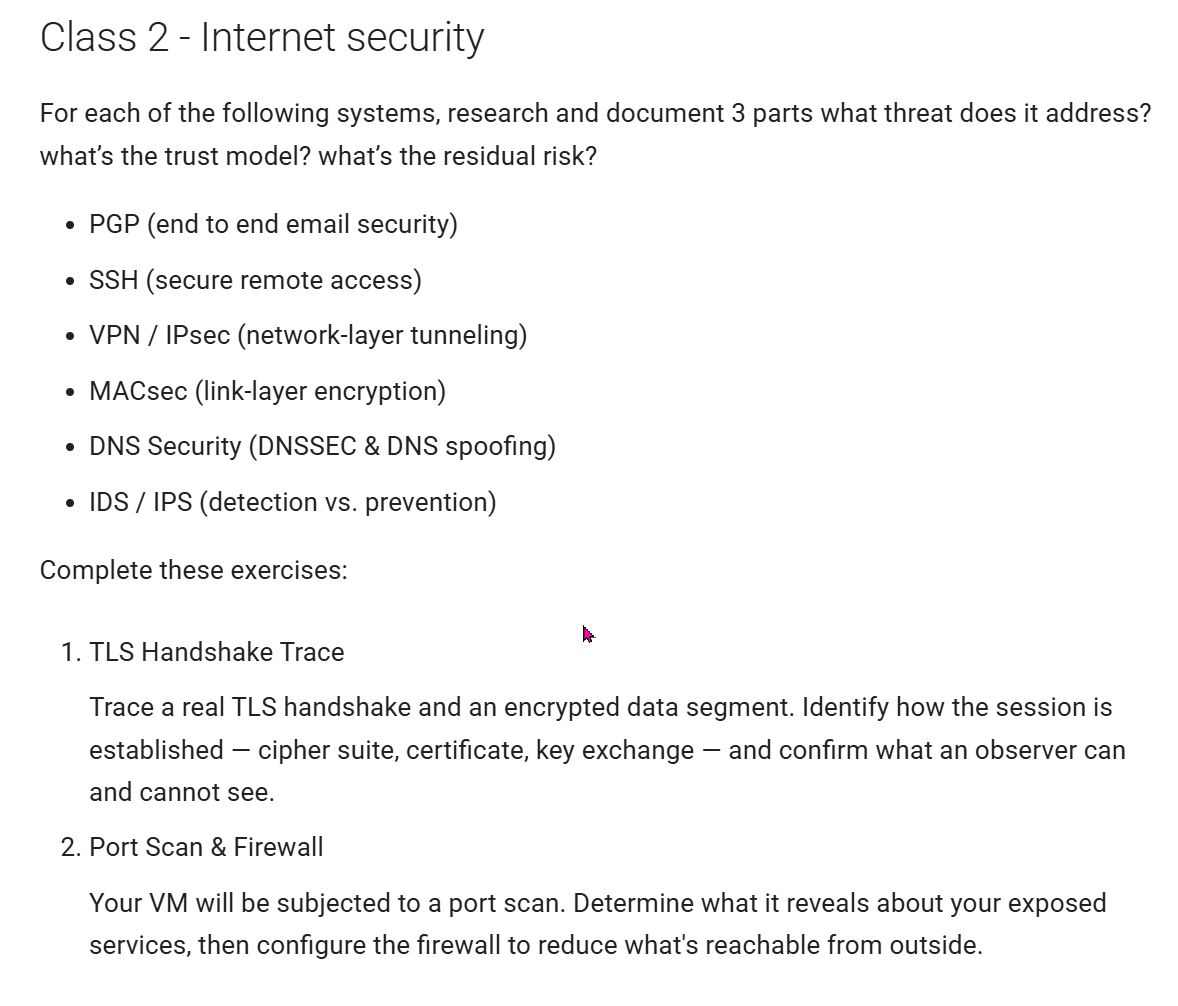
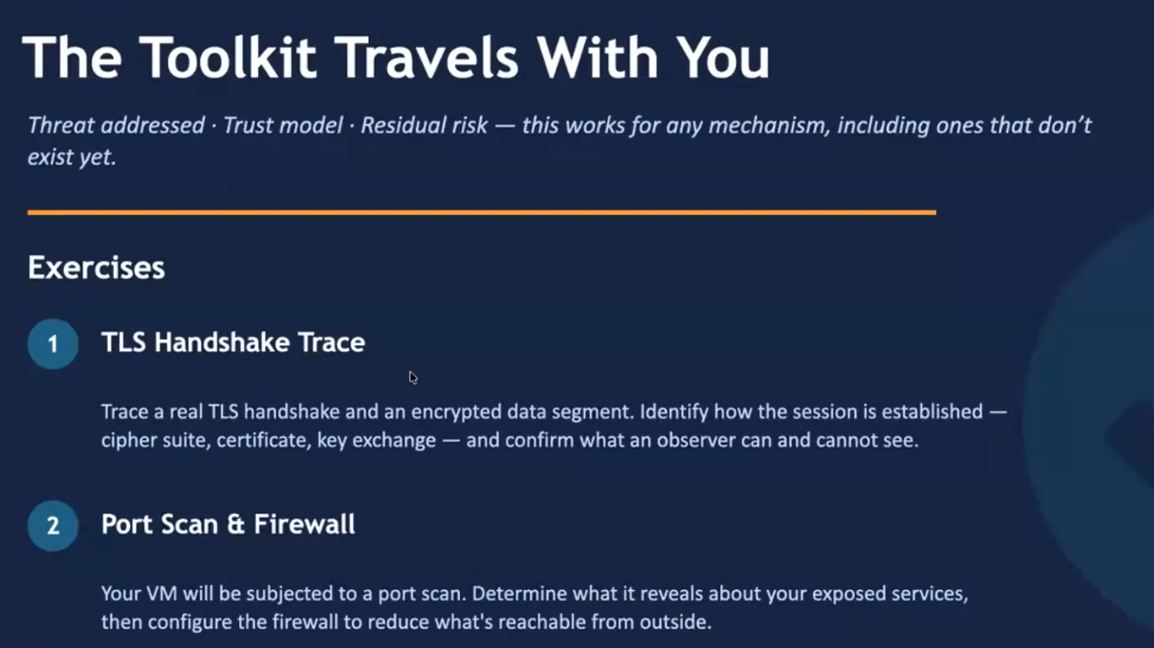
Threat > what attack is being mitigated?
Trust Model > what assumptions are made about who or what is trusted?
Residual Risk > what risks remains despite the safeguard?
PGP
End-to-end email security
- ‘Pretty Good Privacy’
- encryption of individual email messages
- depends on Web of Trust
What Threat? = protects emails and files from evesdropping and unauthorized modification (ChatGPT)
What Trust Model? = Trust own ‘Private Key’ and verify recipient’s ‘Public Key’ > the ‘Web of Trust’ (ChatGPT)
What Residual Risk? = denial of service (email interception), key theft, poor key verification, human error (ChatGPT)
SSH
Secure Remote Access
- ‘Secure Shell’
- end-to-end encryption over terminal session
- can tunnel at a layer below the VPN
What Threat? = Protects remote login and file transfers from interceptin and tampering (ChatGPT)
What Trust Model? = Trust the server’s ‘Host Key’ and protec the client’s ‘Private Key’
What Residual Risk? = stolen credentials/keys, compromised endpoints, accepting fake host keys (Man-in-the-middle attack), weak passwords
VPN / IPsec
Network-layer tunneling
- ‘Virtual Private Network
- instead of local interface delivery of messages, handled (encapsulated) by VPN
- VPN tunnels to the other end, extracted, then deliver to destination
- hides the specific nature of the messages including origin IP addresses
What Threat? = Protects traffic from local network attackers, insecure WiFi and ISP monitoring (ChatGPT)
What Trust Model? = trust the VPN provider and VPN software (ChatGPT)
What Residual Risk? = VPN provider logging, endpoint compromise (access to machines at either end of communication?), DNS leaks, traffic analysis (ChatGPT)
MACsec
Link-layer encryption
- ‘Message Authentication Code’
- encrypts the payload of every ethernet frame that goes through the network
- end-to-end connection that uses ethernet protocol
- 2 endpoints agree on shared secret
- origin point encrypts the contents of the ethernet frame
- endpoint can use same encryption key to read the payload
- everything hidden across the link
- downside > expensive
What Threat? = Detects message tampering and forgery (ChatGPT)
What Trust Model? = Sender and receiver securely share the key (ChatGPT)
What Residual Risk? = Secret key compromise, replay attacks, does not provide confidentiality (ChatGPT)
DNS Security
DNSSEC & DNS Spoofing
- ‘Domain Name System’
- ‘The phonebook of the internet’
- …translates human-readable website names into numerical IP addresses
- IP addresses are used by computers to find and connect with each other on the internet
What Threat? > authentication and data integrity. Prevents forged DNS responses and DNS cache poisoning (ChatGPT)
What Trust Model? = Trust the DNSSEC ‘Chain of Trust’ and validating resolver (ChatGPT) Certification Authority validates IP Addresses
What Residual Risk? = Domain hijacking, resgistar (Certificat Authority) compromise, Denial of Service attack, no privacy without encrypted DNS
IDS/IPS
Detection vs Prevention
- ‘Intrusion Detection System’ & ‘Intrusion Prevention System’
- Looks at network traffic for pattern of intrusion, suspicious activity, policy violations or known threats (Google)
- IPS tries to react automatically to intrusions
What Threat? = detects or blocks malicoius network traffic and attacks (ChatGPT)
What Trust Model? = Trust detection rules, signatures, behavior models, and correct congfiguration (ChatGPT)
What Residual Risk? = Zero-day attacks (hardware/software exploits before vendor awareness), encrypted traffic visibility limitations, false positives/negatives, insider attacks (ChatGPT)
TLS Handshake Trace
[x] Trace a real TLS Handshake and an Encrypted Data Segment
[x] Identify how the session is established (cipher suite, certificate, key exchange)
[x] Confirm what an observer can/cannot see
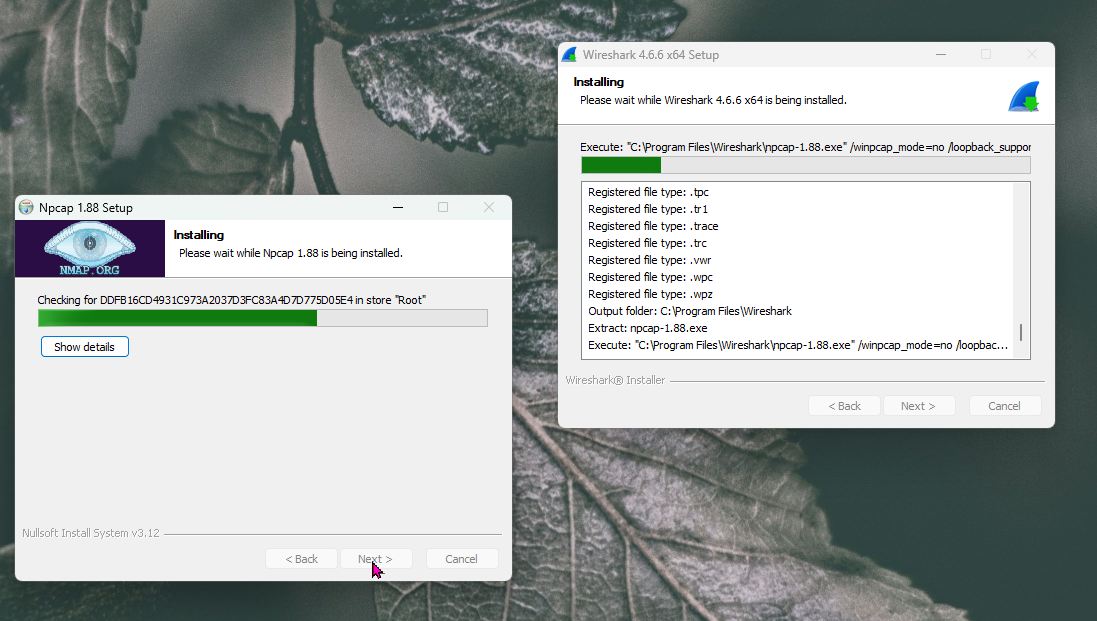
Install Wireshark…
Wireshark Tutorial learnings:
- Handshake = procedure between client and server to establish trust, authentication and agreement on means of secure communication. The TLS procedure (replaces SSL)
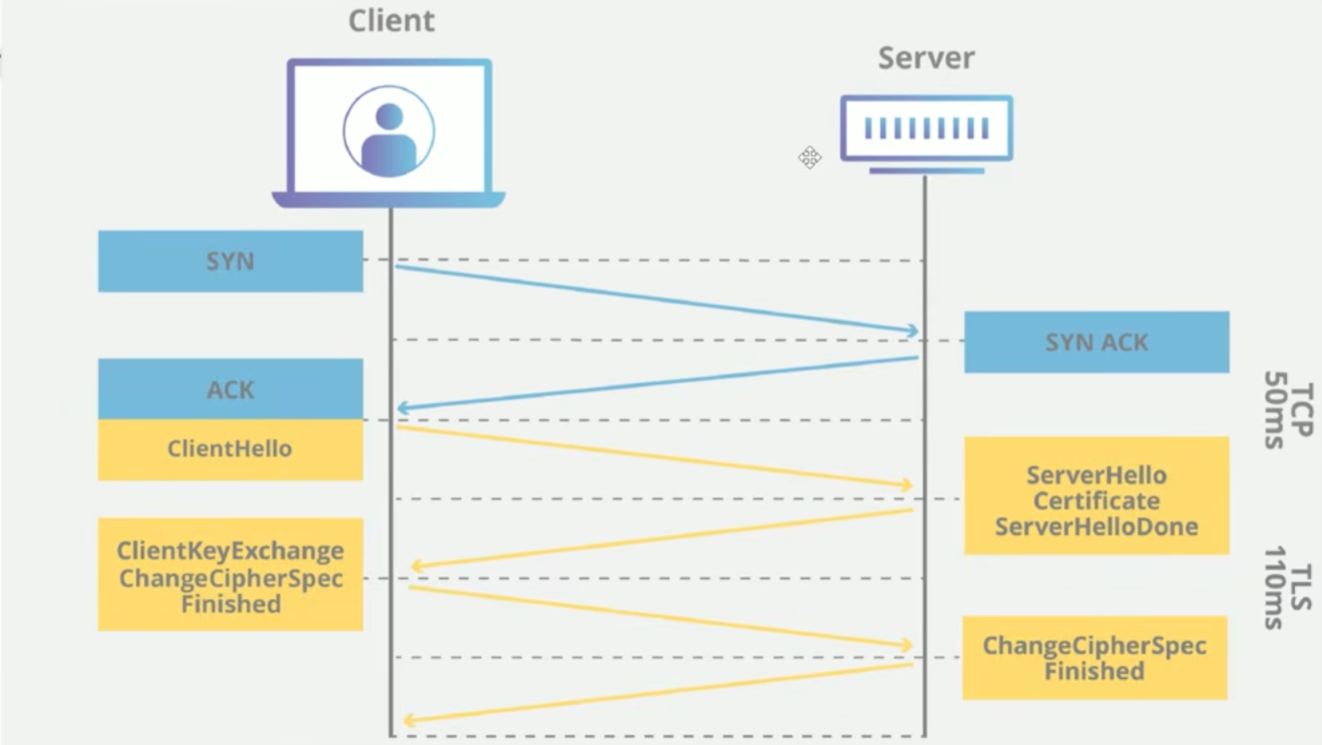
- synchronization request & acknowledgment > establish a connection
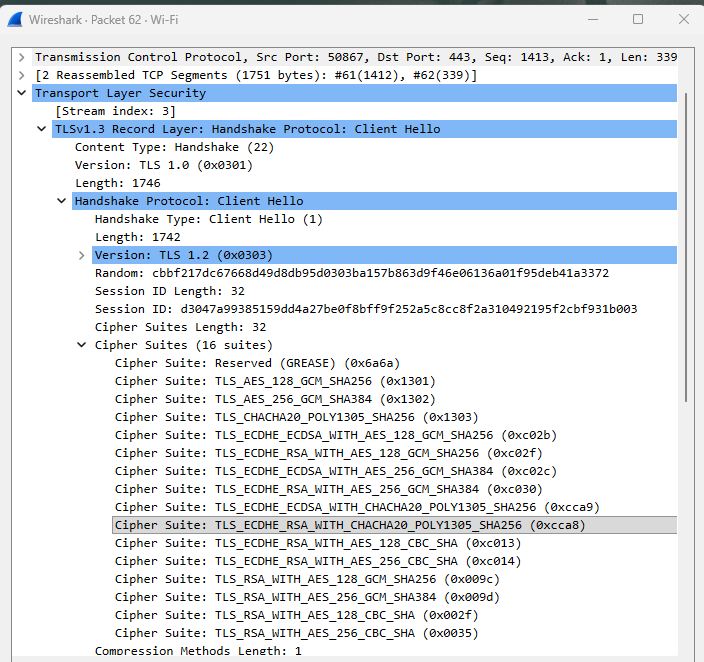
- Client Hello > initiate the handshake, include TLS version
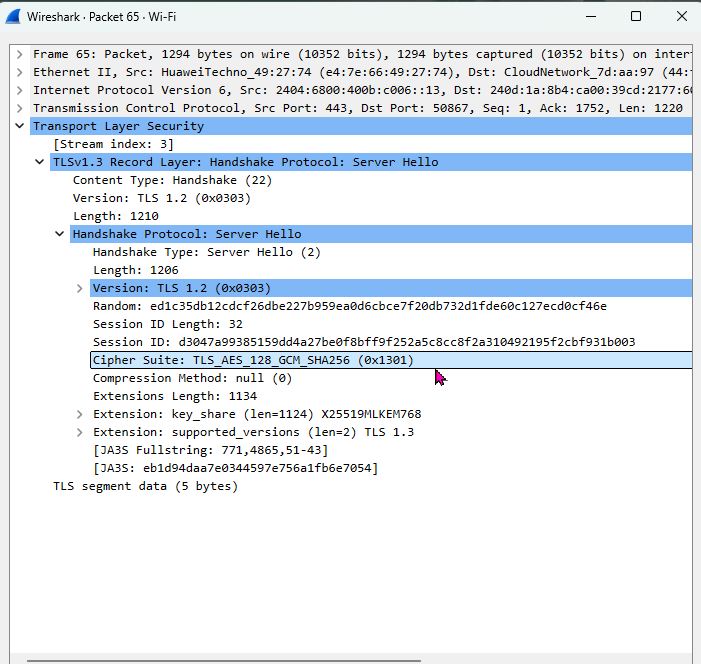
- Server Hello > acknowledge, return a server certificate and chosen cipher suite
- Client Key Exchange > send public key to server, generate a session key
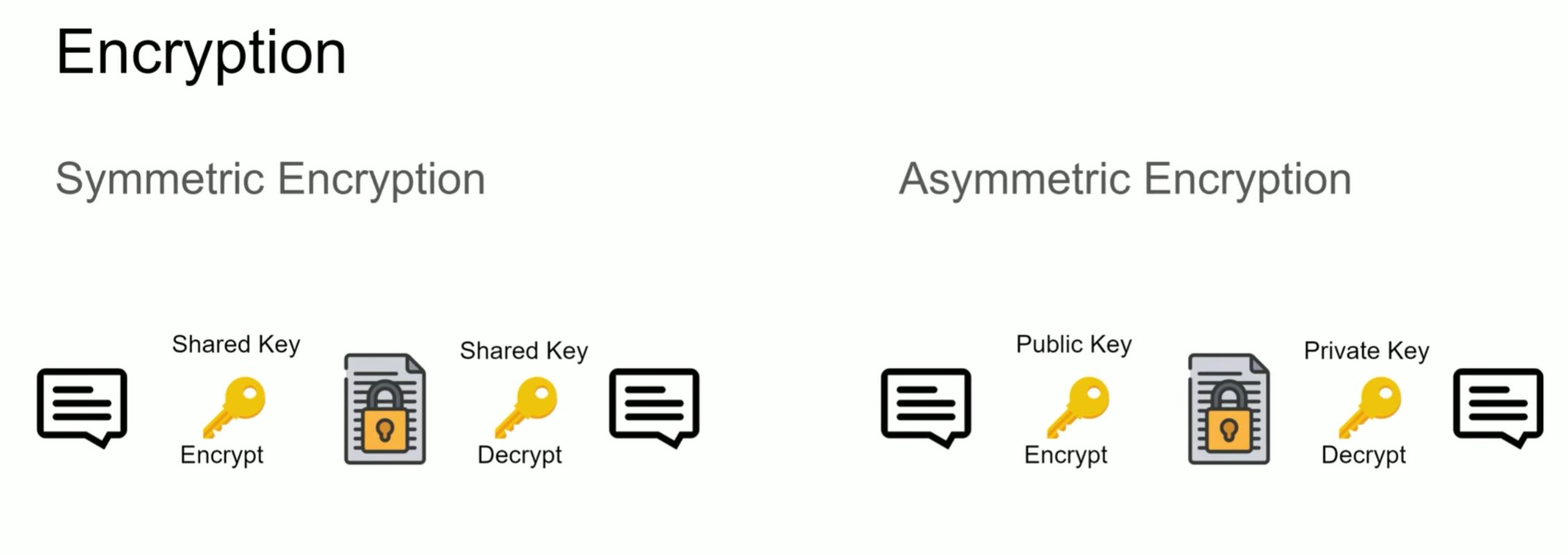
- Assymmetric Encryption > used during Handshake, when parties still don’t trust one another
- Session Key > is symmetric encryption, after trust is established
Wireshark Procedure
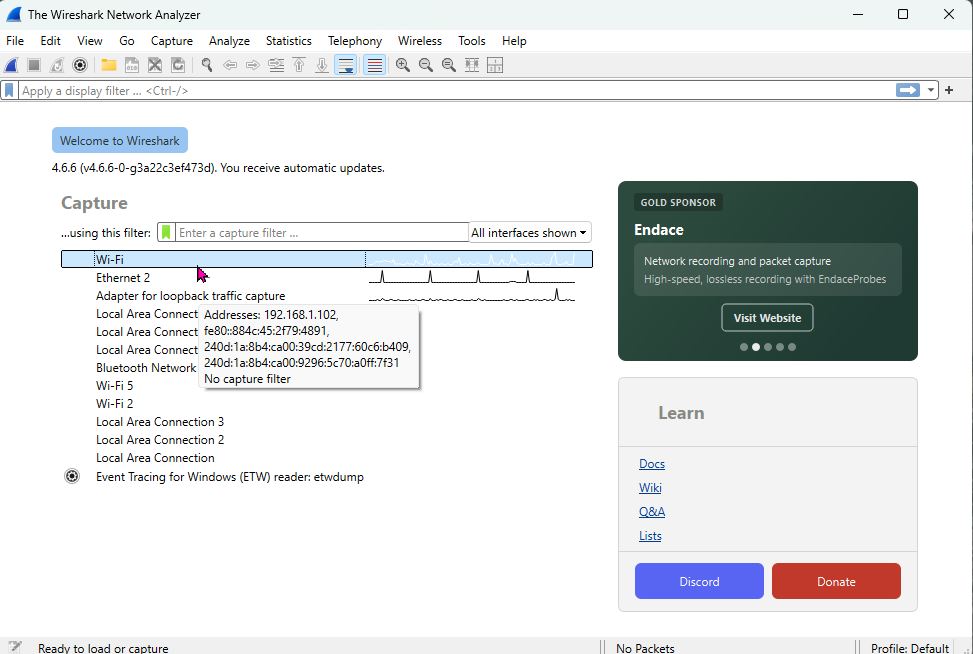
1. Pick interface type (ethernet,LAN, etc.)
-
Stop capture
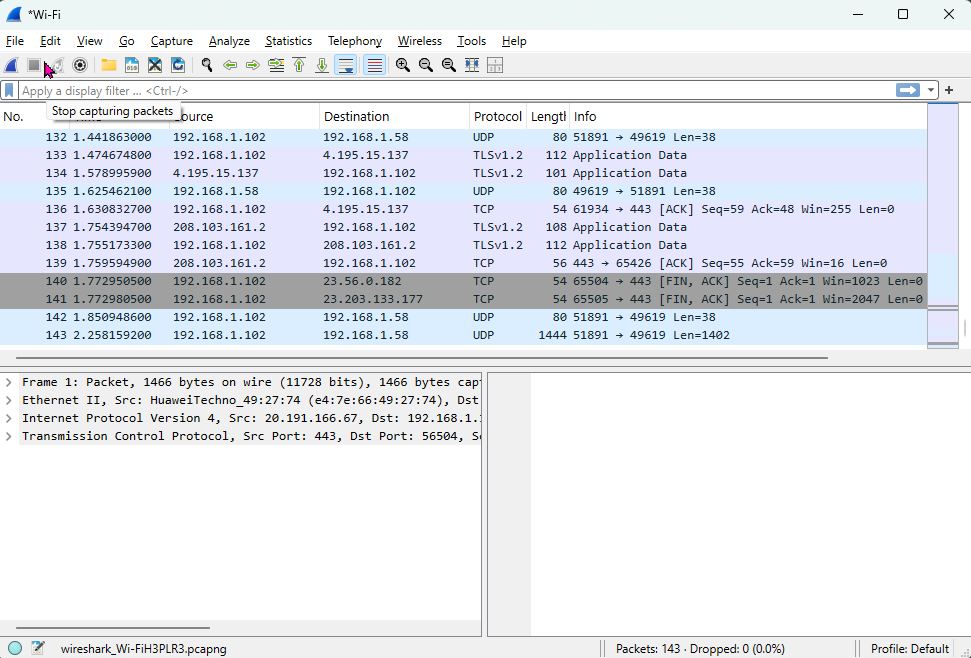
-
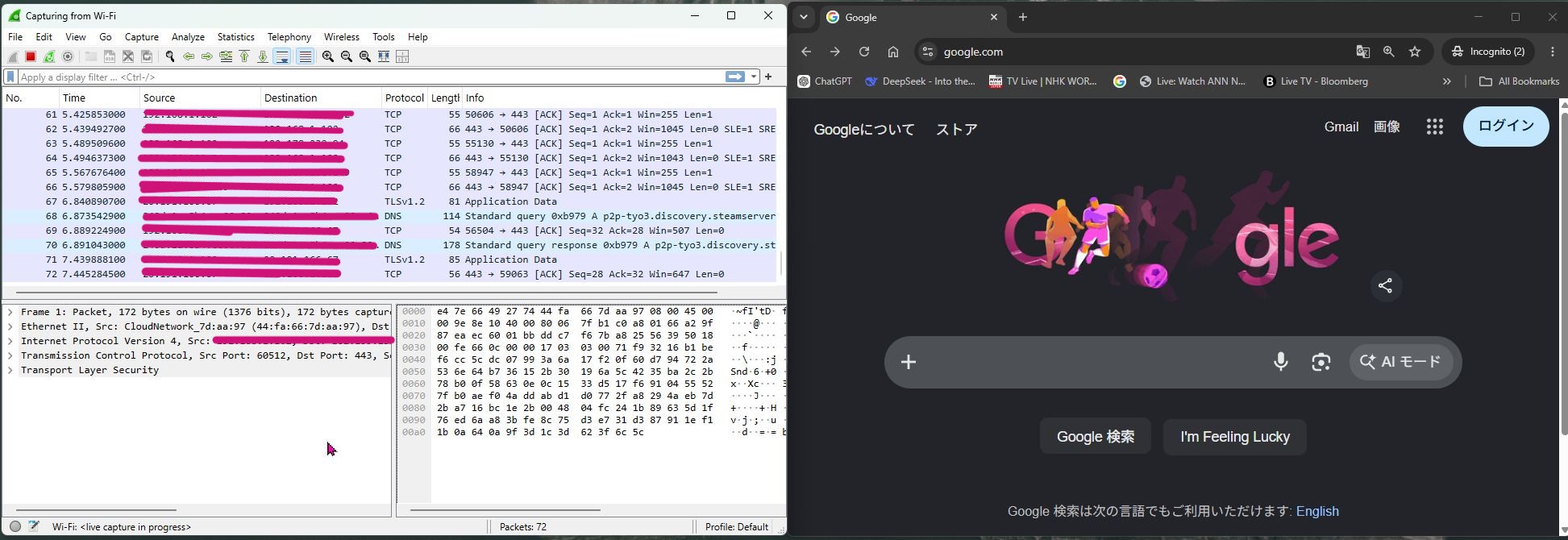
Open a private (incognito) browser, to make a new handshake
- Start a new capture
- In incognito browser, navigate to a webpage (ex: Google)
-
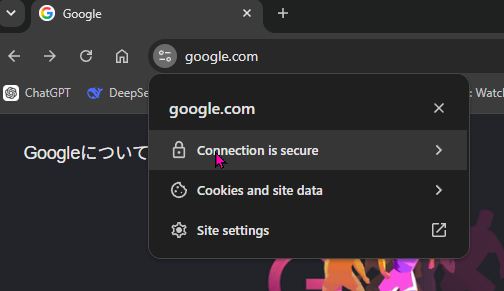
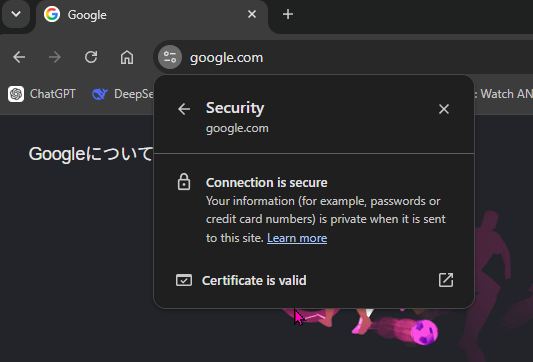
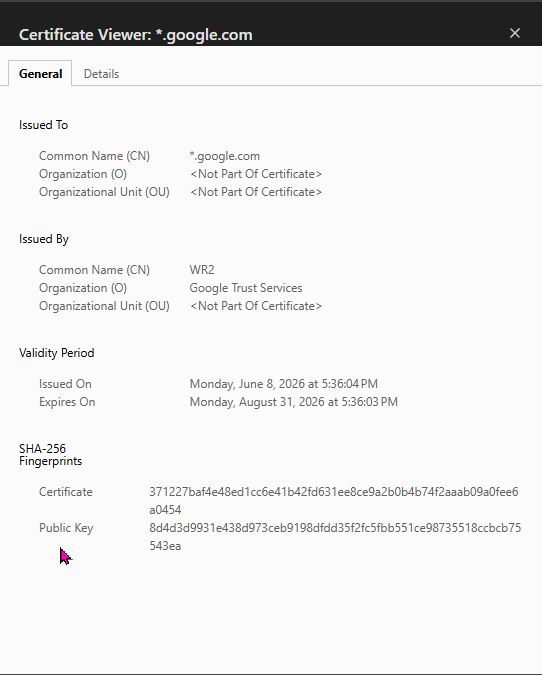
At browser window, click on padlock icon to inspect certificate
-
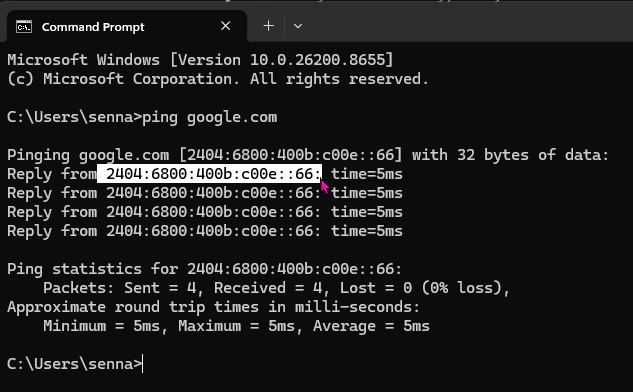
Use Command Prompt to ping the Google server () and get its IP address
-
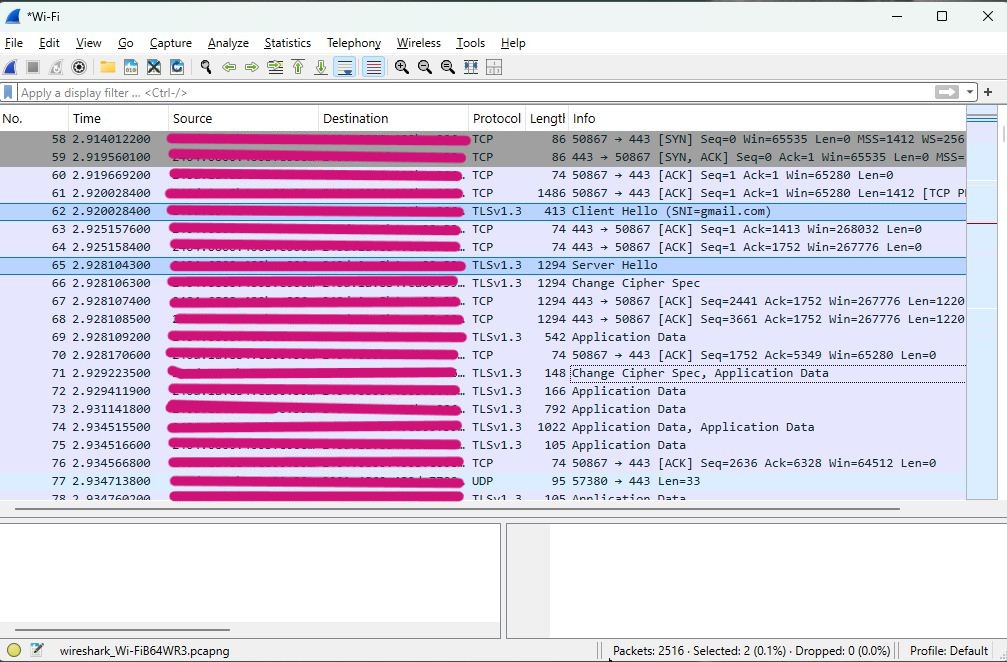
View Handshake activity
-
Client Hello with TLSv1.3…indicating all Cipher Suites that it is capable of
-
Server Hello with TLSv1.3…choosing a Cipher Suite that it prefers > TLS_AES_128_GCM_SHA256
-
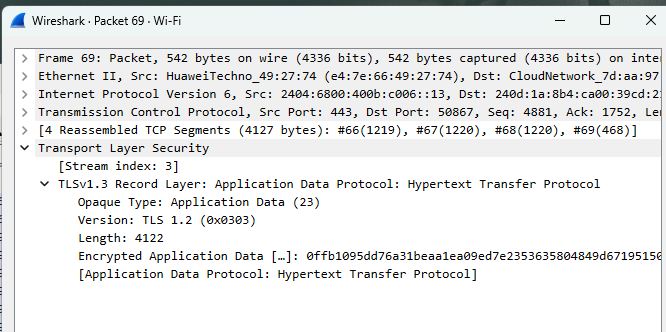
Encrypted Application Data transferred
-
Encrypted data appear as gibberish
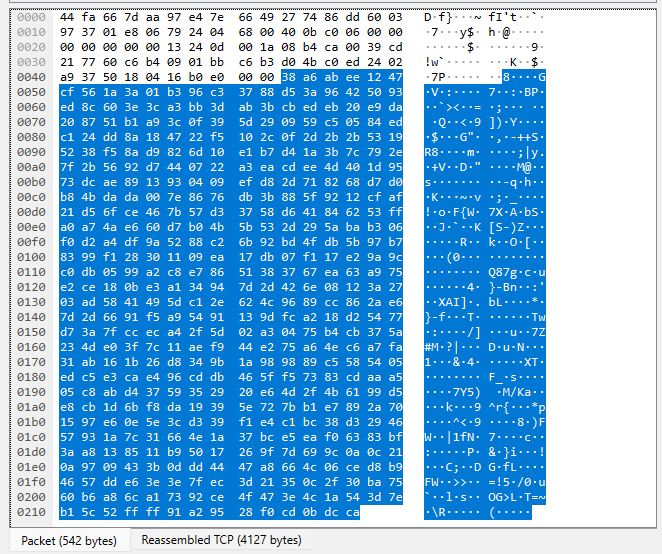
To see the data sent, decryption is necessary.
Wireshark Tutorial > Decrypting Data with Session Key
Port Scan & Firewall
[x] Determine what the port scan reveals about your exposed services
[x] Configure the firewall to reduce what is reachable from the outside
I watched these videos to better understand the concept and procedure of ‘Port Scanning’ using the NMAP application.
Network Threats: Port Scanning
Nmap Tutorial
See Nmap work completed for Final Assignment on the Deliverables page