Session 4 > Micro Architecture Security & Attacks
Session 4 Class Notes
Instructor: Vincent Ulitzsch (substituting for Mengjia Yen)
- Post-doc at MATCHA Lab
CPUs have internal data-structures and those can leak data!
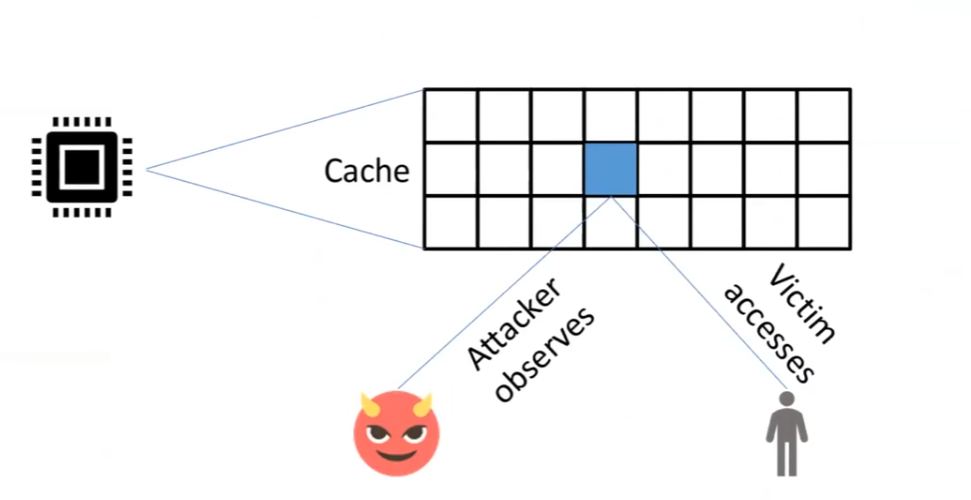
- Vulnerability: CPU between software or tenants on a cloud server
- Sensitive Data = database that stores financial information, chatGPT prompts, etc.
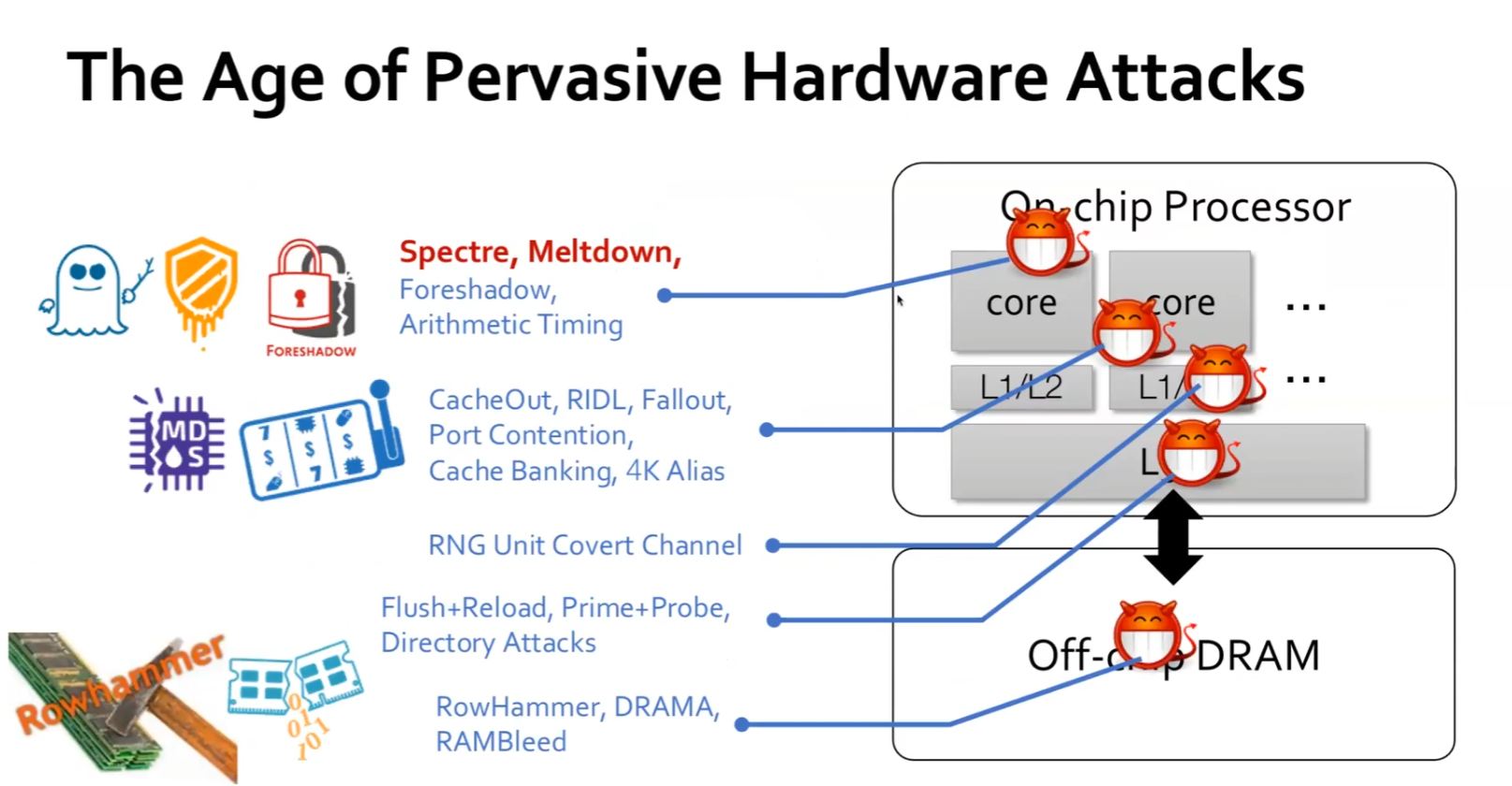
Components in hardware can be attacked to leak sensitive data or violate integrity guarantee
- Secure Hardware Design > Learn to attack processors and defend against them
- CPU sharing leaks information…the attacker observes the activities of the victim
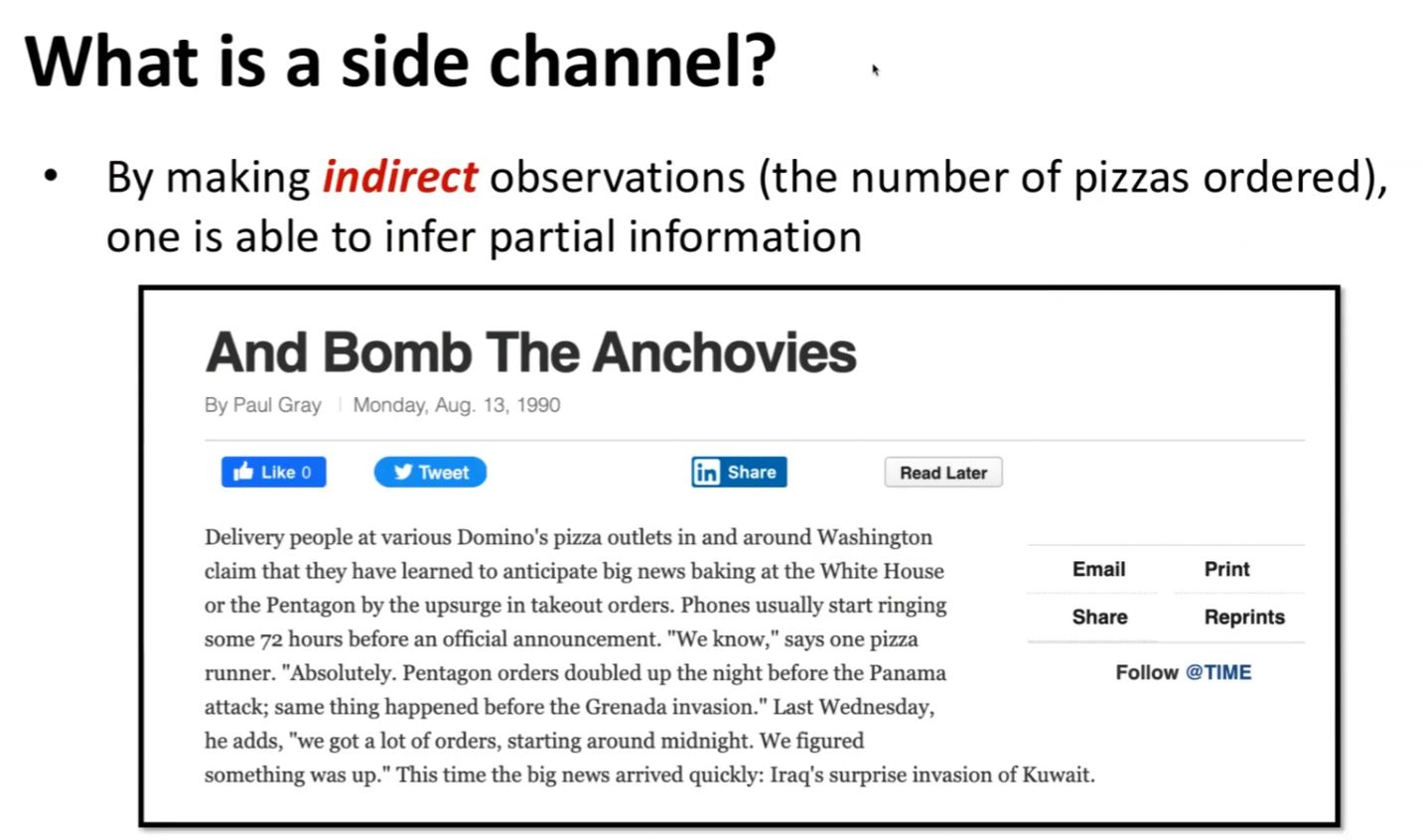
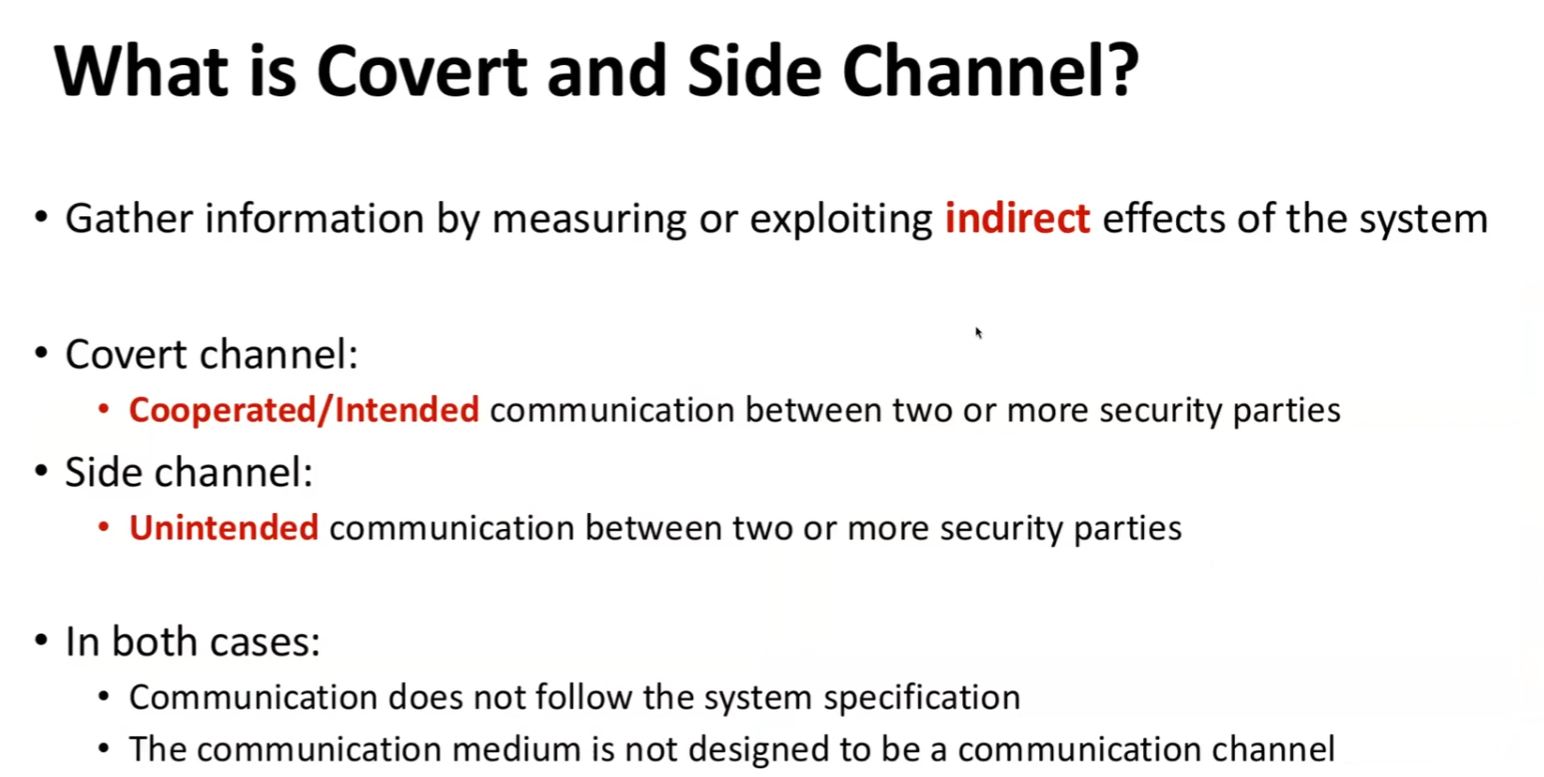
Side Channel = get partial information (inferences of another event) from indirect observation
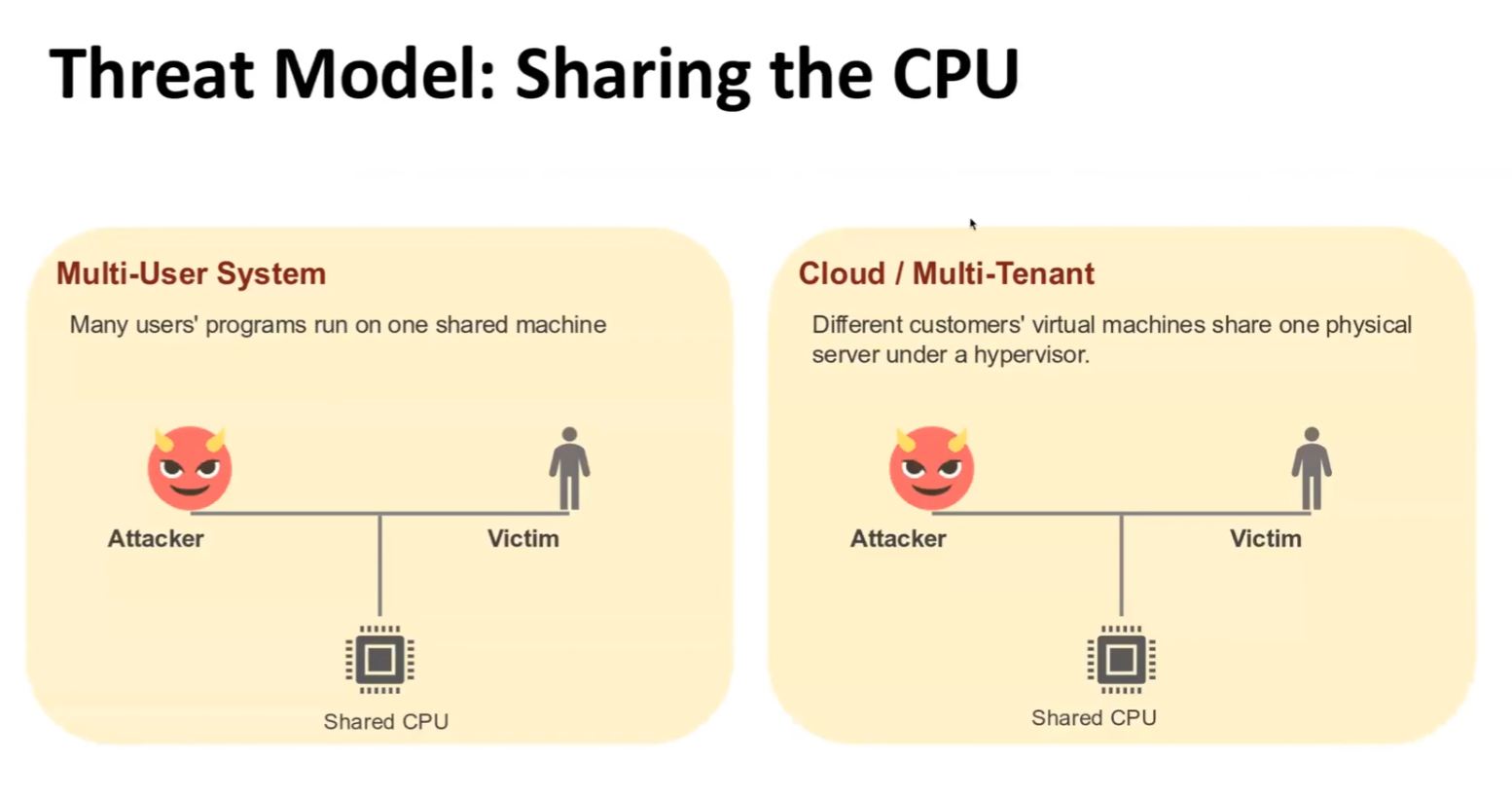
Threat Model: Shared CPU
Covert and Side Channel
Side Channels are everywhere
- Acoustic Side Channel > monitor the sounds keystrokes make, use ML Model to decode which keys were pressed
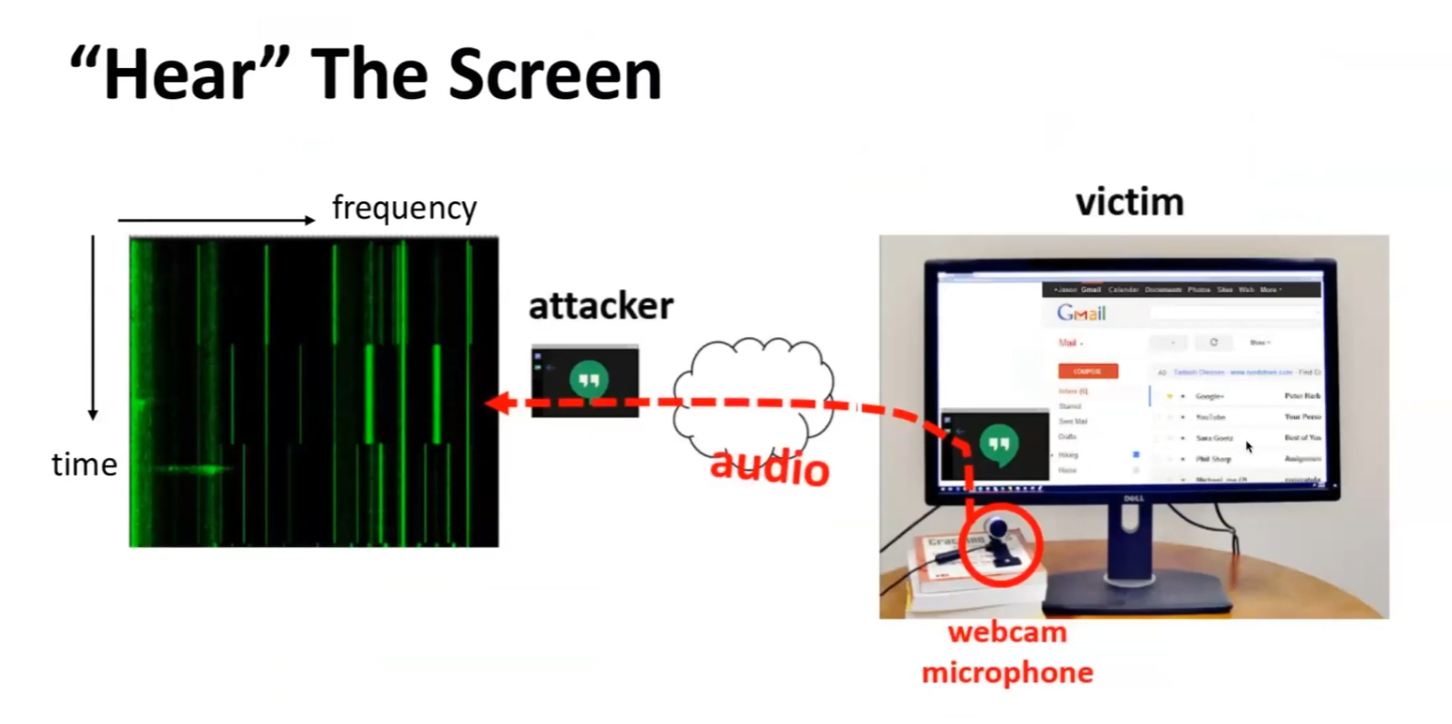
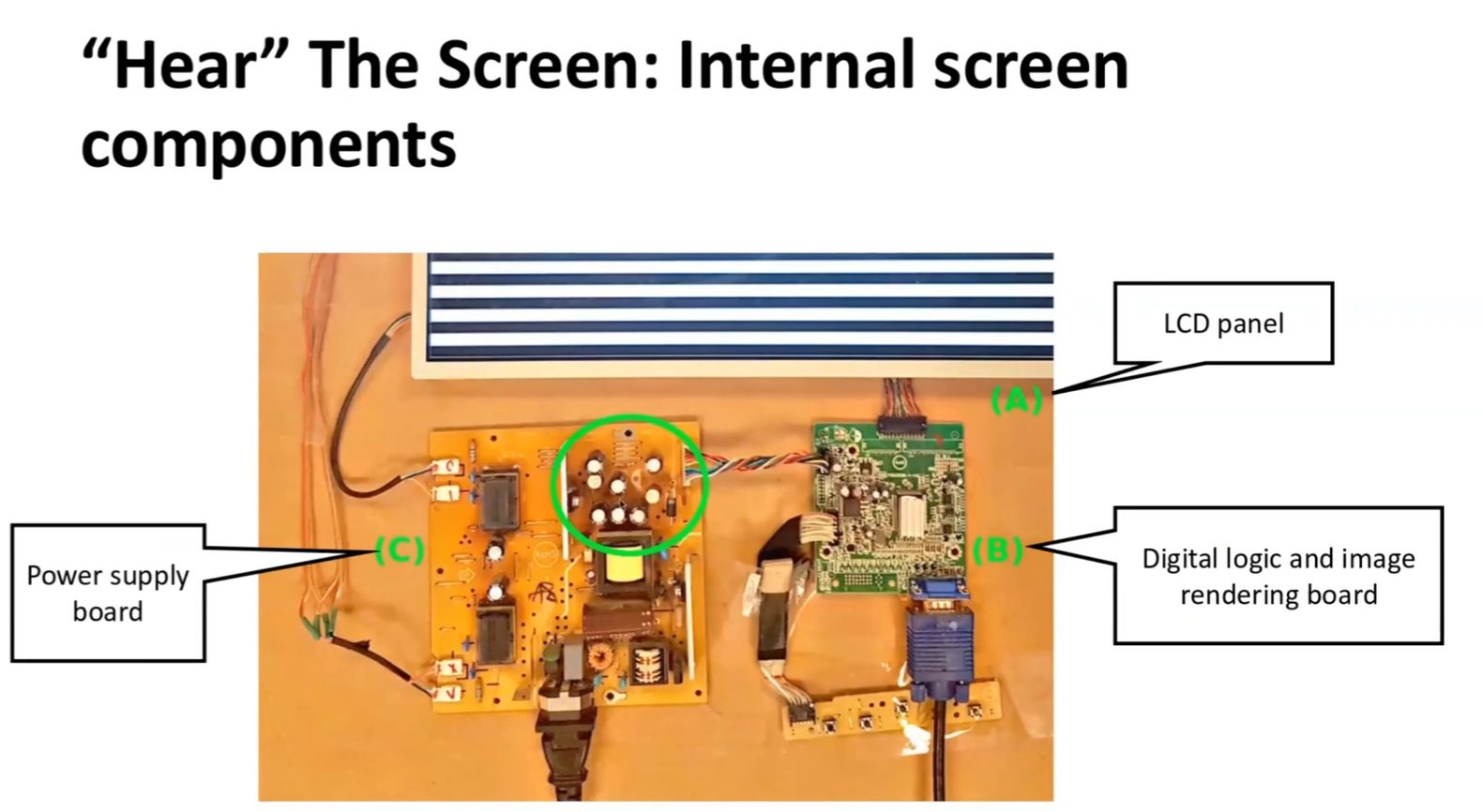
- Acoustic Side Channel > “hear the screen”, noises generated by the power supply can be translated with ML Model into screen image
- Network Side Channels > observe frequency and size of packets sent when website viewed (with iSideWith.com)…even if actual contents of the packets are not observable directly
-
Different websites transfer different amounts of data at different intervals
-
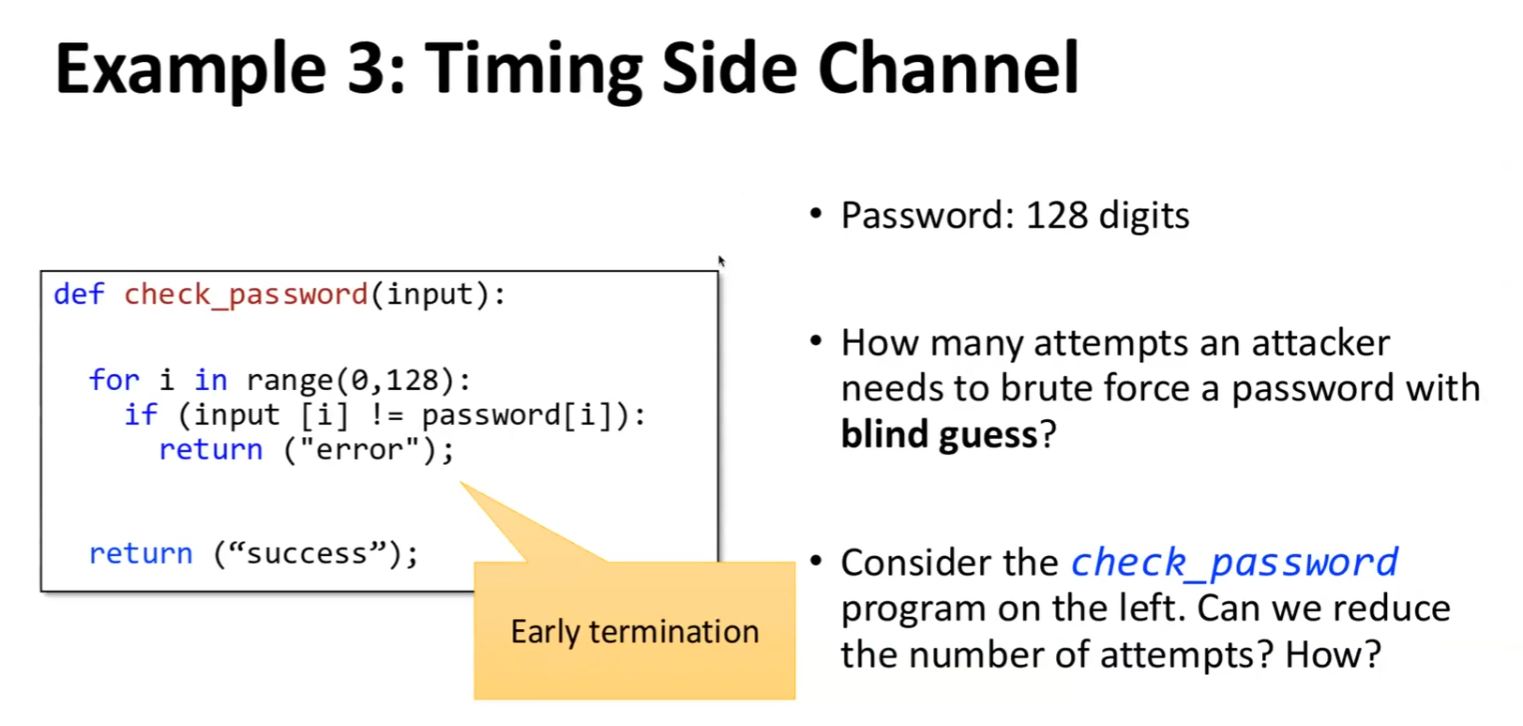
Timing Side Channel > using brute force attack to send password guesses and timing how long it takes before an error message is received…allows attacker to know how close to the actual password is the guessed password (i.e. how many characters were correctly guessed)
Three Types of Side Channels
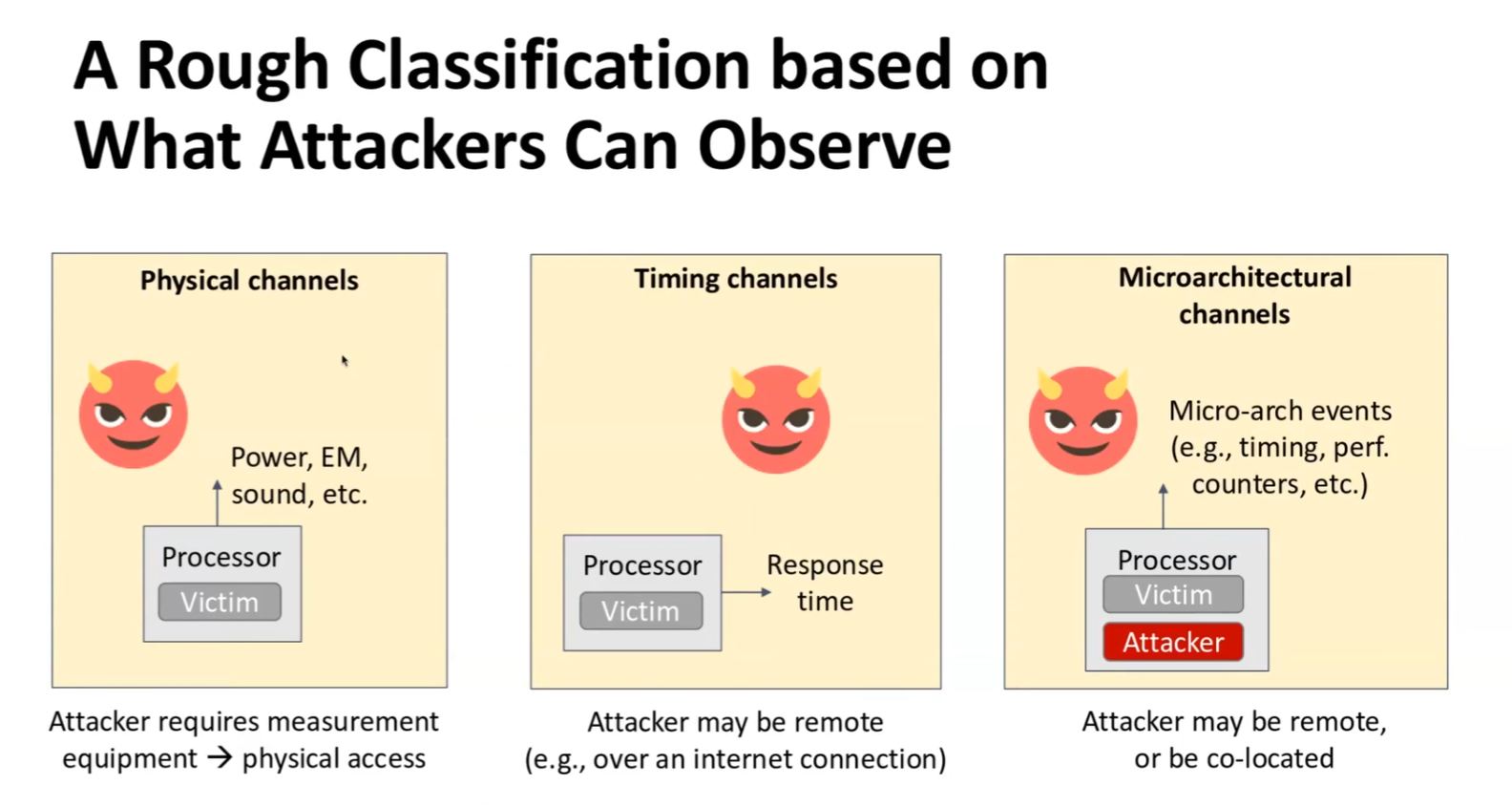
- Physical > power, sound, EM, etc…requires physical access to attacked device
- Timing > response time…can be remote exploit
- Microarchitectural > CPU’s internal workings observations
uArch Side Channel
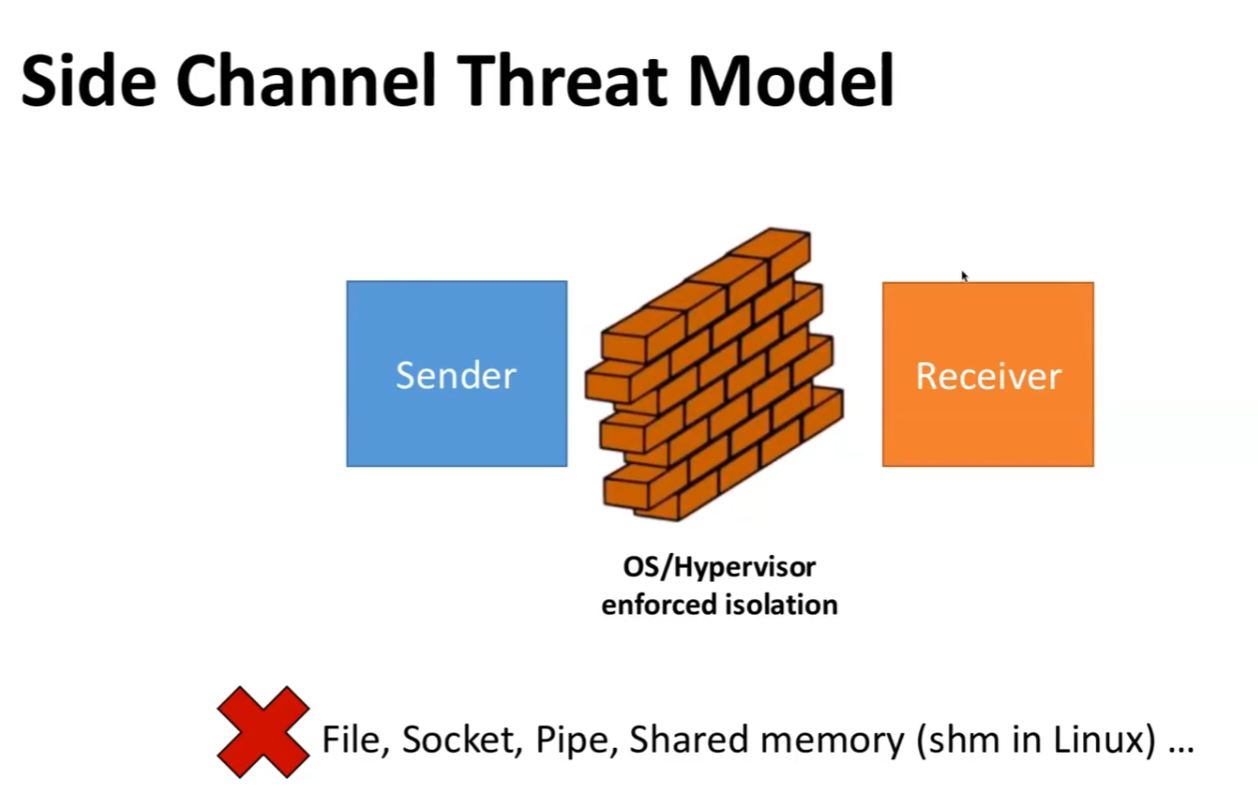
- Sender and Receiver cannot communicate with one another through standard means…blocked by OS or Hypervisor enforced isolation (cloud)
- Attack must look at side channel…
- Elevator Algorithm > observe the location of the hard-drive head as it works through scheduled READs by looking at latency
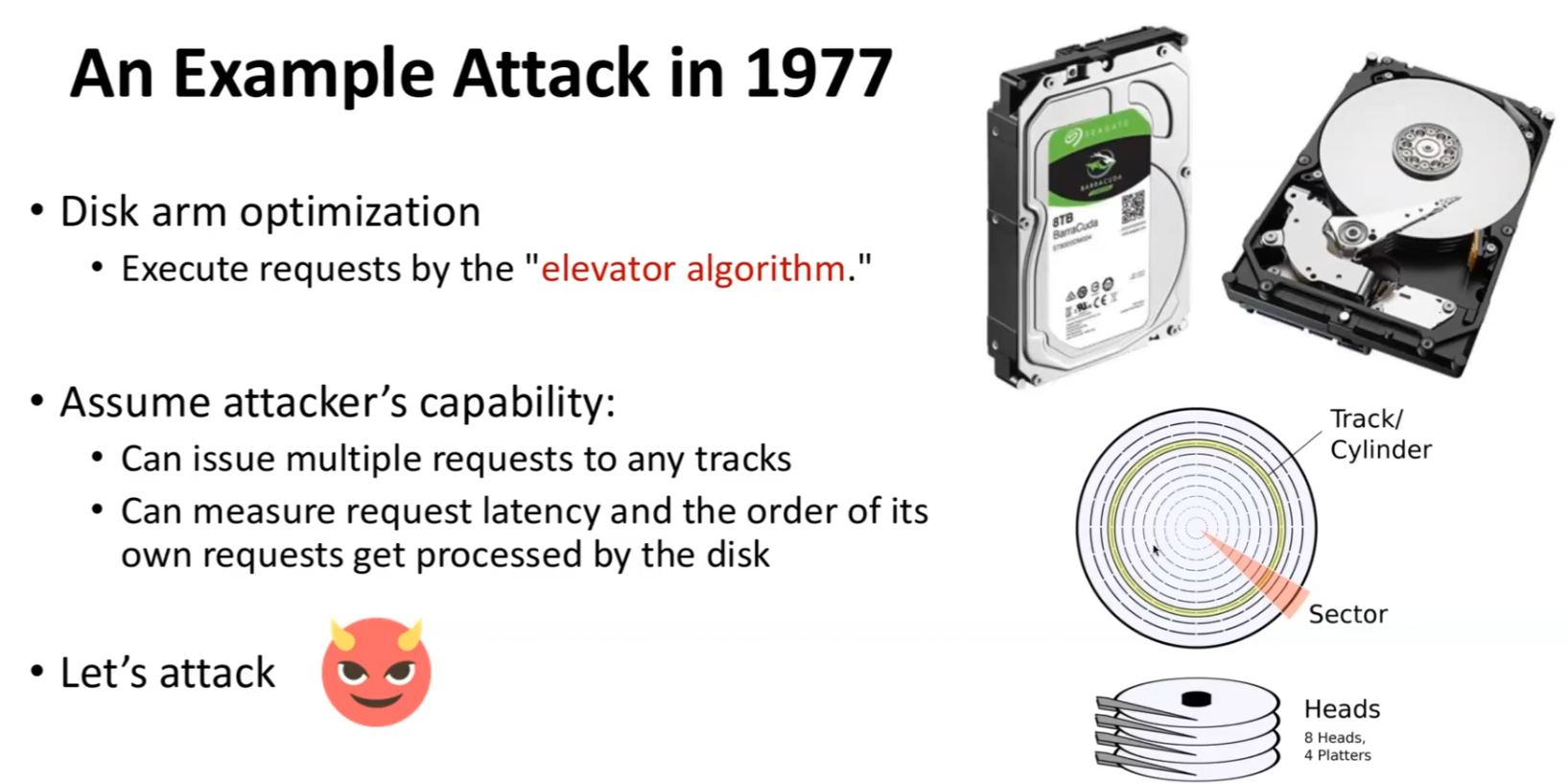
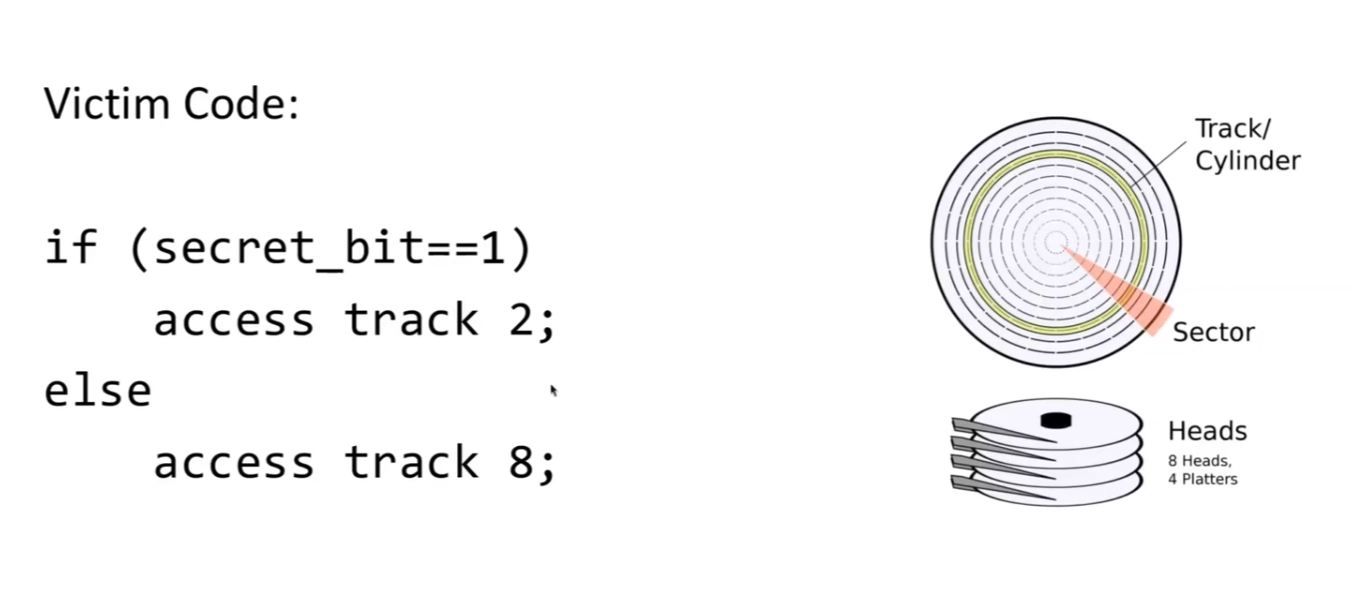
- Executing a Side Channel
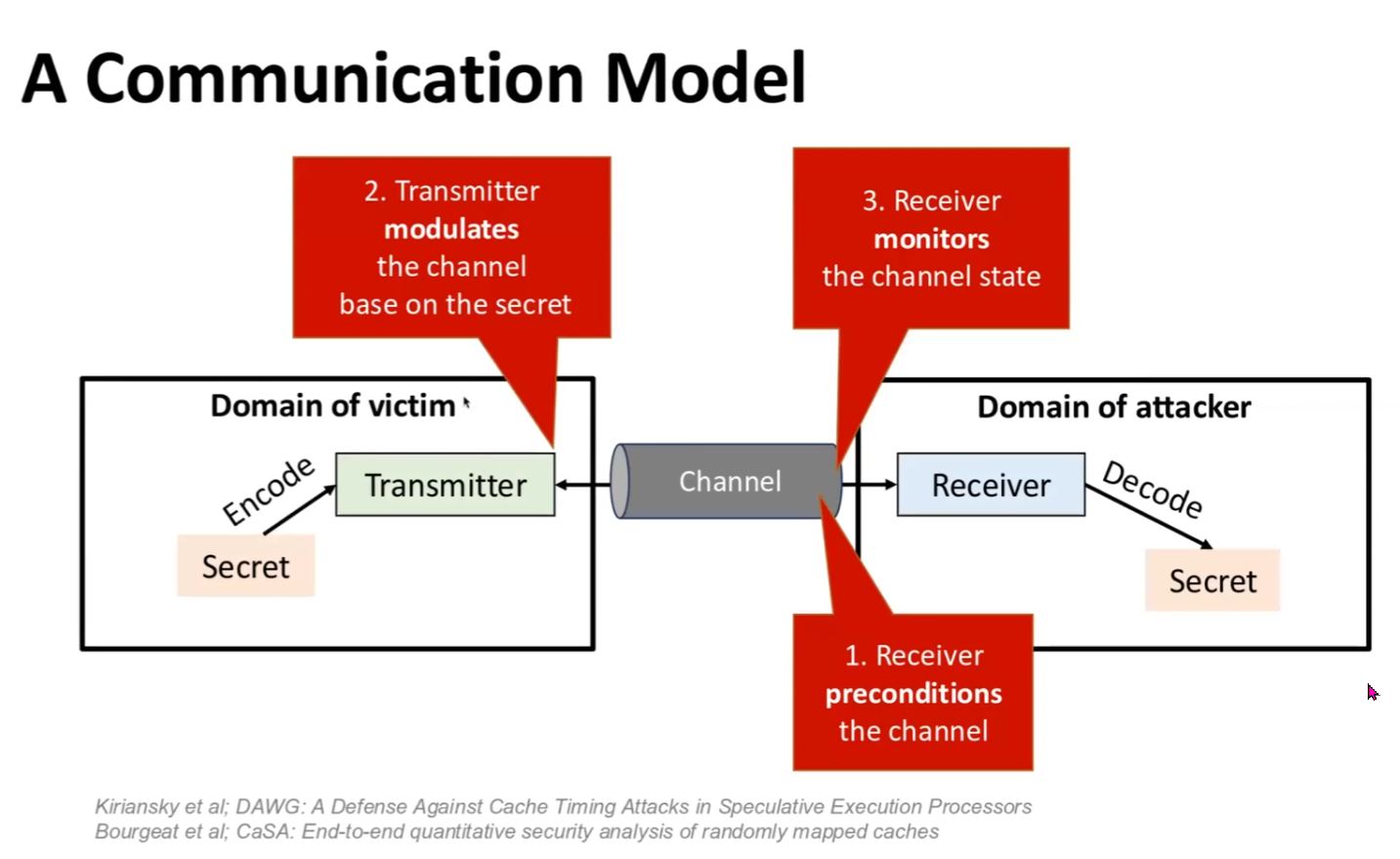
- Attacker ‘pre-conditions’ the channel > puts the drive head in a specific postion
- Wait until the victim changes (modulates) the drive head position
-
Attacker observes the change in the channel state
-
uArch Attack Generalization

- Generalized across all data-structures on a computer…with bandwidth speed as differentiator (?)
- The Cache > one datastructure that can be modulated…and observed
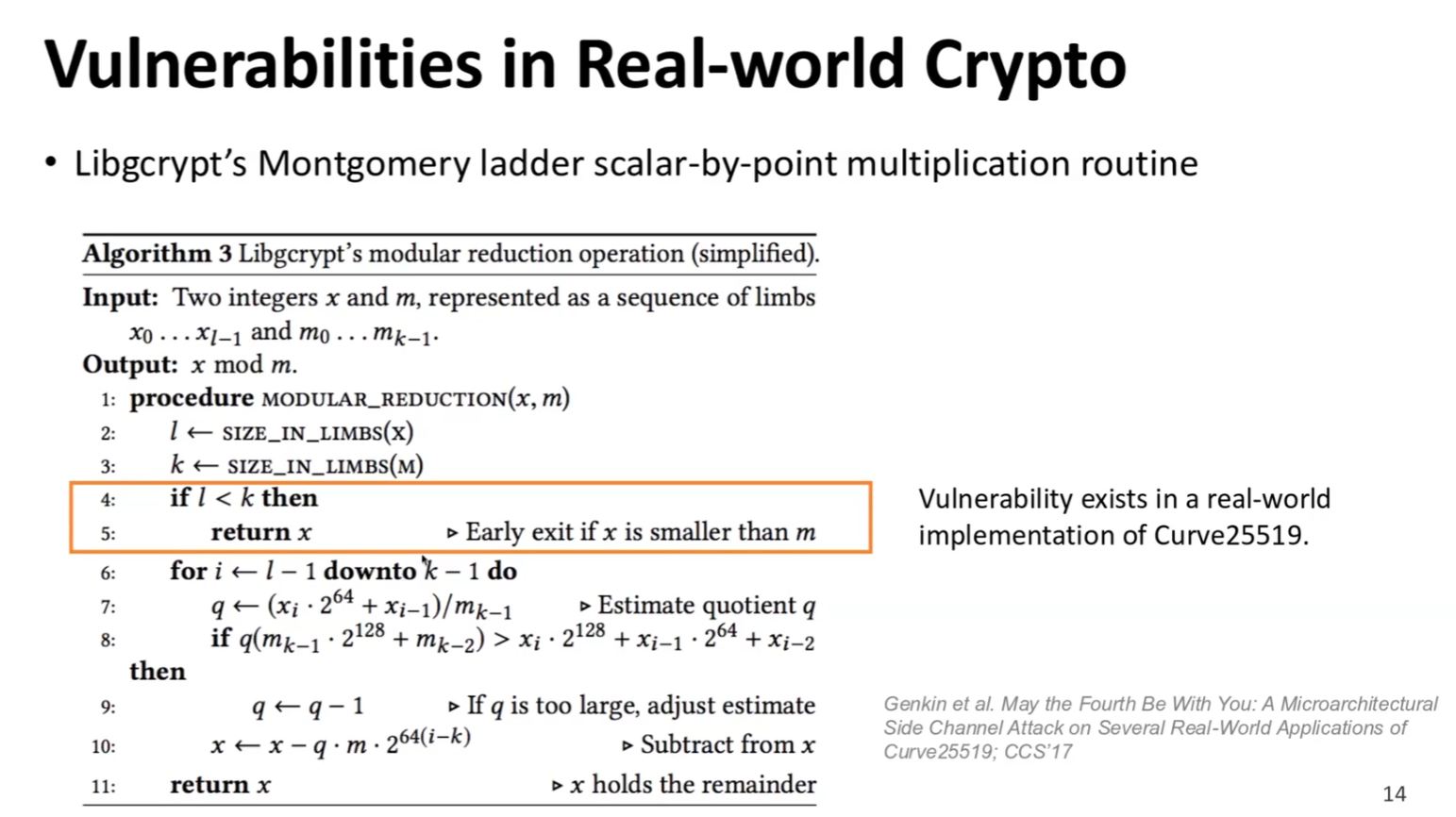
- RSA > requires the multiplication of a value through its exponents…fast (minimize the amount of multiplication) using square and multiply algorithm
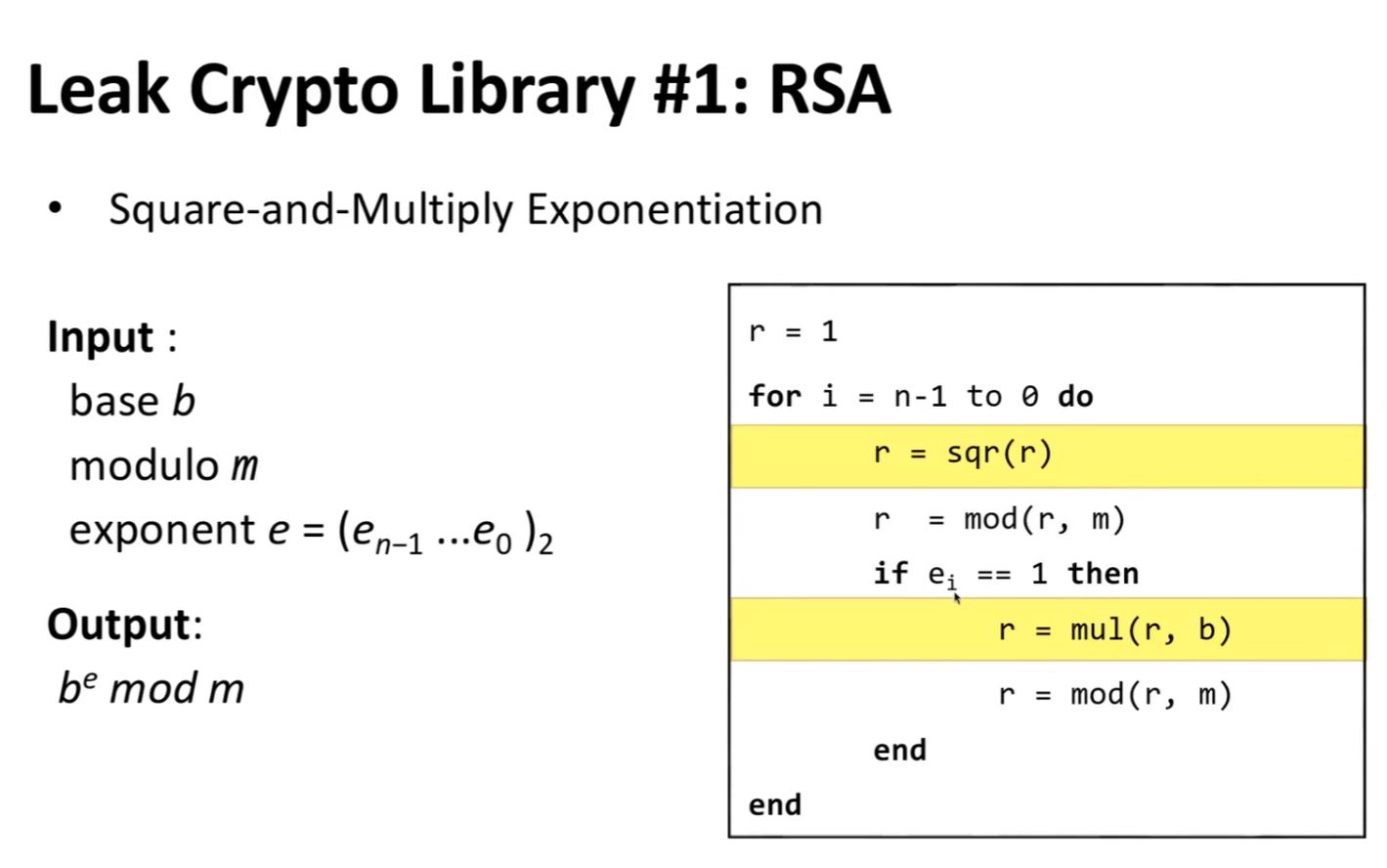
- The algorithm’s conditional statement accesses different computer processes depending on whether the condition is true or not
- The process access patterns can be observed to infer information
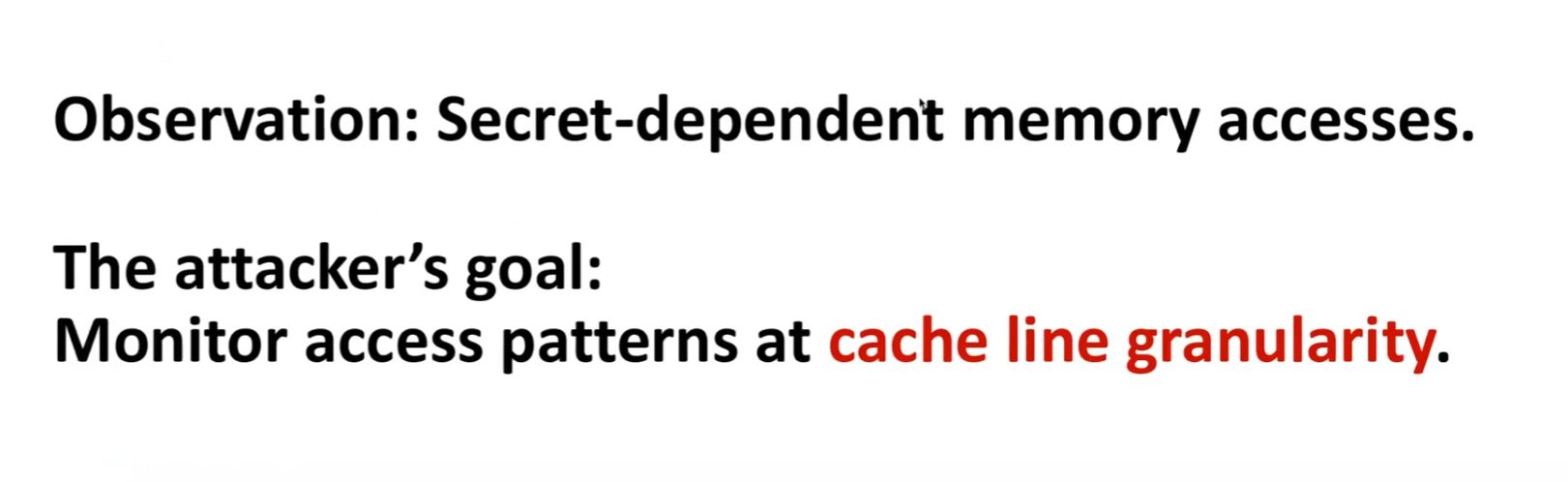
- The attacker observes the cache
- The Cache = small memory near CPU, store data for calculations…closer means faster access (distinct from Main Memory, farther away)
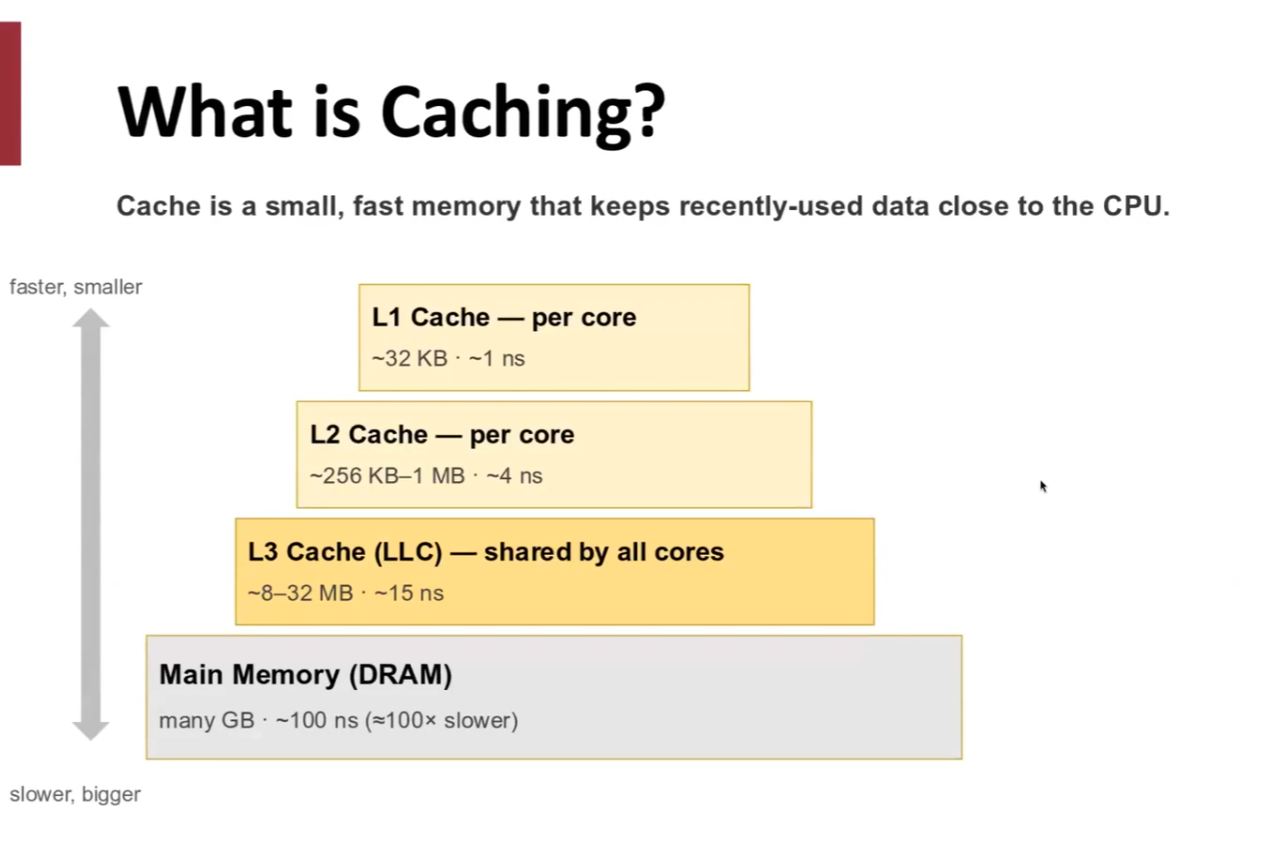
- Observing access speed allows for understanding if data has been accessed before (stored in cache) or not
- Observing Cache ideal for attackers…fast memory means fast data leak (and with high precision)
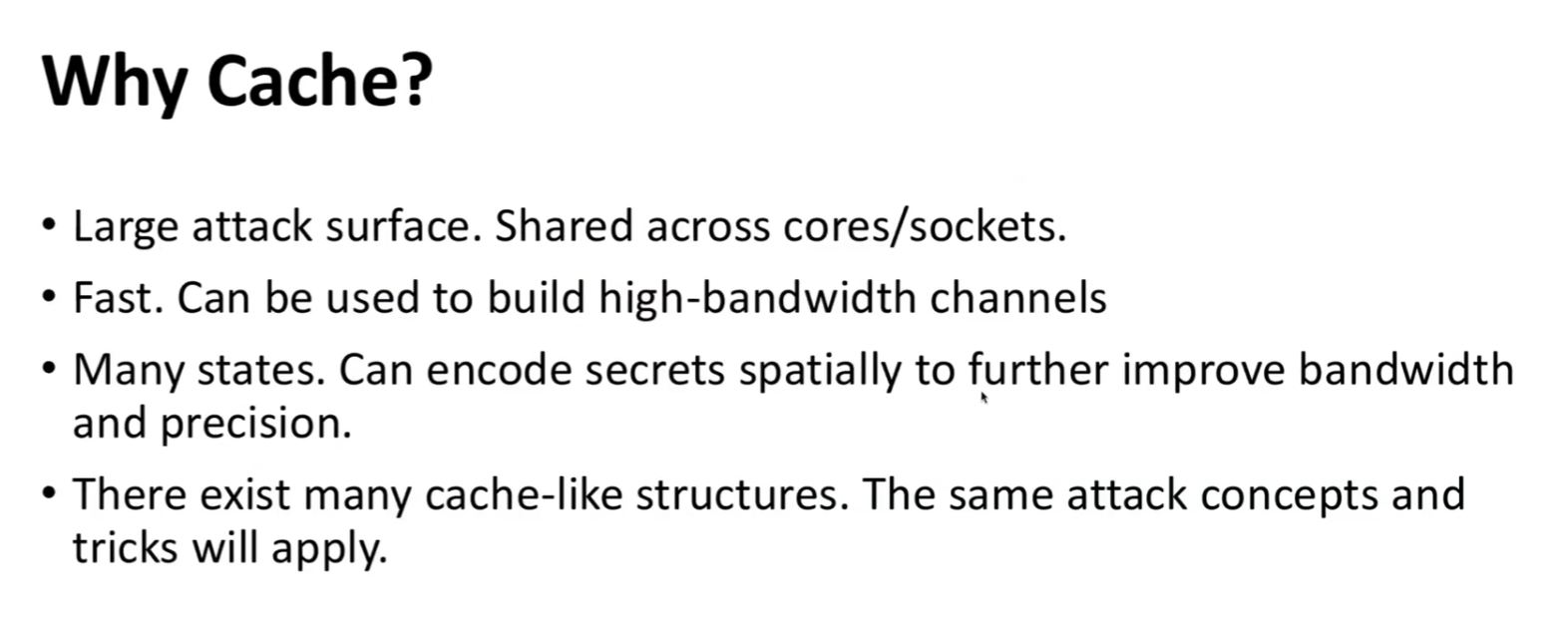
- Cache Attack Plan
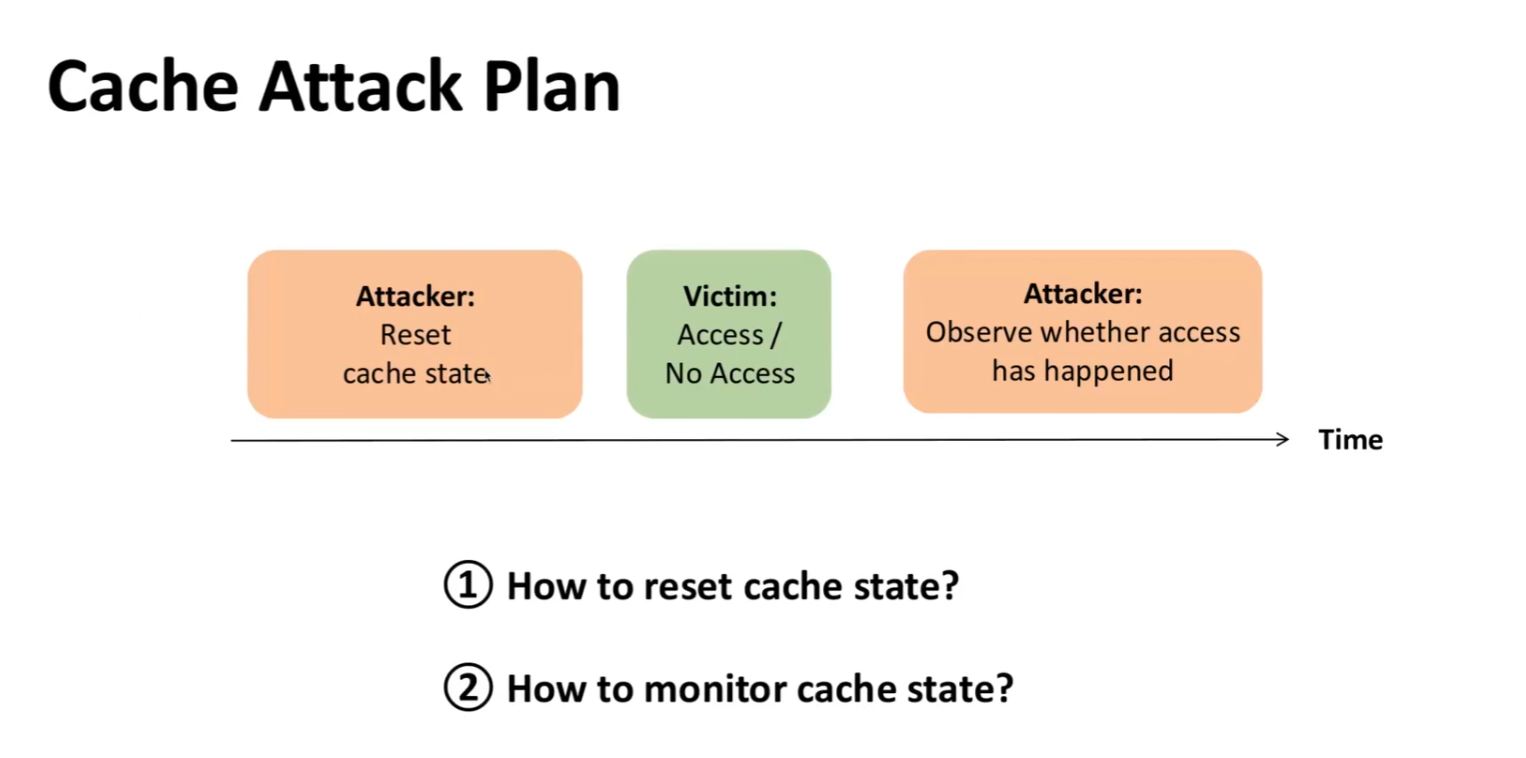
- Start with Cache reset (preconditioning)
- Access and bring data to the cache or not…depending on the secret
- Attacker observes access or not
Resetting the Cache
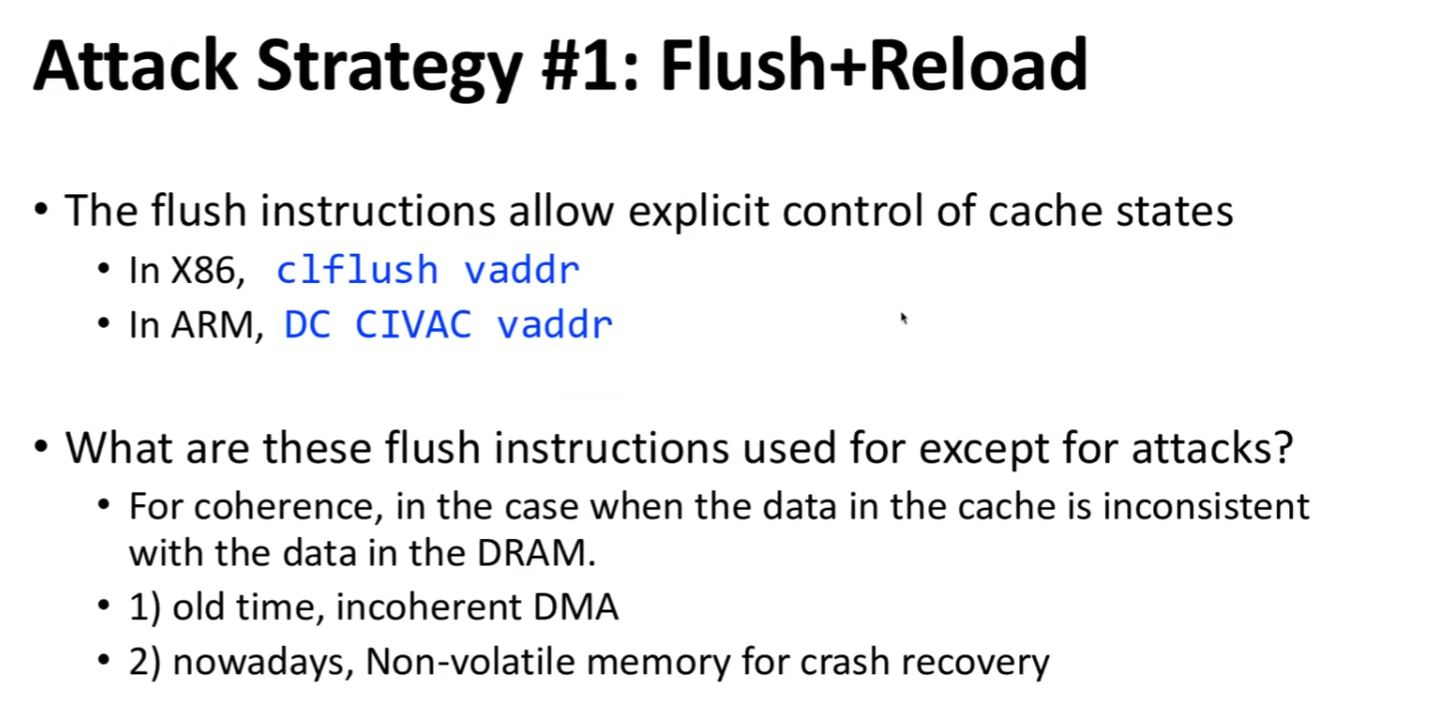
- Flush & Reload = virtual address explicity removed from cache and moved back to main memory
- Flush instruction usually used to make sure memory in cache put back to non-volatile memory in case of computer crash to prevent loss of that data
- Attacker can use this same instruction as preconditioning
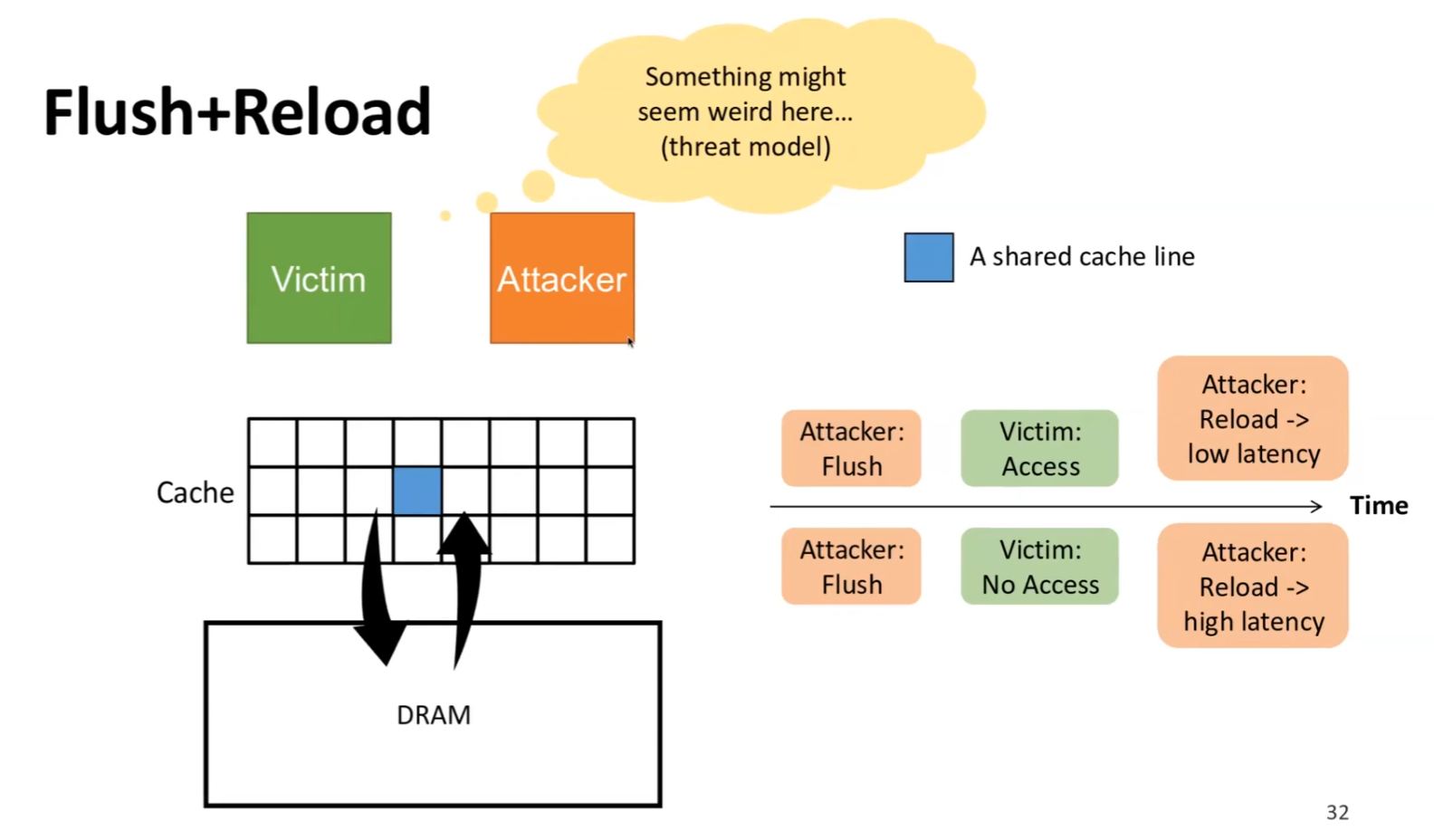
- Reload…to check if latency is low (already in cache) or high (not already in cache)
Memory Deduplication
- Two processes that share some same code (ex: C library)…with a virtual address
- Allows attacker to confirm the physical address of the shared code in memory
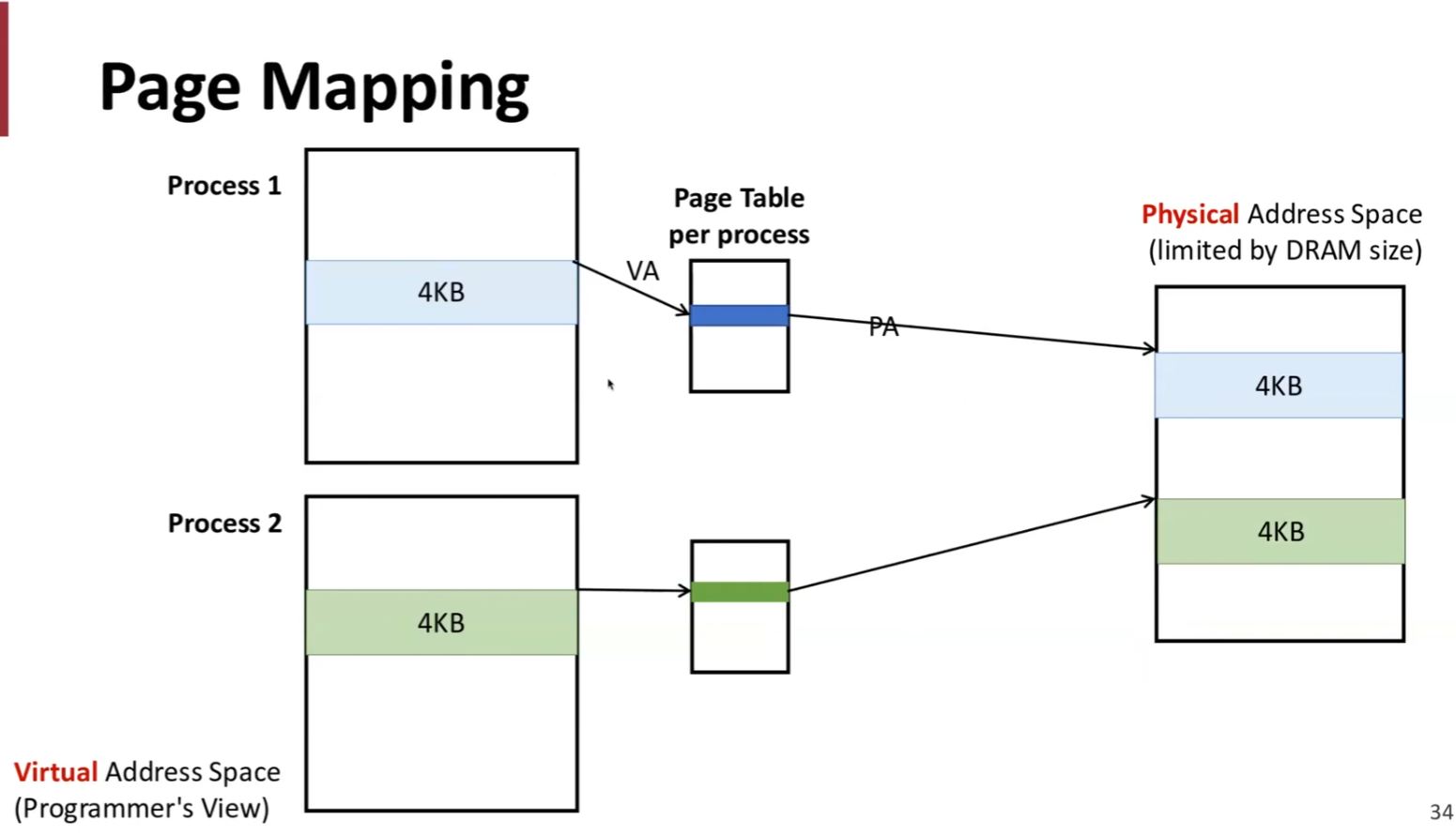
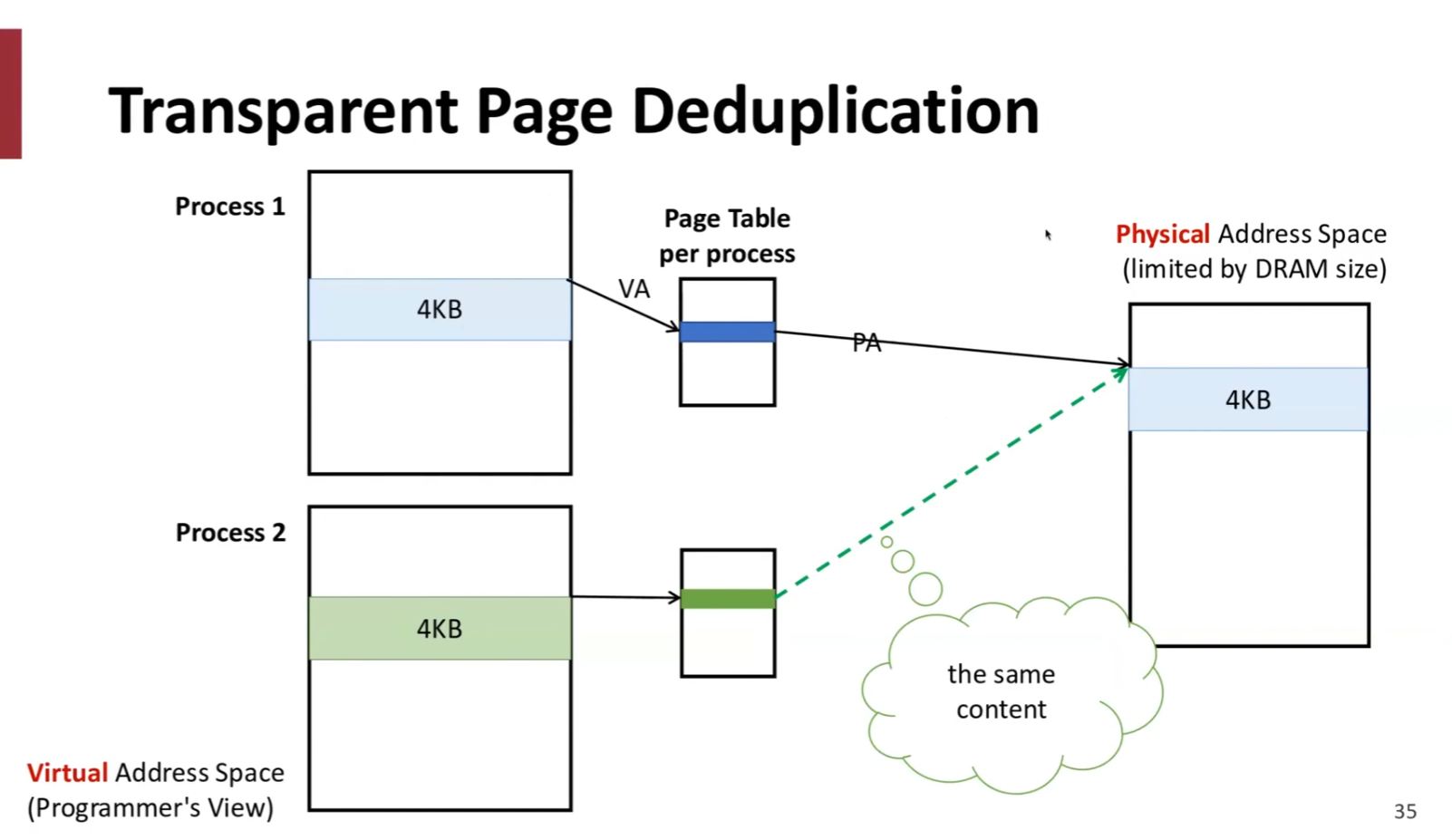
- Then check to see if that discovered address is in the cache
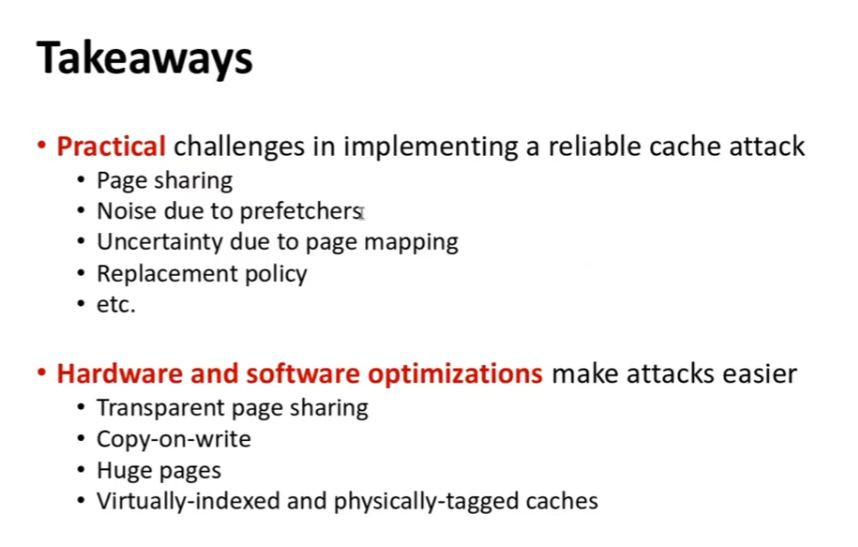
Research
Flush & Reload Side Channel Attack
Still not clear about the Flush & Reload Side Channel Attack (FNRSCA), I watched this explanation video by Kandi Brian and learned:
- Flush & Reload is a cache timing side channel attack
- …extracts data from another process running on the same physical CPU
- …without ever reading memory or touching the network
- …by measuring how long a single byte takes to load on a CPU (that was never designed to hide this information)
- Cache timing, Cross-process, no software bug needed
- …can recover sensitive info such as cryptographic keys, fingerprint code execution paths, and extract secrets via speculative execution attacks like “Meltdown”, “Spectre” and “Foreshadow”
Side Channel Attack
Any information leaked through the implementation of a system (hardware), not a flaw in its logic (software)
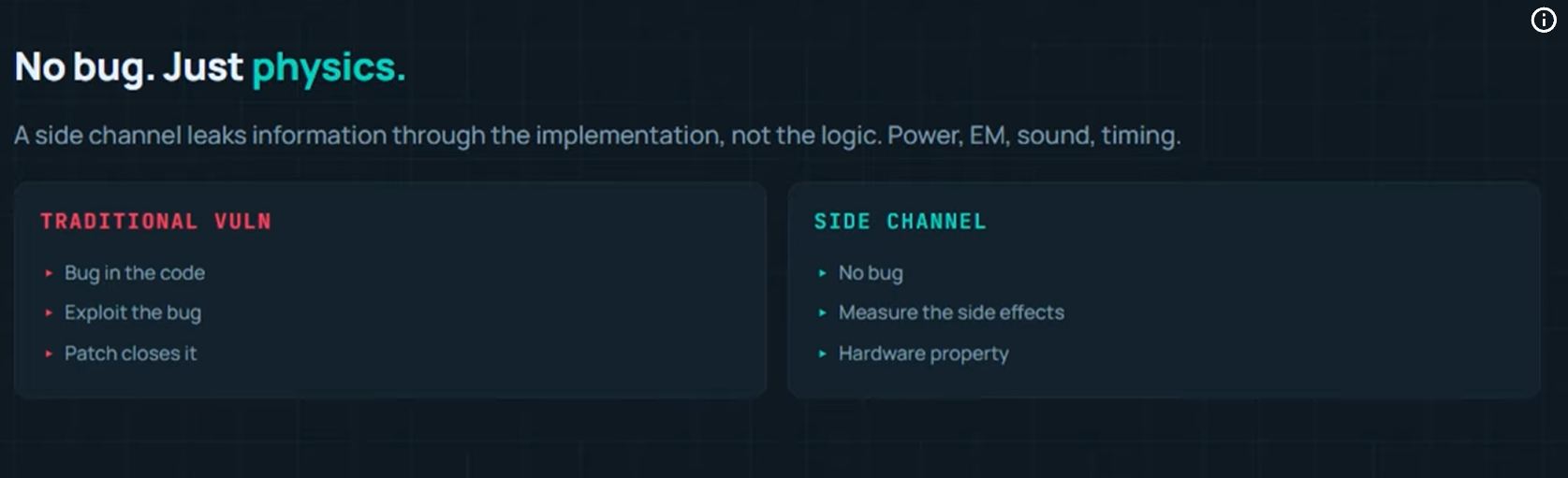
- Power consumption, EM, sound, timing
- The physical system does what it is designed to do, the attacker learns something from the way it does it
Cache Timing
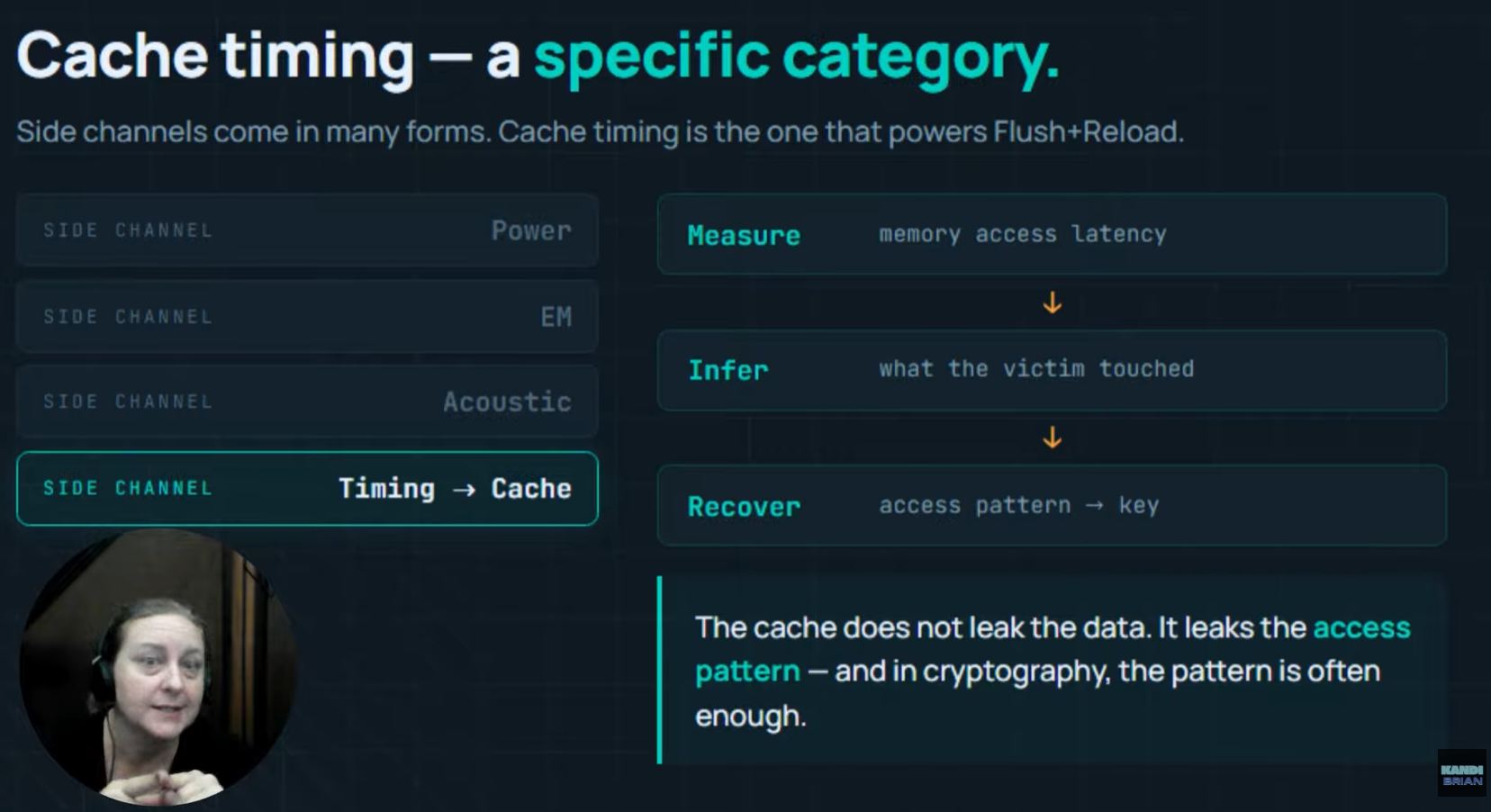
- Measures how long cache memory access takes… and infers what data the system was touching
- The cache is not leaking the data directly, it is leaking the access pattern
- …different from “Buffer Overflow” or “SEQL Injection” - no bug being exploited
INTEL CPU Memory Organization
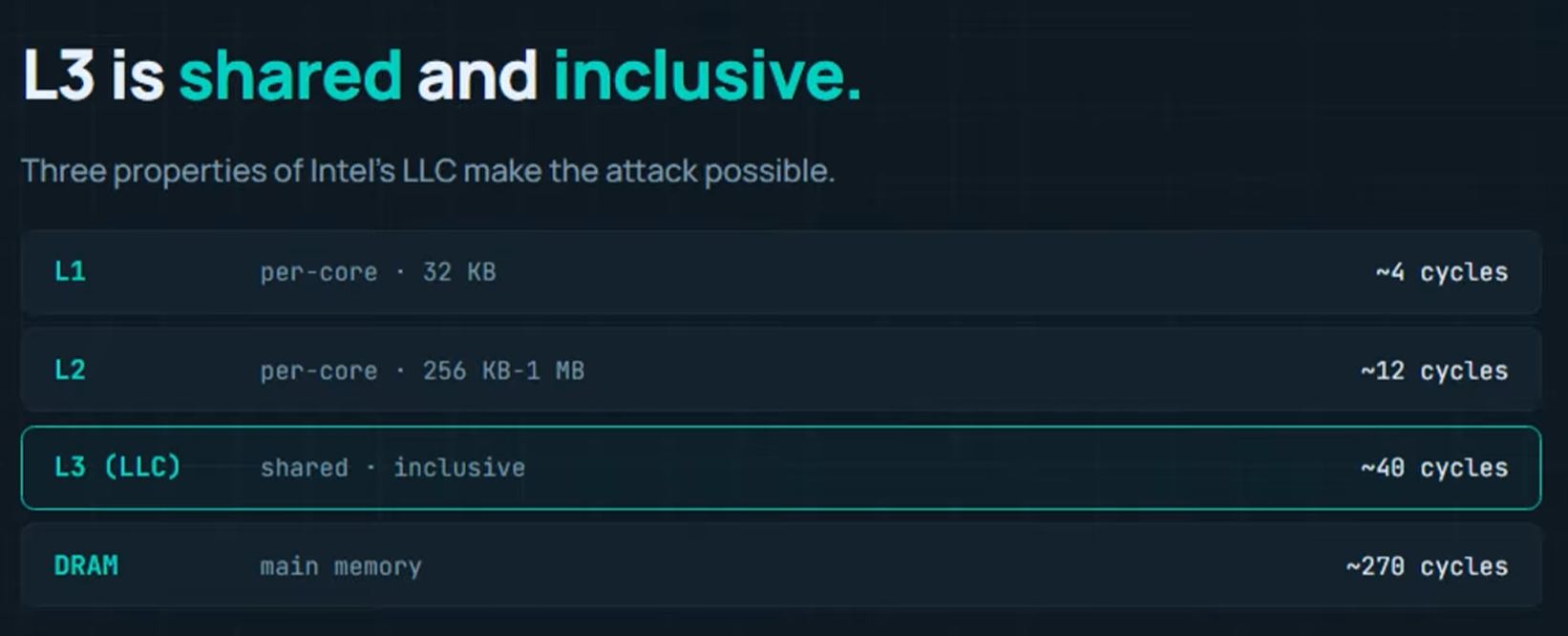
- “Main Memory” = DRAM, slowd, a few hundred CPU *cycles to access
- Multiple layers of “Cache Memory” sits between the CPU and DRAM
- L1 is the smallest, per core, fastest
- L2 is bigger, per core, 3x slower than L1
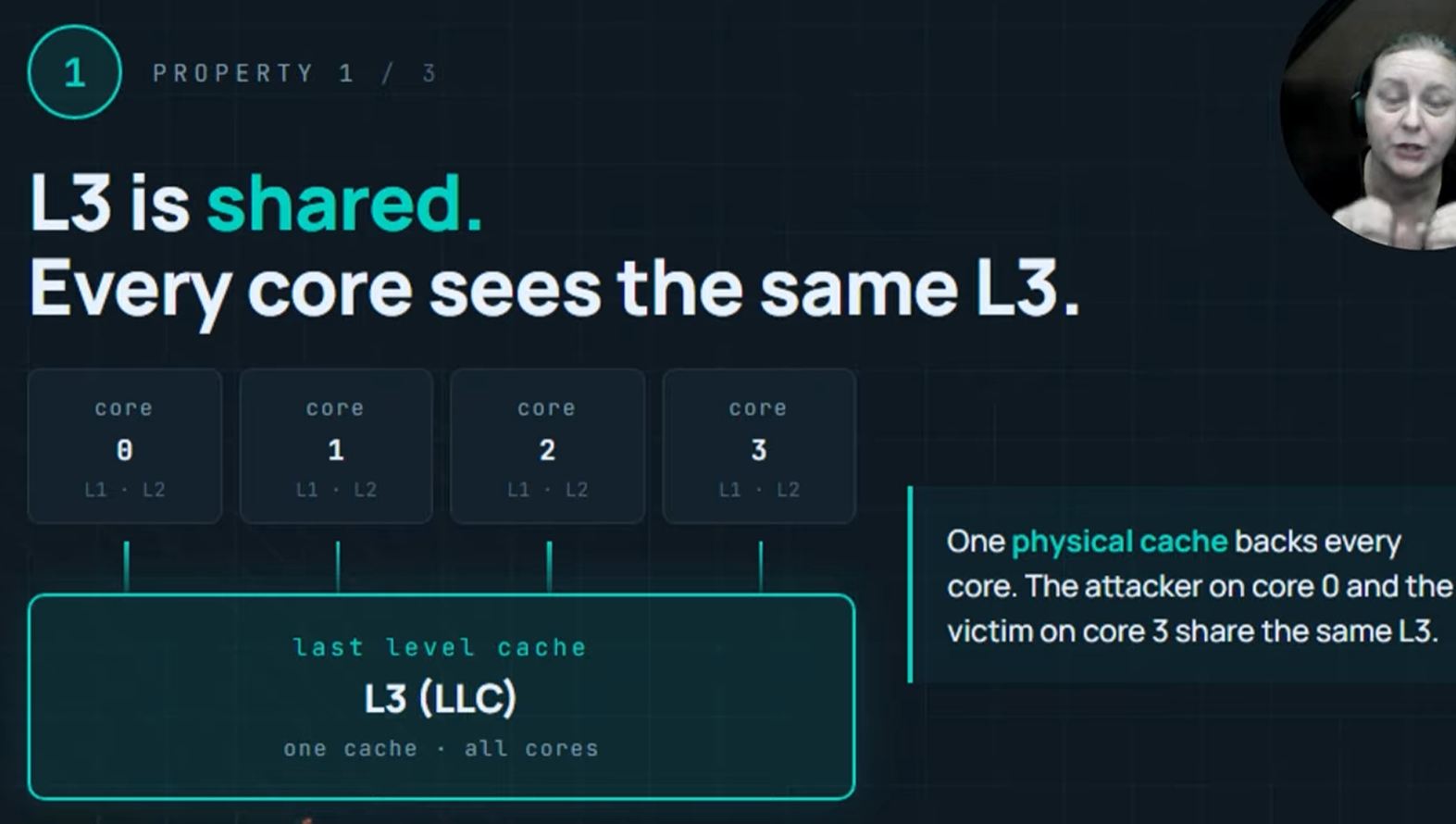
- L3 or LLC (Last Level Cache) is biggest, shared and inclusive, 4x slower than L2
L3 Properties
- Shared among all CPU cores
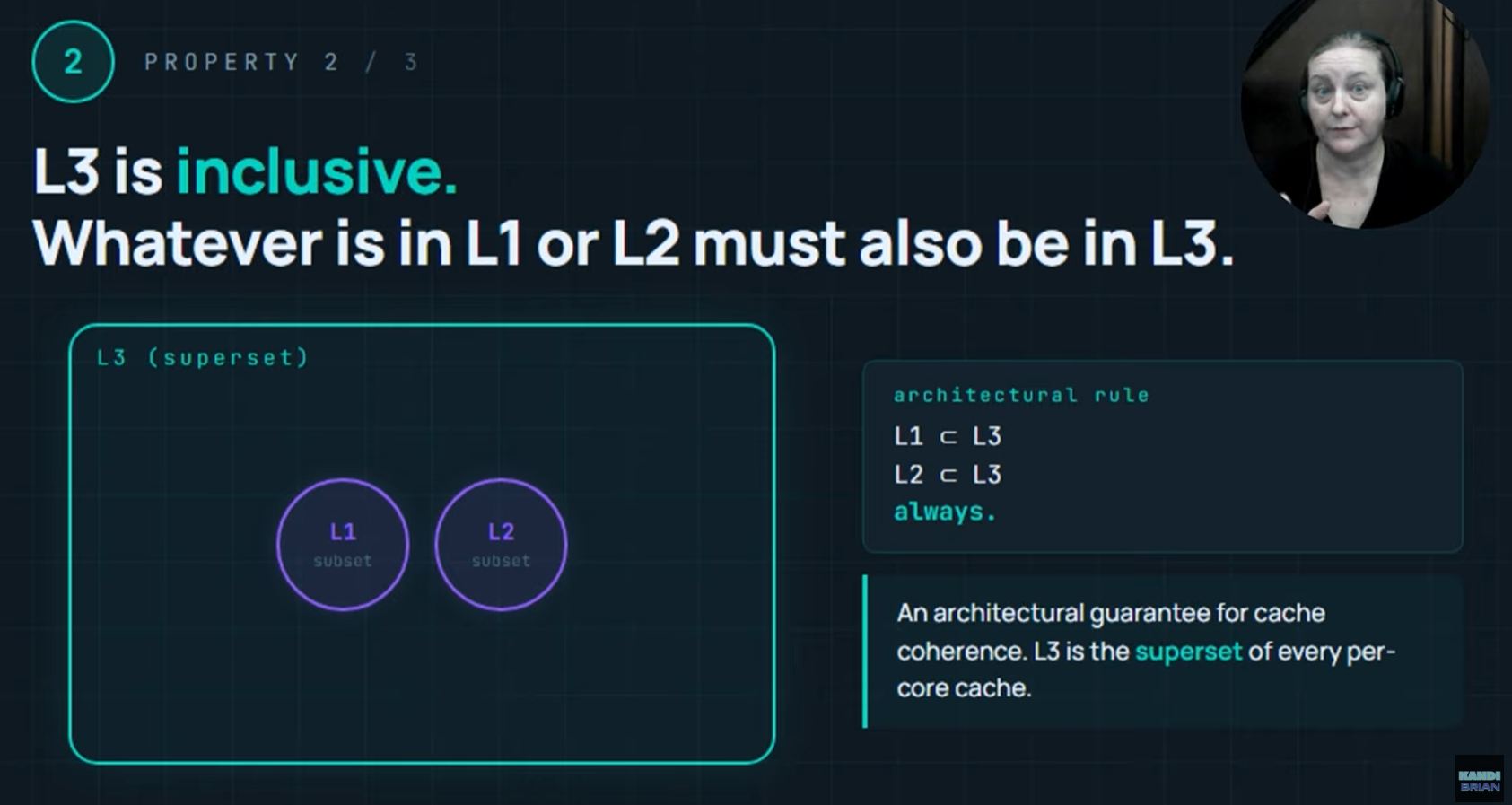
- Inclusive of L1 and L2 cache content
-
The superset containing all data in lower cache levels > guarantees Cache Coherence
-
Eviction from L3 guarantees eviction from L1 and L2 on every core
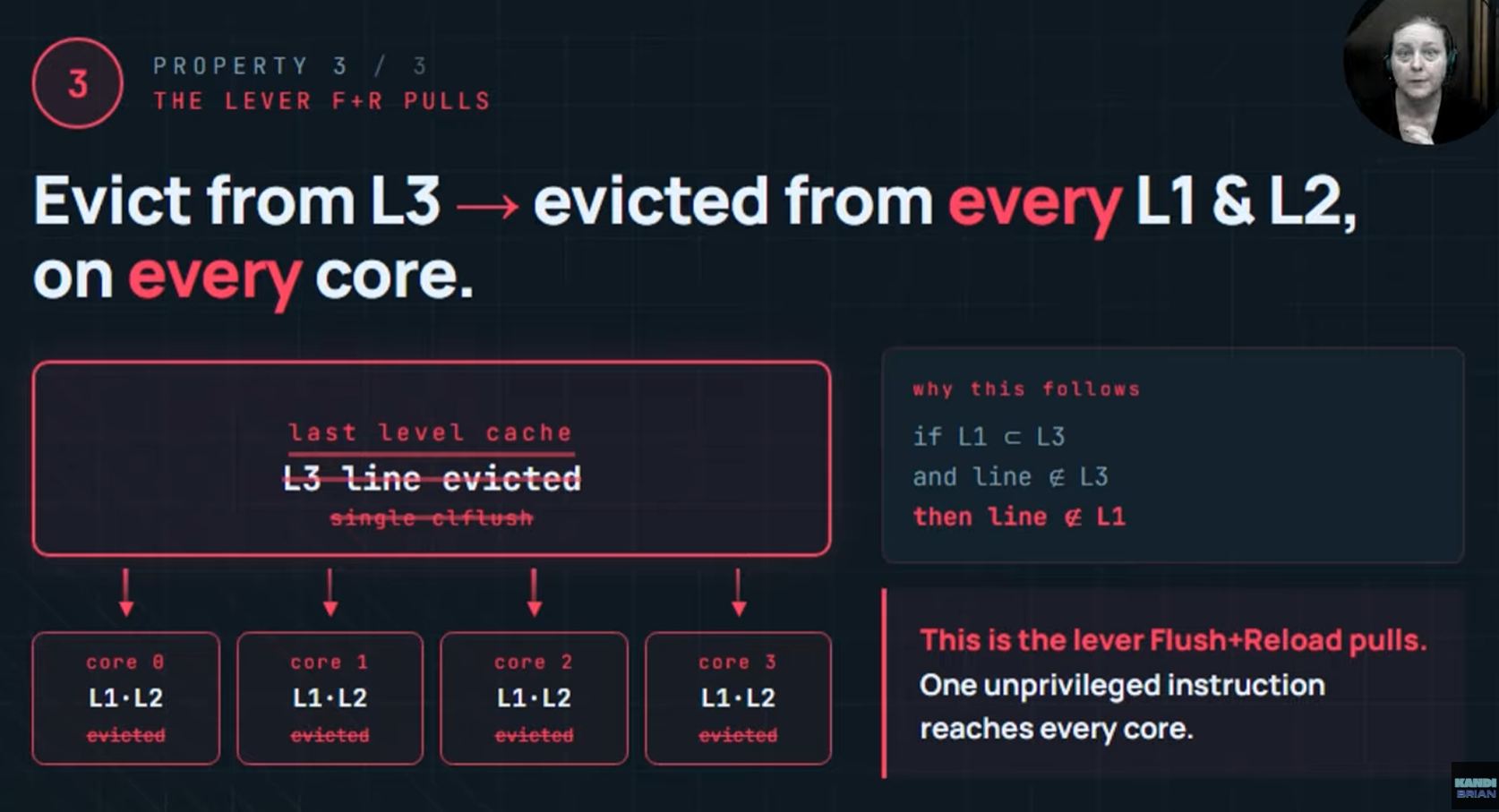
- This fact is what F+R attacks exploit
Flush and Reload Phases
Phase 1. Flush
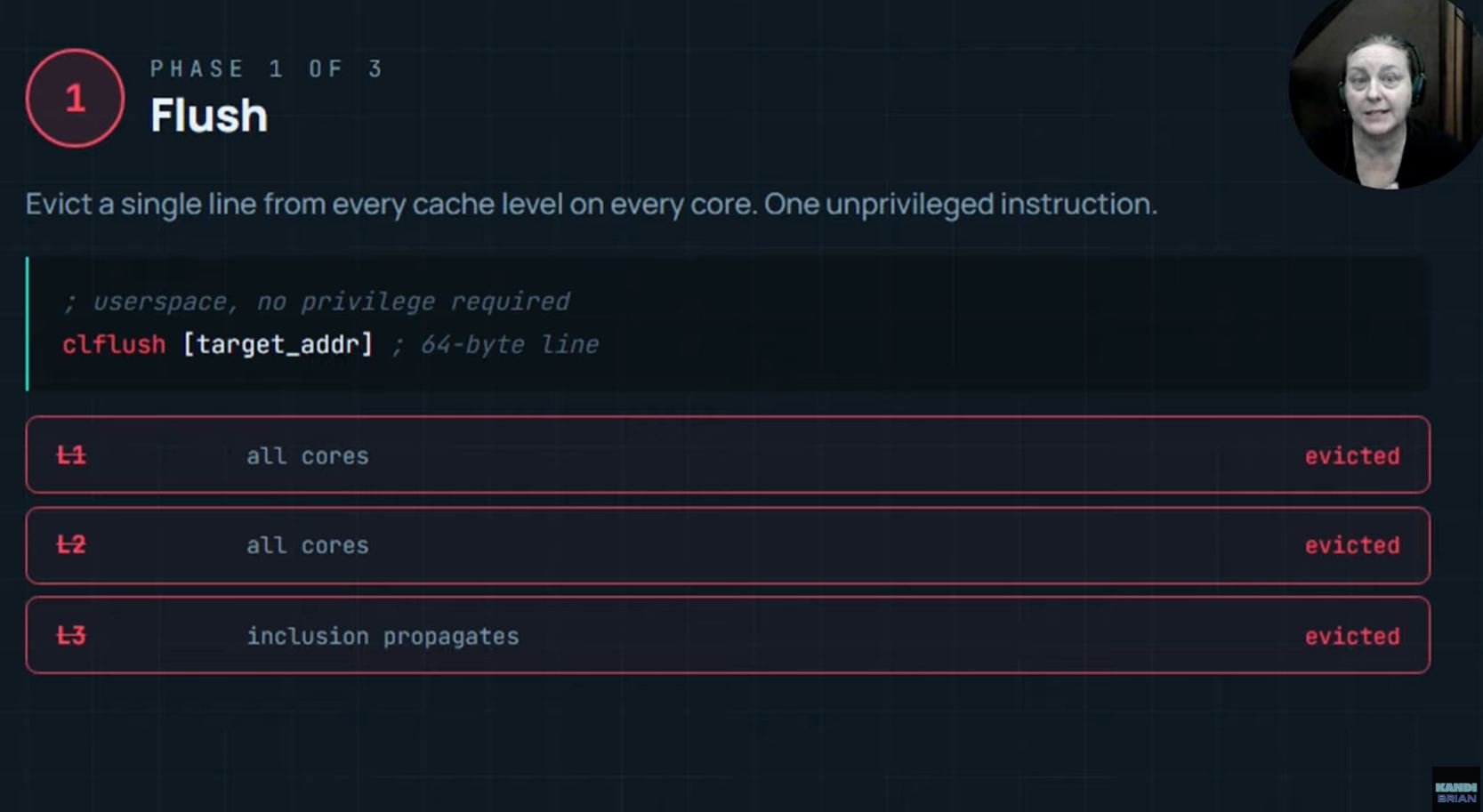
- x86 instruction “clflush”
Takes a memory address and its operand and evicts the corresponding cache line from every level of the cache heirachy
- …from L1 to L3 across every core of the CPU, flushed
“clflush” is unprivileged
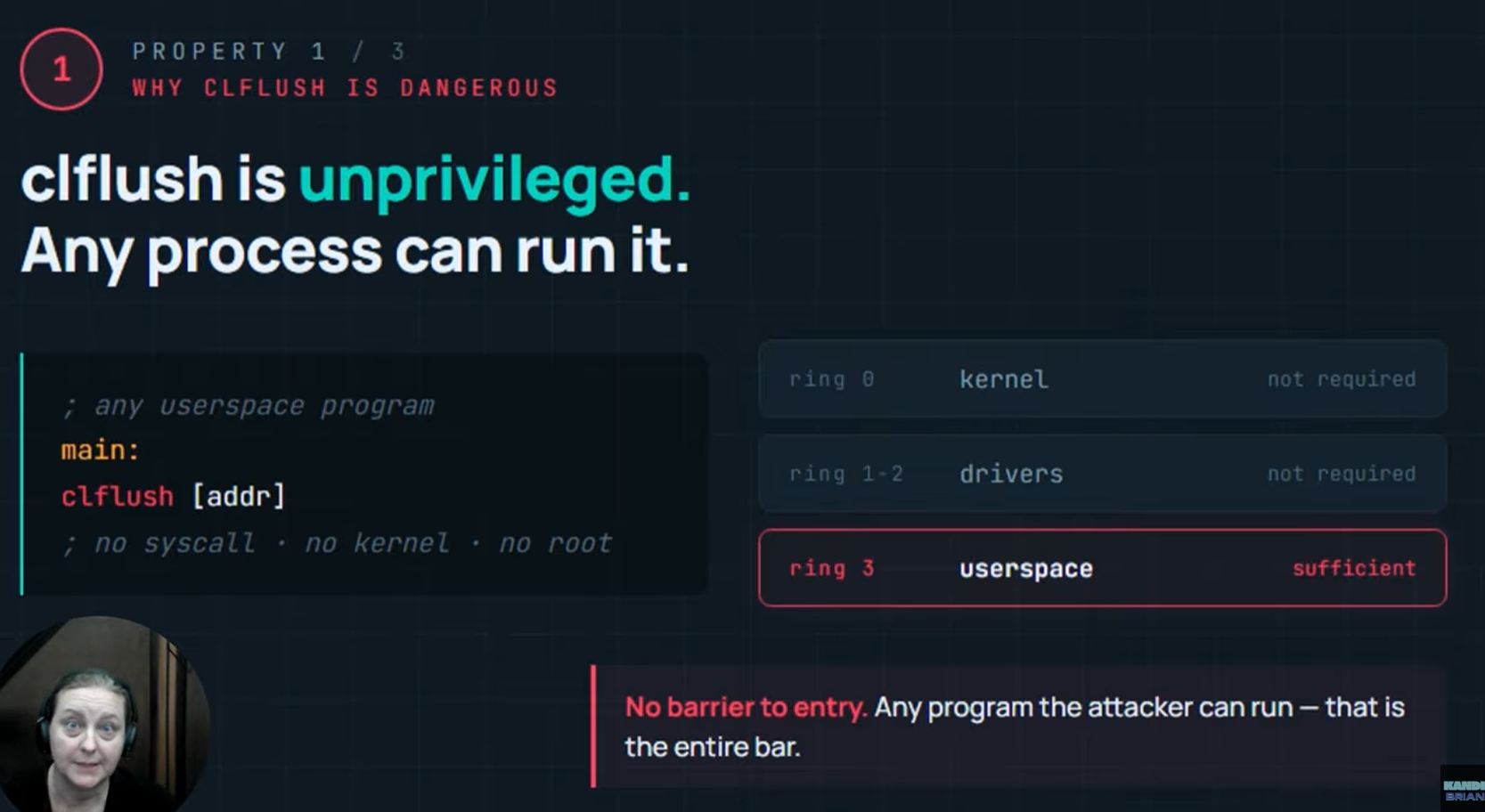
- Any user-space process can execute it
- No kernel access, no system call, no special privilege > dangerous
“clflush” is precise
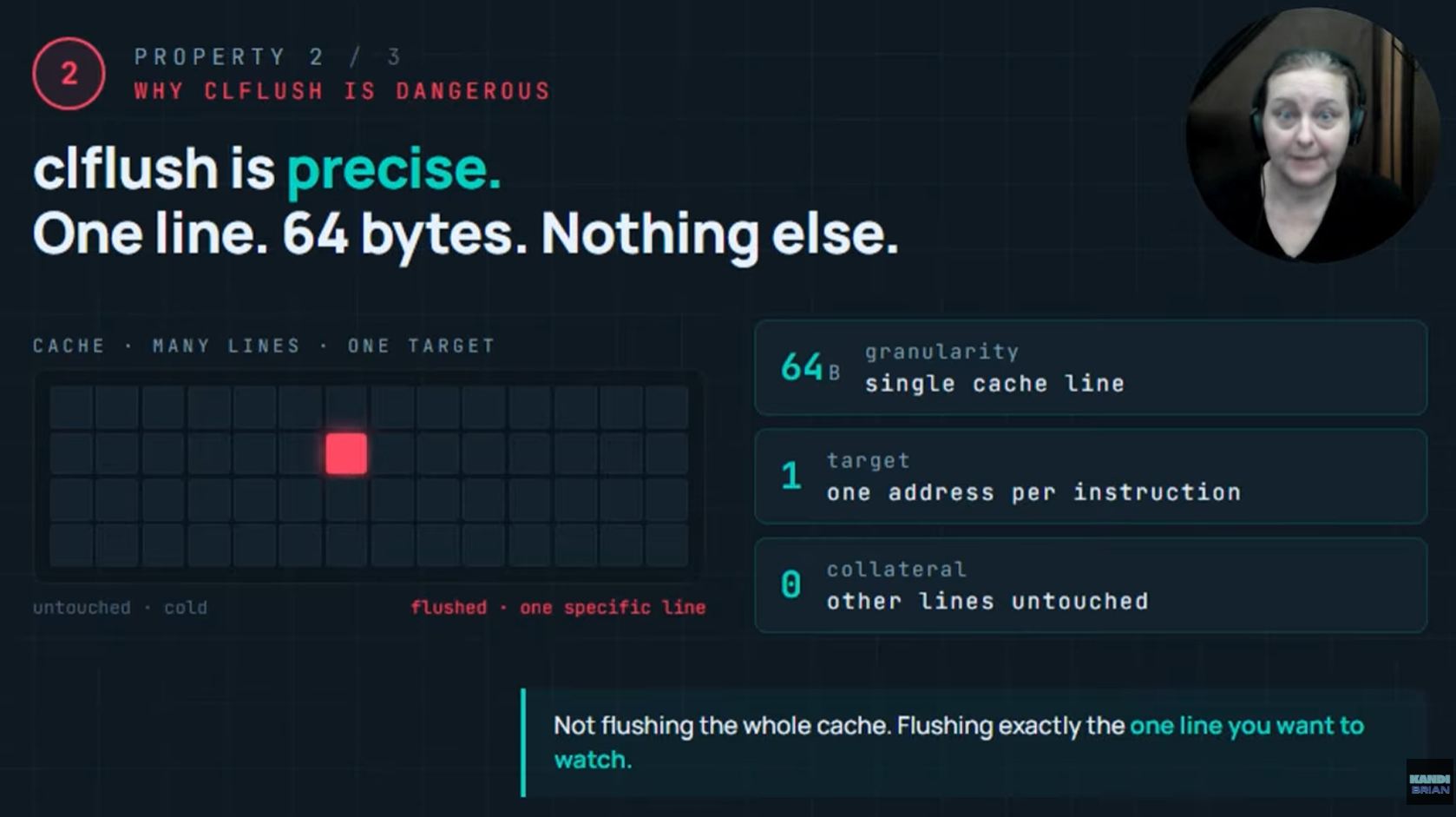
- one cache line, 64 bytes in size
- …not flushing the whole cache
“clflush” is cross-core
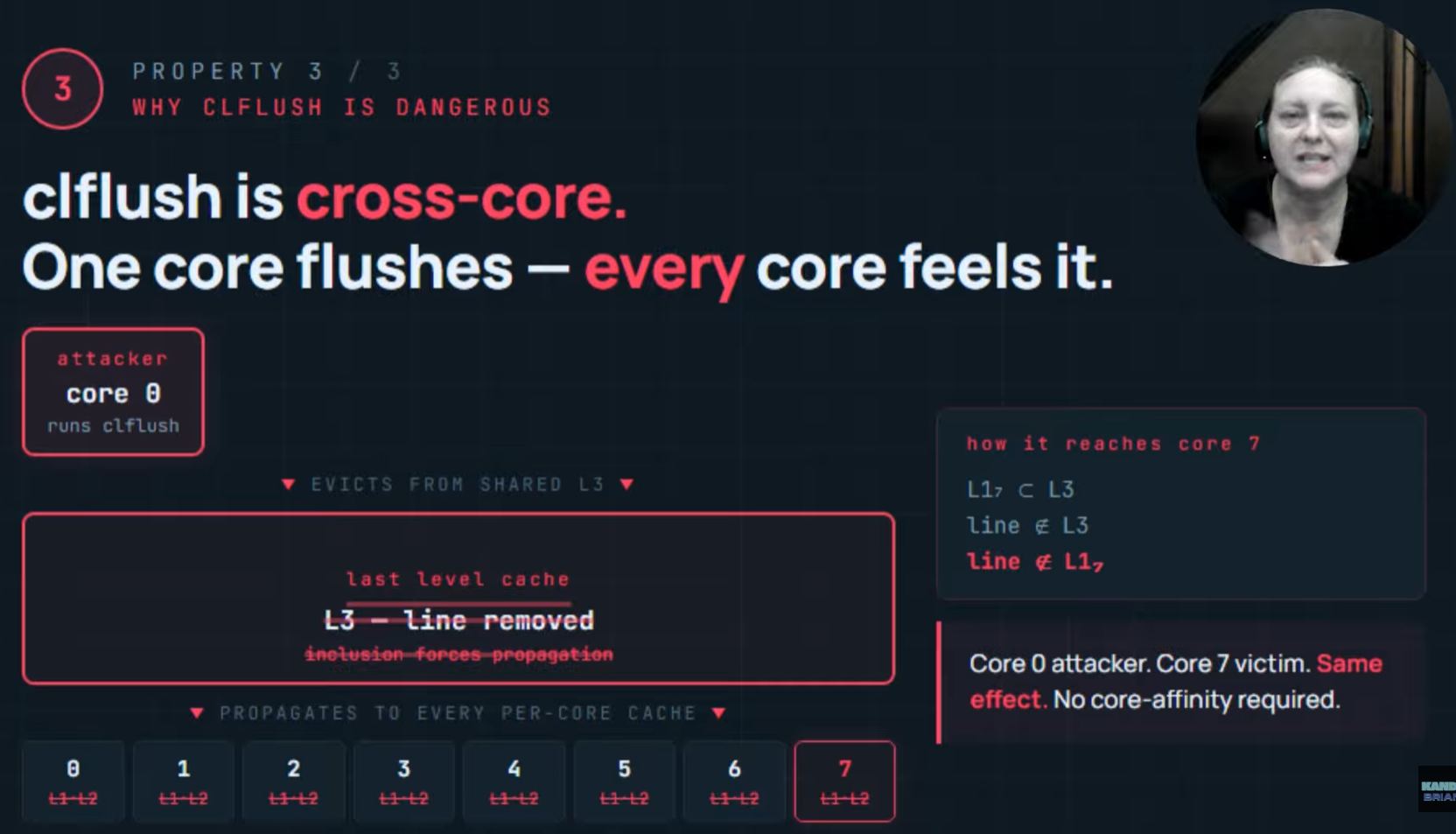
- A spefic cache line is evicted from L1 to L3 on every core
- The target line is guaranteed to be in DRAM
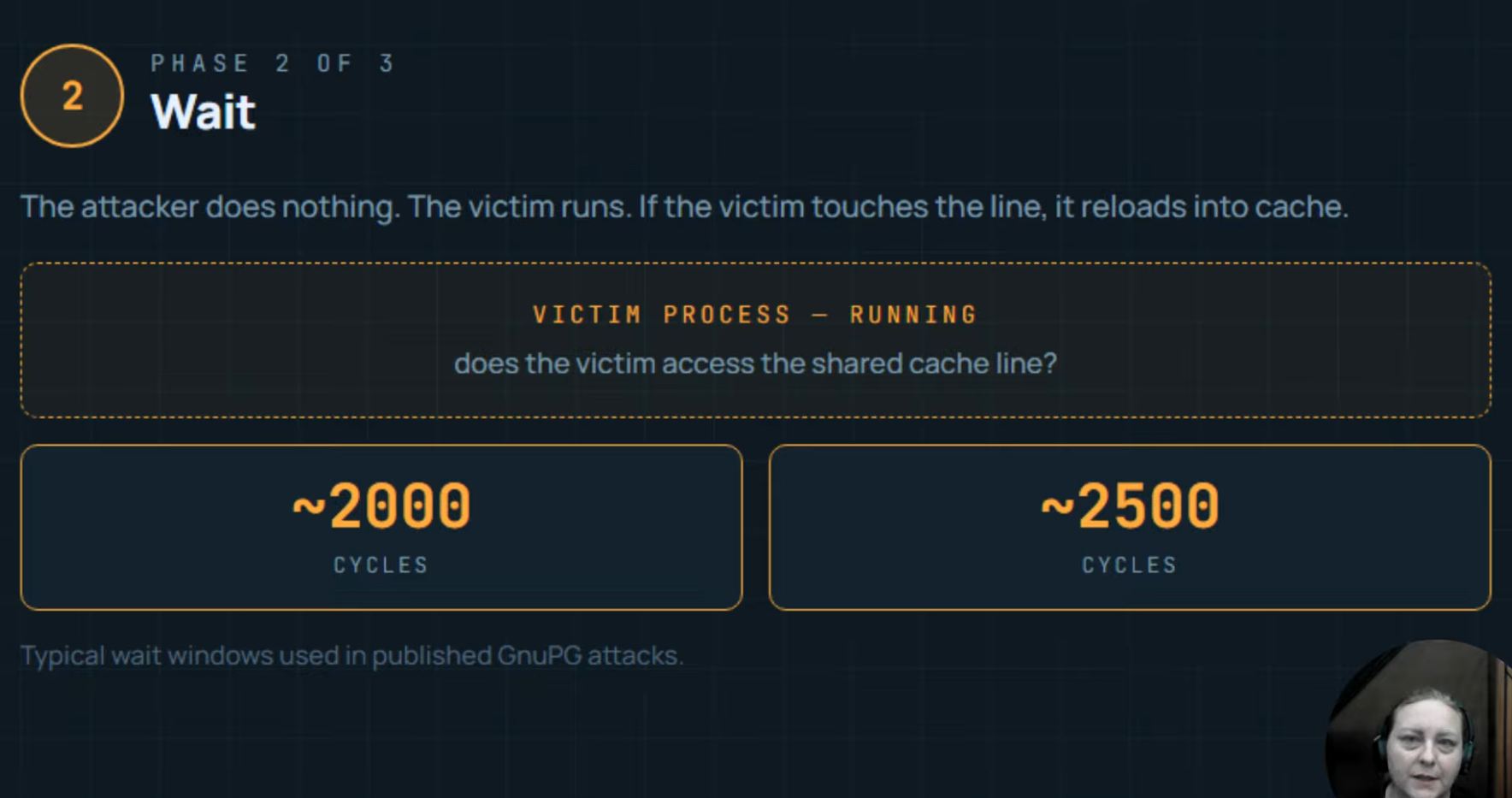
Phase 2. Wait
- The attacker waits for a chosen interval (typ. 2000 - 2500 cycles)
- …enough time for a few hundred instructions to execute
- …until the victim touches a line moved from cache to DRAM, replacing it back into the cache
Phase 3. Reload
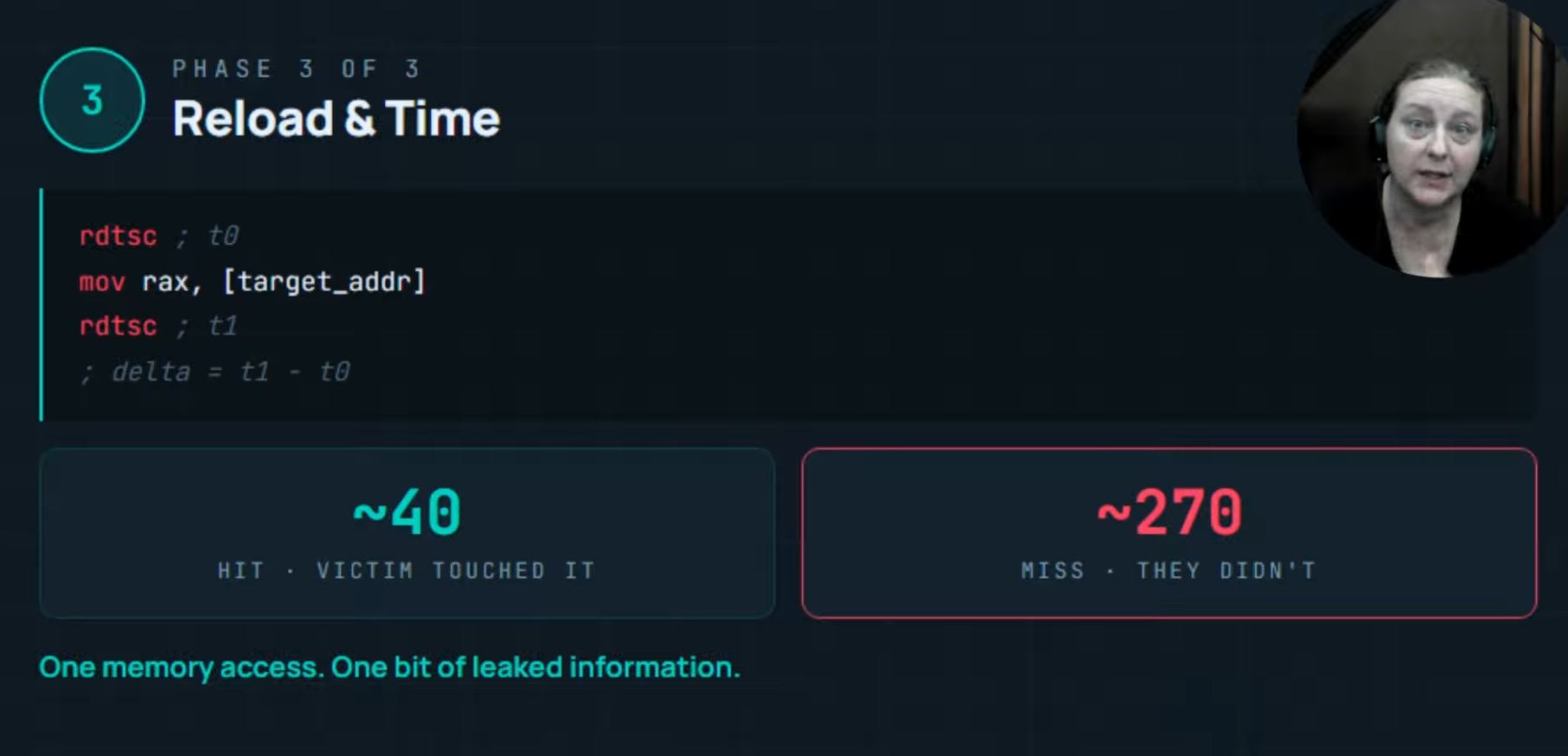
- The phase where the secrete leaks
- Attack reads the same memory address flushed in Phase 1
- …timing the read precisely
- On an X86 system > Read Time Stamp Counter (RDTSC) instruction…returns the count of CPU cycles since the reset (single cycle resolution)
- Attacker reads RDTSC > performs the memory access > reads RDTSC again > subtracts
- Load Latency = the subtracted difference for one cache line
- If the LL takes ~40 cycles…the line was replaced in the cache (fast access)
- If the LL takes ~270 cycles or more…the line was untouched and remains in DRAM
- The size of the gap…between hit and miss…makes the F&R technique effective
- It is clear whether a hit or miss occurred

The process loops back to Phase 1 for a new instruction. 100’s of thousands of time a second, the flush and reload process takes place.
Flush & Reload Review
The attacker cannot flush memory they don’t have a virtual address for
- The Attack requires that memory is shared between the Attacker and Victim…memory that is mapped into the attacker and victim’s address space
On a modern system…Shared Memory is everywhere
- Shared libraries…between processes…are the most common
- The OS maps the same physical pages of that memory into both process’s address spaces
- Read-Only. One copy in physical memory. Two virtual mappings.
-
Both processes flush and reload the same cache lines
-
Memory Deduplication…is the other common case
Deduplication = the process of finding and eliminating duplicate copies of the same data…so that only one copy is stored. Instead of saving identical information multiple times, a system stores a single copy and keeps references to it. (chatGPT)
- Linux Kernel Same-Page Merging (KSM) or VMware Transparent Page Sharing (TPS)
- …both scan for pages with identical contents across processes or virtual machines and collapse them into a single physical page with multiple mappings
- …great for memory efficiency, vulnerable to Side Channel Isolation
- **The attack works across VMs on the same host **
- If the hypervisor deduplicates a shared library page across two guest VMs
- …an attacker in one VM can F&R that page from the other VM’s execution
F&R vs past methods
F&R is surgical, not brute force
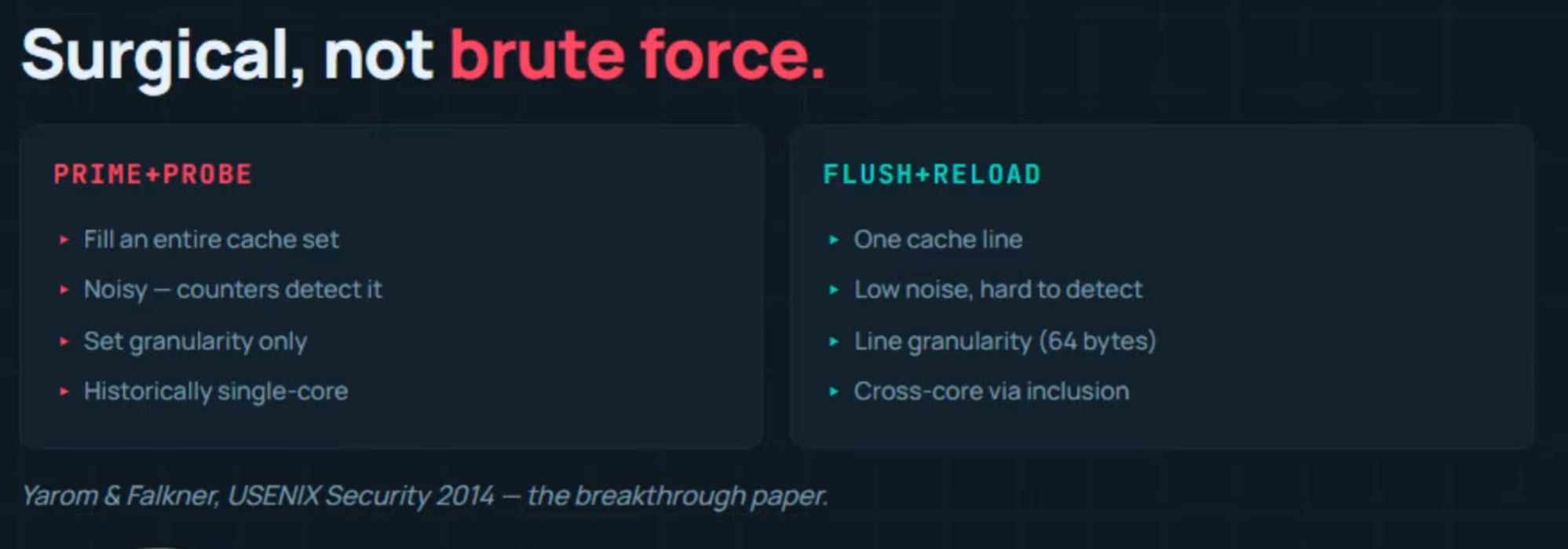
- Previously…Prime + Probe. Fill victim’s cache with attacking data. Wait. See what in the cache was changed when the victim writes to it.
- But P+P was ‘noisy’ (attacker constantly touching memory), the measurement disturbs the victim (not stealthy)
- …no hardware performance counters can detect it
- …measurement is corse (not fine)
- …specific cache line touched unknown > set granularity not line granularity
- …single core only
- F+R fixes P+P’s weaknesses
- Targets a specfic cache line (not set)
- No cache pressure during ‘wait’ phase
- L3 inclusivity > cross core
- …spy and victim can be on different cores on the same CPU
- F+R now the dominant method
Data Dependent Control Flow
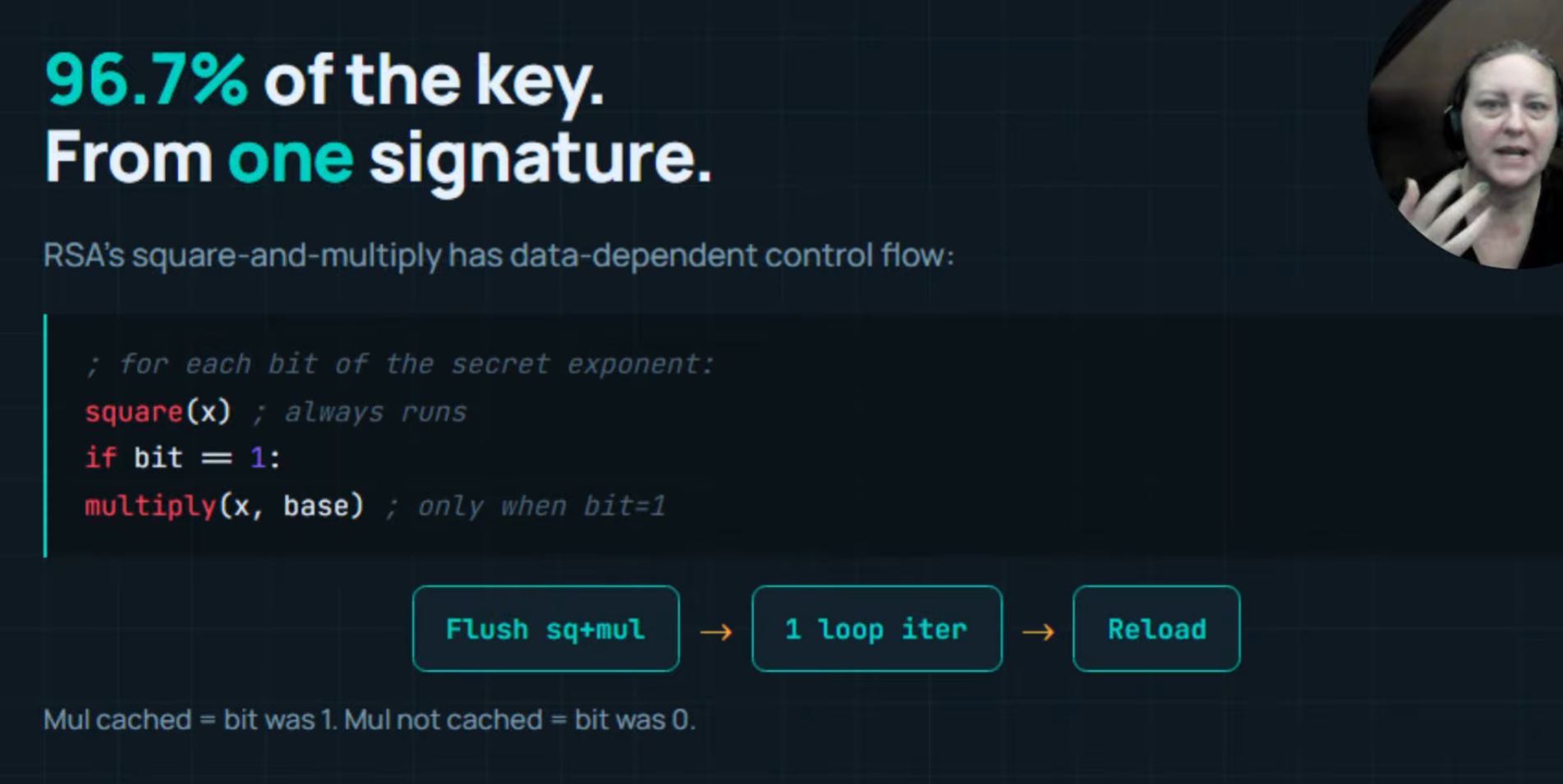
RSA’s Square and Multiply case study
- RSA sign in involves modular exponentiation
- …repeatedly squaring a large number
- …conditionally multiplying it by a base value based on the bits of the secret exponents
- …used a Square & Multiply algo
- …the multiply operation only ran when the bit of the exponent was a 1 > a Data Dependent Control Flow
- Cache timing attacks cover DDCF
- Attacker identifies the cache lines containing the multiply and square function inside the libgcrypt
- …flush both
- …allow GNU PG to run one iteration of the exponentiation loop
- …they reload both to see the timing
- If the multiply line was cached, the corresponding bit of the secret key was a 1
- if only the square line cached, the bit was a zero
Speculative Execution Attacks
A cybersecurity attack that takes advantage of a performance optimization built into modern CPUs
- Meltdown, Spectre, Foreshadow…are SEAs
- Modern CPUs execute instructions out of order
- …speculatively, before knowing whether those instructions should commit
- …it generates the answer before knowing whether it is needed or not
- …when the speculation is wrong, the CPU rolls back architectural state, registers and memory
- …BUT it does not roll back microarchitectural state
- …the cache footprint of speculatively executed introduction survives > becomes the leak
- F+R used to read what was leaked into the cache
- The transient execution gadget loads a secret byte
- …uses that secret byte as an index into a 256 entry probe array
- …one entry for every possible byte value
- …each entry spaced 1-page apart > mapping to different cache lines
- …the Speculative Load touches one specific entry of the probe array determined by the secret
- …the Probe Array has one entry cached that was not cached before
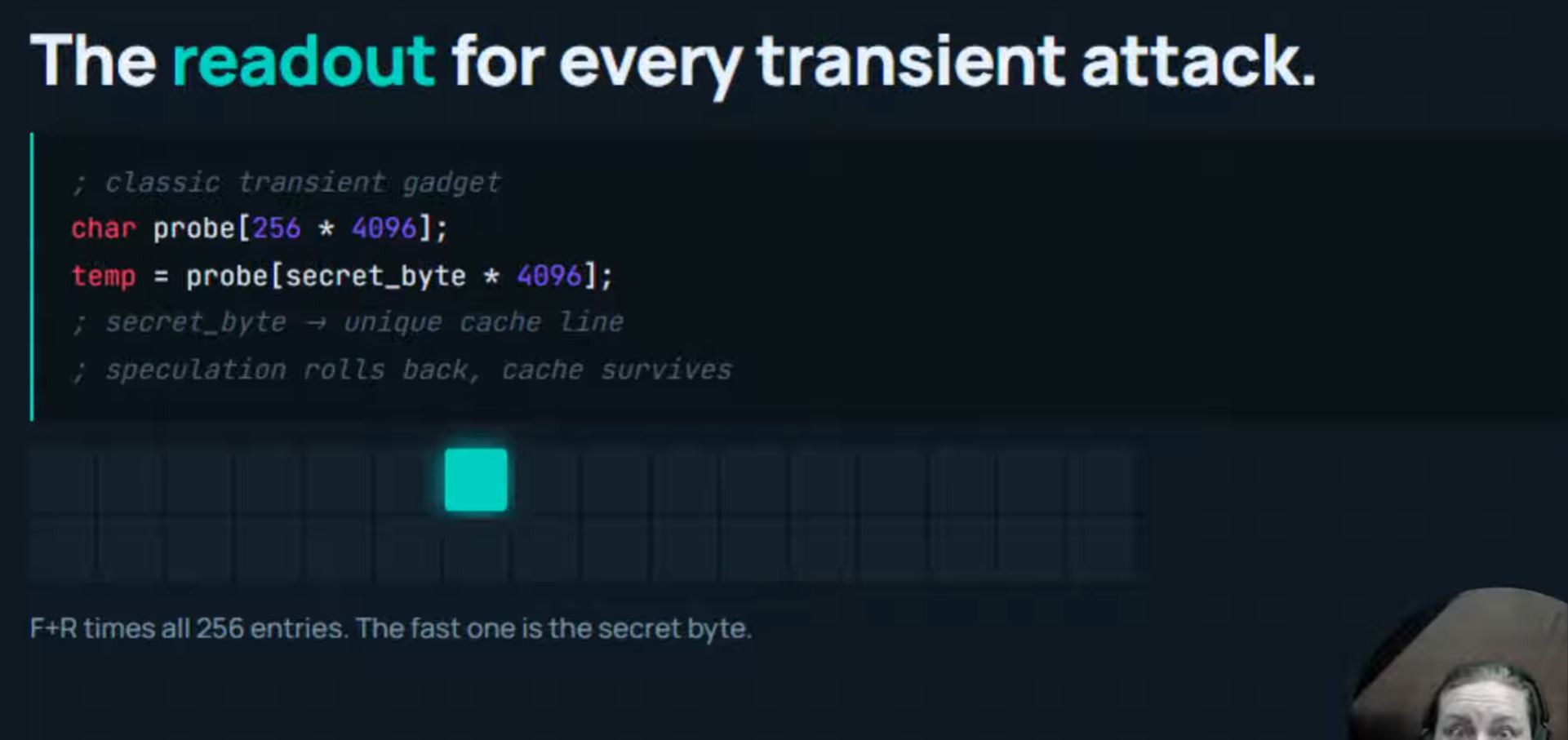
- F+R run across all 256 entries of the probe array
- …the one that comes back fast (~40 cycles) is the secret byte
- F+R needed to infiltrate the speculatively leaked data (into the cache)
- …extract 1 byte at a time
- Foreshadow…extracts SGX enclave content
- Meltdown…reads kernel memory
Flush Plus Flush
- Hardware performance counters proposed as counter to F+R attacks
- F+R causes an unusual number of cache hits and misses
- The OS can monitor those caches
- Flush + Flushcreated to circumvent those countermeasures
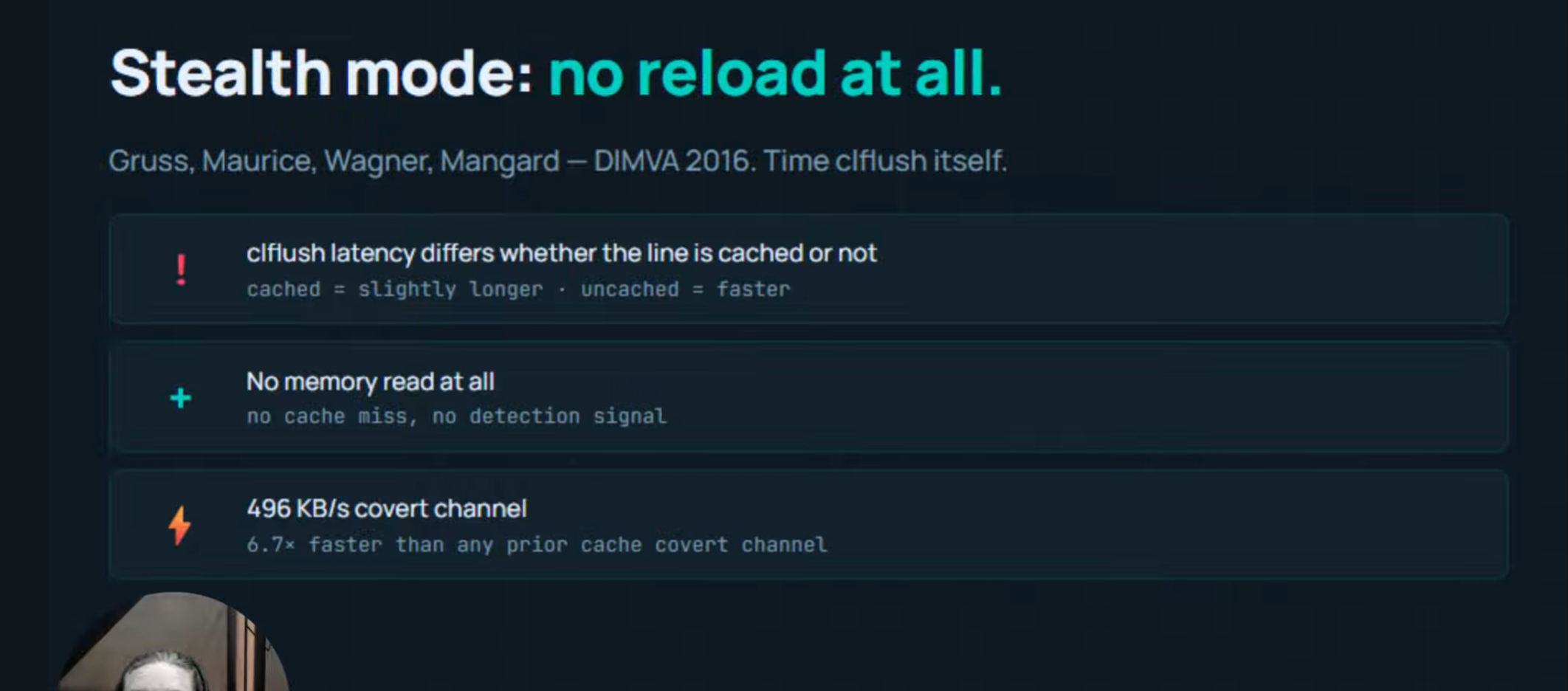
- CL Flush takes slightly different amounts of time depending on whether the targetted line is currently cached or not
- Cached line takes CL Flush a bit longer
- CL Flush takes longer because it does the eviction work
- …the difference is small (much smaller than L1 and DRAM timing)
- CL Flush does not perform a memory read
- …no cache hit or miss for the countermeasures to see
- The attack becomes Flush + Wait + Flush
- Time the second flush…
- …stealthier, faster and undetected
Cache Side Channel Attacks are a Family of Techiniques
F+R Defences
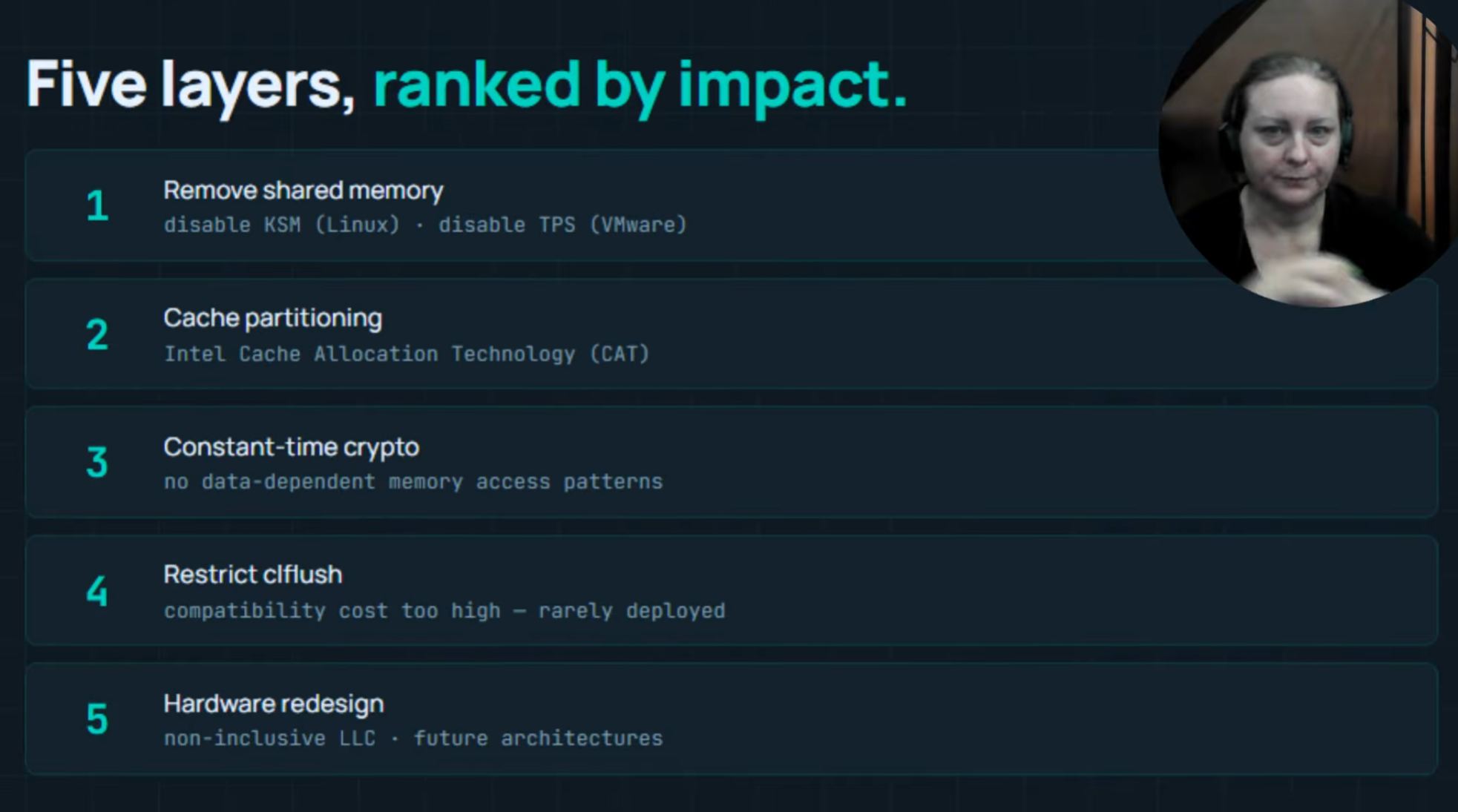
- No shared cache line between attacker and victim > nothing to flush
- …Disable kernel same-page merging on Linux
- …Disable transparent page sharing on VMware
-
…both means losing deduplication and costs performance
-
L3 Cache Partitioning (CAT) > allocate specific L3 to specific cores
-
Constant-time Crypto > counteracts Data Dependency patterns
-
…same sequence of instructions and same memory touched regardless of the secret (no special paths)
-
Retricting CLFlush
- …make it a privilege execution
-
…rarely used, cost too high, not adopted
-
Hardware Redesign
- new CPU designs to remove vulnerabilities
Learning Outcome
- The cache is vulnerable to attack
- Flush and Reload is an attack method to uncover information from the cache
Homework
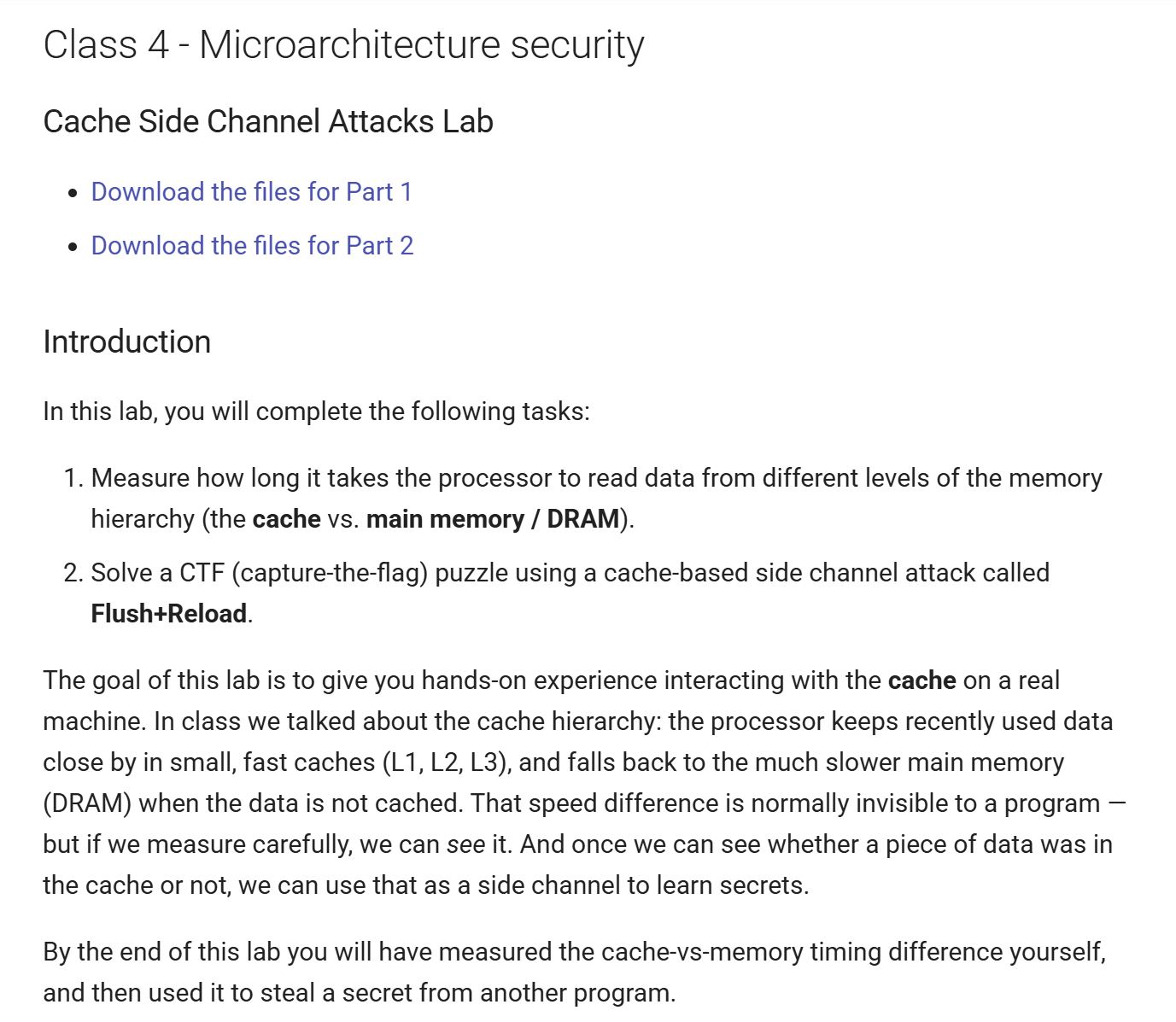
- 2 parts
- implement own method > how long to read data from cache or main memory…before and after flushing
- implement attacker code > flush and reload attack, what did the victim access
Part1:
Preparations
Launching the Ubuntu VM:
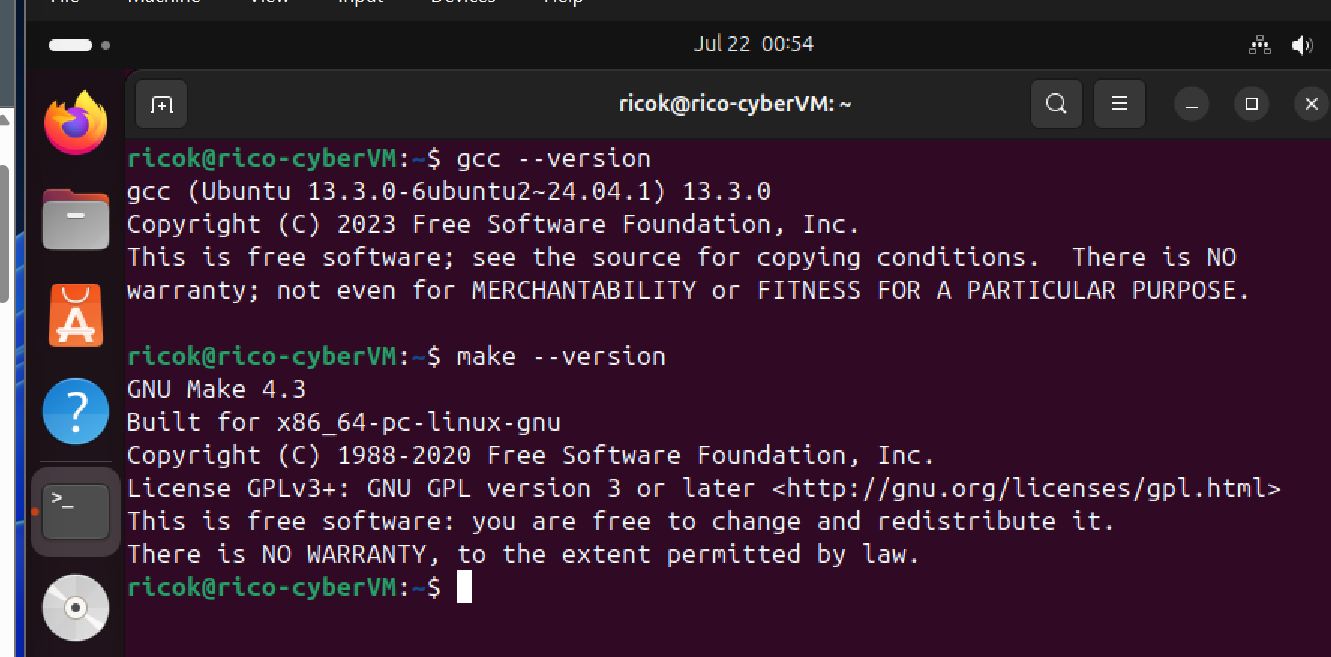
- Make sure ‘gcc’ and ‘make’ tools are installed
- Download assignment files and into the Shared Ubuntu folder
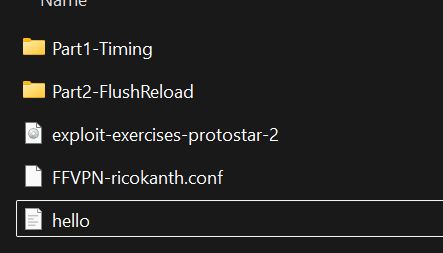
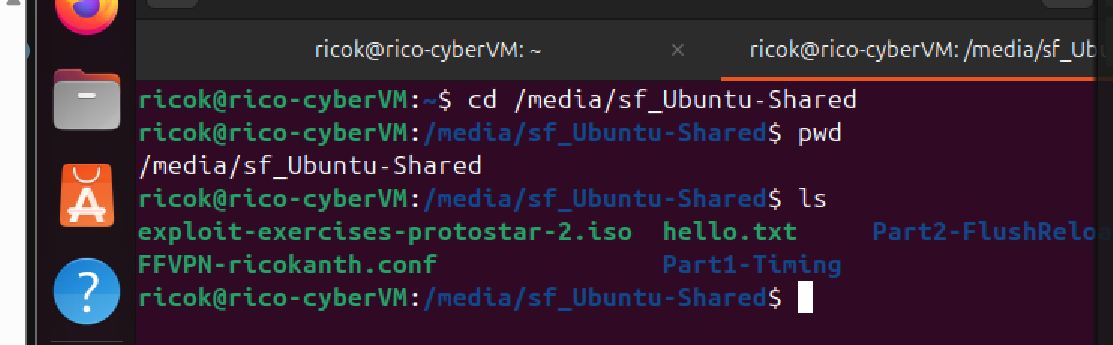
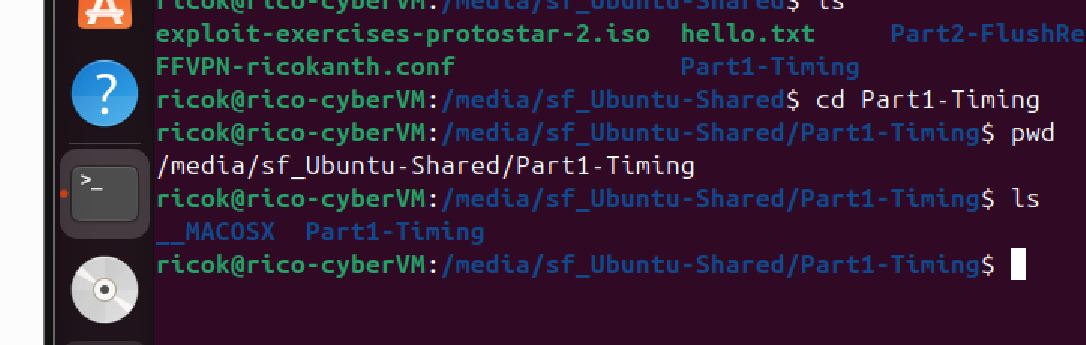
- Look at ‘utility.h’…’measure_one_block_access_time(addr)’ function > measures CPU cycles for a memory read
- Look at ‘utility.h’…’clflush(addr)’ > removes a specific address from every CPU cache, next access must be DRAM
Measure 2 Loops
We are looking to get timing for ‘Cache Latency’ and ‘DRAM Latency’. I am guessing this is to set the baseline timing to understand later timing measurements. We are warned not to run any addtional processes, particularly ‘printf’, so as to not extend the actual process duration.
Homework instructions tells us to modify the ‘make.c’ file, to add to the DRAM measurement loop.
- Find the ‘make.c’ file
- Use Nano to edit the ‘make.c’ file
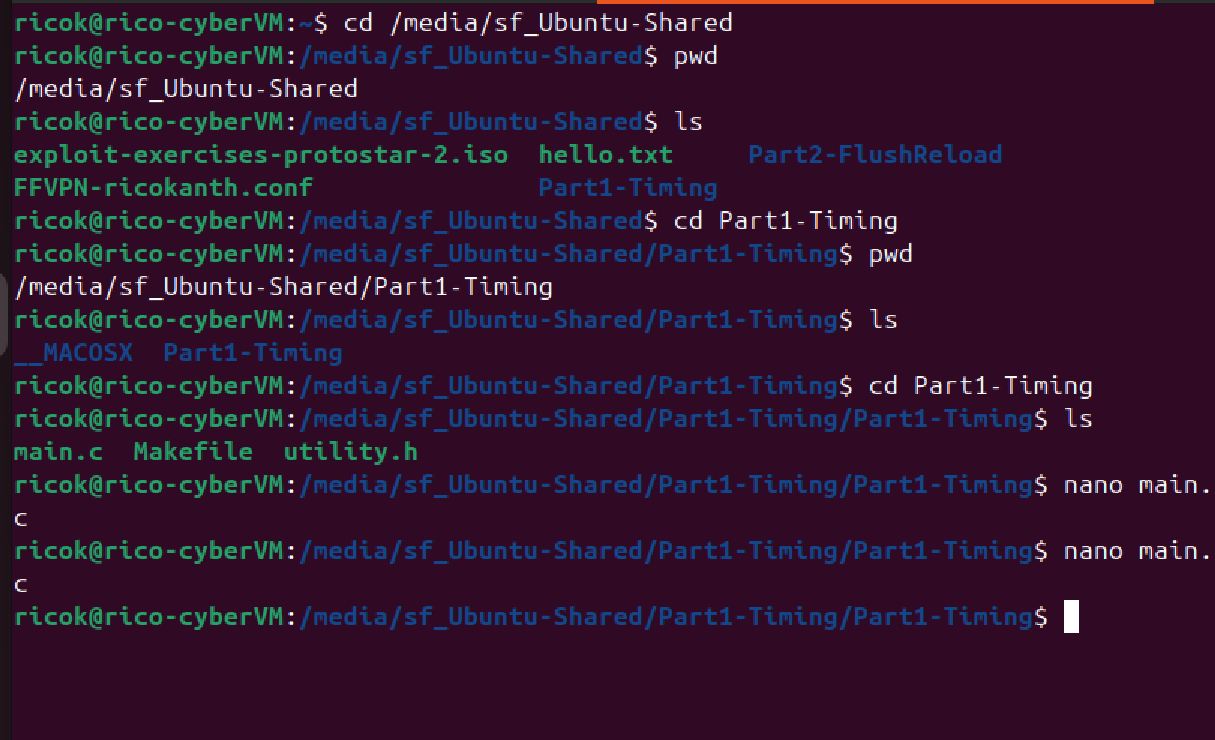
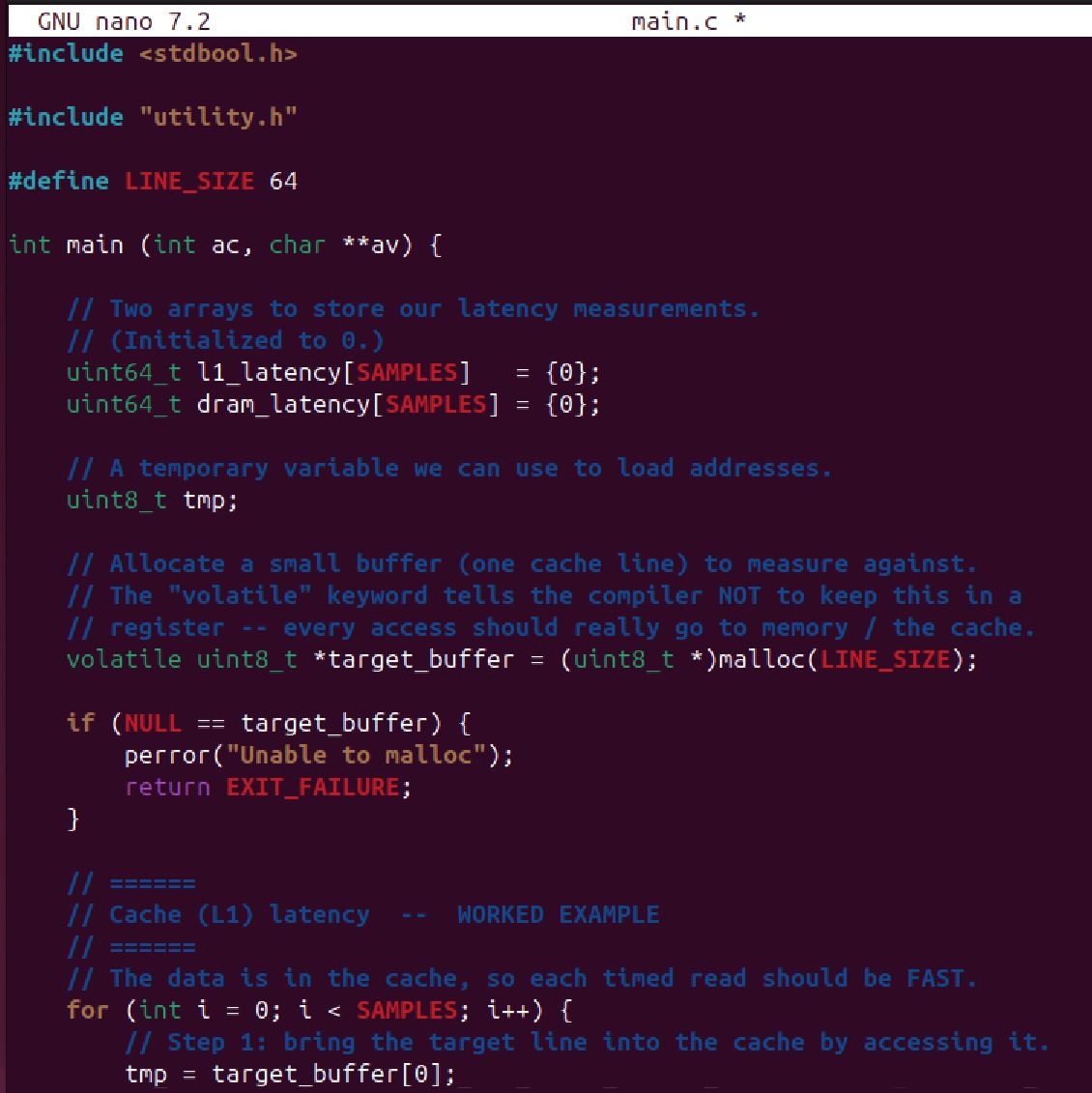
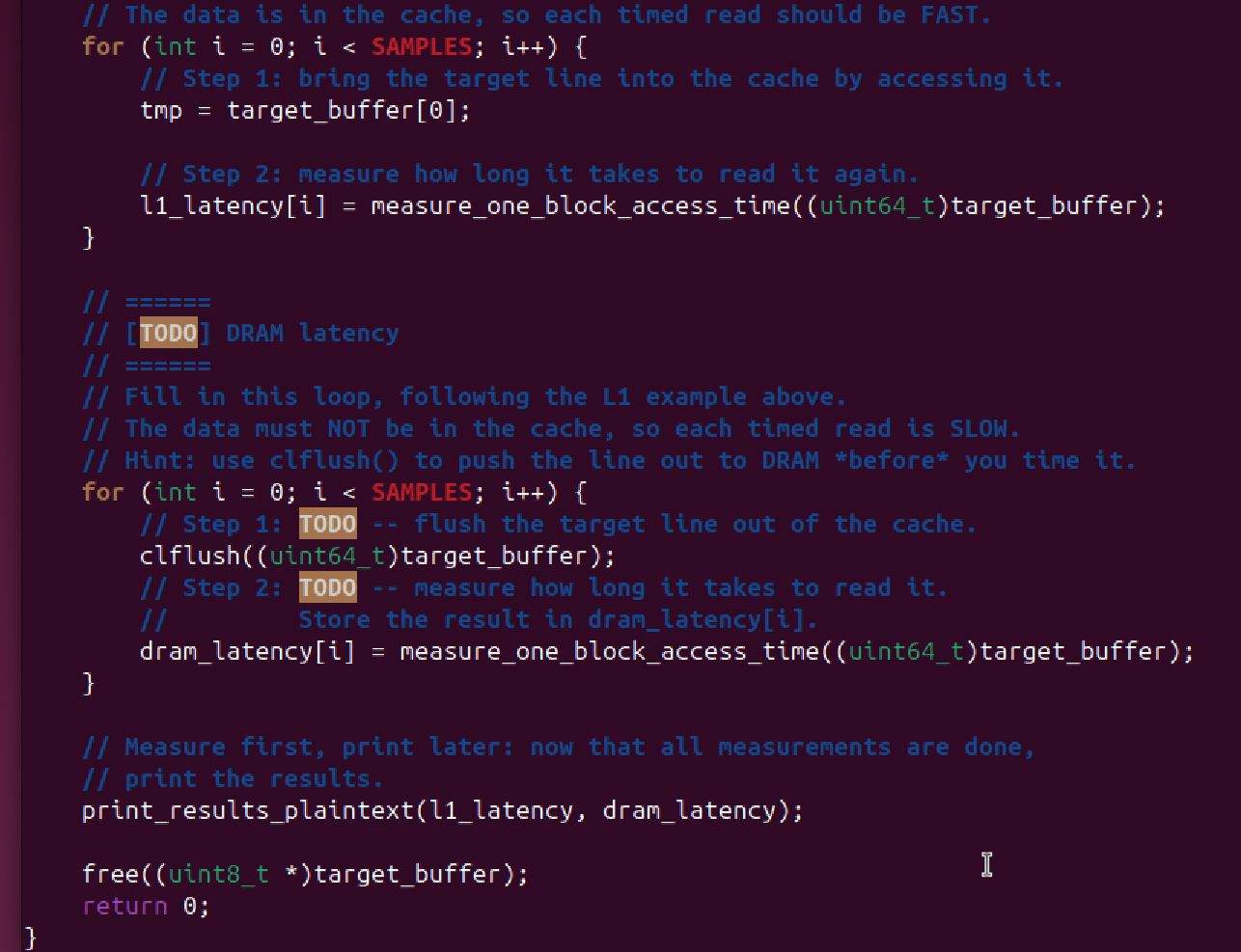
Looking Thru Main.c
- ‘stdboo.h’ and ‘utility.h’ libraries included at the top
- ‘Line Size’ variable defined as = 64
- 2 arrays ‘l1_latency’ and ‘dram_latency’ defined to store latency timing values
- ‘tmp’ 8-bit integer defined to hold address values
- ‘*target_buff” 8-bit integer volatile variable defined to hold one cache line (the size of LINE_SIZE) on the heap, not register
- The first for-loop measures ‘Cache Latency’
- The number of ‘SAMPLES’ to be run is not defined in ‘main.c’ but rather in ‘utility.h’
- The ‘target_buffer’ value is given array address 0 and assigned to the variable ‘tmp’
- The variable ‘l1_latency’ for each sample is the timing measured on the ‘target_buffer’ using the ‘measure_one_block_access_time’ function
The second loop, the DRAM latency measurement loop…needs to be completed.
- Look for the ‘To Do’ sections in the code
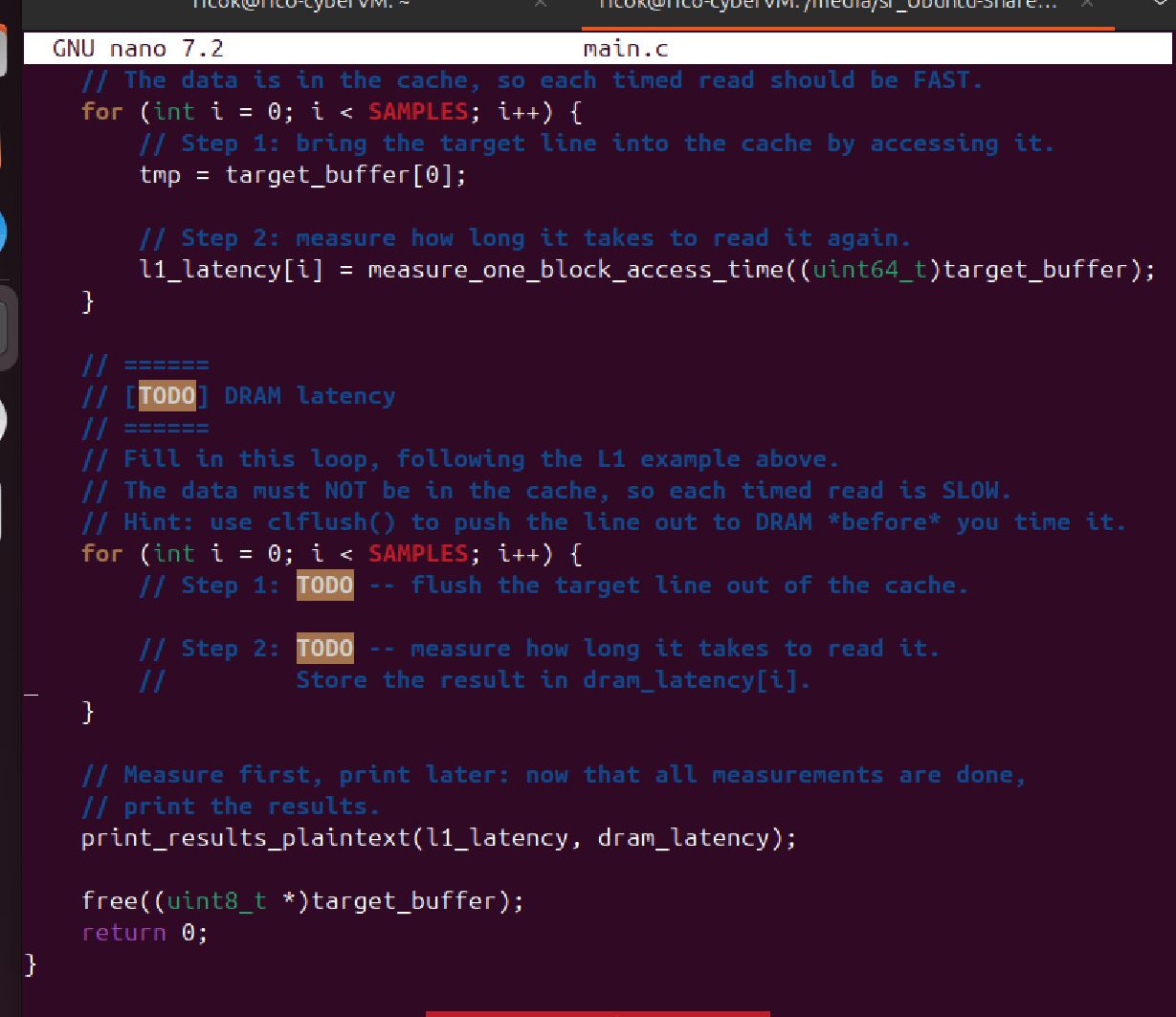
- There are 2 ‘To Dos’, the first to ‘flush the Cache’ and the second to ‘Write to DRAM’
With ChatGPT assistance, I added the following 2 lines of code:
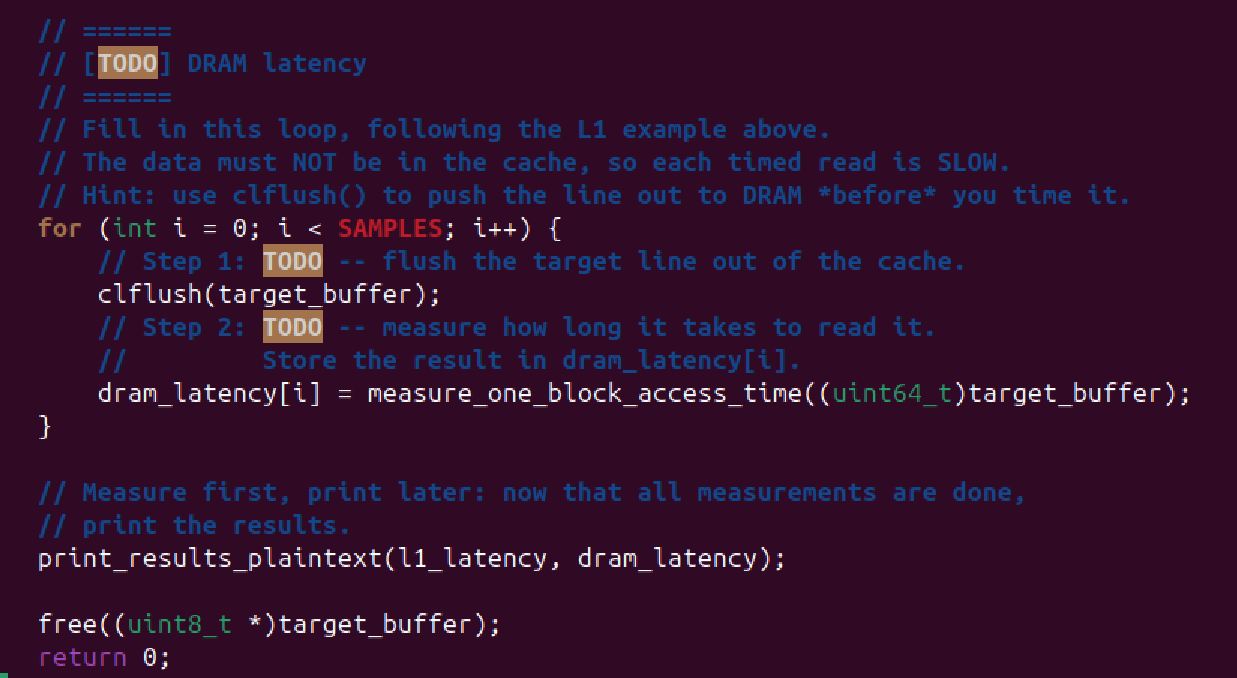
- “clflush(target_buffer);” > applies the ‘clflush’ (flushing out from cache) command to the ‘target buffer’ address location
- “dram_latency[i] = measure_one_block_access_time((uint64_t)target_buffer);” > fetches data from DRAM (Main Memory)
…but received an error when run.
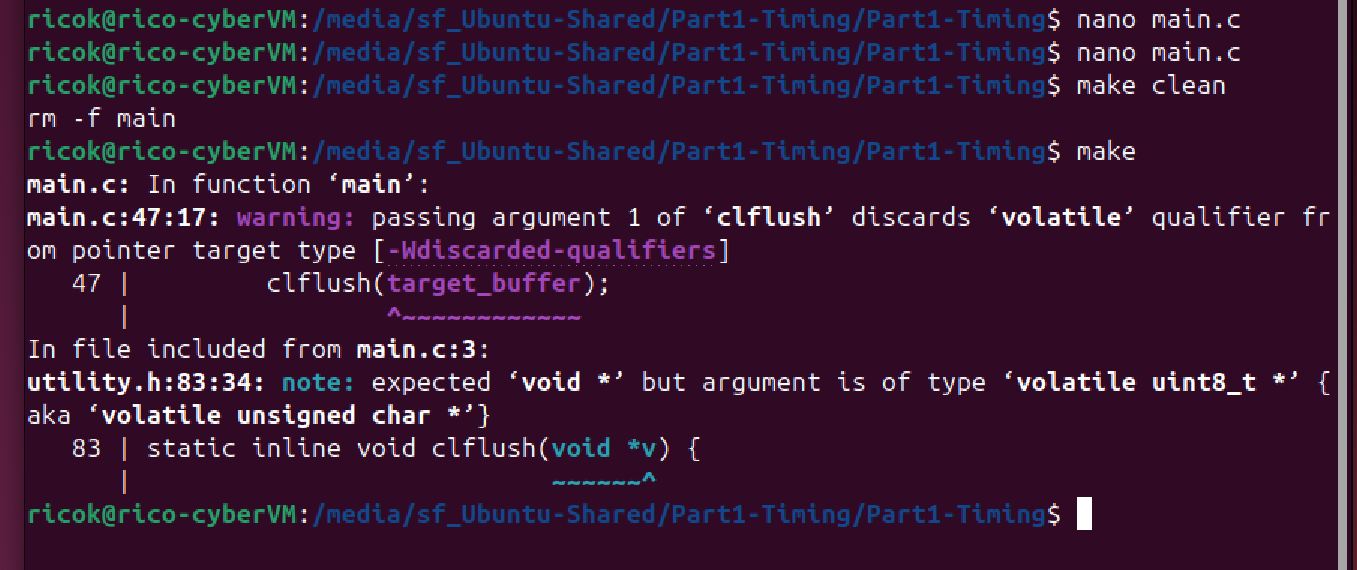
But ChatGPT assures me that this is a ‘warning’ not an ‘error’, and provides the following explanation:
passing a volatile pointer to a function that expects a normal pointer
- “Volatile” = tells compiler not to optimize access to the memory, every read/write must occur
- Seems reasonable when we want to measure actual timing, not ‘optimized’ timing
- But ChatGPT recommends a fix > ‘clflush((void *)target_buffer)…to qualify volatile memory explicitly
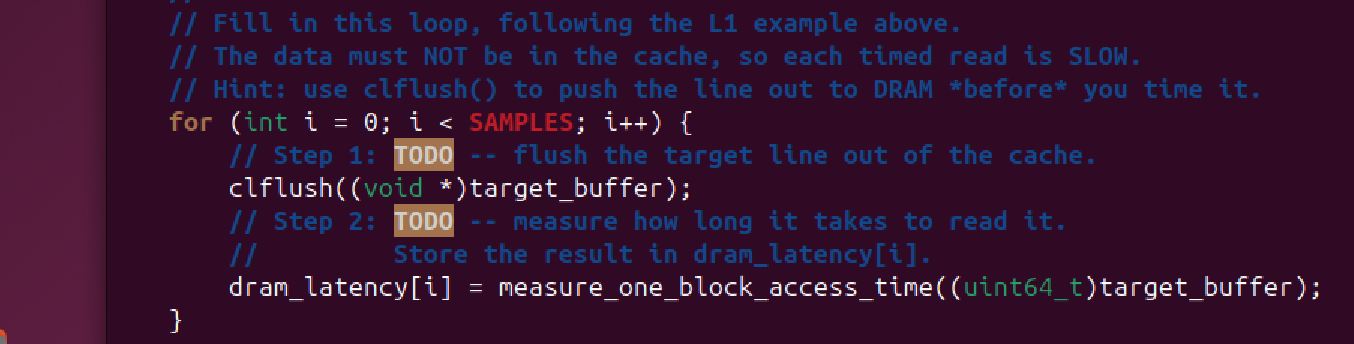
I save and run the edited code and get a good result:
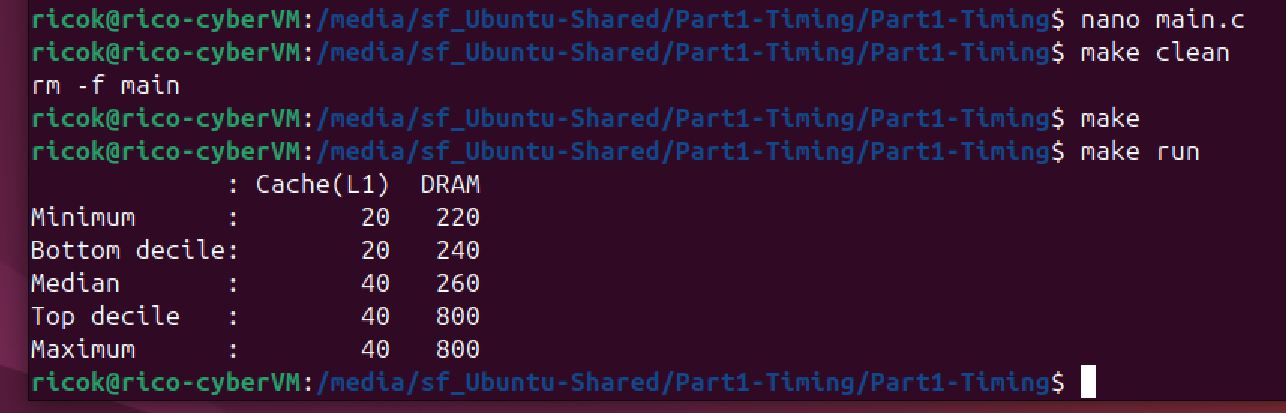
We get 2 columns of timing measurement data for L1 Cache and DRAM. DRAM is considerably slower because (as described in class) it is ‘farther away’ from the CPU.
L1 Cache timing ranges between 20-40 cycles. DRAM timing ranges between 220 and 800 cycles. DRAM is 6.5x slower
- ChatGPT goes on to explain that DRAM latency is ‘noisy’ due to a variety of reasons (memory controller busy, background OS activity, CPU scheduling, etc.)
Part2:
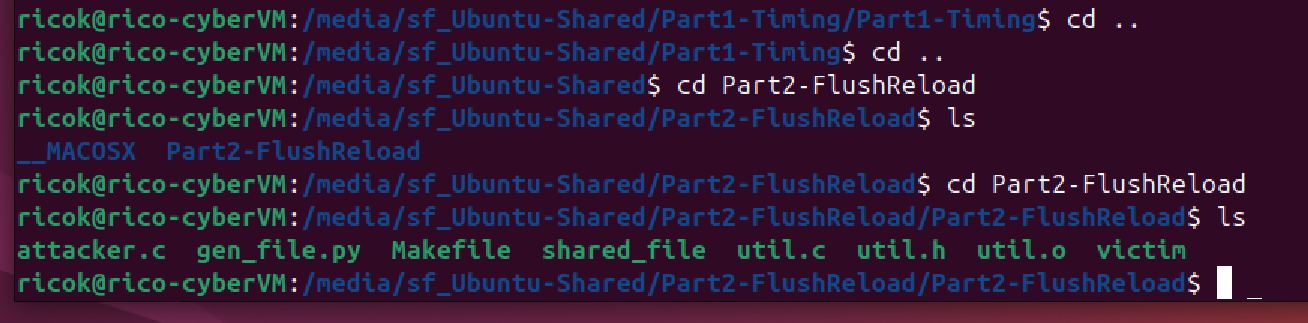
I navigate to the Part2 folder and inspect its contents. Many more files in the folder this time!
Open the ‘attacker.c’ file with Nano. A much shorter code.
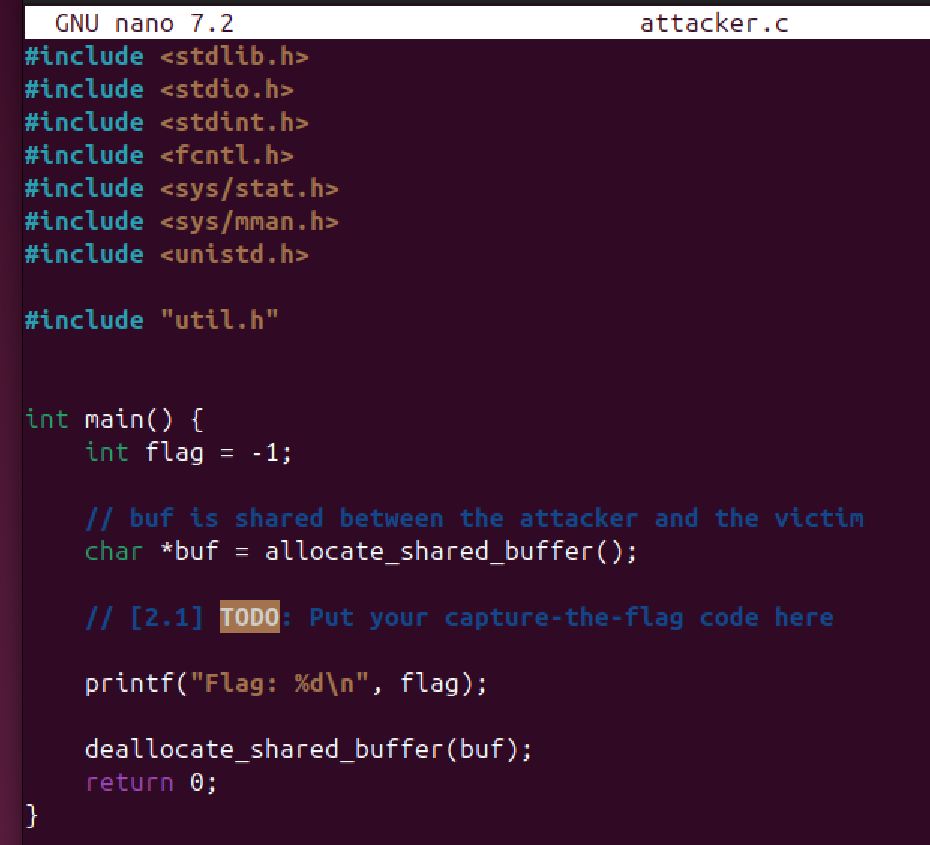
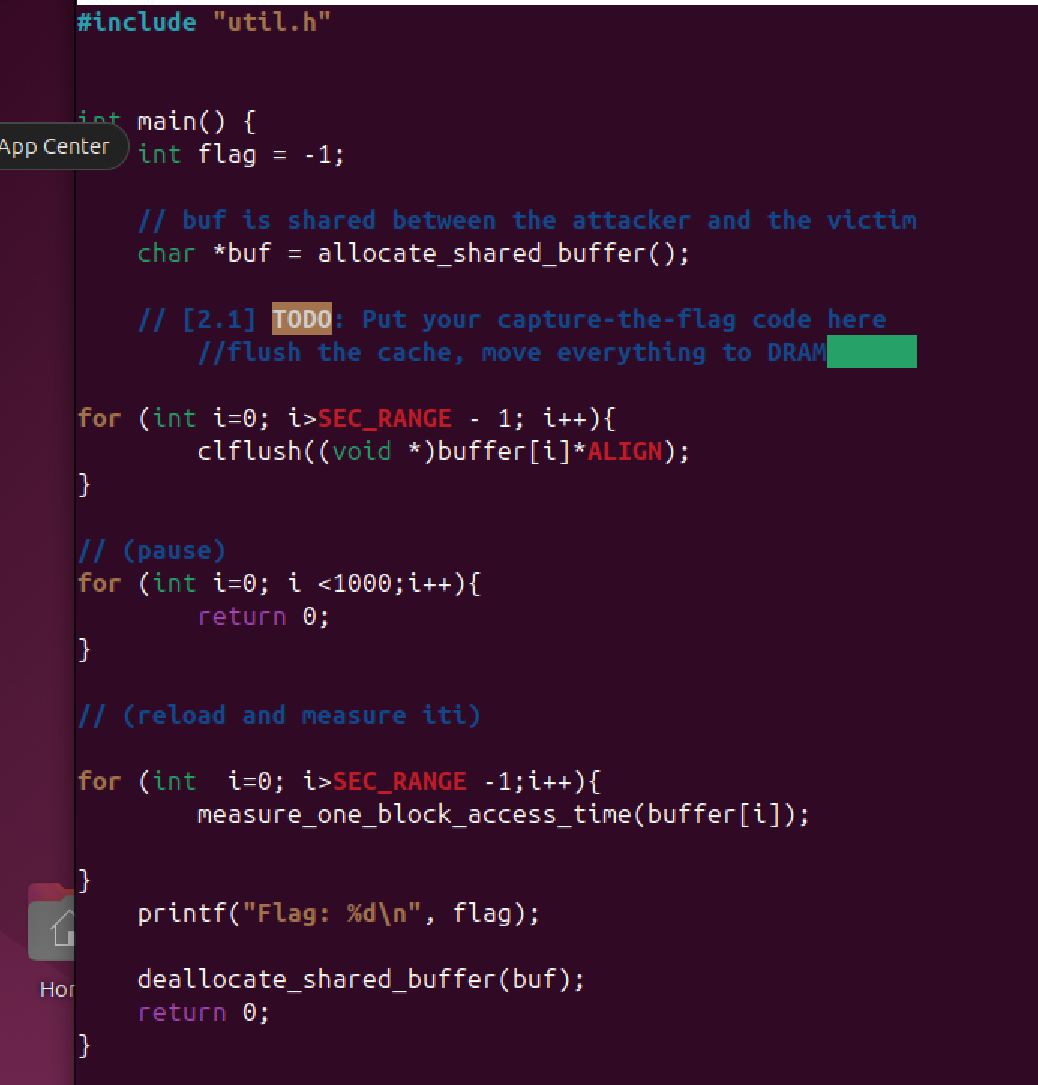
Like the code for Part-1, there is a ‘To Do’ section where I am asked to insert a ‘Capture the Flag’ code.
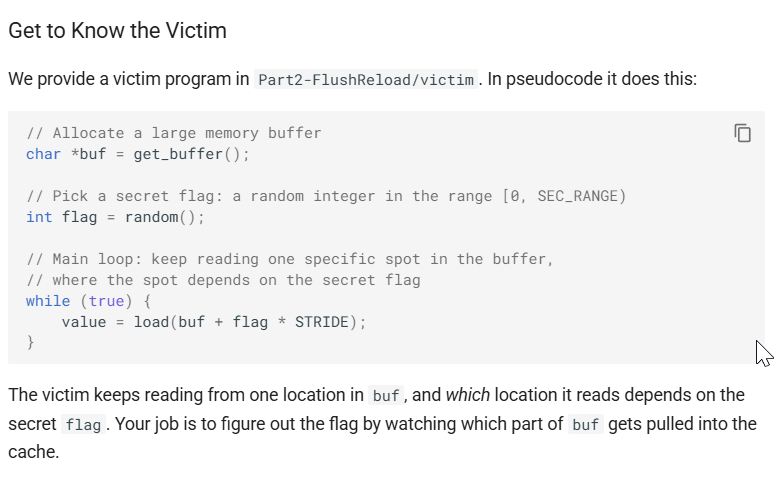
The objective is to discover a location based on a secret flag value…and to use the Flush & Load technique to uncover the location where the timing is long.
We know that cache timeing is somewhere between 20-40 cycles and DRAM timing is north of 200 cycles. By cycling through the various possible locations and measuring the timing, the flag’s location would be discovered where the timing is the shortest (closer to 20 cycles).
Looking at ‘utils.h’ gives us some clues.
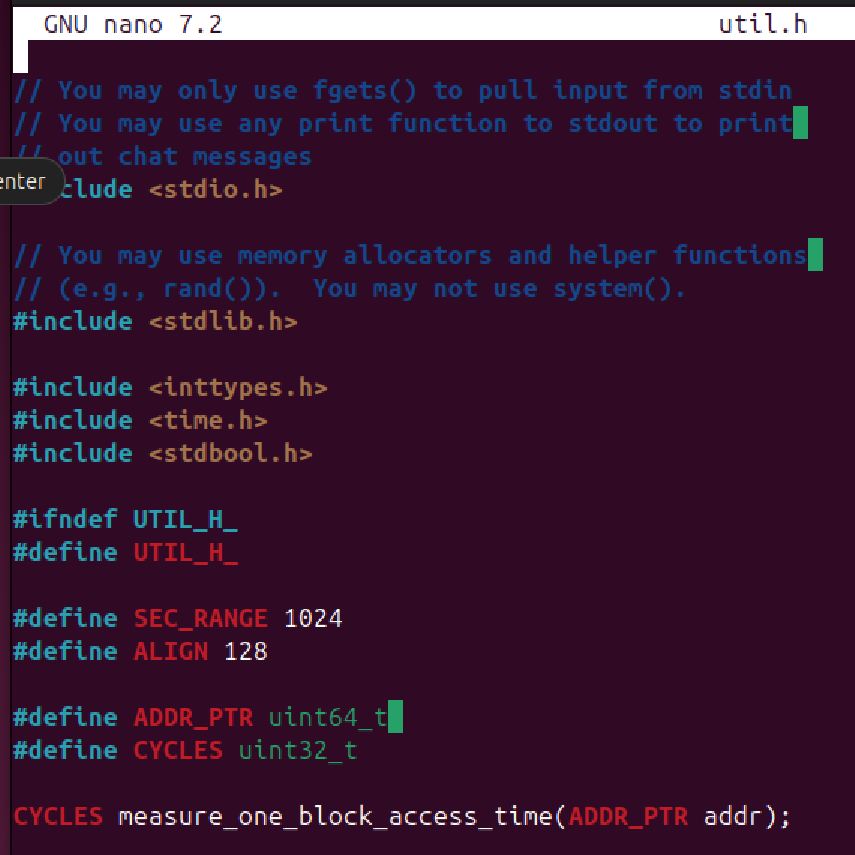
Of particular interest are the lines:
- ‘#define SEC_RANGE 1024’ > the number of buffer slots
- ‘#define ALIGN 128’ > the slots are 128bytes apart
- ‘CYCLES measure_one_block_access_time(ADDR_PTR addr) > measures the latency at a specific address
- ‘clflush(ADDR_PTR addr)’ > seems to flush the address of the Address Point
First stab at the program: